When I first started testing desktop 3D printers, setting up a new unit meant hours of tedious manual bed leveling, wrestling with tangled slicer profiles, and fixing constant nozzle jams. Fortunately, the latest top beginner 3d printers have transformed the learning curve by introducing one-tap app printing, rapid auto-calibration, and out-of-the-box reliability. Over the past few months, I tested several user-friendly machines to help you skip the frustration and pick the right model for your desk and budget.
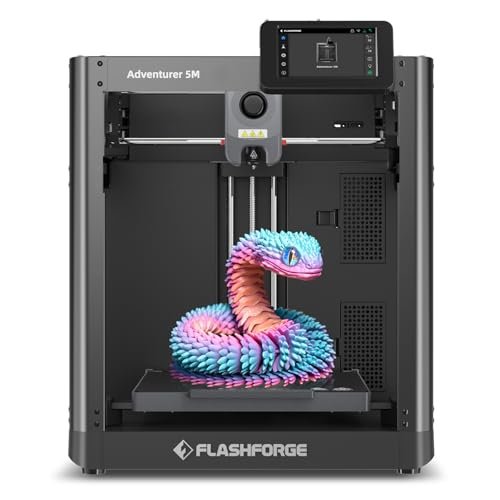
1. FLASHFORGE Adventurer 5M 3D Printer
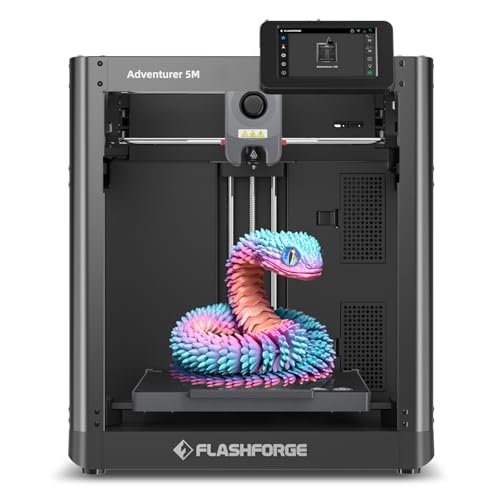
The FLASHFORGE Adventurer 5M brings blazing fast production speeds to your desktop without requiring prior technical knowledge. Its fully automatic one-click bed leveling system takes care of the first-layer calibration so you never have to adjust bed screws by hand. Thanks to its high-flow direct drive extruder and 600mm/s CoreXY speeds, projects that used to take five hours finish in under an hour with crisp detail. You also get remote Wi-Fi monitoring through the Flash Studio app, making it easy to check prints from anywhere in your home.
Key features that stand out:
– Rapid CoreXY motion system with up to 600mm/s travel speed and 20,000mm/s² acceleration
– One-click full auto bed leveling for reliable first layers
– Quick-swap nozzle design that lets you swap hotends in three seconds without tools
– High-temp 280°C direct drive extruder with a flexible, double-sided PEI build plate
– Remote print management and status alerts via the Flash Studio mobile app
Pros:
– Super fast print completion times right out of the box
– Effortless nozzle swaps make maintenance simple for new users
– Sturdy all-metal frame keeps vibration minimal during fast moves
Cons:
– The open-frame design means cooling fans can be loud during high-speed runs.
– It lacks an enclosed chamber for working with odor-heavy filaments like ABS.
Best for: Beginners who want fast, reliable functional prototyping without spending hours calibrating.
Expert Opinion: The Adventurer 5M is one of the most capable speed machines in its price bracket, removing all the traditional friction of first-layer calibration while giving you room to grow into advanced materials.
2. Entina Tina2C 3D Printer for Beginners & Kids
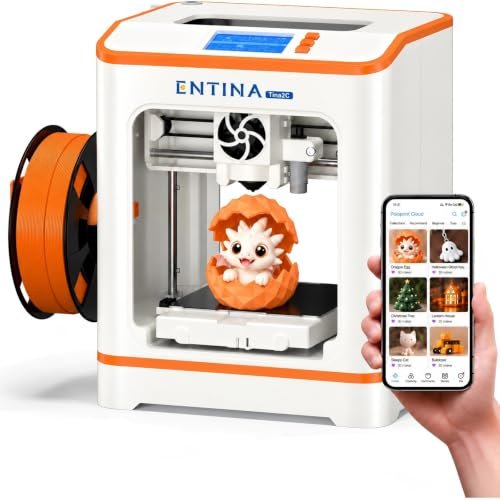
The Entina Tina2C is a tiny, plug-and-play desktop unit designed to get complete novices printing in five minutes flat. It arrives fully assembled with factory-calibrated auto leveling, which eliminates the steepest hurdle for first-time hobbyists. Using the Poloprint Cloud companion app, you can access over 3,500 ready-to-print 3D designs and even generate custom models from photos using basic AI tools. A flexible magnetic print bed lets you pop completed toys and trinkets off with a simple flex.
Key features that stand out:
– Compact 3.9 x 3.9 x 3.9-inch build volume tailored for small spaces and classrooms
– Factory-assembled build with smart auto leveling and power-loss resume
– Poloprint Cloud app integration with thousands of free models and photo-to-3D tools
– Removable magnetic print surface for gentle part removal
– Quick-change nozzle assembly that keeps routine cleaning easy
Pros:
– Ultra-compact footprint fits easily on a small study desk
– Ready to print straight out of the box with virtually zero setup
– Intuitive smartphone app makes file preparation effortless for children
Cons:
– The small build volume limits you to printing miniature items and toys.
– The non-heated print surface restricts your material choice primarily to PLA filament.
Best for: Young kids, students, and parents seeking a compact, low-risk introduction to 3D printing.
Expert Opinion: If you are intimidated by complex slicing programs and mechanical setups, the Tina2C works more like an appliance than a technical machine, making it a wonderful educational tool.
3. MakeBuddy Smart5 AI 3D Printer for Beginners
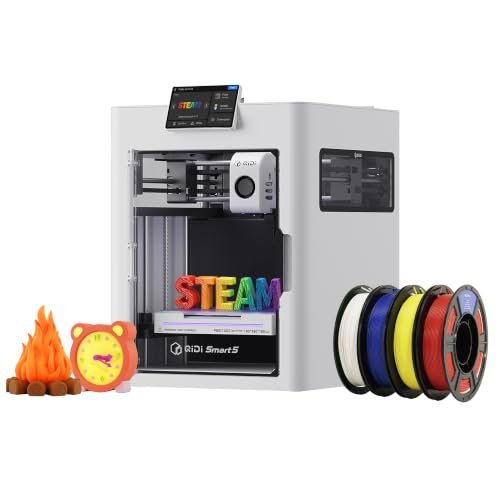
The MakeBuddy Smart5 combines high-speed performance with a child-safe enclosure to keep your printing area clean and quiet. It comes equipped with a built-in active HEPA and carbon filtration system that traps micro-particles and eliminates melting odors while you work. Driven by a rigid CoreXY frame reaching 600mm/s speeds, this machine handles both detailed hobby figurines and functional parts with ease. In addition, the AI image-to-3D generation software lets you snap a photo with your phone and turn it into a physical print without touching CAD software.
Key features that stand out:
– Fully enclosed design with active dual HEPA and activated-carbon air filtration
– Inherited QIDI industrial auto-leveling system for dependable first-layer adhesion
– High-speed CoreXY mechanics delivering up to 20,000mm/s² acceleration
– Generous starter package with four PLA rolls and STEAM educational DIY projects
– AI-driven companion app with text-to-model and photo-to-model tools
Pros:
– Enclosed chamber keeps curious hands safe and reduces operational noise
– Integrated air filtration makes it ideal for bedrooms and home offices
– The generous starter package includes plenty of materials and hands-on projects
Cons:
– The AI model generation tool requires cloud credits after the initial trial tokens run out.
– The enclosed frame makes it heavier and bulkier than standard open-bed models.
Best for: Families and makers who want a safe, odor-free, enclosed machine for high-speed creative builds.
Expert Opinion: By combining genuine CoreXY speed with a fully filtered, enclosed build chamber, the Smart5 delivers top-tier safety alongside high-end performance rarely found in starter machines.
4. Bambu Lab A1 mini 3D Printer + LED Lamp Kit
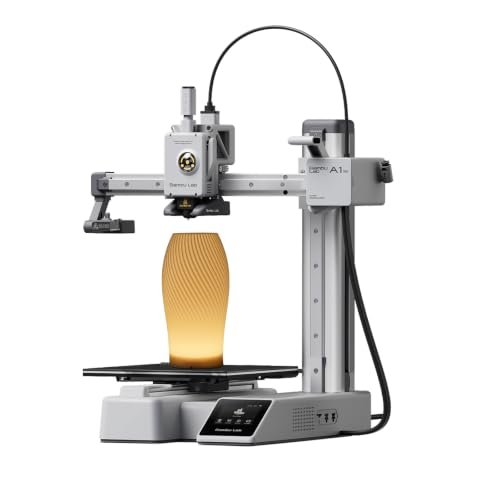
The Bambu Lab A1 mini delivers an exceptionally polished user experience backed by one of the strongest maker communities around. It comes paired with an interactive LED lamp hardware kit, allowing you to immediately produce functional, illuminated home decor right after unboxing. The printer features fully automated multi-point calibration, which handles bed leveling, vibration compensation, and nozzle pressure advance without any manual tweaking. Backed by the Bambu Handy app and MakerWorld platform, you can start high-resolution prints directly from your phone in seconds.
Key features that stand out:
– Turnkey automatic calibration covering active flow rate, resonance, and bed leveling
– Included LED Lamp Project Kit for instant practical DIY crafting
– Direct wireless integration with the Bambu Handy app and MakerWorld model repository
– Ultra-quiet motor drivers that keep desktop noise barely audible
– High-precision motion system capable of high speeds while maintaining smooth surfaces
Pros:
– Industry-leading calibration algorithms deliver unmatched print consistency
– MakerWorld app makes finding and sending pre-sliced prints effortless
– Whisper-quiet motion makes it practical to run beside your computer workstation
Cons:
– The open cantilever arm design feels less rigid than a boxed frame.
– The build plate size is modest at 180 x 180 x 180 mm.
Best for: Beginners who want the smoothest, most reliable software-hardware ecosystem on the market today.
Expert Opinion: The A1 mini sets the benchmark for first-time user convenience; its automated sensor suite eliminates almost every common beginner mistake before the print head even heats up.
5. AOSEED AI 3D Printer for Kids
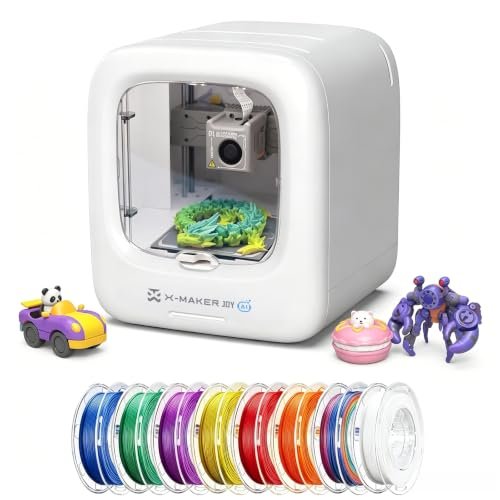
Designed from the ground up as a creative toy workshop, the AOSEED AI printer helps young creators turn wild ideas into real plastic toys. It features an ultra-safe enclosed, pinch-resistant chassis paired with non-toxic, ISO-tested PLA filaments to keep home use completely worry-free. Through the kid-centric app, young builders can utilize creative AI Doodle and MiniMe features to generate customized figures using quick voice commands or hand-drawn sketches. A built-in monitoring camera automatically captures time-lapse videos of every build, so kids can share their creative journeys with family and friends.
Key features that stand out:
– Fully child-friendly enclosed structure with built-in interior camera for live viewing
– Kid-friendly AI generation tools that transform simple doodles and photos into 3D files
– Fast printing speeds reaching up to 400mm/s with 0.05mm layer accuracy
– Massive included bundle featuring eight vibrant filament spools, stickers, and tools
– Filament runout detection with auto-pause to avoid interrupted prints
Pros:
– Exceptional child-safety features with protected moving parts and safe materials
– The built-in time-lapse camera makes documenting projects fun and rewarding
– The extensive starter bundle includes eight filament rolls to start right away
Cons:
– It is limited to single-color printing per job, requiring manual assembly for multi-color models.
– Advanced makers will find the proprietary software ecosystem too simplified for custom tuning.
Best for: Young children and elementary school classrooms focused on STEM education and toy making.
Expert Opinion: AOSEED has created an approachable appliance that bridges the gap between digital play and physical creation, keeping kids safe while letting their imagination run wild.
6. Entina Tina2C Mini 3D Printer Bundle for Kids & Beginners
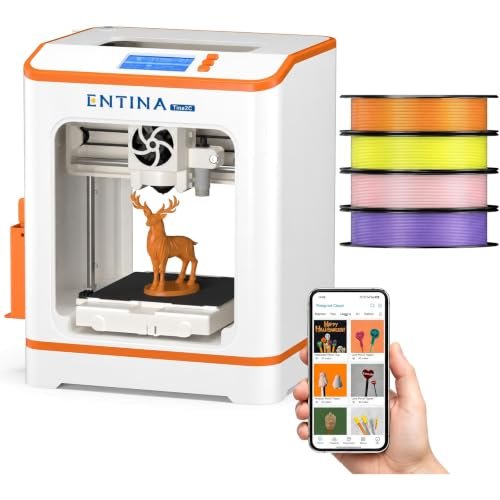
If you want a complete starter setup that lets you begin crafting multi-colored designs immediately, this expanded Tina2C bundle is an affordable match. It ships with four vibrant rolls of PLA filament, giving you approximately one kilogram of material to test prototypes and creative trinkets. The printer features intelligent power-loss recovery and auto-leveling, which protects your work against accidental cord tugs or sudden power cuts. Its compact desktop footprint and built-in LED task light make it easy to slot into tight workspaces, dorm rooms, or bedroom desks.
Key features that stand out:
– Full starter package including four distinct PLA filament colors
– One-tap automated bed leveling paired with assisted setup routines
– Poloprint companion software supporting both wireless network and microSD card printing
– Springy magnetic build sheet that releases cool parts cleanly
– Power-loss resume technology to save jobs from power interruptions
Pros:
– Comes with plenty of filament out of the box to practice multiple designs
– Space-saving design that packs away easily when not in use
– Very low barrier to entry with pre-tuned factory print profiles
Cons:
– The small 3.9-inch build plate means you will quickly outgrow it if you want to print larger models.
– The print speeds are relatively slow compared to modern CoreXY options.
Best for: Budget-conscious beginners who want an all-in-one bundle with materials included.
Expert Opinion: This bundle is the quickest path to learning additive manufacturing fundamentals on a budget, providing all the basic tools and filament you need to start experimenting immediately.
Helpful Comparison Insights
- Speed and Motion Architecture: The FLASHFORGE Adventurer 5M and MakeBuddy Smart5 utilize CoreXY mechanics that easily hit 600mm/s, drastically cutting down project wait times. On the flip side, smaller bed-slingers like the Entina Tina2C prioritize a tiny desk footprint over raw output speed.
- Enclosed Safety vs. Open Access: If you have small children or curious pets around, the fully enclosed MakeBuddy Smart5 and AOSEED AI provide physical barriers and air filtration. The Bambu Lab A1 mini and Adventurer 5M are open-frame designs, which makes nozzle maintenance easier but exposes hot moving components.
- Software Ecosystems: The Bambu Lab A1 mini stands out for its seamless MakerWorld platform that lets you print pre-sliced models directly from a mobile device without slicing headaches. Meanwhile, AOSEED and Entina lean heavily on AI-assisted doodling and mobile photo-to-model features aimed at junior creators.
- Build Volume Considerations: If you want to print useful desk organizers or household tools, the 180mm to 220mm build volumes on the Flashforge, Bambu Lab, and MakeBuddy units are essential. The 3.9-inch cube on the Tina2C is strictly meant for small toys, miniatures, and keychains.
Final Verdict
Choosing between the top beginner 3d printers comes down to who will be using the machine and what you plan to build:
- The Best All-Around Starter: Choose the Bambu Lab A1 mini if you want seamless auto-calibration, whisper-quiet operation, and access to the best mobile model ecosystem available today.
- The Best for Speed & Upgradability: Pick the FLASHFORGE Adventurer 5M if you want a full-sized build platform, blazing-fast CoreXY speeds, and the ability to print functional mechanical components.
- The Best for Home Safety & Filtration: Go with the MakeBuddy Smart5 if you plan to keep your printer in a bedroom or home office and need an enclosed chamber with active carbon and HEPA filtration.
- The Best for Young Kids & Classrooms: Choose the AOSEED AI Printer or the budget-friendly Entina Tina2C Bundle for a plug-and-play, toy-making appliance that lets children create without technical hurdles.
Frequently Asked Questions About the Top Beginner 3D Printers
What makes a 3D printer suitable for beginners?
A beginner-friendly machine must minimize manual calibration. Look for features like fully automatic bed leveling, pre-assembled frames, flexible magnetic build plates, and intuitive mobile or desktop slicing software. Printers that support out-of-the-box wireless printing drastically reduce initial setup errors.
Do I need to know 3D modeling or CAD software to get started?
No, you do not need 3D design skills. Platforms like MakerWorld, Thingiverse, and Printables offer hundreds of thousands of free, pre-made digital models ready for download. Furthermore, modern beginner printers often feature mobile apps with integrated libraries and simple AI tools that convert basic photos into printable models with one tap.
Is PLA filament the best material for first-time makers?
Yes, Polylactic Acid (PLA) is the standard filament for newcomers. It prints at relatively low temperatures (around 190°C to 215°C), does not require a heated enclosure, produces minimal odor, and resists warping on the print bed. It is also derived from renewable plant starches like corn, making it a safe choice for home use.
How does automatic bed leveling work?
Automatic bed leveling uses an electronic sensor, optical probe, or strain gauge in the print head to measure the distance between the nozzle and the build surface at multiple points. The printer’s firmware then automatically compensates for any slight tilt or unevenness in real time, ensuring a smooth first layer without you having to manually adjust screws beneath the bed.
Can I safely run a 3D printer in my home office or bedroom?
You can safely run desktop machines in living spaces if you choose the right materials and design. When printing standard PLA or PETG, machines produce very low emissions. However, if you plan to keep the machine near your workspace, consider an enclosed model with active HEPA and activated-carbon filters like the MakeBuddy Smart5, or pick an open model with quiet motor drivers like the Bambu Lab A1 mini.
What regular maintenance do beginner 3D printers require?
Maintenance on modern starter printers is quite simple. You should periodically wipe dust off the guide rails, apply a light coat of machine lubricant to the lead screws or linear rods, and clean the flexible print plate with warm water and dish soap to remove finger oils. Most beginner units also feature quick-swap nozzles, making occasional replacements straightforward if you experience a stubborn filament clog.
Affiliate Disclosure: As an Amazon Associate, I earn from qualifying purchases made through links on this site.