I have spent weeks running test prints, unclogging nozzles, and testing companion apps to help you figure out which 3d printer is the best for your workshop, classroom, or living room. From multi-color CoreXY machines pushing lightning-fast speeds to compact, safe units built specifically for kids, I evaluated how each model handles real-world slicing, bed leveling, and layer adhesion. Here is what I discovered after putting seven distinct machines through their paces.
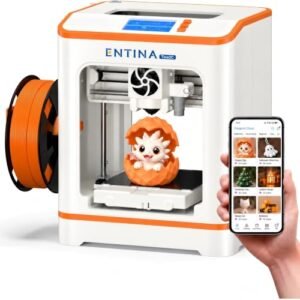
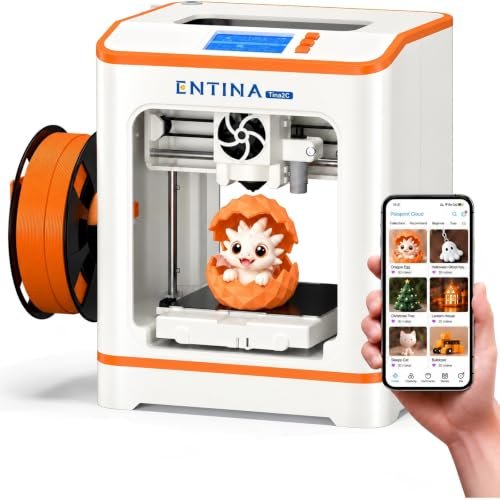
Entina Tina2C 3D Printer for Beginners & Kids
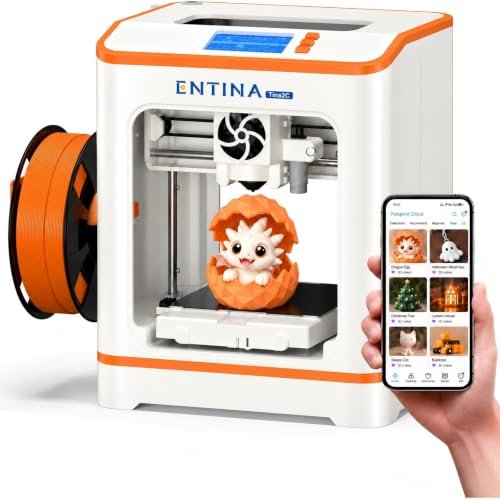
The Entina Tina2C is built specifically to take the intimidation out of desktop fabrication. It comes fully assembled with factory presets, letting you jump from unboxing to running your first test model in about five minutes. The compact 3.9 x 3.9 x 3.9-inch build volume fits neatly on cramped desks, and the Poloprint Cloud app integration gives you access to thousands of ready-to-print designs without touching CAD software.
Key features that stand out:
– Fully assembled out of the box with guided app setup
– Intelligent auto-leveling system paired with power-loss recovery
– Quick-swap nozzle design and a bendable magnetic build plate
– Wi-Fi connectivity with access to 3,500+ cloud models and AI generation tools
– Broad slicing support for Poloprint, Cura, and Simplify3D
Pros:
– Ultra-compact footprint that easily fits on any school desk or nightstand.
– Hassle-free bed leveling that helps beginners get clean first layers right away.
– Mobile app lets you start prints from your phone using simple cloud models.
Cons:
– The small build envelope limits you to miniature models and trinkets.
– Lacks a heated bed, restricting material choice mainly to standard PLA.
Best for: Young students, absolute beginners, and hobbyists looking for a low-cost, compact desktop companion.
Expert Opinion: The Tina2C provides one of the easiest onboarding paths in the 3D printing world today. While the build volume is tiny, the combination of full auto-leveling, a flexible magnetic plate, and app-based printing keeps first-time frustration to an absolute minimum.
FLASHFORGE AD5X Multi-Material 3D Printer
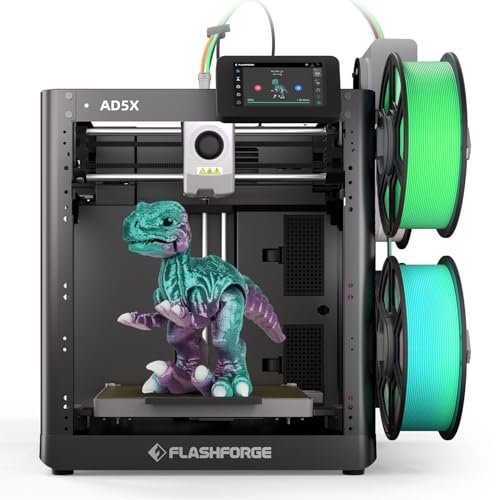
If you want vibrant multi-color models without manual filament swaps, the FLASHFORGE AD5X steps up with its Intelligent Filament System (IFS) supporting four colors at once. Built around a rigid all-metal CoreXY frame, it achieves speeds up to 600mm/s with 20000mm/s² acceleration while keeping vibrations under tight control. The system handles demanding engineering filaments like PLA-CF and PETG-CF, making it a serious production workhorse for serious makers.
Key features that stand out:
– 4-color multi-material printing via an integrated side-by-side filament hub
– High-speed CoreXY motion system reaching up to 600mm/s
– Multi-point automatic bed leveling sensor for consistent first layers
– Active vibration suppression algorithms to prevent layer shifting
– Wide material compatibility including PLA, PETG, TPU, and carbon-fiber blends
Pros:
– Seamless multi-color printing without needing third-party filament splicing add-ons.
– Blazing-fast print speeds backed by active vibration compensation.
– Compact side-by-side filament layout saves overhead workbench space.
Cons:
– Multi-color filament purging can produce noticeable material waste during color transitions.
– The advanced feature set has a steeper learning curve for complete novices.
Best for: Intermediate makers, designers, and small business creators who need fast, detailed multi-color prototypes.
Expert Opinion: FLASHFORGE nailed the balance between multi-color versatility and raw speed with the AD5X. Its motion system stays remarkably stable at high feed rates, and having four spools neatly organized on the side keeps your workspace tidy compared to bulkier top-mounted setups.
FLASHFORGE Adventurer 5M 3D Printer
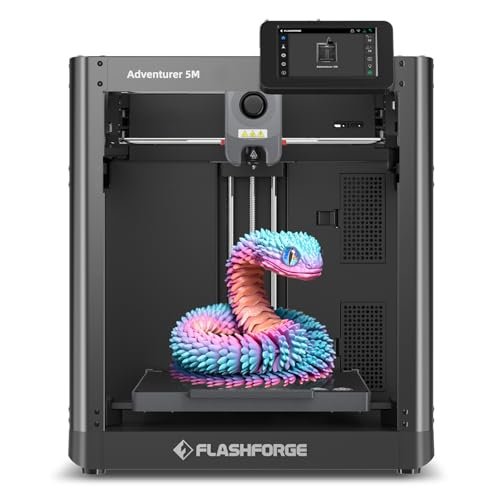
The FLASHFORGE Adventurer 5M is engineered for creators who prioritize rapid prototyping without paying for multi-material complexity. It combines a CoreXY architecture capable of 600mm/s travel with a high-flow 32mm³/s hotend that reaches printing temperature in just 35 seconds. The 3-second quick-swap nozzle mechanism makes maintenance effortless, while the dual-sided textured PEI plate ensures prints pop off cleanly once cooled.
Key features that stand out:
– Ultra-fast 600mm/s travel speed with 20000mm/s² acceleration
– Full-auto bed leveling requiring zero manual offset calibration
– 280°C direct-drive extruder with rapid 35-second heat-up
– Quick-change nozzle system supporting sizes from 0.25mm to 0.8mm
– Dual-sided flexible PEI build platform with dual-fan auxiliary cooling
Pros:
– Rapid heating hotend and fast travel speeds dramatically reduce turnaround times.
– Tool-free nozzle swapping simplifies maintenance and specialty printing.
– Reliable direct-drive extruder feeds flexible filaments like TPU smoothly.
Cons:
– The open-frame design means ambient room drafts can affect temperature-sensitive plastics like ABS.
– The high-speed cooling fans generate noticeable noise during maximum velocity runs.
Best for: Rapid prototyping enthusiasts, prop makers, and makers wanting reliable high-speed printing right out of the box.
Expert Opinion: The Adventurer 5M is one of the most reliable workhorses in its price category. Its quick-change nozzle system is one of the smoothest in the industry, and the bed leveling is genuinely plug-and-play, eliminating the tedious paper-sliding routines of older machines.
Entina Tina2 Plus 3D Printer
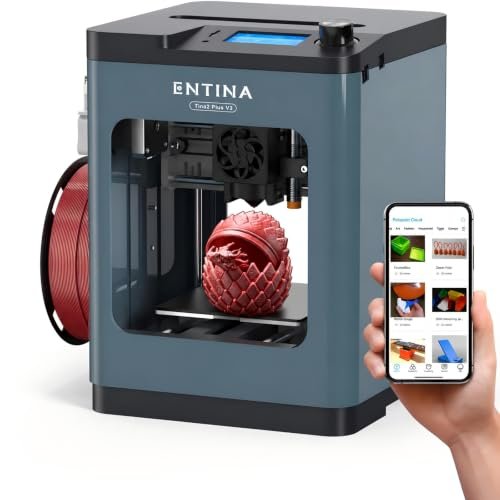
The Entina Tina2 Plus takes the simplicity of mini printers and adds extra speed and structural integrity. Operating at speeds up to 250mm/s, this model features a dual Z-axis lead screw system that keeps the gantry stable during rapid directional shifts. It includes a 40-second fast-heating ceramic hotend and a flexible PEI spring steel bed, giving beginners reliable first-layer stickiness without messy adhesives.
Key features that stand out:
– 250mm/s maximum print speed with stable motion mechanics
– Dual Z-axis guide rails for enhanced vertical accuracy
– Fast-heating ceramic hotend reaching target temps in 40 seconds
– Partially enclosed, child-friendly chassis for added safety
– PEI spring steel build platform paired with full auto-leveling
Pros:
– Dual Z-axis setup minimizes layer banding and improves overall dimensional accuracy.
– Ceramic heater gets prints running much faster than standard cartridge heaters.
– Semi-enclosed frame keeps curious fingers away from hot internal parts.
Cons:
– Build volume remains somewhat tight for larger practical prints.
– Slicing profiles for third-party programs like OrcaSlicer require manual tuning.
Best for: Classrooms, STEM labs, and parents who want a faster, sturdier introductory printer for older kids.
Expert Opinion: Adding a dual Z-axis and a ceramic hotend elevates the Tina2 Plus above typical toy-grade printers. It holds calibration remarkably well across repeated runs, making it an excellent platform for STEM educators who need consistent results without constant adjustments.
AOSEED AI 3D Printer for Kids (8 Rolls PLA Starter Kit)
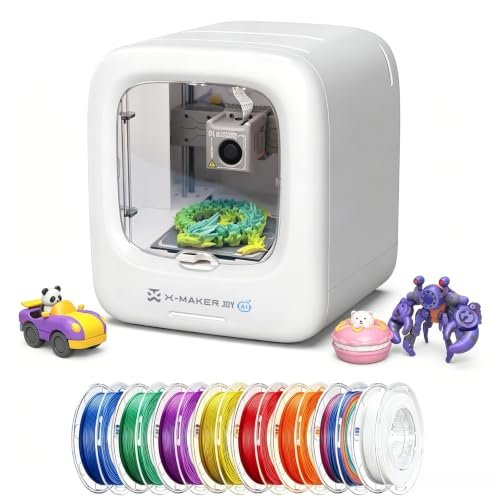
Designed from the ground up for younger makers, this AOSEED AI printer bundles a fully enclosed, pinch-resistant safety body with an extensive creative software suite. The companion app features generative AI tools like AI Doodle and AI MiniMe, allowing children to transform voice prompts, sketches, or pictures into printable 3D models. Backed by 8 included spools of PLA filament and an internal monitoring camera, this setup gives young creators everything they need right out of the box.
Key features that stand out:
– AI-driven modeling software that turns photos and drawings into 3D files
– Fully enclosed safety chassis certified under ISO 16000 standards
– Integrated camera for remote viewing and automatic time-lapse video generation
– Upgraded printing speeds reaching peaks of 400mm/s
– Comprehensive bundle including 8 rolls of kid-safe PLA filament and tools
Pros:
– Exceptional companion app makes 3D design intuitive for young children without CAD skills.
– Enclosed frame and concealed moving parts ensure safe bedroom or classroom operation.
– Generous filament bundle lets kids start printing dozens of projects immediately.
Cons:
– Hardware only supports single-color printing during any single print job.
– Slicing and control depend heavily on the proprietary AOSEED ecosystem.
Best for: Tech-curious children, elementary school classrooms, and parents wanting a complete, safe creative workstation.
Expert Opinion: AOSEED has created a standout children’s ecosystem by solving the biggest barrier in 3D printing: software complexity. The AI-assisted modeling tools allow kids to build what they imagine instantly, while the fully enclosed chassis gives parents peace of mind regarding burns and pinch hazards.
Creality K2 Combo (A) 3D Printer
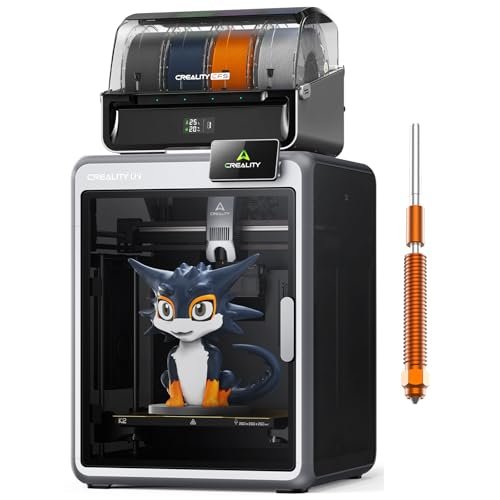
The Creality K2 Combo (A) is an industrial-leaning powerhouse designed for creators who refuse to compromise on volume or color capabilities. Featuring a large 260 x 260 x 260 mm build envelope, this machine connects with up to four CFS units to deliver multicolor printing up to 16 colors. It utilizes high-torque step-servo motors on the X, Y, and extrusion systems to keep noise to a quiet hum while maintaining sub-millisecond precision.
Key features that stand out:
– Multi-color capability supporting up to 16 colors via linked CFS units
– Large 260 x 260 x 260 mm usable build volume
– Closed-loop step-servo motor drive system for silent, accurate movement
– Intelligent AI camera featuring spaghetti detection and live error monitoring
– Dynamic zone auto-leveling that focuses calibration on the active print area
Pros:
– Expansive build volume accommodates full-scale functional parts and helmets.
– Whispering-quiet operation thanks to balanced fans and step-servo motors.
– Smart AI camera monitors the bed constantly to prevent costly filament nests.
Cons:
– The unit has a substantial desk footprint that demands dedicated workshop space.
– Multi-spool CFS setups take extra time to calibrate during initial configuration.
Best for: Advanced makers, functional prototypers, and cosplayers needing large, multi-color prints with automated oversight.
Expert Opinion: The K2 Combo marks a major leap forward in hardware sophistication. By implementing closed-loop step-servo motors, Creality eliminated the typical high-pitched motor whine while improving precision, making this large-format multi-color machine surprisingly quiet and exceptionally accurate.
AOSEED AI 3D Printer for Kids (1 Roll Starter Kit)
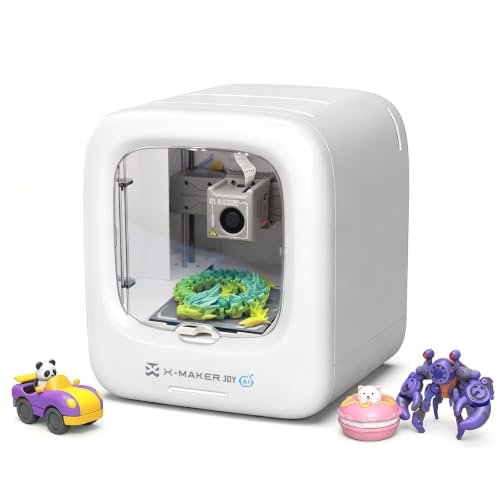
This edition of the AOSEED AI 3D printer delivers the same child-safe, high-speed ecosystem as the larger bundle, packaged with a single starter spool of PLA to provide an accessible entry point. It reaches speeds up to 400mm/s, features an internal camera for automated time-lapses, and utilizes an unheated, auto-calibrated bed. Children can use the MINIMAKIE design suite to construct toys, avatars, and school projects through guided app workflows.
Key features that stand out:
– Built-in AI generation tools converting sketches and voices to 3D models
– Zero-calibration build plate with quick-release nozzle for easy maintenance
– Internal monitoring camera with smartphone streaming and video recording
– Fully enclosed child-safe chassis with TÜV Rheinland-certified materials
– Quick print turnarounds with standard speeds around 220–250mm/s
Pros:
– Safe enclosure keeps heated components away from curious little hands.
– Streamlined one-tap printing workflow requires zero manual leveling or offsets.
– Fast print speeds produce small toys in under half an hour.
Cons:
– Includes only a single starter roll of filament, requiring extra filament purchases soon after.
– Restricted to single-color extrusion per build plate.
Best for: Families looking to test the 3D printing waters with a safe, software-guided device without buying bulk supplies up front.
Expert Opinion: If you are unsure whether your child will stick with 3D modeling, this single-roll starter kit provides the exact same high-performance, enclosed hardware as the premium kit at a lower entry cost. The AI modeling tools remain the gold standard for kid-friendly software interfaces.
Practical Buying Insights: Matching Hardware to Your Needs
Choosing the right machine comes down to how you plan to use it daily. Here are key distinctions to keep in mind before you buy:
- Kid Safety vs. Open Modularity: If a machine is going into a child’s bedroom or an elementary classroom, enclosed designs like the AOSEED AI series or semi-enclosed frames like the Entina Tina2 Plus are mandatory. They keep small hands away from 200°C nozzles and moving gantries. Open-frame models like the FLASHFORGE Adventurer 5M are better suited for adults or supervised workspaces.
- Speed and Motion Architecture: Modern CoreXY systems, found in the FLASHFORGE AD5M, AD5X, and Creality K2, move significantly faster than traditional Cartesian bedslingers. If you want prototypes finished in an afternoon rather than overnight, pick a machine boasting speeds of 400mm/s to 600mm/s with vibration compensation.
- Monochrome vs. Multi-Color Management: Multi-color systems like the FLASHFORGE AD5X (4 colors) and Creality K2 Combo (up to 16 colors) unlock incredible visual results without requiring painting. However, remember that color switching creates purge waste and extends print times. For simple mechanical brackets, a rapid single-color printer like the Adventurer 5M is far more material-efficient.
- Software Accessibility: Advanced hobbyists often prefer open slicing tools like OrcaSlicer or Cura. In contrast, younger users benefit immensely from AI-assisted, app-driven ecosystems like Poloprint or AOSEED that eliminate the need to understand layer heights, infill percentages, or support structures.
Final Verdict: Which Machine Takes the Crown?
The Speed and Prototyping Winner: FLASHFORGE Adventurer 5M
For the maker who wants fast, reliable parts without fiddling with leveling nuts or complicated software, the Adventurer 5M hits the sweet spot. Its 600mm/s CoreXY speed, 3-second quick-swap nozzle, and rugged direct-drive extruder make it a joy to use for functional prototypes and everyday DIY projects.
The Multi-Color Champion: Creality K2 Combo (A)
If your primary goal is producing complex, colorful models, miniature figurines, or large cosplay pieces, the K2 Combo takes top honors. The step-servo motors keep operation quiet, the AI camera watches your back against failed prints, and the ability to scale up to 16 colors provides unmatched creative headroom.
The Educational and Family Pick: AOSEED AI 3D Printer
No other brand has streamlined the software side of 3D printing for children quite like AOSEED. The combination of voice-to-model AI tools, an enclosed pinch-free chassis, and an internal monitoring camera makes this printer the safest and most engaging gift for young creators.
FAQ: Deciding Which 3D Printer Is the Best for You
Which 3D printer is the best for a complete beginner?
For adults on a budget, the Entina Tina2C or FLASHFORGE Adventurer 5M offer the smoothest start. Both feature fully automatic bed leveling and ready-to-print configurations straight from the box. If the beginner is a child, the AOSEED AI printer is better suited due to its guarded chassis and intuitive mobile app.
How much print speed actually matters for everyday printing?
Print speed dramatically affects your workflow. Older desktop printers usually topped out around 50mm/s to 60mm/s, meaning an average figurine took 6 to 8 hours. Modern CoreXY printers running between 250mm/s and 600mm/s can finish that exact same model in under two hours, making trial-and-error much less time-consuming.
Are multi-color 3D printers difficult to maintain?
Multi-color units require slightly more attention because filament must be cleanly retracted, cut, and fed through automated switching hubs. Machines like the FLASHFORGE AD5X and Creality K2 Combo automate the mechanical side, but you should anticipate extra filament purge waste during color transitions.
Is an enclosed 3D printer necessary for home use?
An enclosed printer is not strictly required if you only print with standard PLA or PETG filaments. However, an enclosure provides crucial safety protection against burns for children and pets, reduces draft-induced warping, and dampens ambient fan noise.
Can these printers use filaments from third-party brands?
Yes, all seven reviewed printers can run standard 1.75mm PLA and PETG spools from third-party manufacturers. Note that compact models like the Tina2 series or AOSEED use smaller spools or external spool holders to accommodate standard 1kg filament rolls.
What is the difference between automatic bed leveling and assisted leveling?
Assisted leveling still requires you to turn physical knobs underneath the build plate while testing nozzle resistance with a piece of paper. True automatic bed leveling, featured on all seven printers reviewed here, uses optical or strain sensors to measure the bed height across multiple points and mathematically compensates for unevenness automatically.
Do I need to know 3D modeling software (CAD) to use these printers?
Not at all. You can download hundreds of thousands of free, pre-designed 3D models from community libraries like Printables and Thingiverse. Additionally, printers like the AOSEED AI and Entina Tina2C offer integrated mobile apps with built-in model catalogs and AI prompt tools that generate 3D models automatically.
Affiliate Disclosure: As an Amazon Associate, I earn from qualifying purchases made through links on this site.