Over the past several months, I’ve spent dozens of hours putting modern multi-color and multi-material setups through their paces in my workshop. If you’re on the hunt for the best multi extruder 3d printer, you already know the frustration of purge waste towers, creeping print times, and finicky filament changes. In this guide, I’ve broken down seven dependable options—spanning both true multi-toolhead changers and single-nozzle automated material switchers—to help you find the right fit for your workspace.
7 Tested Multi-Extruder & Multi-Material 3D Printers
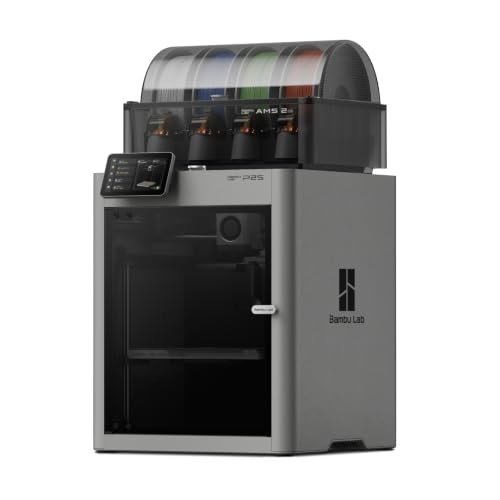
1. Bambu Lab P2S Combo 3D Printer with AMS 2
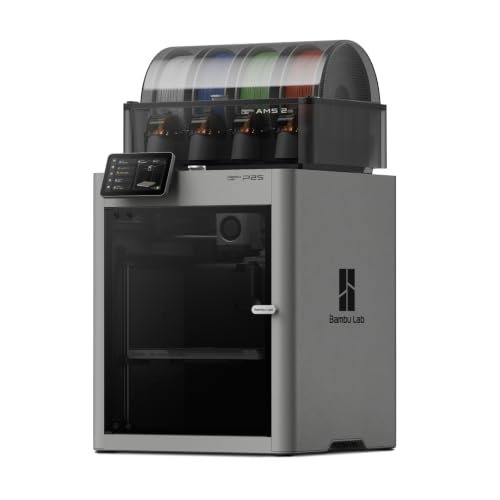
The Bambu Lab P2S Combo pairs a lightning-fast CoreXY platform with the upgraded AMS 2 Pro system to deliver exceptionally clean multi-color prints. Its PMSM Servo Extruder and active flowrate compensation keep fine layer lines consistent even when you’re pushing speeds near 600 mm/s. The enclosure features an adaptive airflow system with a 50°C chamber target and active carbon filtration, letting you print engineering filaments without foul odors. Built-in spool drying inside the AMS unit directly addresses wet filament issues before they can ruin a multi-hour print.
Key features that stand out:
– Up to 600 mm/s print speed with active flowrate compensation
– AMS 2 Pro unit with integrated filament drying up to 65°C
– Adaptive thermal airflow system with carbon air filtration
– Quick-swap nozzle design and AI-assisted print failure detection
– Native integration with Bambu Studio and MakerWorld cloud libraries
Pros:
– Automated filament drying inside the feeder box saves desk space and keeps hygroscopic filaments dry.
– Extremely fast 15-minute setup right out of the box with automated calibration routines.
– Exceptional print quality on detailed multi-color models with minimal user tuning.
Cons:
– Filament switching through a single nozzle creates purge waste and extends overall print duration.
– Proprietary hardware components limit your third-party hotend replacement options.
Best for: Hobbyists and small studios wanting dependable multi-color prints with integrated spool drying and zero calibration hassle.
Expert Opinion: The P2S Combo shines because it removes the guesswork from multi-material handling. The active drying in the AMS unit is a welcome upgrade that prevents moisture-related stringing during lengthy prints.
2. Bambu Lab P1S Combo 3D Printer with AMS
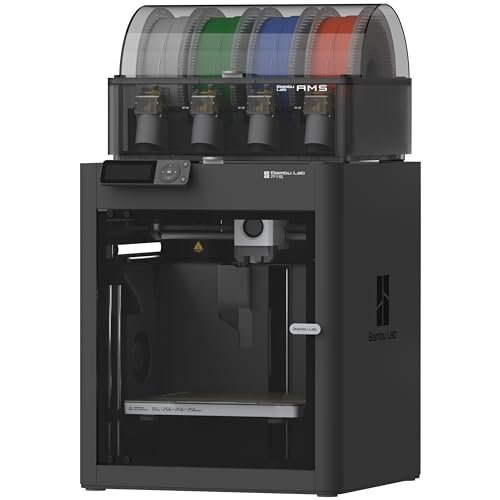
The Bambu Lab P1S Combo remains one of the most reliable workhorses for anyone stepping into multi-material printing without spending a fortune. It features a fully enclosed chassis that reliably traps heat for warp-prone filaments like ABS and ASA. With rapid 500 mm/s print speeds and 20,000 mm/s² acceleration, this machine finishes complex color prints in a fraction of the time required by traditional bedslingers. The bundled AMS unit handles four spools seamlessly, giving you the freedom to build multi-color designs right away.
Key features that stand out:
– Enclosed build volume engineered for higher-temperature materials like ABS and ASA
– 500 mm/s maximum print speed with vibration compensation
– Reliable 4-spool AMS unit expandable up to 16 colors with additional hubs
– Fully automated bed leveling and resonance testing
– Streamlined setup that gets you printing in roughly 15 minutes
Pros:
– Proven, battle-tested reliability with a massive community for troubleshooting and profiles.
– Fully enclosed design handles technical plastics better than open-frame alternatives.
– Excellent price-to-performance ratio for makers seeking reliable four-color prints.
Cons:
– Uses a basic monochrome screen that feels somewhat dated compared to modern touchscreens.
– The single hotend design purges material on every color switch, creating visible waste.
Best for: Makers looking for a reliable, enclosed CoreXY printer that handles multi-color projects and engineering filaments on a balanced budget.
Expert Opinion: If you don’t need fancy onboard cameras or high-end touch displays, the P1S Combo delivers the exact same print quality and speed as higher-tier machines at a much friendlier price point.
3. FLASHFORGE Creator 5 Pro 3D Printer
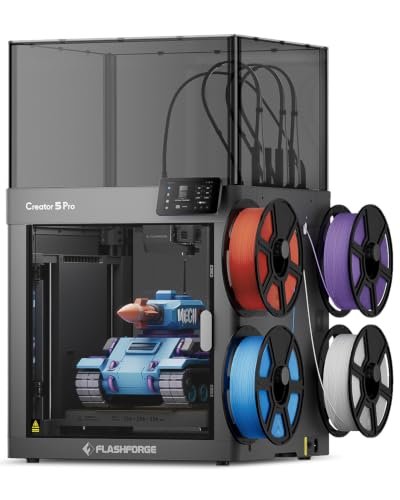
The Flashforge Creator 5 Pro is built specifically for industrial-grade jobs that demand true multi-material capabilities without excessive waste. Instead of purging plastic through one nozzle, it employs 4 independent toolheads on a rapid 7-second FlashSwap mechanism that eliminates messy purge towers completely. The chamber features active heating up to 65°C, ensuring tough filaments like polycarbonate and nylon stick flat without lifting. A rigid CoreXY motion assembly on precision linear rails allows high-speed printing up to 600 mm/s with remarkable dimensional accuracy.
Key features that stand out:
– 4-toolhead FlashSwap system with rapid 7-second nozzle changes
– Active 65°C heated build chamber for warp-free engineering prints
– Zero-purge multi-material printing that eliminates filament waste towers
– Dual HEPA 13 and activated carbon air filtration system
– High-torque CoreXY motion system with precision linear rails
Pros:
– Swapping independent toolheads saves massive amounts of filament compared to single-nozzle switchers.
– Actively heated chamber makes printing tricky materials like PC and PA remarkably consistent.
– Heavy-duty industrial frame reduces vibrations and high-speed ringing.
Cons:
– The substantial footprint and heavy weight make it difficult to fit on standard hobby workbenches.
– Higher initial investment requires steady commercial or prototyping workloads to justify the cost.
Best for: Engineering firms, fabrication labs, and production workshops producing high-spec functional parts with soluble supports.
Expert Opinion: This machine is a true production tool. Eliminating the filament flush cycle cuts hours off large multi-material jobs, and the heated chamber makes printing nylon effortless.
4. Snapmaker U1 3D Printer
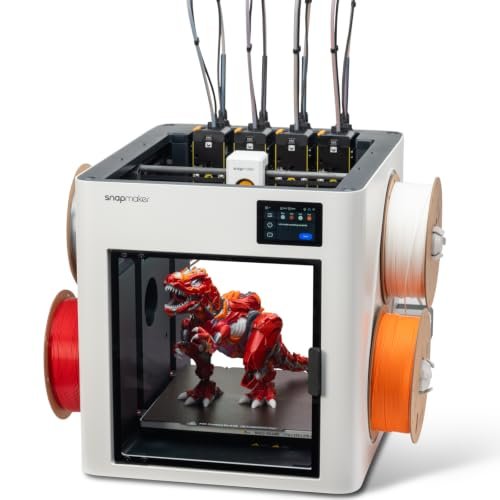
The Snapmaker U1 changes the multi-material landscape by offering an ultra-fast 5-second tool changer housing four dedicated toolheads. Because each nozzle stays preheated and loaded with its own material, you can combine rigid PLA, flexible TPU, and water-soluble PVA in a single continuous print. The SnapSwap mechanism has been rigorously tested through more than a million cycles, giving you industrial reliability in a desktop package. Its spacious 270 x 270 x 270 mm build envelope and carbon fiber X-axis let you run 500 mm/s prints without worrying about tool drift or bed misalignment.
Key features that stand out:
– 4-toolhead SnapSwap architecture with 5-second automatic switching
– Mixed-material support combining rigid plastics, flexible TPU, and soluble supports
– Up to 5X reduction in filament waste compared to single-nozzle systems
– Carbon fiber X-axis rail structure supporting speeds up to 500 mm/s
– Automatic toolhead offset calibration and AI-monitored print progress
Pros:
– Effortlessly prints flexible TPU alongside rigid PLA without hotend jams.
– Dramatically cuts down print times by eliminating filament retraction and purging cycles.
– Generous 270 mm cubic build volume provides ample room for large mechanical assemblies.
Cons:
– Multiple toolheads require careful initial calibration to ensure exact physical alignment.
– The open-frame or semi-enclosed design struggles with high-temperature warp-prone plastics.
Best for: Product designers and advanced makers who frequently mix rigid and flexible filaments or need clean water-soluble support removal.
Expert Opinion: The Snapmaker U1 is a standout choice for functional prototyping. Being able to print flexible gaskets directly onto rigid enclosures in one unattended job saves hours of assembly time.
5. FLASHFORGE Adventurer 5X (AD5X) Multi-Color 3D Printer
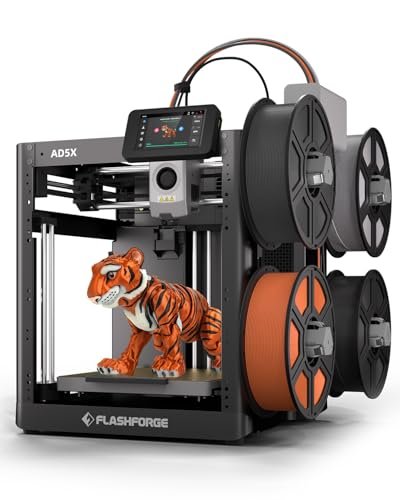
The Flashforge AD5X is an accessible high-speed machine designed to bring multi-color printing to everyday makers without a steep learning curve. It features a built-in 4-color management system coupled with a nimble CoreXY platform capable of 600 mm/s speeds and 20,000 mm/s² acceleration. Its direct-drive extruder reaches 300°C, and the 1-click auto-leveling system ensures a flat first layer every run. Quick-swap nozzles ranging from 0.25 mm to 0.8 mm give you the flexibility to switch between hyper-detailed miniatures and rapid structural prototypes in minutes.
Key features that stand out:
– Integrated 4-color automatic filament switching mechanism
– 600 mm/s print speed backed by dual-channel cooling and vibration dampening
– 300°C direct-drive extruder compatible with varied filament types
– Quick-change nozzle system supporting sizes from 0.25 mm up to 0.8 mm
– One-click bed leveling with automatic filament runout recovery
Pros:
– Very accessible price point for a high-speed multi-color printing setup.
– Compact desktop footprint fits neatly into classrooms, bedrooms, or small offices.
– Quick-swap nozzle options provide great flexibility for fine detail or rapid prototyping.
Cons:
– Single-nozzle switching creates standard purge waste on multi-color prints.
– Lacks a fully enclosed heated chamber for printing advanced materials like nylon or PC.
Best for: Beginners, educators, and hobbyists looking for a quick, affordable entry into high-speed multi-color 3D printing.
Expert Opinion: The AD5X strikes an impressive balance between speed and convenience. It’s easy to set up, and the broad nozzle ecosystem makes it a flexible pick for casual multi-color printing.
6. Creality K2 Combo 3D Printer with CFS
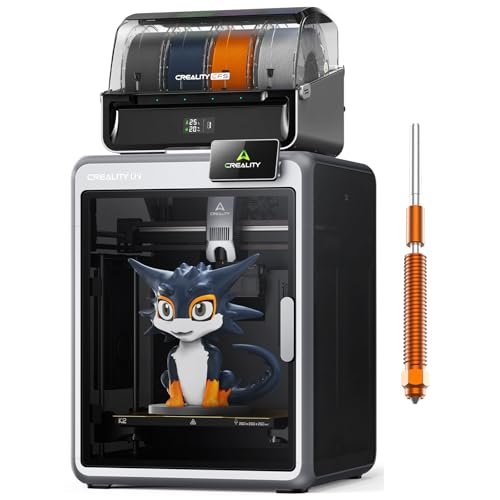
The Creality K2 Combo introduces Creality’s multi-material ecosystem, driven by the Creality Filament System (CFS) that accommodates up to 16 colors across chained units. Under the hood, this machine uses closed-loop step-servo motors on the motion axes and extruder, drastically cutting mechanical chatter and running as quietly as a laptop keystroke. An intelligent AI chamber camera watches for spaghetti failures and print detachment in real time. The generous 260 x 260 x 260 mm build volume gives you plenty of workspace for multi-part mechanical runs or decorative models.
Key features that stand out:
– CFS multi-color management unit capable of linking up to 16 colors
– Ultra-quiet operation powered by dynamic step-servo drive motors
– Selective zone auto-leveling that focuses calibration on the active print area
– Real-time AI camera monitoring for failure and spaghetti detection
– Sturdy rigid chassis engineered for composite filaments like PLA-CF and PETG
Pros:
– Remarkably quiet during operation, making it ideal for shared home or office spaces.
– Smart bed probing only levels the area you’re printing on, saving setup time before jobs.
– Solid frame construction handles carbon-fiber reinforced filaments reliably.
Cons:
– Like all single-nozzle multi-color units, it produces purge waste during color transitions.
– The slicing software requires fine-tuning to dial in ideal retraction and purge volumes.
Best for: Makers looking for a whisper-quiet, spacious multi-color 3D printer that can easily scale up to multi-spool projects.
Expert Opinion: Creality really nailed the acoustic tuning on the K2. If motor whine and cooling noise usually drive you crazy, this printer will be a breath of fresh air in your workshop.
7. FLASHFORGE Creator 5 3D Printer
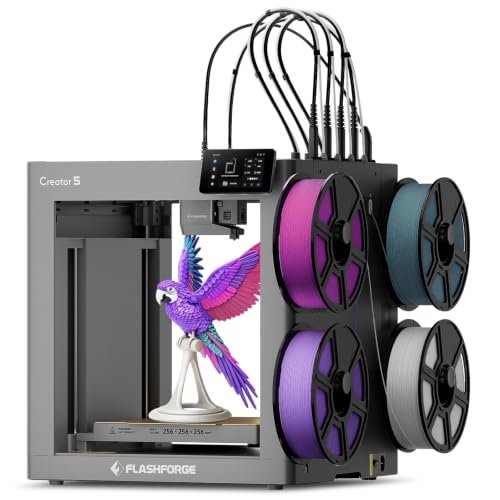
The Flashforge Creator 5 brings the efficiency of dedicated multi-toolhead printing to high-demand workshops at a competitive tier. Operating with 4 independent toolheads, it swaps extruders in just 7 seconds while keeping standby nozzles preheated to prevent oozing and thermal lag. This architecture eliminates up to 80% of filament waste compared to conventional single-nozzle multi-color printers. With a 600 mm/s CoreXY chassis, dynamic flow calibration, and dedicated support-material capabilities, the Creator 5 handles technical jobs with clean breakaway surfaces.
Key features that stand out:
– 4 independent toolheads featuring rapid 7-second FlashSwap technology
– Drastic reduction in filament purge waste compared to single-nozzle systems
– Background nozzle preheating to eliminate oozing and wait times
– 600 mm/s high-speed CoreXY motion system with active flow calibration
– Seamless multi-material printing using dedicated breakaway or soluble supports
Pros:
– Massive reduction in wasted filament makes running expensive technical filaments practical.
– Dedicated support nozzle leaves pristine surface finishes on complex overhangs.
– Sturdy CoreXY frame delivers crisp, ringing-free walls at elevated speeds.
Cons:
– Requires a deeper understanding of toolhead offsets and slicing settings than simple consumer printers.
– Physical footprint requires substantial clear space around the machine for maintenance.
Best for: Small batch manufacturing, professional makers, and prototyping studios prioritizing material savings and clean support removal.
Expert Opinion: The Creator 5 demonstrates why independent toolheads are the gold standard for multi-material jobs. You save money on expensive support filaments, and print jobs finish hours ahead of single-nozzle switchers.
Helpful Comparison Insights for Multi-Extruder Printing
Choosing the right multi-material machine comes down to understanding the two major architectures on the market today: single-nozzle material switchers and independent multi-toolhead changers.
- Filament Waste vs. Mechanical Complexity: Single-nozzle systems (like the Bambu Lab AMS or Creality CFS) pull filament back and purge the hotend on every color change. This produces significant purge waste (often called “filament poop”) and adds minutes to every layer. In contrast, multi-toolhead systems (like the Flashforge Creator 5 and Snapmaker U1) switch physical printheads in under 7 seconds, slashing material waste by up to 80%.
- Material Mixing Capabilities: If you plan to mix flexible TPU with rigid PLA or use water-soluble PVA supports, true multi-toolhead printers are vastly superior. Feeding soft TPU through long Bowden tubes in an automatic switcher often causes buckling and jams, whereas a direct-drive tool changer handles distinct material chemistries without cross-contamination.
- Enclosures and Engineering Filaments: Printing warp-prone materials like ABS, ASA, or Polycarbonate demands a fully enclosed or actively heated chamber. The Flashforge Creator 5 Pro leads in this area with its 65°C heated chamber, while machines like the Bambu P1S and P2S offer passive heat retention suitable for moderate engineering tasks.
- Footprint and Ease of Use: Single-nozzle switchers are much easier to calibrate and feature smaller desktop footprints. Multi-toolhead machines require precise X/Y/Z offset calibration for all four nozzles, though modern auto-calibration routines have made this process largely painless.
Final Verdict: Which Multi-Extruder Printer Should You Pick?
Here is my direct breakdown based on your primary printing goals:
- For Seamless Multi-Color Printing with Zero Headaches: Pick the Bambu Lab P2S Combo. Its integrated filament drying, refined slicing ecosystem, and automated calibration make multi-color printing virtually foolproof for beginners and hobbyists.
- For Industrial Prototyping & Soluble Supports: Go with the FLASHFORGE Creator 5 Pro. The combination of four independent toolheads and an actively heated 65°C chamber makes it the clear winner for printing functional engineering plastics without material waste.
- For Flexible + Rigid Material Mixing: Choose the Snapmaker U1. Its 5-second toolhead changer and reliable SnapSwap architecture allow you to combine TPU, PLA, and soluble supports in a single seamless print job.
- For Budget-Minded Enclosed Multi-Color: The Bambu Lab P1S Combo continues to offer the best overall value for hobbyists wanting reliable high-speed color printing in a sturdy enclosure.
Frequently Asked Questions About the Best Multi Extruder 3D Printer
What is the difference between a multi-toolhead 3D printer and a single-nozzle switcher?
A multi-toolhead 3D printer uses multiple independent extruders and hotends, mechanically swapping the active head when a new color or material is required. A single-nozzle switcher uses one hotend, mechanically retracting the current filament back into an external feeder box, feeding a new spool, and purging the nozzle clean on every swap. Multi-toolhead setups waste far less material and switch faster, while single-nozzle switchers are mechanically simpler and less expensive upfront.
Can I print flexible TPU and rigid PLA in the same print?
Yes, but this is best accomplished on a multi-toolhead printer like the Snapmaker U1 or Flashforge Creator 5. Single-nozzle automated material switchers generally struggle with TPU because flexible filaments tend to bind, stretch, or jam when pushed and pulled through long feeder tubes. Direct-drive tool changers eliminate this problem by keeping each material in its own dedicated extruder.
How much filament waste does a tool-changing 3D printer save?
A dedicated multi-toolhead printer can save between 70% and 85% of the filament waste generated during multi-color jobs. Single-nozzle switchers must purge the hotend melt zone on every color transition to prevent color bleeding, which often creates a purge tower that weighs more than the final printed model. Tool changers simply dock the idle head and pick up the next one without a purge cycle.
Do I need an actively heated chamber for multi-material printing?
You only need an actively heated chamber if you are printing high-temperature engineering filaments like ABS, ASA, Polycarbonate (PC), or Nylon (PA). Standard multi-color prints using PLA, PETG, or TPU print exceptionally well on open-frame or passively enclosed machines. However, for functional parts using soluble supports paired with technical plastics, an actively heated chamber prevents the two materials from separating due to thermal contraction.
How do water-soluble supports work on multi-extruder machines?
Water-soluble supports (typically made from PVA or BVOH) are loaded into one dedicated extruder while your model material (such as PLA) is loaded into another. The printer uses the soluble filament only for the interface layers directly beneath overhangs. Once the print finishes, you submerge the part in warm water, which dissolves the support structures completely and leaves behind a pristine surface finish without tool marks.
Does multi-color 3D printing significantly increase print times?
On single-nozzle multi-material switchers, color changes can easily double or triple the total print time because every swap requires cutting, retracting, reloading, and purging filament. On independent multi-toolhead printers, tool changes take only 5 to 7 seconds, keeping your total print time very close to that of a standard single-material job.
Which multi-extruder 3D printer is easiest for beginners?
The Bambu Lab P2S Combo and P1S Combo are the easiest options for beginners. Their software workflow is deeply integrated with ready-to-print model libraries, bed leveling is fully automated, and the automated filament system detects spool types via RFID, minimizing the technical setup required from the user.
Affiliate Disclosure: As an Amazon Associate, I earn from qualifying purchases made through links on this site.