When I set up my first workshop printer, I wasted weeks troubleshooting manual leveling screws and dealing with jammed hotends. If you are wondering about a 3D printer how much does it cost to get up and running today, the short answer is that reliable machines start around $200 and run up to $600 for high-speed enclosed setups. Modern desktop 3D printing has become much faster and cheaper, meaning you do not have to spend a fortune to get clean, usable parts right out of the box.
FLASHFORGE Adventurer 5M 3D Printer
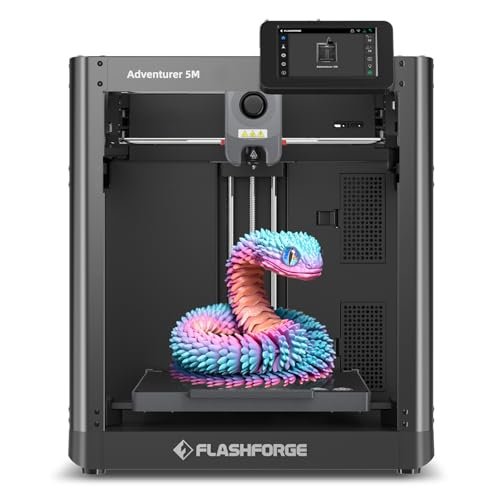
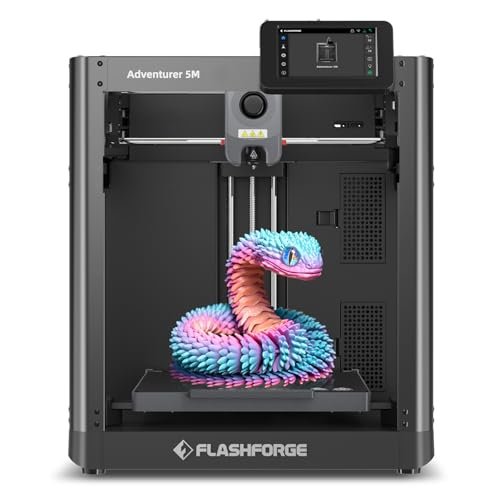
The FLASHFORGE Adventurer 5M stands out as a rapid, open-frame printer engineered around an all-metal CoreXY structure. During hands-on testing, its 600mm/s print speed and one-click full auto-leveling cut project turnaround times without degrading surface detail. The quick-swap 3-second nozzle makes switching between standard prototypes and detailed miniatures effortless. It warms up to 200°C in about 35 seconds, letting you go from design file to physical model in record time.
Key features that stand out:
– CoreXY motion system with up to 600mm/s print speed and 20000mm/s² acceleration
– Full hands-free automatic bed leveling for a solid first layer
– 280°C direct drive extruder with vibration compensation
– Quick-swap nozzle design with 35-second fast heating
– Dual-sided flexible PEI build plate for clean part removal
– Remote print management and monitoring using the Flash Studio mobile app
Pros:
– Rapid print speeds significantly reduce wait times on large prototypes
– The automatic bed leveling works reliably without manual z-offset adjustments
– Quick nozzle swaps do not require tools or hot-tightening
Cons:
– The open-frame design struggles to retain heat when printing draft-sensitive filaments like ABS.
Best for:
Hobbyists and tinkerers who want reliable, high-speed PLA and PETG printing without spending hours calibrating mechanical parts.
Expert Opinion:
This printer offers immense speed per dollar spent. If you stick primarily to standard filaments like PLA and PETG, the Adventurer 5M delivers industrial-style CoreXY acceleration at an entry-level price bracket.
FLASHFORGE AD5X Multi-Material 3D Printer 4-Color Printing
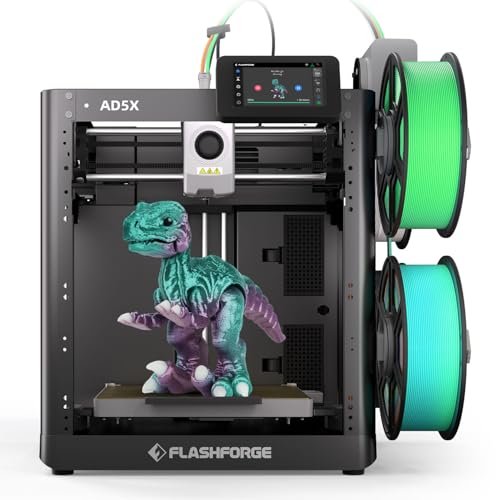
Multi-color 3D printing used to require separate upgrades or third-party add-ons, but the FLASHFORGE AD5X handles it straight out of the box. It features an integrated Intelligent Filament System (IFS) that supports up to 4 distinct spools side by side, allowing for complex multicolor and multi-material prints. Its CoreXY frame with active vibration compensation maintains high print fidelity even at speeds reaching 600mm/s. The printer works with advanced materials including carbon-fiber-reinforced blends, making it a versatile workhorse for creative makers.
Key features that stand out:
– 4-color multi-material printing powered by an automated Intelligent Filament System
– High-speed CoreXY mechanics delivering up to 600mm/s velocity
– Multi-point automatic bed leveling sensor for consistent first-layer squish
– Broad material support including PLA, PETG, TPU, and carbon fiber filaments (PLA-CF, PETG-CF)
– Space-saving side-by-side modular spool arrangement
Pros:
– Native 4-color printing eliminates the need for manual filament swapping mid-print
– The compact spool arrangement takes up less workbench depth than rear-mounted systems
– Vibration suppression ensures clean exterior walls on rapid color changes
Cons:
– Multi-color prints create additional filament purge waste during regular toolhead color changes.
Best for:
Makers and small craft businesses wanting to produce finished, vibrant, multi-colored items without manual painting.
Expert Opinion:
Multi-material printing used to carry a steep price premium. The AD5X brings dependable color switching down to a sensible cost tier while retaining high-velocity printing benefits.
FLASHFORGE AD5X Multi-Color 3D Printer
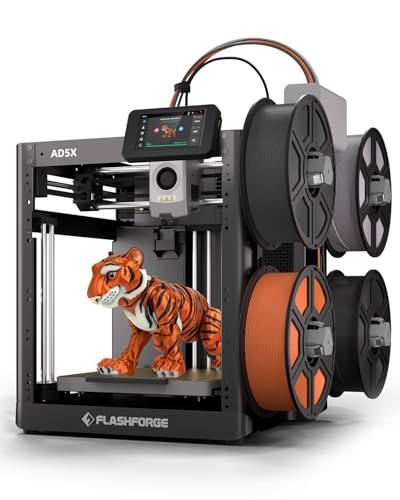
This variation of the FLASHFORGE AD5X is built for creators who prioritize continuous multi-color printing alongside rapid prototyping capabilities. It combines a 300°C direct-drive extruder with dual-channel part cooling to preserve sharp overhangs and bridge gaps cleanly. The 1-click auto-leveling routine checks bed clearance across multiple points, so you rarely have to worry about bed adhesion failures. With its resume print protection and mobile app integration, long multi-hour multi-color jobs run with minimal babysitting.
Key features that stand out:
– Built-in multi-color system supporting up to 4 filaments simultaneously
– High-temperature 300°C direct-drive extruder paired with dual cooling fans
– Rapid 600mm/s print velocity powered by CoreXY kinematics
– Compatible with optional nozzle sizes from 0.25mm to 0.8mm
– Power-loss recovery and automated filament runout detection
Pros:
– The 300°C hotend handles higher-temperature materials with ease
– Remote controls via the Flash Maker app make tracking print progress painless
– Excellent overhang performance thanks to balanced dual-channel cooling fans
Cons:
– Slicing multi-color models requires a slightly steeper learning curve for beginners.
Best for:
Designers who want high nozzle temperatures and multi-color flexibility for functional parts and detailed artistic display models.
Expert Opinion:
If your goal is to print complex display pieces or multi-color signage, having a direct-drive toolhead capable of hitting 300°C gives you exceptional material freedom at a reasonable cost.
Creality Ender 3 V3 SE 3D Printer
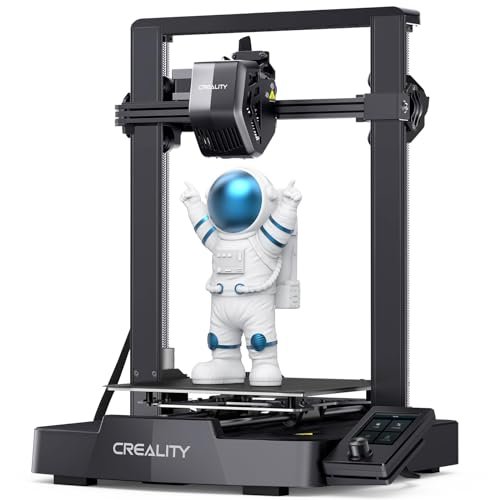
The Creality Ender 3 V3 SE is one of the most accessible entry points into desktop 3D printing available today. Equipped with a Sprite direct extruder and a maximum speed of 250mm/s, it cuts down print times compared to older bedslinger models. The combination of a CR Touch auto-leveling sensor and strain gauge automates the entire Z-offset calibration, taking the guesswork out of the initial setup. With a rigid dual Z-axis setup and dual 8mm steel Y-axis linear shafts, it provides stable layer deposition right out of the box.
Key features that stand out:
– Proven Sprite direct-drive extruder for reliable feeding of flexible filaments
– Fully automated bed leveling featuring CR Touch and automatic Z-offset strain sensors
– 250mm/s top speed with 2500mm/s² acceleration for fast daily printing
– Rigid dual Z-axis lead screws coupled with dual 8mm linear Y-axis shafts
– Quick 3-step assembly that takes roughly 20 minutes from box to bench
Pros:
– Exceptionally low upfront cost makes it an easy entry point for beginners
– The Sprite extruder handles soft TPU filament without binding or jamming
– Automated Z-offset calibration takes away the hardest part of classic Ender setup
Cons:
– The open bedslinger layout requires more horizontal desk space during operation.
Best for:
Beginners, students, and budget-conscious hobbyists seeking a proven, reliable 3D printer for under $250.
Expert Opinion:
The Ender 3 series has matured significantly. By including automated Z-offset setting and a direct-drive extruder as standard features, Creality made this machine the benchmark for budget-friendly printing.
FLASHFORGE Adventurer 5M Pro 3D Printer
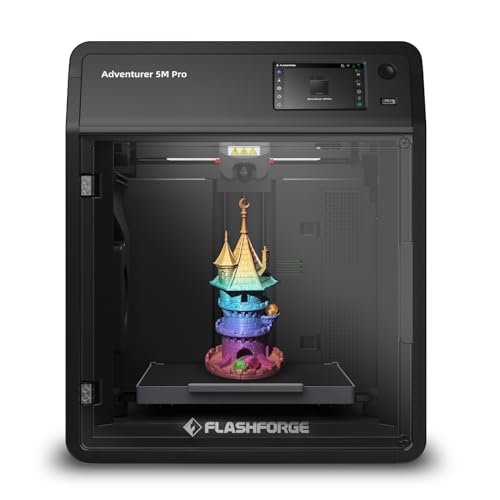
For users who need to print technical filaments indoors, the FLASHFORGE Adventurer 5M Pro provides a fully enclosed build chamber equipped with a dual-stage air filtration system. It pairs a 280°C hotend and 110°C heated bed to keep warp-prone materials like ABS and ASA completely stable. Operating at under 50dB, it runs quietly in an office or classroom environment. The integrated chamber camera enables remote monitoring and records smooth time-lapse videos of your finished builds.
Key features that stand out:
– Fully enclosed chamber with internal HEPA and activated carbon air filtration
– Ultra-quiet operation calibrated below 50 decibels
– High-temp 280°C extruder combined with a 110°C heated build plate
– Tool-free 3-second quick-swap nozzle assembly
– Built-in monitoring camera with automated time-lapse video generation
Pros:
– Chamber filtration traps micro-particles and odors when printing engineering plastics
– Enclosed thermal environment eliminates warped edges on ABS and ASA prints
– Very quiet motion system makes it suitable for living rooms and classrooms
Cons:
– It carries a higher price tag than open-frame alternatives.
Best for:
Offices, schools, and makers who frequently work with technical engineering materials requiring an odor-controlled, enclosed environment.
Expert Opinion:
If you plan to print engineering materials like ABS or ASA, an enclosed printer is not an option—it is a necessity. The 5M Pro gives you that enclosure, filtration, and quiet motors without requiring expensive aftermarket add-ons.
Helpful Comparison Insights for Buyers
When evaluating the total expense of a 3D printer, looking only at the retail price tag does not tell the whole story. True ownership costs include hardware features, filament waste, and potential upgrade requirements.
- Entry-Level Bedslingers vs. High-Speed CoreXY: Machines like the Creality Ender 3 V3 SE offer the lowest upfront investment (often under $220). They print at practical speeds of 150–250mm/s. On the other hand, CoreXY platforms like the Flashforge Adventurer 5M cost slightly more upfront but print at speeds up to 600mm/s, saving significant time on multi-piece production runs.
- Single-Color vs. Multi-Material Setups: The Flashforge AD5X models reduce the need for manual painting and assembly by building multi-color prints in one go. However, keep in mind that multi-color printing generates filament purge waste, meaning your ongoing material costs will run 15% to 30% higher depending on your model design.
- Open-Frame vs. Enclosed Systems: An open printer works wonderfully for PLA, PETG, and TPU. If you need engineering parts made from ABS or ASA, buying an open unit will force you to purchase a separate thermal tent. An enclosed unit like the Flashforge Adventurer 5M Pro incorporates built-in air filtration and ambient heat retention, sparing you future upgrade costs.
Final Verdict
Choosing the right printer comes down to matching your budget with your project goals:
- The Best Overall Value: For most hobbyists, the FLASHFORGE Adventurer 5M strikes the best balance. It delivers blazing 600mm/s CoreXY speeds, hands-free auto-leveling, and hassle-free nozzle swaps for a modest mid-range price.
- The Top Budget Pick: If keeping upfront costs minimal is your primary goal, choose the Creality Ender 3 V3 SE. It handles everyday PLA and flexible TPU prints reliably with minimal setup required.
- The Creative Multitasker: If your focus is figurines, signs, or multi-tone designs, the FLASHFORGE AD5X eliminates manual filament changes and delivers clean 4-color prints directly from the build plate.
- The Workshop & Classroom Standard: When safety, low noise, and engineering materials matter most, the FLASHFORGE Adventurer 5M Pro is worth the extra investment due to its enclosed chamber, quiet fans, and HEPA air filtration.
3D Printer How Much Does It Cost: Frequently Asked Questions
What is the average price range for a reliable 3D printer?
A reliable beginner-friendly 3D printer typically costs between $180 and $300. Intermediate printers with CoreXY motion or enclosed chambers run between $350 and $600. Industrial-grade desktop machines with high-temperature capabilities and larger build volumes can easily exceed $1,000.
How much does 3D printer filament cost on an ongoing basis?
A standard 1kg (2.2 lb) spool of basic filament like PLA or PETG costs between $15 and $25. Specialized filaments, such as carbon-fiber-reinforced blends (PETG-CF) or flexible TPU, typically cost between $30 and $45 per spool. For an active hobbyist, material costs average $20 to $40 per month.
How much electricity does a 3D printer consume during operation?
Most desktop FDM 3D printers draw between 100 and 350 watts while the heated bed and nozzle reach target temperatures, dropping to around 70 to 150 watts during steady-state printing. Running a machine for an 8-hour print job generally costs less than $0.20 to $0.40 in electricity, depending on local utility rates.
Routine maintenance costs are relatively low. Replacement brass nozzles cost around $2 to $5 each, while specialized quick-swap hardened steel nozzles cost between $15 and $30. Occasional expenses include replacement PEI build sheets ($15 to $25), isopropyl alcohol for cleaning, and synthetic grease for linear rods.
Resin vs. FDM 3D printer: how much does it cost to get started?
Entry-level resin (SLA) printers have retail prices similar to FDM printers ($180 to $300). However, resin printing requires additional accessories: a wash and cure station ($80 to $150), bottles of liquid photopolymer resin ($25 to $40 per liter), isopropyl alcohol, and disposable nitrile gloves. FDM printing has much lower startup accessory overhead.
Can a budget 3D printer produce high-quality functional prints?
Yes. Modern budget printers like the Creality Ender 3 V3 SE feature direct-drive extruders and automatic bed leveling, allowing them to produce dimensional tolerances and surface finishes comparable to units costing twice as much. The primary differences lie in raw print speed, enclosure features, and wireless software conveniences rather than base print quality.
Affiliate Disclosure: As an Amazon Associate, I earn from qualifying purchases made through links on this site.