Over the past few months, I put several large area 3d printers through their paces in my workshop, pushing their build volumes to the limit with batch parts and functional prototypes. Finding a reliable machine with an expansive print bed that doesn’t compromise on speed, first-layer accuracy, or daily reliability can be tricky. In this guide, I share hands-on insights and practical testing notes to help you pick the right printing workhorse for your space and budget.
1. Creality K2 Combo (A) 3D Printer
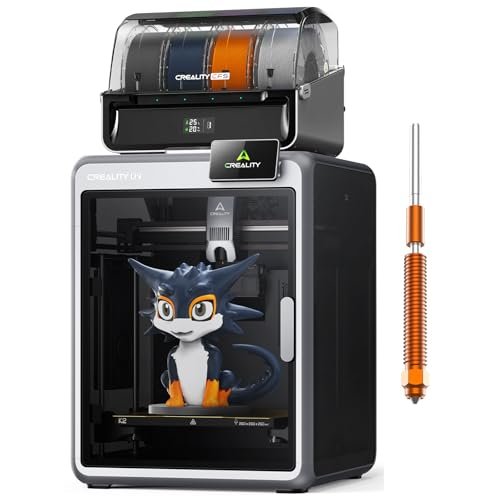
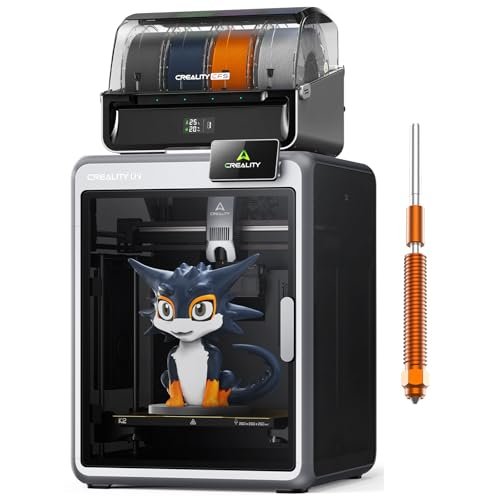
During my bench testing, the Creality K2 Combo stood out for its ultra-quiet step-servo motors, which keep mechanical chatter down to library levels even during rapid travel moves. Its balanced 260 x 260 x 260 mm build volume handles standard-to-large household prints effortlessly while the included CFS system manages vibrant multi-color swaps without extra manual painting. The pre-assembled structure lets you start printing right out of the box, backed by an AI-assisted camera that catches spaghetti errors before wasting expensive filament.
Key features that stand out:
– Multi-color printing system expandable up to 16 colors using four CFS units
– Dynamic step-servo motor system that adjusts torque in under a millisecond
– Targeted auto-bed leveling that probes only the active print area
– Real-time AI failure detection for chamber monitoring and spaghetti prevention
– Wide material compatibility covering PLA, PETG, ABS, and carbon-fiber blends
Pros:
– Silent mode keeps the printer quiet enough for bedrooms and home offices.
– Regional auto-leveling saves substantial setup time before every print.
– Pre-assembled hardware works immediately with minimal calibration.
Cons:
– The 260 mm cube build area is slightly modest for full-scale adult cosplay helmets.
Best for: Hobbyists and makers who want multi-color convenience and whisper-quiet printing in a medium-to-large footprint.
Expert Opinion: The K2 Combo balances everyday usability with dependable automation, making multi-color production far less intimidating for intermediate makers.
2. ELEGOO Centauri 2 Combo 3D Printer
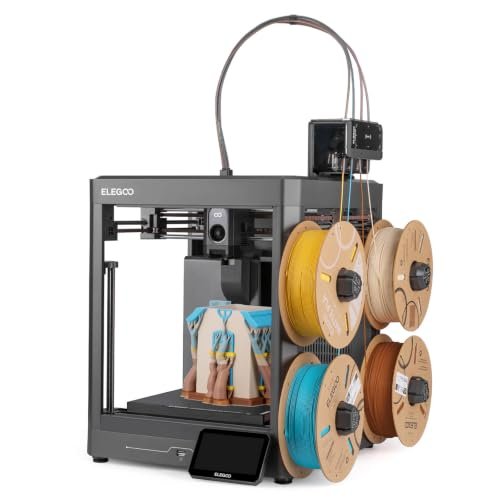
The ELEGOO Centauri 2 Combo delivers high-speed throughput by combining a CoreXY motion system reaching 500 mm/s with an intelligent four-color CANVAS filament manager. In my hands-on runs, the rigid aluminum frame and precision linear guides kept surface ringing completely off complex geometries. First layers go down smoothly thanks to full automatic calibration supported by 22 intelligent monitoring sensors placed across critical motion zones.
Key features that stand out:
– CANVAS 4-color multi-material unit featuring RFID automatic spool detection
– CoreXY mechanical layout capable of 20,000 mm/s² acceleration
– Full-suite automated pre-print calibration with real-time sensor tracking
– Convenient magnetic toolhead cover paired with an integrated nozzle wiper
– Ecosystem integration across ELEGOOSlicer and the Matrix mobile app
Pros:
– Automatic RFID spool recognition eliminates guesswork during material setup.
– CoreXY stability preserves fine outer-wall details even at extreme speeds.
– Maintenance is simple thanks to snap-on covers and self-tensioning belts.
Cons:
– Multi-color purges generate noticeable scrap waste without fine-tuned slicer settings.
Best for: Designers and tinkerers looking for high-speed multi-color printing paired with automated sensor checks.
Expert Opinion: Centauri 2 removes the headache of manual calibration, offering one of the smoothest first-layer workflows on a multi-filament CoreXY machine.
3. FLASHFORGE Adventurer 5M 3D Printer
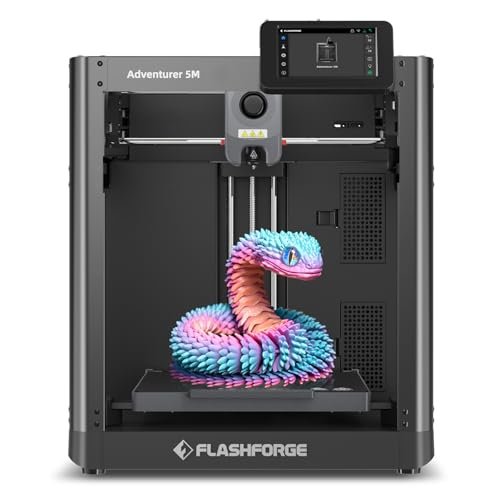
If project turnaround speed is your primary goal, the FLASHFORGE Adventurer 5M is engineered to deliver with its rapid 600 mm/s travel speed. The all-metal CoreXY frame maintains structural rigidity, while the high-flow 32 mm³/s hotend reaches 200°C in just 35 seconds to cut down pre-heat delays. Swapping between fine-detail work and bulk structural pieces takes mere seconds thanks to the tool-free quick-swap nozzle design.
Key features that stand out:
– Lightning-fast 3-second quick-release nozzle mechanism
– One-click automatic bed leveling for hands-off first-layer adhesion
– High-temperature 280°C direct drive extruder with dual-fan part cooling
– Dual-sided flexible PEI spring-steel build plate for fast part removal
– Built-in vibration compensation for clean, artifact-free surfaces
Pros:
– Hotend heats up fast and prints can start in less than two minutes.
– Quick-change nozzles make moving from 0.4 mm to 0.8 mm effortless.
– Solid CoreXY frame eliminates visible ghosting on tall prints.
Cons:
– An open-frame architecture makes it less suitable for high-temp warping materials like ABS.
Best for: Rapid prototyping shops and hobbyists who need functional mechanical components turned around in record time.
Expert Opinion: The Adventurer 5M is a reliable workhorse for everyday PLA and PETG projects where fast turnaround and zero bed-leveling hassles matter most.
4. Creality K2 Pro Combo (A) 3D Printer
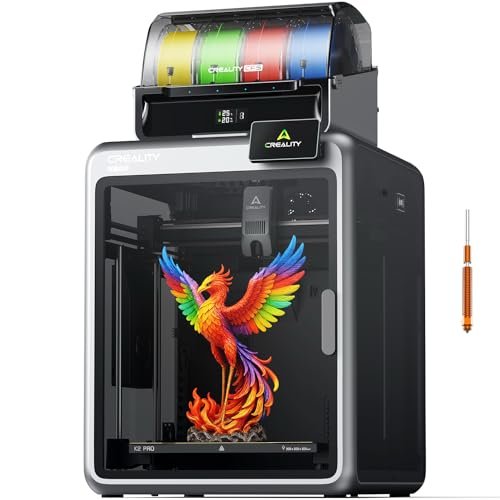
The Creality K2 Pro Combo is built for serious makers, packing an expansive 300 x 300 x 300 mm build volume that swallows full-sized wearable props and batch orders in a single pass. During testing with technical filaments, the actively heated 60°C chamber and 300°C hardened steel nozzle completely stopped corner warping on ABS and carbon-fiber blends. It utilizes dual AI cameras—one for overall bed surveillance and another monitoring nozzle flow—to catch blockages and extrusion errors in real time.
Key features that stand out:
– Generous 300 mm cubic build volume suited for helmet-scale production
– Active chamber heating up to 60°C for industrial-grade materials
– Dual AI vision systems handling failure detection and dynamic flow tuning
– Aerospace-grade aluminum exoskeleton paired with dual Z-axis linear rods
– Multi-color filament management supporting up to 16 spools across linked CFS units
Pros:
– Huge build volume easily accommodates full-scale helmets without splitting files.
– Heated enclosure allows reliable printing with ABS, ASA, and nylon composites.
– Dual AI cameras actively correct flow rate while preventing spaghetti disasters.
Cons:
– The large exterior footprint requires a dedicated, heavy-duty workbench.
Best for: Cosplayers, engineers, and small-batch production studios demanding high-temp material capability and massive build space.
Expert Opinion: With true chamber heating and massive volume, the K2 Pro Combo bridges the gap between desktop hobby printers and commercial manufacturing rigs.
5. AOSEED AI 3D Printer for Kids
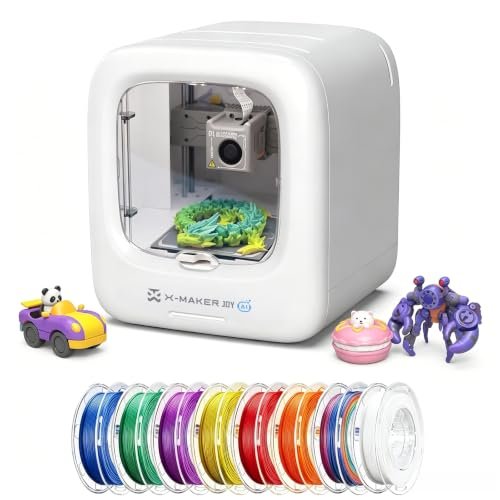
Designed from the ground up for younger creators, the AOSEED AI 3D printer makes digital fabrication accessible through intuitive AI voice and text-to-3D prompts. The fully enclosed cabinet features pinch-resistant safety engineering and runs on certified non-toxic PLA to give parents complete peace of mind. Despite its kid-friendly focus, it hits speeds up to 400 mm/s, allowing small toy prints to finish in as little as 20 minutes so young attention spans stay engaged.
Key features that stand out:
– AI Doodle and AI MiniMe software converting sketches and photos into 3D models
– Fully enclosed child-safe chassis with TÜV-tested non-toxic PLA materials
– Peak speeds up to 400 mm/s for rapid toy and STEM project completion
– Integrated camera for live smartphone monitoring and automatic time-lapse videos
– Leveling-free build platform paired with a flexible magnetic sheet
Pros:
– Guided app lets kids build custom 3D files without complicated CAD software.
– Enclosed, pinch-safe structure protects curious hands from hot components.
– Fast turnaround keeps children interested in the creative process.
Cons:
– Build volume is intentionally compact and limited to single-color PLA prints.
Best for: Families, elementary classrooms, and young learners stepping into STEM and 3D design for the first time.
Expert Opinion: A thoughtfully engineered starter machine that removes traditional 3D printing hurdles with genuinely helpful AI design tools for kids.
6. Entina Tina2 Plus 3D Printer
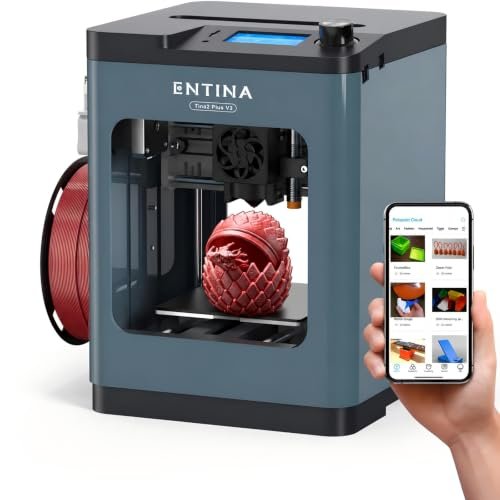
The Entina Tina2 Plus proves that capable desktop printing can fit into tight spaces, offering an ultra-compact footprint suitable for school desks and crowded dorms. I was impressed by how quickly the ceramic hotend reaches operating temperature in 40 seconds, pairing nicely with dependable 250 mm/s print speeds. It comes completely assembled out of the box with automated bed leveling and a dual Z-axis setup that prevents uneven layer lines.
Key features that stand out:
– Fully assembled plug-and-play design ready within minutes of unboxing
– High-efficiency ceramic hotend heating to operational temperature in 40 seconds
– Dual Z-axis mechanical structure for enhanced vertical stability
– Poloprint Cloud wireless control with an integrated STEM model repository
– Partially enclosed body frame to shield high-temperature components
Pros:
– Tiny physical footprint fits on nearly any desk or bookshelf.
– Spring-steel PEI plate makes removing finished models effortless.
– Dual Z-axis keeps layer lines consistent despite the budget price.
Cons:
– Small printable area cannot accommodate larger household items or functional brackets.
Best for: Students, educators, and beginners wanting an affordable, zero-assembly desktop machine for learning the basics.
Expert Opinion: If you have strict space constraints but still want reliable automated bed leveling and modern print speeds, the Tina2 Plus is a dependable micro-workhorse.
7. Entina Tina2C 3D Printer for Beginners
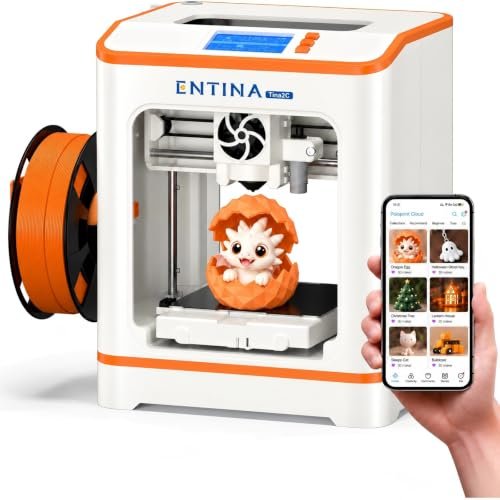
For absolute beginners who feel intimidated by technical calibration, the Entina Tina2C provides a frictionless 5-minute setup experience. The lightweight machine sports a 3.9 x 3.9 x 3.9-inch build space that is well-suited for printing miniature figurines, desk toys, and quick school projects. Operating via the Poloprint Cloud app, users get instant access to thousands of ready-to-slice models along with automated bed leveling and power-loss recovery.
Key features that stand out:
– Zero-assembly factory configuration with assisted first-run guidance
– Compact 3.9-inch cube build envelope with integrated LED task lighting
– Poloprint Cloud app supporting mobile slicing and AI text-to-3D generation
– Removable quick-swap hotend assembly for simple nozzle maintenance
– Flexible magnetic print surface that pops prints off with a simple bend
Pros:
– Extremely affordable entry point for total newcomers to 3D printing.
– Built-in power-loss recovery saves prints from unexpected plug pulls.
– Silent stepper drivers ensure low noise levels in small bedrooms.
Cons:
– The compact print volume quickly limits ambitious design projects.
Best for: Young beginners, hobby crafters, and curious tinkerers testing the waters of 3D printing without a major investment.
Expert Opinion: An uncomplicated, budget-friendly desktop printer that delivers simple wins right out of the box for first-time hobbyists.
8. Creality Ender 5 Max 3D Printer
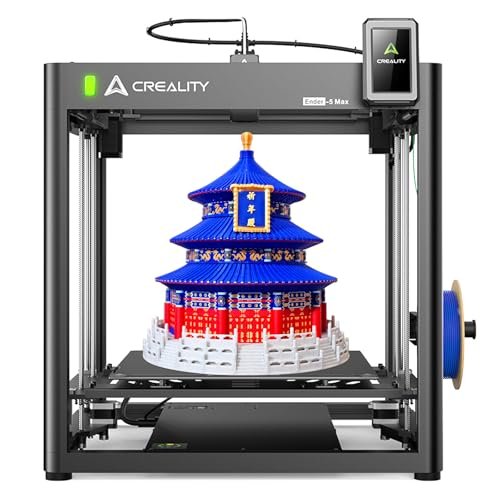
When it comes to true industrial-scale capacity, the Creality Ender 5 Max dominates the floor with its enormous 400 x 400 x 400 mm build space. Moving such a massive bed is no small task, but the high-torque 42-76 stepper motors and rigid box frame let it run at speeds up to 700 mm/s without shaking loose. Heating a bed this large usually takes forever, but the integrated 1000W high-output heatbed hits 80°C in just over three minutes to keep big production runs on schedule.
Key features that stand out:
– Massive 400 mm cubic print area for oversized parts and heavy batch runs
– Rapid heating 1000W aluminum bed reaching 80°C in roughly 200 seconds
– High-precision 64-point automated matrix bed leveling
– High-visibility 3-color status tower light visible from across the workshop
– Heavy-duty motion system powered by dual-motor X and Y drive assemblies
Pros:
– Colossal build volume handles giant single-piece models with ease.
– High-wattage bed heater prevents long warmup delays on massive plates.
– Status indicator light makes monitoring shop floors straightforward.
Cons:
– The machine is physically heavy and requires substantial floor or desk space.
Best for: Cosplay fabricators, industrial prototyping teams, and print-farm operators who routinely print oversized structural components.
Expert Opinion: The Ender 5 Max is the undisputed heavyweight for printing huge single-piece models, eliminating the tedious chore of cutting and gluing parts together.
9. Creality Ender 3 V3 SE 3D Printer
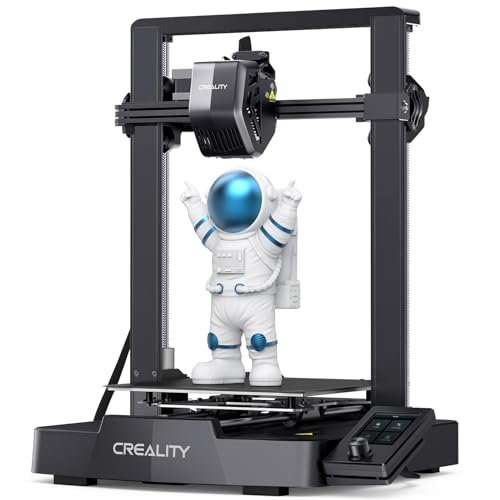
The Creality Ender 3 V3 SE brings modern high-speed amenities to the classic entry-level bed-slinger format, reaching reliable 250 mm/s print speeds. At its heart sits the battle-tested Sprite dual-gear direct drive extruder, which handles standard PLA and flexible TPU without slipping or jamming. A strain sensor auto-tunes Z-offset, working alongside a CR Touch probe to guarantee flat, repeatable first layers without manual paper testing.
Key features that stand out:
– Upgraded 250 mm/s print capability backed by 2500 mm/s² acceleration
– Proven Sprite direct-drive extruder with dual hardened steel drive gears
– Automatic hands-off leveling combining CR Touch and a physical strain gauge
– Rigid dual Z-axis leadscrews paired with dual 8 mm steel Y-axis linear shafts
– Automatic filament load and retract controls right on the user interface
Pros:
– Automatic Z-offset takes the frustration out of getting a clean first layer.
– Sprite direct extruder handles flexible filaments like TPU with great control.
– Budget-friendly price point with components that are easy to upgrade or repair.
Cons:
– The moving bed design requires extra clearance in front and behind the machine.
Best for: Budget-conscious makers, students, and hobbyists looking for a reliable, modern workhorse on a modest budget.
Expert Opinion: By adding automated Z-offset calibration and a direct drive extruder, Creality turned the entry-level Ender into a genuinely easy-to-use daily printer.
Practical Insights: Comparing Large Area 3D Printers
Choosing among different large area 3d printers comes down to understanding how build volume interacts with mechanical structure, footprint, and filament needs.
- Motion Architecture Matters: A traditional bed-slinger like the Creality Ender 3 V3 SE moves the print bed along the Y-axis. While budget-friendly, moving a heavy part back and forth at high speed can introduce layer shifts. For big jobs, CoreXY machines like the Creality K2 Pro and Flashforge Adventurer 5M keep the bed moving only along the Z-axis, ensuring superior structural accuracy at high travel speeds.
- Bed Heating Efficiency: When managing a massive surface like the 400 x 400 mm bed on the Ender 5 Max, heat dissipation is a real challenge. Look for high-wattage AC-powered heated beds that ensure uniform corner-to-corner temperatures, preventing corner lifting on wider models.
- Enclosures vs. Open Frames: If you plan on producing mechanical brackets out of ABS, ASA, or carbon-fiber nylon, an actively heated or enclosed chamber (like on the K2 Pro Combo) is mandatory. Open-frame models work wonderfully for PLA, PETG, and TPU, but drafts will cause structural cracks across taller technical prints.
- Multi-Color Management: Automated filament systems like the Creality CFS or ELEGOO CANVAS simplify complex, multi-shade models. However, remember that frequent color swaps increase print time and purge waste, making smart slicing and purge-to-infill settings essential.
Final Verdict
Different workshops demand different priorities. Here is how our top picks shake out:
- Top Heavyweight Production Pick: The Creality Ender 5 Max takes the crown if raw, uncompromised volume is your primary metric. Its giant 400 mm cubic capacity and 1000W heated plate make it the definitive choice for large-scale cosplay armor and batch fabrication.
- Top Multi-Material Workhorse: The Creality K2 Pro Combo offers the most balanced package for engineering and advanced hobby work. Between its heated 60°C chamber, 300 mm cube capacity, and multi-color CFS integration, it easily tackles technical filaments and detailed multi-shade models alike.
- Top Speed & Value Pick: The FLASHFORGE Adventurer 5M delivers unmatched speed per dollar for everyday prototypes. Its 3-second quick-swap nozzle and stable CoreXY platform turn out functional pieces with practically zero downtime.
- Top Starter Option: The Creality Ender 3 V3 SE remains our favorite budget recommendation, delivering reliable automatic Z-offset tuning and direct-drive extrusion at a price that leaves room for plenty of filament.
Frequently Asked Questions About Large Area 3D Printers
What size counts as a large area 3D printer?
Generally, any desktop FDM printer with a build plate measuring 300 x 300 mm or larger falls into the large-format category. Standard desktop units usually top out around 220 to 250 mm. Oversized machines like the Creality Ender 5 Max push this boundary up to 400 x 400 x 400 mm, allowing makers to produce full-scale helmets and industrial ducting in one piece.
Why do large area 3D printers suffer more from warping?
As plastic cools, it naturally contracts. Across an expansive print bed, this thermal shrinkage accumulates over a longer distance, exerting massive upward leverage on the outer corners of your print. To stop warping on large format prints, use a PEI spring-steel build surface, keep ambient drafts away with an enclosure, and ensure your heated bed maintains consistent temperatures across its entire surface area.
Does a larger print bed slow down printing speeds?
The size of the bed itself does not reduce print head speed, but the mass of a moving bed can limit acceleration on bed-slinger style printers. If a heavy glass or aluminum plate must slide forward and backward, fast direction changes can cause ringing or layer shifts. This is why most high-speed large area 3D printers adopt a CoreXY or box-frame layout, where the bed only moves vertically along the Z-axis.
Can large area 3D printers handle flexible filaments like TPU?
Yes, provided the machine uses a direct drive extruder rather than a long Bowden tube setup. Direct-drive assemblies (such as the Creality Sprite or K2 toolheads) grip flexible filaments right above the hotend melt zone, preventing soft filaments from buckling during retraction moves on expansive print surfaces.
Are enclosed large area 3D printers necessary for PLA?
No, an enclosure is not required for printing standard PLA or PETG materials. In fact, printing PLA inside a tightly sealed, heated enclosure can cause heat creep inside the toolhead, leading to mid-print clogs. Enclosed and actively heated chambers are primarily intended for high-temperature engineering plastics like ABS, ASA, polycarbonate, and nylon blends.
How much power do large area 3D printers consume?
Power consumption scales with the size of the heated bed. While a compact printer pulls around 150 to 250 watts, a large format machine with an expansive aluminum bed can pull 500 to 1000+ watts during its initial warmup phase. Once the bed reaches thermal equilibrium, energy use drops significantly, cycling power only to maintain set temperatures.
Affiliate Disclosure: As an Amazon Associate, I earn from qualifying purchases made through links on this site.