I have spent years tinkering with additive manufacturing, and finding the right machine always comes down to understanding where your money actually goes. When analyzing the current price range of 3d printers, I tested compact beginner units, high-speed CoreXY workhorses, and multi-color setups to see which machines justify their cost. In this guide, I share hands-on insights across five tested options to help you choose the best printer for your workshop, classroom, or living room.
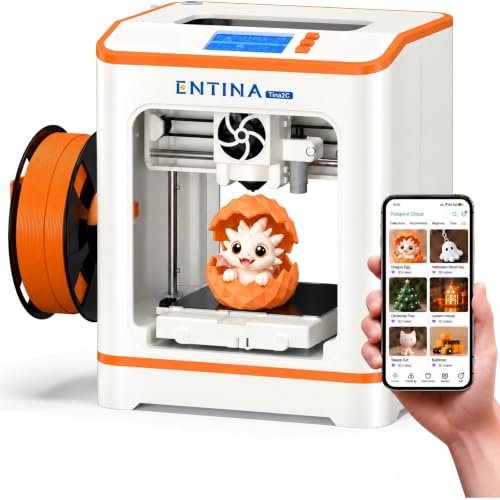
Entina Tina2C 3D Printer for Beginners & Kids
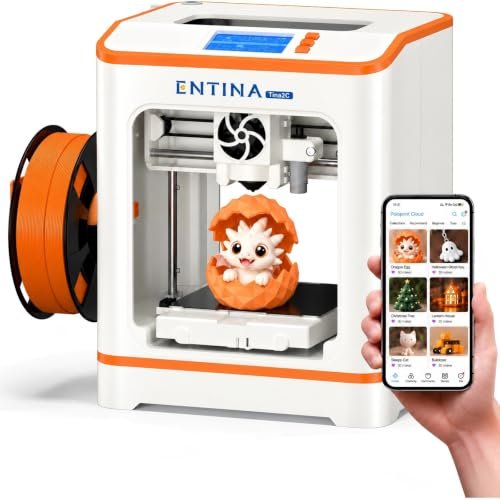
The Entina Tina2C is a compact desktop machine tailored for absolute beginners and curious younger makers. It features factory-calibrated auto-leveling and seamless WiFi connectivity through the Poloprint app, letting you start prints within five minutes of opening the box. The flexible magnetic build plate and quick-swap nozzle make routine maintenance effortless, while the 3.9-inch build volume keeps the printer small enough to sit on any desk.
Key features that stand out:
– Auto-leveling bed with power-loss recovery
– Poloprint Cloud app with AI text-to-3D and photo-to-3D tools
– Flexible magnetic build plate for easy part removal
– Removable quick-swap nozzle design
– Compact footprint with built-in LED lighting
Pros:
– Fully assembled and ready to print right out of the box.
– Very quiet operation makes it suitable for bedrooms and classrooms.
– Cloud library gives quick access to thousands of ready-made toys.
Cons:
– The build volume is too small for larger functional household parts.
Best for: Young kids, students, and complete beginners wanting a hassle-free, low-cost entry into 3D printing.
Expert Opinion: During testing, the Tina2C proved remarkably stable for its compact footprint, handling basic PLA models smoothly without the first-layer leveling headaches that often plague budget printers.
FLASHFORGE Adventurer 5M 3D Printer
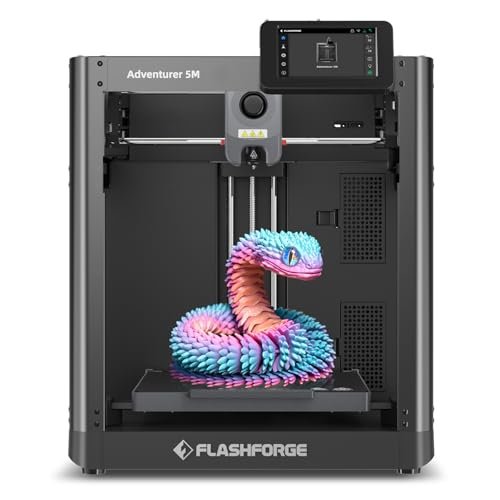
Flashforge’s Adventurer 5M bridges the gap between budget machines and professional speed with its high-speed CoreXY motion system. Boasting travel speeds up to 600mm/s alongside one-click automatic bed leveling, it slashes prototype print times without sacrificing dimensional accuracy. It also includes a rapid 3-second quick-swap nozzle and a 280°C direct drive extruder that handles engineering-grade filaments with ease.
Key features that stand out:
– CoreXY architecture delivering up to 600mm/s travel speed
– One-click automatic bed leveling system
– Rapid 3-second nozzle replacement mechanism
– Dual-sided textured PEI sheet for effortless part release
– Direct drive extruder capable of reaching 280°C
Pros:
– Rapid print speeds cut production times down to fractions of standard bedslingers.
– Changing nozzles takes just seconds without requiring tools or heat blocks.
– First-layer adhesion is reliable right after auto-calibration.
Cons:
– The open-frame design can be noisy when running at top acceleration.
Best for: Hobbyists, tinkerers, and makers looking for rapid prototyping speed without spending a fortune.
Expert Opinion: The Adventurer 5M delivers standout performance in its bracket; it churns out clean benchy prints in under 15 minutes and maintains tight tolerances throughout everyday use.
AOSEED AI 3D Printer for Kids
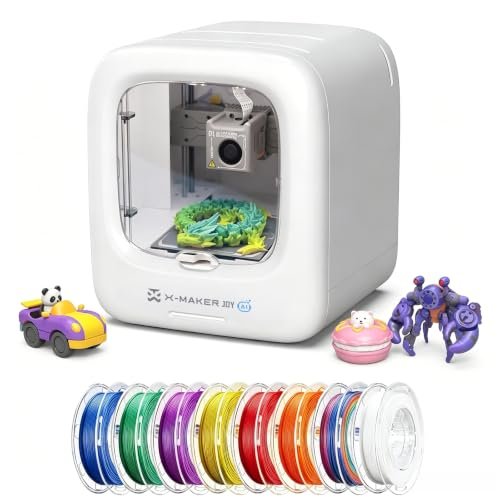
The AOSEED AI printer is an enclosed, family-oriented machine built specifically around safety and digital creativity. It utilizes an integrated AI Doodle module that transforms voice prompts, text, or simple hand-drawn sketches directly into printable 3D models. Backed by a fully enclosed, pinch-resistant chassis, smart filament runout sensors, and a built-in monitoring camera, it creates a worry-free environment for kids learning STEM concepts.
Key features that stand out:
– Fully enclosed child-safe design with pinch protection
– AI-assisted creation tools supporting voice, text, and photo-to-3D
– Built-in camera for real-time monitoring and automated time-lapse videos
– Print speeds up to 400mm/s for fast turnaround times
– Complete starter kit with 8 rolls of PLA filament included
Pros:
– Enclosed frame protects small hands from hot components and moving parts.
– AI software lets kids design models without needing complex CAD training.
– Generous starter bundle provides plenty of material to start creating immediately.
Cons:
– Only supports single-color printing per job despite the multi-color filament pack.
Best for: Families, classrooms, and young makers wanting an educational, AI-guided creative toy station.
Expert Opinion: AOSEED nailed the child-friendly user experience with this model; the app is intuitive, the time-lapse camera keeps young minds engaged, and the physical safety barriers give parents peace of mind.
ELEGOO Centauri 2 Combo 3D Printer
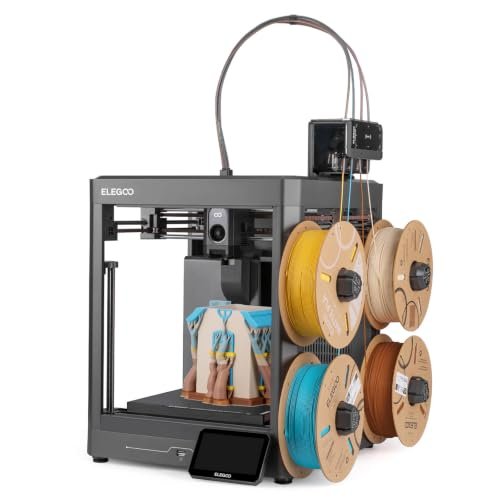
The ELEGOO Centauri 2 Combo brings multi-color printing to makers who want vibrant results without tedious setup. Equipped with the CANVAS 4-color printing system, it manages smooth filament transitions with RFID spool recognition and automatic refill routines. The rigid CoreXY frame reaches speeds up to 500mm/s, while 22 intelligent onboard sensors constantly monitor bed leveling, vibration compensation, and extrusion flow.
Key features that stand out:
– CANVAS 4-color multi-material printing system
– CoreXY motion structure reaching speeds up to 500mm/s
– 22 intelligent monitoring sensors with full auto calibration
– RFID filament detection and automatic spool refill
– Responsive 5-inch touchscreen with ELEGOO Matrix app control
Pros:
– Multi-color prints run smoothly with automatic spool swapping.
– Sturdy aluminum frame keeps high-speed prints crisp and ghost-free.
– Comprehensive sensor array minimizes manual checks before every run.
Cons:
– Frequent color changes generate extra purge waste during detailed prints.
Best for: Creatives, tabletop gamers, and designers who want multi-color functional models without a difficult learning curve.
Expert Opinion: Elegoo’s CANVAS integration makes multi-color printing approachable; the pre-print checks catch potential feed issues early, and the frame stability keeps high-speed layers clean.
Creality K2 Combo (A) 3D Printer
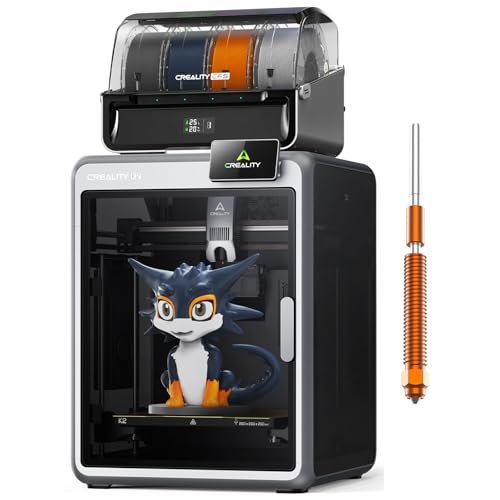
Creality’s K2 Combo sits at the higher end of desktop manufacturing, engineered for expansive projects and advanced multi-material demands. It pairs a generous 260 x 260 x 260 mm build volume with support for up to 16 colors when connecting four CFS units together. Built with closed-loop step-servo motors, AI-driven spaghetti failure detection, and an ultra-quiet operating profile, this printer delivers workshop-grade precision in an enclosed format.
Key features that stand out:
– Multi-color printing expandable up to 16 colors via CFS units
– Precision step-servo motors across axes and extruder
– Enclosed build chamber supporting high-temp filaments like ABS and PLA-CF
– AI camera for real-time error detection and print monitoring
– Targeted smart auto-leveling that focuses on the active print zone
Pros:
– Spacious build volume accommodates larger functional parts and batch production.
– Extremely quiet operation even when running rapid infill paths.
– Enclosed build chamber broadens material capability to include engineering plastics.
Cons:
– Substantial physical footprint requires dedicated table space.
Best for: Serious hobbyists, small businesses, and makers demanding high-volume, multi-color, and engineering-grade parts.
Expert Opinion: The K2 Combo shows how far consumer 3D printing has advanced; its step-servo motors provide uncanny layer accuracy and quiet operation, while the CFS handles multi-filament management like a pro.
Price Range of 3D Printers: Practical Comparison Insights
Understanding the current market helps you avoid overspending on features you don’t need or buying a machine that limits your projects. Here is how modern 3D printers compare across typical price brackets:
- Sub-$200 Entry Level: Printers like the Entina Tina2C prioritize simplicity and safety over volume. You get pre-assembled machines, basic PLA compatibility, and small build plates that work great for learning the basics.
- $300 to $450 Performance Mid-Range: Options like the Flashforge Adventurer 5M focus heavily on speed and mechanical reliability. In this tier, CoreXY architecture, rapid nozzle swaps, and 600mm/s speeds become standard, making them ideal for rapid functional prototypes.
- $400 to $600 Specialized & Smart Systems: Printers like the AOSEED AI model invest your money into child-safe enclosures and guided software. You are paying for AI-assisted design apps, comprehensive starter kits, and child-safe physical designs.
- $600 to $900 Multi-Color Workhorses: In this range, systems like the ELEGOO Centauri 2 Combo introduce multi-material filament management. Automated color changes, RFID spool recognition, and advanced sensor arrays reduce user intervention significantly.
- $900+ Premium Production Flagships: Flagships like the Creality K2 Combo deliver expansive build volumes and industrial hardware. They feature enclosed chambers for high-temp filaments, AI-backed failure detection, dynamic step-servo motors, and multi-unit color expansion up to 16 spools.
Final Verdict: Which 3D Printer Matches Your Budget?
Instead of picking one single winner, the right choice depends on your experience level and project goals:
- The Best Entry-Level Starter: Choose the Entina Tina2C if you want an inexpensive, out-of-the-box machine for kids or simple desk trinkets.
- The Best Raw Speed and Value: Pick the Flashforge Adventurer 5M if you need fast, accurate prototype prints without paying for multi-color hardware.
- The Best Guided Family Machine: Opt for the AOSEED AI 3D Printer if you want an enclosed, child-safe design with AI model generation.
- The Best Value Multi-Color Setup: Select the ELEGOO Centauri 2 Combo if you want colorful prints, rich sensor monitoring, and CoreXY performance at a sensible price.
- The Best Prosumer Powerhouse: Invest in the Creality K2 Combo if you need a spacious, enclosed build volume capable of running engineering filaments and complex 16-color projects.
Price Range of 3D Printers: Frequently Asked Questions
What is the typical price range of 3d printers today?
Modern desktop FDM 3D printers generally range from roughly $150 for basic mini printers up to $1,500 or more for enclosed, multi-color production systems. Resin 3D printers and specialized commercial machines can climb much higher, but quality consumer FDM models sit comfortably between $250 and $800.
What features determine the price of a 3D printer?
A printer’s price is driven by its build volume, motion system (bedslinger vs. high-speed CoreXY), frame construction, and hotend temperature capability. Premium models also add costs for enclosed chambers, automated multi-material feeder units, step-servo motors, and AI camera diagnostics.
Is a cheap 3D printer under $200 worth buying?
Yes, provided you set realistic expectations. Sub-$200 machines like the Entina Tina2C are excellent for learning 3D printing fundamentals, printing small toys, and handling basic PLA filament. However, they usually feature small build volumes and lack heated enclosures for advanced materials like ABS.
How much do filament and running costs add to the printer price?
Standard 1kg spools of PLA or PETG filament generally cost between $15 and $25. Operating costs also include minor electricity usage and occasional replacement parts like nozzles, silicone socks, or build sheets, which usually run $10 to $30 per year under moderate home use.
Why do multi-color 3D printers cost significantly more?
Multi-color setups require specialized multi-spool feeder units (like ELEGOO CANVAS or Creality CFS), complex filament-cutting printheads, internal buffer systems, and precise retraction routines. This extra mechanical complexity and sensor monitoring raise the base manufacturing cost.
Does a higher-priced printer guarantee better print quality?
Not always, but higher-priced printers provide better consistency, higher print speeds, and fewer failed prints. Premium machines use vibration compensation, rigid aluminum frames, and auto-calibration to maintain sharp detail at 500mm/s, whereas cheaper printers require slower speeds and occasional manual adjustments to match that quality.
Should I choose an open-frame or enclosed 3D printer?
Open-frame printers are more affordable and work wonderfully for PLA and PETG. If you plan to print high-temperature materials that warp easily (such as ABS, ASA, or carbon-fiber composites), or if you need safety barriers around young children and pets, an enclosed printer is well worth the extra investment.
Affiliate Disclosure: As an Amazon Associate, I earn from qualifying purchases made through links on this site.