I’ve spent hundreds of hours assembling, tuning, and troubleshooting additive manufacturing machines in my workshop to see if modern price tags actually match daily performance. Evaluating the current prices for 3d printer setups can feel overwhelming when every brand advertises blazing speeds and effortless multi-color printing. In this guide, I share my hands-on test notes on seven standout machines across various price points to help you invest your money where it counts.
Bambu Lab P1S Combo 3D Printer with AMS
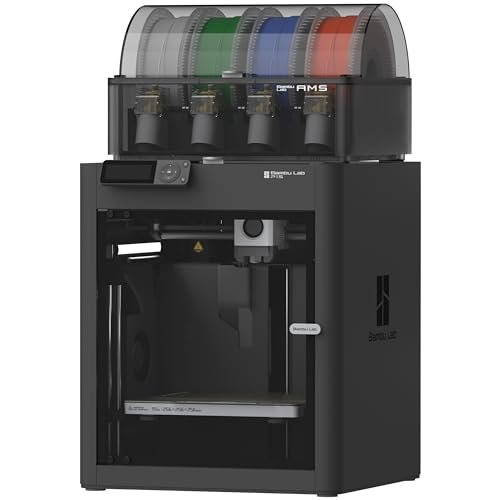
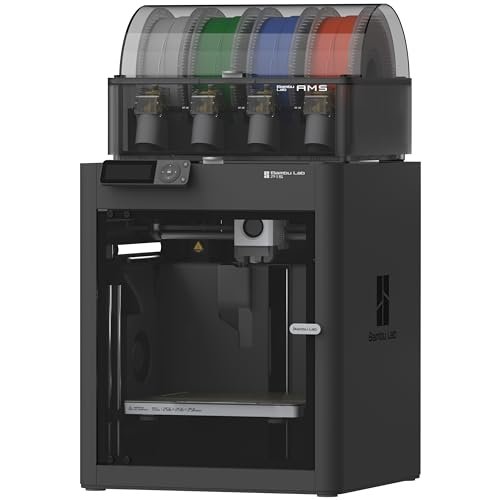
Over several weeks of intensive testing, the Bambu Lab P1S Combo proved itself as a reliable workhorse that eliminates the routine tinkering usually associated with multi-filament setups. Its fully enclosed design maintains stable ambient temperatures for warp-prone materials like ABS and ASA, while the 500mm/s maximum print speed slashes typical production times. With the included automatic bed leveling and straightforward 15-minute setup, you can produce complex parts without dealing with manual calibrations.
Key features that stand out:
– Up to 16-color printing capability when connecting the AMS system
– High-speed motion system reaching 500mm/s with 20000 mm/s² acceleration
– Enclosed build body designed to stabilize high-temperature filaments
– Factory automated bed leveling and resonance compensation
– Fast initial assembly ready to run in roughly 15 minutes
Pros:
– Smooth and reliable multi-color filament feeding
– Enclosure keeps ambient temperatures steady and cuts down draft warping
– Flawless first-layer squish without any manual leveling wheels
Cons:
– Not recommended for abrasive carbon-fiber or glass-reinforced materials out of the box.
– The external AMS unit demands substantial desk space next to the printer.
Best for: Intermediate hobbyists and makers who want enclosed multi-material printing without stepping up to industrial machinery costs.
Expert Opinion: The P1S Combo strikes a practical balance between capability and cost, offering enclosed multi-filament consistency that makes older bedslingers feel obsolete.
Bambu Lab P2S Combo 3D Printer & AMS 2
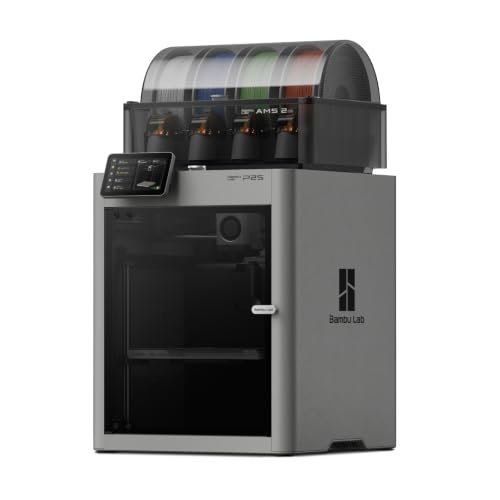
Testing the Bambu Lab P2S Combo shows what happens when next-gen refinements are added to an already solid platform. Powered by a PMSM servo extruder and active flowrate compensation, this unit runs at up to 600 mm/s while keeping corners razor-sharp and layers uniform. The upgraded AMS 2 Pro with built-in filament drying up to 65 °C solves common stringing issues, keeping engineering materials in peak condition throughout long multi-material runs.
Key features that stand out:
– High-precision output up to 600 mm/s driven by a PMSM servo extruder
– AMS 2 Pro system featuring built-in active filament drying at 65 °C
– Adaptive airflow chamber management paired with carbon air filtration
– Smart AI failure detection and convenient quick-swap nozzle assembly
– Direct workflow integration with MakerWorld and Bambu Studio software
Pros:
– Built-in filament heating prevents moisture defects on long prints
– Excellent corner precision and surface consistency at extreme velocities
– Integrated carbon filter effectively reduces chamber odors
Cons:
– Represents a noticeable step up in overall purchase cost.
– Base unit requires the Combo bundle if you plan to print in multi-color.
Best for: Serious creators, small print farm operators, and functional prototypers needing high-speed accuracy with moisture-sensitive filaments.
Expert Opinion: The active spool drying inside the AMS 2 Pro addresses one of the most frustrating aspects of multi-spool printing, making it worth the premium for demanding materials.
FLASHFORGE Adventurer 5M 3D Printer
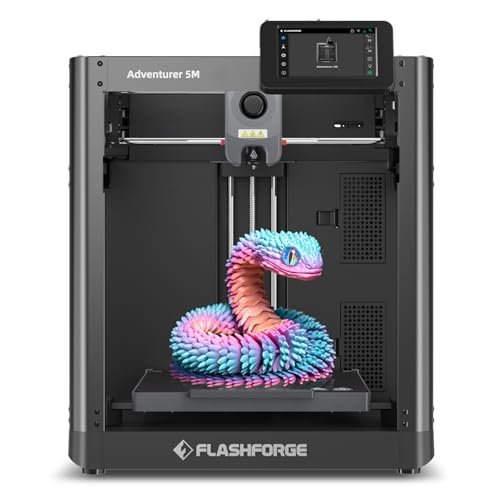
The FLASHFORGE Adventurer 5M brings rapid CoreXY kinematics down to a budget that everyday makers can easily justify. Its one-click automatic leveling routine creates consistent first layers directly onto the dual-sided PEI platform without any paper-sliding rituals. With a 280°C direct drive extruder that reaches 200°C in just 35 seconds, this machine cuts down turnaround times on daily PLA and PETG projects.
Key features that stand out:
– All-metal CoreXY motion platform with 600mm/s travel speed
– Fully automated one-click bed leveling with vibration compensation
– High-flow 32mm³/s hotend supporting quick 3-second nozzle changes
– Ultra-fast 35-second heat-up time to reach 200°C
– Real-time print monitoring and adjustments via Flash Studio app
Pros:
– Rapid hotend warm-up and tool-free nozzle changes save setup time
– Sturdy CoreXY frame prevents layer shifting during quick travel moves
– Strong first-layer adhesion right out of the box
Cons:
– The open frame makes it unsuitable for technical filaments like ABS or nylon.
– High-speed auxiliary fans produce noticeable noise when running at 100 percent.
Best for: Makers, students, and hobbyists who prioritize raw speed and quick nozzle swaps over an enclosed build space.
Expert Opinion: Flashforge engineered a practical hotend swap system here; it is one of the easiest CoreXY printers to get running for everyday decorative and functional prints.
Creality Ender 3 V3 SE Beginner-Friendly 3D Printer
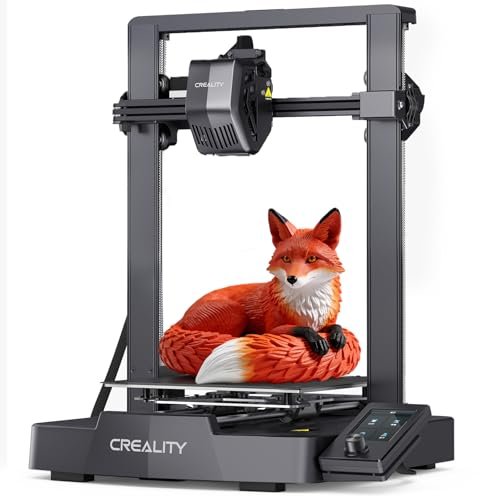
For anyone looking to step into the hobby without spending much, the Creality Ender 3 V3 SE delivers solid essentials. It pairs CR Touch auto-leveling with an automated strain sensor for Z-offset calibration, taking the headache out of the traditional first-layer setup. Running at an impressive 250mm/s printing speed, it utilizes the proven Sprite direct drive extruder to smoothly push through flexible filaments like TPU alongside standard PLA.
Key features that stand out:
– 250mm/s maximum print speed with 2500mm/s² acceleration
– Automated leveling via CR Touch combined with a strain gauge for Z-offset
– Reliable Sprite direct drive extruder mechanism
– Dual synchronized Z-axis leadscrews paired with rigid Y-axis linear shafts
– Silent 32-bit mainboard and flexible PC spring steel platform
Pros:
– One of the lowest prices for a dependable direct-drive machine
– Strain-gauge Z-offset completely eliminates manual bed adjustment
– Quiet stepper motors make it easy to run on a nearby workbench
Cons:
– The PC-coated bed sheet wears faster than standard textured PEI plates.
– The spool holder sits high on the frame, slightly raising the center of gravity.
Best for: Beginners, DIYers, and bargain hunters wanting a low-barrier entry into 3D printing without manual bed tramming.
Expert Opinion: Creality resolved the biggest beginner stumbling block by automating both the bed mesh and the Z-offset, making this a reliable starter pick.
Bambu Lab A1 3D Printer
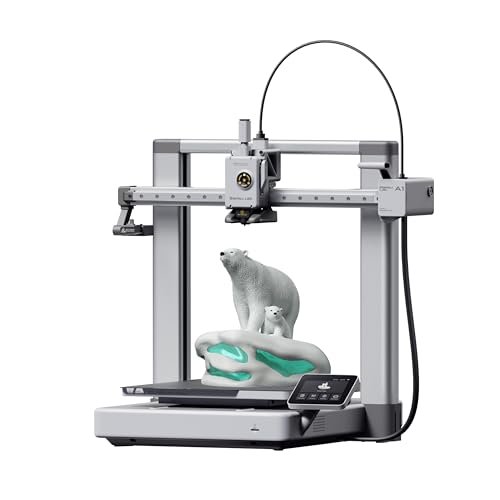
The Bambu Lab A1 brings top-tier automation and precision to an open-frame bedslinger layout. What stands out immediately during operation is the active motor noise canceling, keeping printing sounds down to a subtle hum even at high accelerations. The printer’s full-auto calibration manages resonance tuning, Z-offset, and bed level without manual input, while active flow rate compensation ensures smooth extrusion across every exterior wall.
Key features that stand out:
– Active motor noise canceling for quiet desktop printing
– Complete automated calibration routine covering flow rate, vibration, and leveling
– Tool-free 1-clip quick-swap nozzle design
– High-speed motion with up to 10,000 mm/s² acceleration
– Native support for multi-color printing when paired with the AMS lite
Pros:
– Whisper-quiet stepper operation compared to almost all open-bed rivals
– Swapping nozzles takes only seconds without handling tiny hex wrenches
– Crisp detail reproduction thanks to active extrusion monitoring
Cons:
– Open architecture limits material choice primarily to PLA, PETG, and TPU.
– Multi-color functionality requires buying the AMS lite unit separately or as a combo.
Best for: Crafters, educators, and makers who want a silent, low-maintenance printer that reliably produces detailed PLA and PETG parts.
Expert Opinion: If you do not need an enclosure for industrial plastics, the A1 is easily one of the most refined and pleasant open-bed printers to share a room with.
Entina Tina2C 3D Printer for Beginners & Kids
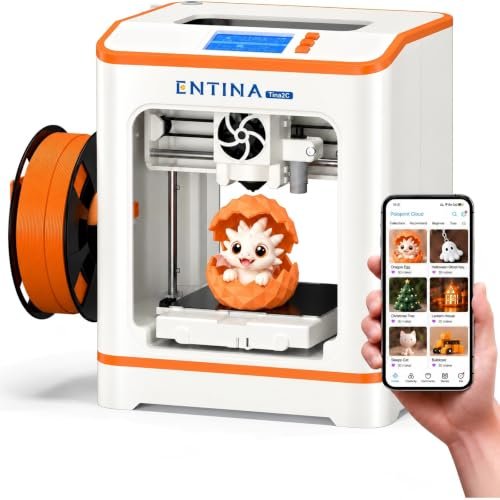
Designed specifically for young learners and complete novices, the Entina Tina2C is an ultra-compact machine that arrives ready to run in five minutes. Through the Poloprint Cloud app, users can browse and send over 3,500 ready-to-print 3D models directly from their smartphone without touching complex slicer settings. Featuring automatic bed leveling and a flexible magnetic plate, clearing finished parts is simple and safe for smaller hands.
Key features that stand out:
– Pre-assembled plug-and-play build that starts printing in 5 minutes
– Integrated Poloprint app featuring 3,500+ curated models and AI design tools
– Full auto-leveling system combined with power-loss recovery
– Flexible magnetic build surface for bending parts free
– Space-saving 3.9 x 3.9 x 3.9-inch build volume
Pros:
– Absolutely zero mechanical assembly required out of the box
– Clean smartphone app workflow makes printing accessible to children
– Lightweight and compact enough to store on a bookshelf
Cons:
– Very small build plate limits you to mini figurines and small trinkets.
– Not suited for advanced high-temp filaments.
Best for: Young kids, classroom STEM activities, and first-time users wanting a stress-free introduction to 3D printing.
Expert Opinion: The Tina2C trades print volume for pure accessibility, providing an engaging, safe gateway for kids to discover additive manufacturing.
Creality Ender 3 V3 SE 3D Printer (High-Speed Edition)
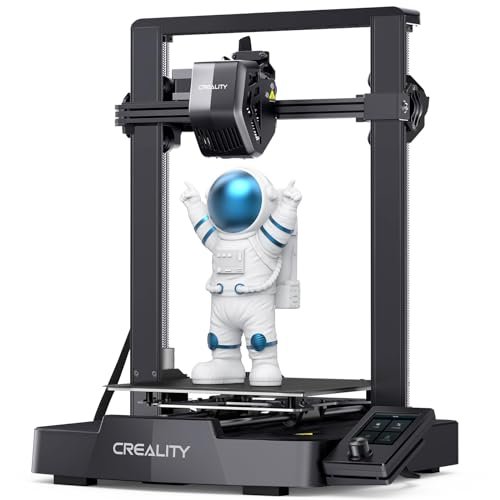
This high-speed iteration of the Creality Ender 3 V3 SE puts an emphasis on user convenience with automatic filament loading and unloading. By simply tapping extrude or retract on the interface, the Sprite full-metal dual-gear direct extruder handles filament swaps cleanly without slipping or jamming. Guided by sturdy 8mm linear shafts and dual Z-axis screws, it maintains layer alignment even when pushing the 250mm/s envelope.
Key features that stand out:
– One-tap automated filament feeding and retraction functionality
– Market-tested Sprite dual-gear direct drive extruder
– CR Touch auto-leveling sensor working alongside a physical strain gauge
– Dual synchronized Z-axis leadscrews with twin 8mm steel Y-axis linear shafts
– Simple three-step frame assembly ready to print within 20 minutes
Pros:
– Easy automated filament swaps eliminate manual feeding struggles
– Dual-axis stabilization yields smooth vertical surface finishes
– Exceptional feature set relative to its affordable purchase price
Cons:
– Still utilizes a basic rotary control knob rather than a color touchscreen.
– Unenclosed bed limits reliable printing of engineering plastics like ABS.
Best for: Budget-conscious tinkerers, prop builders, and students wanting a solid foundation that handles flexible materials reliably.
Expert Opinion: By streamlining filament loading and bed leveling, this Ender edition preserves the affordable nature of the series while cutting out the old maintenance headaches.
Key Comparisons to Help You Decide
- CoreXY vs. Bedslinger Motion: The Bambu Lab P1S, P2S, and FLASHFORGE 5M utilize CoreXY mechanics, meaning the print bed only moves vertically. This allows for substantially faster travel speeds and sharper corners compared to bedslingers like the Creality Ender 3 V3 SE and Bambu Lab A1, where the bed shifts back and forth along the Y-axis.
- Enclosed Chambers vs. Open Frames: If you plan on printing ABS, ASA, or polycarbonate, an enclosed chamber like the ones on the P1S Combo or P2S Combo is non-negotiable to prevent warping. For PLA, PETG, and TPU, an open-frame printer like the Adventurer 5M or A1 provides better natural cooling and costs significantly less.
- Multi-Color Capabilities: The Bambu Lab AMS systems lead the pack for multi-color workflow. The P2S AMS 2 Pro adds active 65 °C filament drying, while the A1 with AMS lite offers an open-air alternative. Budget printers like the Ender 3 V3 SE remain strictly single-material systems.
- Setup Time and Beginner Friendliness: The Entina Tina2C is ready out of the box in five minutes with zero tools, making it the easiest option for children. Meanwhile, the Ender 3 V3 SE requires about 15 to 20 minutes of light bolting, and the Bambu Lab ecosystem delivers full auto-calibration with virtually zero user intervention.
Final Verdict
Choosing the right 3D printer comes down to matching your project goals with your wallet:
- Top Enclosed Multi-Material Machine: Go with the Bambu Lab P1S Combo. It handles advanced filaments, prints in up to 16 colors, and delivers dependable high-speed output without pushing into commercial price territory.
- Next-Level Precision and Engineering: Choose the Bambu Lab P2S Combo. The active filament drying in the AMS 2 Pro and enhanced servo extruder make it the definitive choice for technical prototyping.
- Top Open-Bed Value and Silence: Pick the Bambu Lab A1. Its active noise canceling and automatic flow calibration make it an outstanding desktop companion for everyday creative projects.
- Unbeatable Speed on a Budget: The FLASHFORGE Adventurer 5M offers true 600mm/s CoreXY speeds and rapid nozzle changes at an entry-level price point.
- Sub-$200 Starter Pick: The Creality Ender 3 V3 SE is the clear winner for anyone looking for direct-drive printing and automatic leveling on a tight budget.
- Young Learners and STEM Play: The Entina Tina2C takes the crown for safe, plug-and-play simplicity with its kid-friendly mobile app.
Frequently Asked Questions About Prices for 3D Printer Options
What determines the overall prices for 3d printer models?
The prices for 3d printer units depend heavily on motion architecture (CoreXY versus bedslinger), build volume, whether the frame is enclosed, and smart features like auto-calibration, AI failure detection, and multi-color filament changers. Premium components like all-metal hotends, hardened steel gears, and servo motors also raise the base cost.
How much do entry-level budget 3D printers usually cost?
Modern entry-level printers generally range between $150 and $300. In this bracket, options like the Creality Ender 3 V3 SE provide automatic leveling, direct drive extruders, and reliable PLA printing without requiring aftermarket upgrades.
What are the ongoing maintenance costs of running a 3D printer?
Beyond the initial purchase price, your main ongoing expense is filament, which runs between $15 and $25 per kilogram for standard PLA or PETG, and $30 to $60 for engineering filaments like nylon or polycarbonate. Periodic replacement parts like brass nozzles, textured PEI sheets, and silicone socks typically cost under $20 to replace every few months.
Is an enclosed 3D printer worth the extra price?
Yes, if you intend to print functional parts using ABS, ASA, nylon, or carbon-fiber composites. Enclosed chambers retain heat, preventing draft-induced warping and layer separation. However, if you only plan to print decorative models, tabletop miniatures, or organizers using PLA and PETG, an open-frame printer offers plenty of capability at a lower price point.
Does multi-color 3D printing significantly increase filament waste and costs?
Multi-color printing requires purging filament between each color swap, which does create scrap material (often called “purge poop” or purge towers). While this increases your material consumption by 15 to 40 percent on complex multi-shade models, having a dedicated multi-material unit like the Bambu Lab AMS saves countless hours compared to manual painting or assembling multi-part prints.
Can cheap 3D printers print flexible materials like TPU?
Yes, provided the printer features a direct drive extruder rather than a long Bowden tube setup. Both budget options featured here, such as the Creality Ender 3 V3 SE and FLASHFORGE Adventurer 5M, include direct-drive hotends that feed flexible TPU filaments reliably without jamming.
How much should I expect to spend for a reliable multi-color setup?
Capable multi-color setups typically start around $400 to $500 for open-bed systems like the Bambu Lab A1 Combo (with AMS lite). For enclosed, high-temperature multi-material capabilities like the Bambu Lab P1S or P2S Combos, expect prices to range between $800 and $1,200 depending on sales and bundled accessories.
Affiliate Disclosure: As an Amazon Associate, I earn from qualifying purchases made through links on this site.