I spent weeks running test prints straight out of the box to find the best 3d printer easy to use for beginners, students, and busy hobbyists. From opening the carton to laying down flawless first layers, I evaluated automated bed leveling, mobile app integration, print speeds, and multi-color workflows. Whether you want to make functional replacement parts, creative LED lamps, or fun toys with your kids, this hands-on guide eliminates the guesswork so you can start creating without technical headaches.
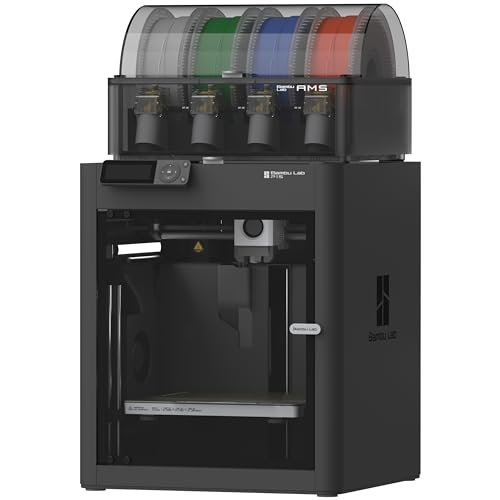
Bambu Lab P1S Combo

The Bambu Lab P1S Combo delivers an exceptional out-of-the-box experience with a fully enclosed chassis and blazing fast speeds right from day one. Pairing this powerhouse with the included AMS unit unlocks up to 16-color printing, making complex multi-material models simple to produce. Its automated calibration routine sets up proper nozzle height and bed alignment with zero manual turning knobs, while reaching travel speeds of 500mm/s with 20000 mm/s² acceleration. It takes all the guesswork out of tricky engineering materials like ABS and ASA while keeping setup time to roughly fifteen minutes.
Key features that stand out:
– Enclosed build chamber for consistent thermal management and draft protection
– Multi-color printing capabilities supporting multi-filament combinations through the AMS system
– Automatic bed leveling and vibration compensation for reliable first layers
– High-speed motion system reaching speeds up to 500mm/s
– Broad material support including PLA, PETG, TPU, ABS, and ASA
Pros:
– Ready to print within 15 minutes of unboxing
– Enclosed body handles higher-temperature filaments reliably
– Reliable automated multi-material filament management
Cons:
– The small screen interface feels dated compared to full touchscreens.
Best for: Hobbyists and makers who want high-speed multi-color printing and the ability to work with advanced materials without spending hours tuning.
Expert Opinion: The P1S Combo bridges the gap between consumer ease-of-use and prosumer performance. Its automated leveling and reliable filament loading through the AMS eliminate the most common failure points in desktop 3D printing.
FLASHFORGE Adventurer 5M
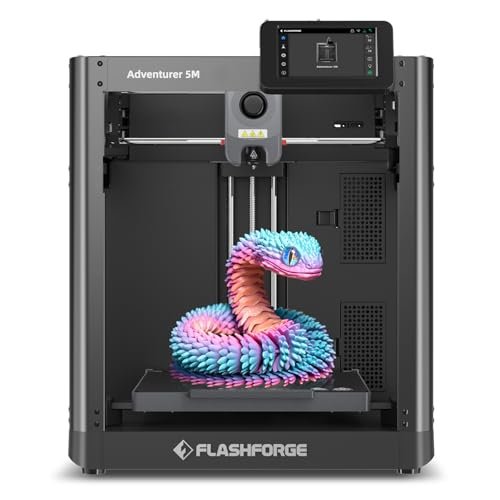
The FLASHFORGE Adventurer 5M is built for pure speed and convenience, utilizing a rigid all-metal CoreXY frame that prints up to twelve times faster than traditional bedslingers. First-layer anxiety disappears thanks to one-click automatic bed leveling, which accurately maps the print surface without manual paper tests. The hotend reaches working temperature in just 35 seconds, and the clever 3-second quick-swap nozzle design makes maintenance painless. With real-time monitoring through Flash Studio, you can manage and watch your projects directly from your phone.
Key features that stand out:
– Sturdy CoreXY structure delivering speeds up to 600mm/s and 20000mm/s² acceleration
– Full-auto bed leveling system for clean, hands-free first layers
– Tool-free, quick-release nozzle mechanism for rapid nozzle swaps
– Direct drive extruder capable of reaching temperatures up to 280°C
– Remote print management and status alerts via Flash Studio app
Pros:
– Exceptionally fast warm-up and rapid print speeds
– Nozzle swaps require zero tools or loose wiring disconnections
– Responsive auto-leveling delivers consistent adhesion
Cons:
– The open frame design means you must keep it in a draft-free room when running temperature-sensitive materials.
Best for: Fast prototyping and everyday household utility prints where rapid turnaround times and hassle-free operation matter most.
Expert Opinion: Flashforge nailed the beginner experience with the AD5M. The automatic calibration routine and instant nozzle changes remove the technical friction that often frustrates newcomers.
Bambu Lab A1
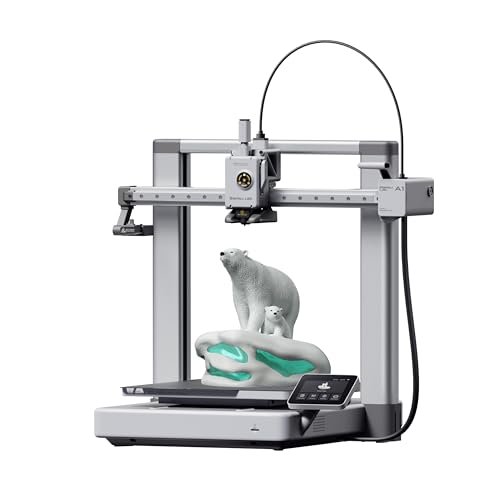
The Bambu Lab A1 redefines what an open-bed desktop printer can do by combining full-auto sensor calibration with high-speed reliability. It eliminates the frustration of extrusion inconsistencies using active flow rate compensation, actively reading nozzle pressure to keep corners sharp and flat surfaces clean. When paired with the optional AMS lite, you gain reliable multi-color capability without complex hardware adjustments. Maintenance is simple thanks to the 1-clip quick swap nozzle, while active motor noise canceling keeps your workspace remarkably quiet during operation.
Key features that stand out:
– Automated calibration handling Z-offset, bed leveling, and vibration resonance
– Active flow rate algorithm ensuring precise extrusion across all speeds
– 1-Clip quick-swap hotend assembly for quick maintenance and size changes
– Quiet stepper motor noise cancellation technology
– Intuitive color touchscreen with native MakerWorld model integration
Pros:
– Extremely quiet operation even at full printing speed
– Flawless first-layer consistency without manual calibration
– Seamless integration with the Bambu Handy mobile app
Cons:
– Its larger bed-slinger footprint requires decent desk clearance in front and back.
Best for: Beginners who want full-sized build capacity, whisper-quiet operation, and dependable quality right out of the box.
Expert Opinion: The A1 sets the benchmark for modern open-frame printers. The flow-rate compensation works in real-time, giving you smooth, clean walls that rival machines costing twice as much.
Bambu Lab P2S Combo

The Bambu Lab P2S Combo takes automated printing a step further with an upgraded motion platform and the AMS 2 Pro filament management system. Capable of reaching print speeds up to 600 mm/s with a PMSM servo extruder, this unit maintains pinpoint accuracy on detailed mechanical parts. The AMS 2 Pro includes built-in filament drying up to 65 °C, which keeps hygroscopic materials in peak condition while you print. An adaptive airflow system paired with an activated carbon filter regulates chamber temperatures while keeping surrounding indoor air clean and odor-free.
Key features that stand out:
– Upgraded AMS 2 Pro with integrated heated filament drying up to 65 °C
– High-torque PMSM servo extruder with real-time active flowrate compensation
– Enclosed chamber featuring adaptive airflow and carbon filtration
– Built-in AI failure detection for spaghetti and layer shift prevention
– Quick-swap nozzle design and full automated pre-flight self-checks
Pros:
– Integrated filament drying ensures consistent material extrusion
– Advanced chamber temperature regulation and air filtration
– Smart AI detection stops failed prints early to save filament
Cons:
– The comprehensive feature set comes with a steeper price tag for casual users.
Best for: Demanding creators and small businesses needing an automated, high-speed workhorse capable of printing moisture-sensitive materials.
Expert Opinion: Having active filament drying built directly into the multi-color feeder solves one of 3D printing’s biggest headaches. It is a genuine plug-and-print tool for serious hobbyists.
Entina Tina2C

The Entina Tina2C is a compact desktop machine focused entirely on child-friendly simplicity and quick setup, getting users printing in less than 5 minutes. It arrives fully assembled with factory calibration and built-in automatic bed leveling, eliminating the steep learning curve of traditional kits. The Poloprint Cloud app gives you access to over 3,500 ready-to-print models, alongside smart text-to-3D and photo-to-3D tools for custom creations. Completed prints pop off quickly thanks to the flexible magnetic build surface, while the tiny footprint fits easily onto any study desk.
Key features that stand out:
– Ready to print in 5 minutes with zero assembly required
– Poloprint Cloud app with one-tap printing and 3,500+ curated 3D designs
– AI-assisted photo-to-3D and text-to-3D modeling features
– Flexible magnetic build plate for easy part removal
– Auto bed leveling and power-loss recovery protection
Pros:
– Ultra-compact footprint fits anywhere
– Extremely simple setup process for children and classrooms
– Safe, low-voltage design with quiet operation
Cons:
– The small 3.9-inch build volume restricts you to miniature prints and small toys.
Best for: Young kids, students, and teachers looking for an affordable, non-intimidating introduction to basic 3D modeling and printing.
Expert Opinion: The Tina2C trades large build capacity for complete peace of mind. It removes all mechanical intimidation, making it an excellent starter machine for younger creators.
AOSEED AI 3D Printer for Kids

The AOSEED AI 3D Printer turns your desk into a home toy workshop, wrapped in a safe, enclosed pinch-resistant body. It empowers kids to design their own objects using innovative AI Doodle and MiniMe photo-to-3D tools, translating voice prompts or snapshots into real plastic toys. The system features a leveling-free platform and prints with TÜV Rheinland tested non-toxic PLA, giving parents complete peace of mind. An integrated camera allows families to track builds in real time and automatically creates fun time-lapse videos to share with friends.
Key features that stand out:
– Child-safe enclosed frame with pinch protection and quiet cooling
– AI creative suite generating 3D models from photos, doodles, and voice prompts
– Factory-set leveling-free bed platform for simple operation
– Integrated camera for live progress monitoring and automatic time-lapses
– Complete starter bundle including 8 rolls of PLA and fun decorative stickers
Pros:
– Packed with child-friendly safety features and non-toxic materials
– Generous starter kit includes plenty of filament for early projects
– The mobile app makes model creation intuitive without CAD knowledge
Cons:
– Single-color printing means multi-colored designs must be printed as separate interlocking parts.
Best for: Families with elementary or middle school children who want an educational, creative toy factory right at home.
Expert Opinion: AOSEED understands what kids actually want from a 3D printer: instant gratification and easy creation. The AI prompt-to-model features keep children engaged long after unboxing.
Bambu Lab A1 mini + LED Lamp Kit
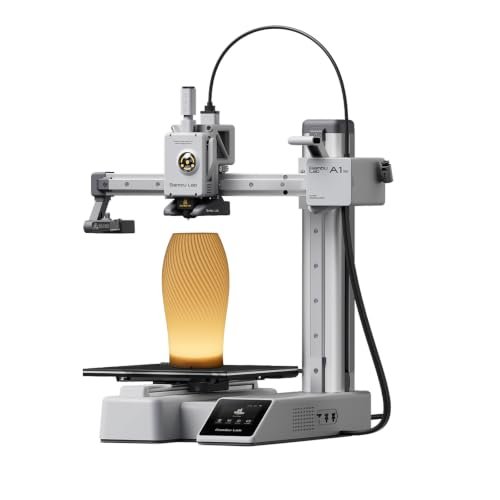
The Bambu Lab A1 mini brings top-tier engineering into a small, affordable format, and this bundle adds a custom LED Lamp Kit for functional DIY projects right away. You get all the high-end calibration features of the larger models, including hands-free automated bed leveling and vibration resonance tuning. The machine is practically silent thanks to active motor noise canceling, making it ideal for bedrooms and quiet home offices. With direct access to MakerWorld’s massive model repository, you can select functional household prints or decorative lights and start them with one click.
Key features that stand out:
– Bundled hardware kit to build your own illuminated decorative lamps
– Full auto-calibration requiring zero manual mechanical adjustments
– High-speed precision with active motor noise canceling
– Direct wireless workflow using Bambu Studio and Bambu Handy apps
– Space-saving cantilever design built on robust all-metal guide rails
Pros:
– Incredible print quality right out of the box
– Whisper-quiet motion makes it unnoticeable in shared rooms
– Fun bundled lighting kit gives you an immediate, practical project
Cons:
– The 180 x 180 x 180 mm build volume limits your ability to print full-scale functional helmets or large organizers.
Best for: Students, apartment dwellers, and crafters who want unmatched print quality and reliability in a desk-friendly footprint.
Expert Opinion: Dollar for dollar, the A1 mini is one of the most reliable entry-level machines on the market. It offers the exact same precision and software polish as high-end units at a fraction of the size and cost.
MakeBuddy Smart5 AI

The MakeBuddy Smart5 AI comes out of the box fully assembled, combining a sealed CoreXY motion frame with user-friendly app guidance. Inheriting leveling technology from QIDI’s industrial machines, it establishes a rock-solid first layer automatically on every print cycle. To keep living spaces pleasant, it features an active dual filtration system with HEPA and activated carbon to trap ultrafine particles and reduce plastic odors. Its companion app offers smart one-tap printing and photo-to-3D conversion, allowing beginners to turn real-world items into printable digital files without learning complex CAD software.
Key features that stand out:
– Stiff CoreXY frame printing up to 600 mm/s with 20,000 mm/s² acceleration
– Sealed enclosure with dual HEPA and active carbon air filtration
– One-tap mobile printing with built-in AI image-to-model generation
– Auto bed leveling technology derived from high-end industrial systems
– Comprehensive starter package with 4 spools of filament and DIY build kits
Pros:
– Excellent air filtration makes it ideal for bedrooms and home offices
– Fully enclosed CoreXY layout offers great structural stability
– Generous starter bundle includes useful DIY projects like clocks and lamps
Cons:
– The AI photo-generation tool relies on cloud credits, with additional usage requiring extra purchases.
Best for: Safety-conscious home users who want high-speed CoreXY printing paired with clean air filtration right on their desk.
Expert Opinion: The Smart5 AI stands out by prioritizing indoor air quality alongside high-speed mechanics. It runs fast, keeps odors trapped inside, and provides an exceptionally clean first layer.
Bambu Lab A1 Combo + LED Lamp Kit

The Bambu Lab A1 Combo bundles the versatile full-size A1 printer with the AMS lite multi-color feeder and an interactive LED Lamp Kit. This setup gives you full access to four-color printing out of the box, automatically switching spools and cutting filament without user intervention. The machine uses active flow rate compensation to ensure uniform extrusion across wide surfaces, paired with full-auto bed leveling that guarantees consistent adhesion. With its quiet motor drivers and large build volume, it lets you tackle everything from personalized holiday gifts to illuminated multi-colored art pieces.
Key features that stand out:
– AMS lite feeder unit supporting 4-color multi-material printing
– Bundled LED Lamp Kit for creating functional interior lighting projects
– Active real-time flow rate management for smooth layer lines
– Full-auto sensor calibration for Z-offset, bed leveling, and resonance
– 1-Clip quick-swap hotend for simple maintenance
Pros:
– Effortless multi-color printing with minimal setup friction
– Full-size build plate accommodates large home decor and organizers
– Bundled light kit offers an enjoyable first functional project
Cons:
– Multi-color filament purging produces extra scrap material during layer transitions.
Best for: Creative makers and crafters who want to build multi-color models, lamps, and large functional prints without steep technical hurdles.
Expert Opinion: The A1 Combo offers the easiest route to multi-color printing currently available. The AMS lite is simple to load, and the printer’s automated checks prevent almost every common user error.
Hephi3d TINA2C
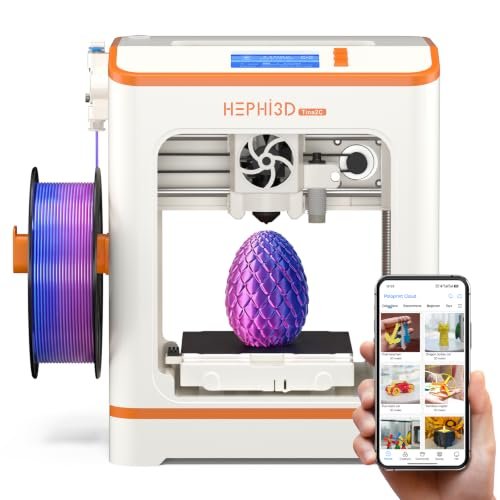
The Hephi3d TINA2C is built specifically for zero-stress family use, arriving pre-assembled and factory leveled so you can begin printing within five minutes of unboxing. It connects smoothly over Wi-Fi through a dedicated mobile app that hosts over 3,500 ready-to-print models, giving kids instant access to toys, figurines, and STEM projects. Unlike many closed toy systems, this machine is fully open-source compatible, letting you slice your own files using Cura or Wiibuilder when you are ready to expand your skills. A fast 3-second release hotend and power-loss resume protection make daily operation reliable and straightforward.
Key features that stand out:
– 5-minute setup with fully pre-assembled, factory-preset hardware
– Integrated mobile app with one-tap access to 3,500+ free designs
– AIGC and photo-generation tools built into the mobile interface
– Open-source software compatibility supporting Cura, Wiibuilder, and TF card loading
– Quick-release hotend mechanism and silent stepper motor drivers
Pros:
– True plug-and-play operation requires no technical assembly
– Compatible with open-source slicers for growing skills
– Compact, lightweight design with low power consumption
Cons:
– The unheated print bed works well with PLA but cannot handle materials like ABS or PETG.
Best for: Parents, hobbyists, and teachers looking for a budget-friendly desktop printer that is ready to run immediately while keeping software open for future learning.
Expert Opinion: The Hephi3d TINA2C strikes a great balance for newcomers. It gives you the convenience of one-tap smartphone printing while leaving the door wide open for standard slicing software down the road.
Helpful Comparison Insights
Choosing between these easy-to-use printers comes down to your primary goals, your available workspace, and the materials you plan to run.
- Multi-Color Creativity: If your main goal is producing vibrant, colorful models, the Bambu Lab A1 Combo and P1S Combo stand above the rest. The A1 Combo uses the open-air AMS lite, which is exceptionally easy to load, while the P1S uses the enclosed AMS unit to keep spools shielded from dust.
- Chamber Enclosures and Technical Filaments: If you need to print tough functional parts in ABS, ASA, or polycarbonate, an enclosed chamber is mandatory to stop warping. The Bambu Lab P1S, Bambu Lab P2S, and MakeBuddy Smart5 AI provide rigid, sealed CoreXY designs that trap heat and stabilize chamber temperatures.
- Child-Friendly Classrooms and Desks: When safety and simplicity trump build size, the AOSEED AI, Entina Tina2C, and Hephi3d TINA2C provide worry-free environments. These units feature pre-calibrated beds, low-temperature options, or fully covered mechanical gantries that protect curious hands.
- Compact Living Spaces: For dorms, home offices, or small apartments, the Bambu Lab A1 mini delivers class-leading print precision with a whisper-quiet motor profile that won’t disrupt phone calls or study sessions.
Final Verdict
- Top Pick for Everyday Creators: Bambu Lab A1
It hits the sweet spot of build volume, high-speed output, ultra-quiet operation, and hands-free automatic calibration without breaking the bank. - Best Multi-Color & Engineering Performer: Bambu Lab P1S Combo
With its enclosed CoreXY build space and dependable multi-spool AMS unit, it prints everything from decorative multi-color figurines to rugged structural ABS components right out of the box. - Best Value for Compact Desktops: Bambu Lab A1 mini + LED Lamp Kit
Offering industrial-grade layer quality at an accessible price point, this bundle gives beginners an enjoyable, functional lighting project on day one. - Best Choice for Kids and Classrooms: AOSEED AI 3D Printer for Kids
Between its fully enclosed pinch-resistant chassis, non-toxic materials, and creative AI prompt-to-toy software, it offers the safest and most intuitive learning experience for younger minds.
Frequently Asked Questions About the Best 3D Printer Easy to Use
What makes a 3D printer genuinely easy to use for a beginner?
A truly beginner-friendly machine removes manual calibration. Look for features like automatic bed leveling, automated Z-offset detection, pre-assembled frames, and intuitive mobile apps. Modern machines also include resonance compensation and active flow calibration, which prevent common print flaws without requiring you to tweak firmware settings or adjust belts manually.
Do I need to know 3D modeling or CAD software to get started?
No, you do not need any CAD experience. Most user-friendly printers connect directly to online model repositories like MakerWorld or integrated brand libraries featuring thousands of ready-to-print designs. You simply select a design from an app on your smartphone and tap print. As your confidence grows, you can explore free, beginner-friendly modeling tools like Tinkercad.
What is the easiest filament type to print with?
PLA (Polylactic Acid) is by far the easiest and most forgiving material. It prints at relatively low temperatures (around 190°C to 215°C), does not require an enclosed heated chamber, produces virtually no odor, and rarely warps on the build plate. Once you master PLA, you can easily graduate to PETG for extra durability.
Why is automatic bed leveling so important?
In the past, users had to slide a sheet of paper under the nozzle at four corners while turning thumbwheels—a process that led to countless failed prints when done incorrectly. Automatic bed leveling uses physical probes or pressure sensors to map the microscopic unevenness of the build plate. The printer then adjusts its Z-axis dynamically during printing, ensuring your first layer sticks properly every single time.
How much maintenance do these easy-to-use printers require?
Modern plug-and-play printers require minimal ongoing upkeep compared to older DIY kits. General maintenance involves wiping dust off the guide rails, applying a dab of grease or oil to the lead screws every few months, keeping the flexible textured PEI plate clean using warm water and dish soap, and occasionally clearing nozzle clogs using cold pulls.
Can I run an easy-to-use 3D printer safely inside an apartment or bedroom?
Yes, provided you choose the right machine and material. When printing PLA or PETG on a quiet machine like the Bambu Lab A1 or A1 mini, noise levels stay low enough to sleep through, and emissions are minimal. However, if you plan to print materials like ABS or ASA that release VOCs and strong odors, opt for an enclosed printer equipped with active HEPA and carbon air filtration, such as the MakeBuddy Smart5 or Bambu Lab P2S, or place the printer in a well-ventilated room.
Affiliate Disclosure: As an Amazon Associate, I earn from qualifying purchases made through links on this site.