When I first set up a desktop machine on my workbench years ago, getting a reliable first layer felt like a chore. Testing these modern models showed me just how much the 3d printer best starter experience has improved, giving newcomers dependable auto-leveling, smart app workflows, and smooth out-of-the-box operation. Whether you want a compact machine for weekend crafts, an educational tool for kids, or a high-speed workhorse, this hands-on guide covers the most practical options on the market.
Entina Tina2C Mini 3D Printer Starter Bundle for Kids
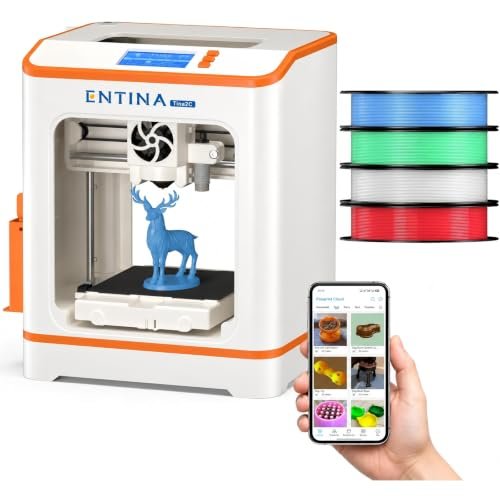
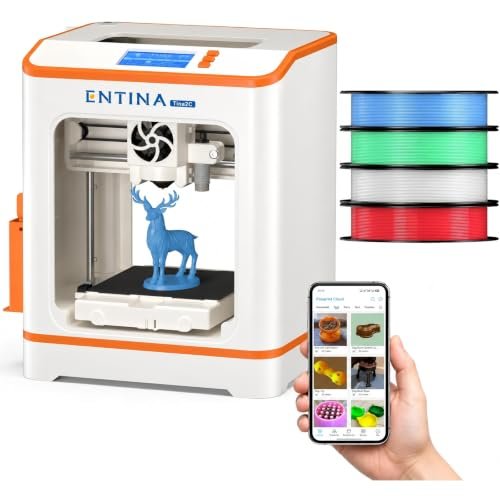
The Entina Tina2C Starter Bundle is built for complete newcomers who want to hit the ground running without buying extra materials. It features a plug-and-play desktop design that comes fully assembled with factory calibration, letting you complete your initial print in roughly five minutes. The package includes four 250g spools of colorful PLA filament, a flexible magnetic build plate for easy model removal, and auto bed leveling so you do not have to fiddle with manual dials.
Key features that stand out:
– Complete starter bundle featuring 1kg of multi-color PLA filament
– Fully pre-assembled chassis with setup time under five minutes
– Built-in automatic bed leveling and power-loss recovery
– Quick-swap nozzle structure paired with a flexible magnetic print plate
– 2.4GHz Wi-Fi app management through the Poloprint Cloud library
Pros:
– Comes with plenty of starter filament so you can print right out of the box
– Very quiet operation with built-in LED lighting for bedside or desk use
– Compact footprint fits easily on small student desks
Cons:
– The 3.9-inch cubic build volume restricts you from making larger single-piece models.
Best for: Young creators, students, and parents seeking an all-in-one gift bundle.
Expert Opinion: This starter bundle eliminates early hurdles by combining generous supplies with zero-assembly hardware. It is an approachable first step for households that want instant gratification without technical headaches.
Entina Tina2C 3D Printer for Beginners & Kids

If you already have filament on hand or prefer to choose your own spools, the standalone Entina Tina2C offers the same streamlined experience at a leaner price point. Its compact 3.9-inch build space makes it light enough to move from room to room, while the smart Poloprint Cloud connectivity lets you search thousands of curated models directly from your smartphone. First-layer adhesion is managed by automatic leveling, keeping failures to a minimum right from day one.
Key features that stand out:
– Factory-assembled small footprint ideal for tight workspaces
– Assisted wireless printing via app with AI-assisted model generation tools
– Integrated auto-leveling sensors and power-loss resume printing
– Detachable, quick-swap nozzle assembly for simplified cleaning
– Open software workflow supporting Cura, Simplify3D, or direct TF card loading
Pros:
– Straightforward setup that requires virtually no mechanical assembly
– Intuitive companion app makes finding and sending prints simple
– Power-loss resume protects your work against accidental cord tugs
Cons:
– Print speeds are geared toward safety and precision rather than high-velocity output.
Best for: Budget-conscious beginners wanting a small, capable machine for miniatures and trinkets.
Expert Opinion: The Tina2C proves that a small footprint does not mean skipping modern conveniences. Its smart app integration and reliable auto-bed routine make it remarkably hassle-free for casual crafting.
AOSEED AI 3D Printer for Kids
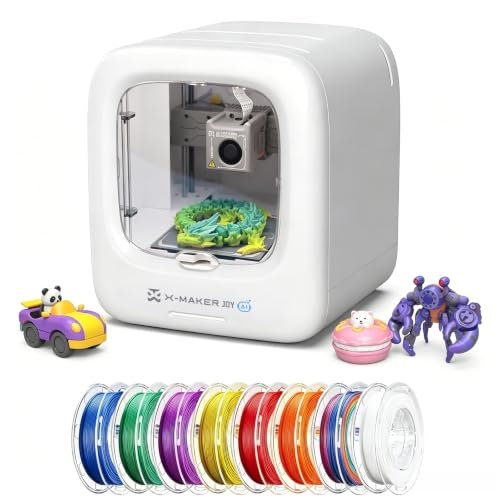
The AOSEED AI unit turns your desktop into a miniature toy workshop with an emphasis on child safety and creativity. It features a fully enclosed, pinch-resistant chassis with tested non-toxic PLA to give parents total peace of mind during operation. Kids can use AI-driven creative tools like voice and sketch prompts inside the app to generate unique models without complex CAD knowledge, all while hitting peak travel speeds up to 400mm/s.
Key features that stand out:
– Fully enclosed, pinch-resistant safety housing with quiet cooling
– Integrated AI modeling tools that convert sketches and photos into 3D files
– Upgraded printing speeds reaching up to 400mm/s with 0.05mm layer precision
– Built-in monitoring camera that automatically generates progress time-lapses
– Complete starter kit with eight PLA spools, tools, and stickers
Pros:
– Built-in camera allows remote phone monitoring and fun time-lapse sharing
– Enclosed frame keeps curious little fingers away from hot components
– Generous model library with thousands of kid-tested designs
Cons:
– Multi-color designs require printing separate pieces and assembling them manually afterward.
Best for: Elementary and middle school students eager to build toys with modern AI tools.
Expert Opinion: AOSEED understands the family market exceptionally well. The enclosed structure provides safety, while the voice-and-doodle software gives younger users an intuitive way to invent their own toys.
FLASHFORGE Adventurer 5M 3D Printer
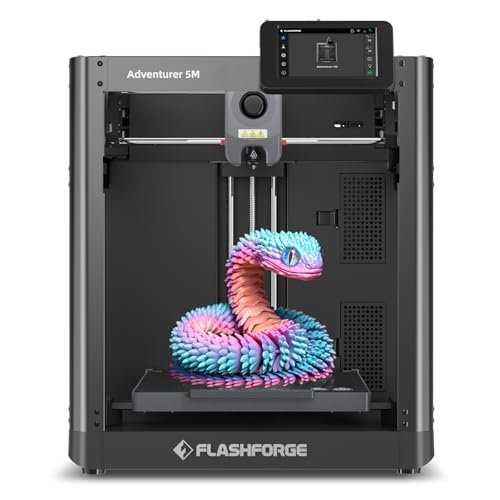
The FLASHFORGE Adventurer 5M is a high-performance CoreXY platform that brings commercial-grade speeds to an approachable price tag. Thanks to acceleration rates up to 20,000mm/s², it slashes print times drastically while maintaining sharp corners and clean outer perimeters. The machine features one-click full auto-calibration, a dual-sided textured PEI sheet, and a 280°C direct-drive toolhead that swaps out in three seconds without tools.
Key features that stand out:
– Rigid CoreXY all-metal frame capable of 600mm/s travel speeds
– Tool-free, quick-release nozzle system that swaps in three seconds
– High-flow 32mm³/s hotend reaching 200°C in just 35 seconds
– One-click automatic bed leveling with active vibration compensation
– Remote management and print monitoring using Flash Studio software
Pros:
– Blazing fast production cuts typical multi-hour prints down to minutes
– Swapping nozzle sizes takes seconds without dealing with hot wiring
– Dual-sided PEI spring plate releases finished prints effortlessly
Cons:
– The open-frame design means cooling fans and rapid movements can be fairly loud during full-speed runs.
Best for: Serious hobbyists and makers who want high-speed prototyping without tricky calibration.
Expert Opinion: The Adventurer 5M is a genuine workhorse. Its rapid heat-up time and reliable automatic compensation make it an outstanding pick if you value speed and zero manual bed adjustments.
ELEGOO Centauri 2 Combo 3D Printer
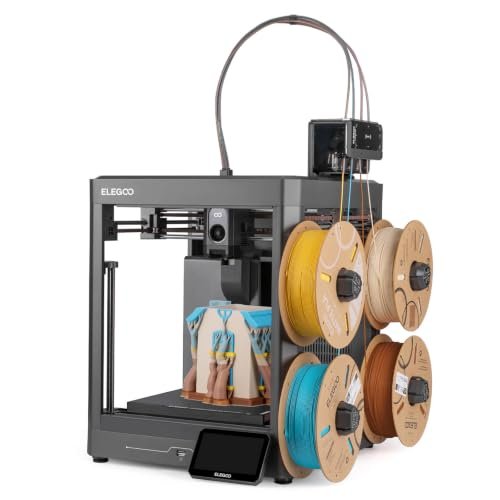
The ELEGOO Centauri 2 Combo introduces seamless multi-color printing to entry-level creators via its proprietary CANVAS filament hub. With four-color automated material switching, you can print decorative models, tabletop figures, and functional brackets without manual filament changes midway through. It relies on a sturdy die-cast aluminum CoreXY chassis tracked by 22 onboard sensors to ensure error-free layers up to 500mm/s.
Key features that stand out:
– CANVAS 4-color multi-spool system with automatic RFID filament detection
– High-rigidity aluminum motion system reaching 500mm/s velocity
– Comprehensive array of 22 real-time monitoring sensors across the toolhead and bed
– Vibrant 5-inch full-color touchscreen with intuitive navigation
– Semi-automatic belt tensioners paired with an automated nozzle wiper
Pros:
– Makes multi-color model production simple without complex slicer modifications
– Rigid construction dampens high-speed vibrations effectively
– Large touchscreen makes manual commands and diagnostics easy to read
Cons:
– The multi-spool switching mechanism adds noticeable purge waste and footprint to your workstation.
Best for: Hobbyists who want full-color decorative prints straight out of the box.
Expert Opinion: ELEGOO has struck a great balance between advanced functionality and beginner usability here. The automated color management lets you make striking, multi-shade models without deep technical know-how.
Bambu Lab A1 mini 3D Printer + LED Lamp Kit
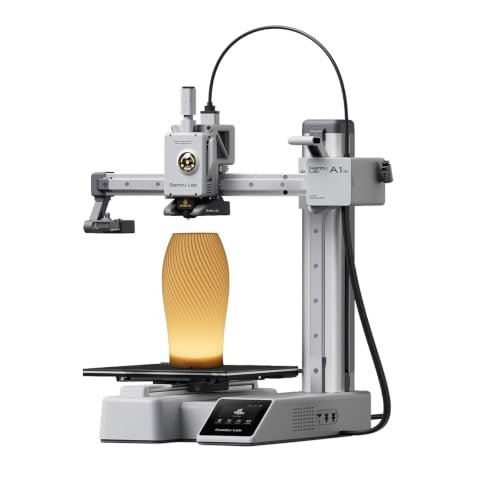
The Bambu Lab A1 mini has earned a massive reputation for redefining how simple desktop manufacturing can be. This package bundles the printer with an exclusive LED Lamp hardware kit, letting you turn your very first projects into functional home lighting fixtures. It delivers fully automated calibration routines, tracking everything from bed tilt to active vibration resonance and dynamic extrusion flow rate for clean surfaces right away.
Key features that stand out:
– Packaged LED Lamp component kit for building practical illumination projects
– Turnkey automatic calibration covering flow dynamics, resonance, and Z-offset
– Direct access to MakerWorld platform for one-tap cloud printing
– Active motor noise cancellation that keeps operation exceptionally quiet
– High-speed bed-slinger motion with quick-swap hotend assemblies
Pros:
– Outstanding out-of-the-box print consistency with minimal tuning
– Whisper-quiet motors mean you can run it right next to your computer desk
– Included lamp kit provides an immediate, functional goal for beginners
Cons:
– The 180 x 180 x 180 mm build envelope can feel restrictive for full-size functional prints like helmets.
Best for: Anyone wanting a reliable, quiet desktop tool that prints reliably on the first attempt.
Expert Opinion: The A1 mini remains the benchmark for modern ease-of-use. Combining its self-calibrating smarts with a physical project like the lamp kit gives new owners instant confidence.
Entina Tina2 Plus 3D Printer
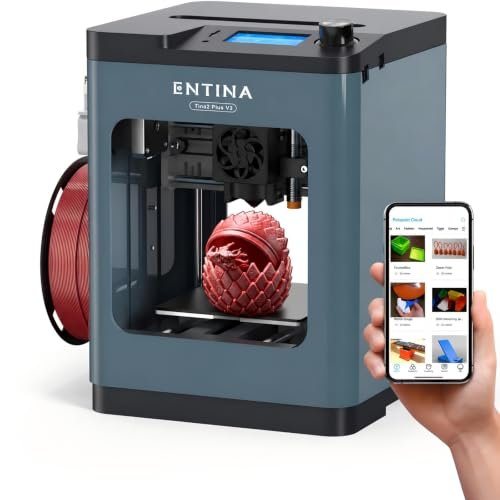
The Entina Tina2 Plus upgrades the brand’s entry platform with a rapid 250mm/s travel speed and a quick-heating ceramic hotend that reaches target temperatures in 40 seconds. A sturdy dual Z-axis structure improves vertical stability, preventing layer banding on taller parts. It also incorporates a textured PEI spring steel build plate, so when your print finishes, a simple flex pops your model free cleanly.
Key features that stand out:
– Upgraded motion system producing speeds up to 250mm/s
– Fast-response ceramic hotend reaching printing temp in 40 seconds
– Dual lead screw Z-axis configuration for improved layer consistency
– Textured spring steel PEI bed for dependable first-layer grip
– Semi-enclosed frame design to keep accidental contact away from hot parts
Pros:
– Dual Z-axis provides noticeably cleaner vertical surfaces on tall models
– Textured PEI sheet holds prints firmly when hot and releases easily when cool
– Warms up much faster than traditional cartridge-style hotends
Cons:
– The companion mobile app occasionally requires reconnecting after switching Wi-Fi networks.
Best for: Classrooms and home desks needing fast prints with better mechanical stability.
Expert Opinion: Adding a dual Z-axis and a ceramic heater to a beginner frame gives the Tina2 Plus real utility. It prints noticeably cleaner and faster than basic mini printers while staying very compact.
FLASHFORGE AD5X Multi-Material 3D Printer
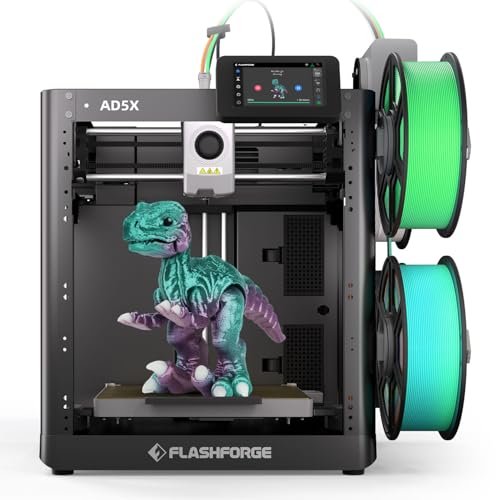
The FLASHFORGE AD5X is an all-in-one CoreXY platform designed for makers who want both high-speed throughput and multi-material flexibility. Its Intelligent Filament System (IFS) manages up to four spools simultaneously, allowing seamless combinations of different colors or breakaway support materials. Backed by advanced vibration suppression algorithms, the AD5X holds tight tolerances at 600mm/s, handling technical filaments like PETG, TPU, and carbon-fiber blends.
Key features that stand out:
– Integrated 4-spool Intelligent Filament System for multi-material feeding
– High-velocity CoreXY frame with 600mm/s top speed and 20,000mm/s² acceleration
– Full-grid automated bed probing for precise first-layer squish
– Active vibration damping to prevent ghosting and layer artifacts
– Side-by-side modular spool arrangement to conserve vertical desk space
Pros:
– Ability to use dedicated support materials makes complex geometries simple to clean up
– Extremely rigid frame preserves fine dimensional accuracy during rapid moves
– Horizontal spool array fits neatly on standard utility shelving
Cons:
– Purging filament between contrasting colors increases overall print duration.
Best for: Intermediate beginners and makers planning to create multi-color models or complex functional designs.
Expert Opinion: If you want to jump straight into multi-color and multi-material printing without building a massive enclosure, the AD5X brings high-speed CoreXY mechanics together with a very tidy filament manager.
Hephi3d TINA2C 3D Printer
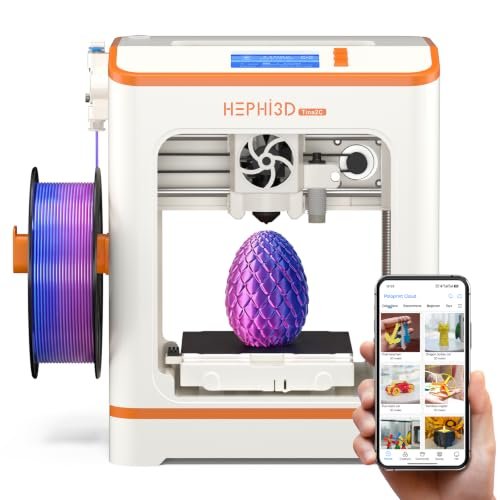
The Hephi3d TINA2C is built specifically to demystify digital fabrication for first-timers through an open-source friendly design. It arrives fully assembled with factory presets, letting you load the included starter spool and start printing inside of five minutes. It offers one-tap mobile app printing featuring simple photo-to-3D tools, while retaining complete compatibility with PC slicers like Cura and Wiibuilder via USB-C or TF card.
Key features that stand out:
– Fully open-source firmware compatibility without proprietary software lock-in
– Factory-assembled body featuring auto bed detection and resume-print safety
– Quick-release hotend design that detaches in seconds for maintenance
– Mobile app control complete with photo-to-3D generation modules
– Included beginner accessories with test models preloaded on a TF card
Pros:
– No proprietary software locks mean you can use standard open slicers as you grow
– Very affordable entry point for testing the hobby without financial pressure
– Silent stepper drivers keep desktop distraction to an absolute minimum
Cons:
– The non-heated print surface limits you to standard PLA and PLA-based filaments.
Best for: Students and hobbyists who want an open-source, low-cost platform to learn the basics.
Expert Opinion: The Hephi3d TINA2C keeps things refreshing by steering clear of closed-ecosystem lock-ins. It is an easy, safe platform for novices that still gives you the freedom to experiment with third-party slicers.
68Pcs 3D Printer Tools Kit with Storage Case
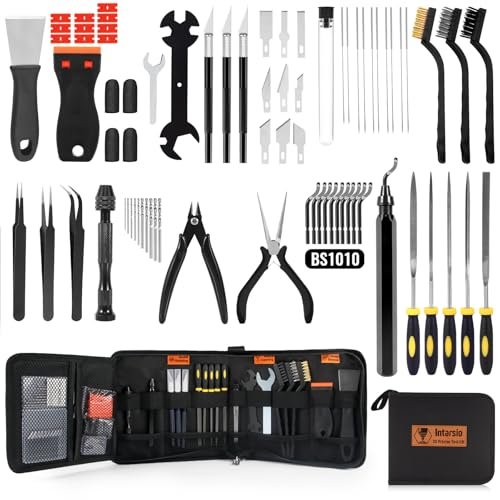
No matter which machine you choose as your first, having the right maintenance and finishing gear makes all the difference. This comprehensive 68-piece kit includes angled stainless steel scrapers for lifting delicate prints without gouging your print bed, along with a 360-degree swivel deburring tool to trim away rough brim edges. Packed inside a tough 900D Oxford carrying case, it also equips you with micro cleaning needles, brass brushes, and precision craft knives.
Key features that stand out:
– 68 specialized tools including wire cutters, needle-nose pliers, and needle files
– High-speed steel swivel deburring tool with ten extra replaceable blades
– Dedicated angled removal scrapers tuned for flexible and glass build plates
– Five distinct nozzle cleaning needle sizes ranging from 0.2mm to 0.4mm
– Rugged 900D Oxford fabric storage case with organized retention straps
Pros:
– Solves almost every common post-processing and nozzle cleaning headache in one package
– Deburring tool cuts cleanup time on brim edges in half
– Included cut-resistant finger cots protect against slips when trimming supports
Cons:
– It is an accessory kit rather than a standalone printing machine.
Best for: Every new 3D printer owner who wants to handle bed maintenance, clogs, and model cleanup properly.
Expert Opinion: Beginners often forget about post-processing gear until their first print gets stuck or a nozzle clogs up. Grabbing this kit alongside your machine saves you countless trips to the hardware store.
Helpful Comparison Insights for Beginners
Choosing between these machines comes down to how much space you have, how fast you want your models, and whether multi-color prints matter to you.
- Build Volume vs. Portability: Ultra-compact models like the Entina Tina2C and Hephi3d TINA2C take up minimal desk room and are exceptionally safe for children, but their sub-4-inch build plates limit you to small toys and decorative items. If you plan to make wearable masks, large storage organizers, or mechanical brackets, step up to larger platforms like the FLASHFORGE Adventurer 5M.
- Speed and Motion Architecture: Traditional bed-slingers move the entire build plate back and forth, which can introduce wobble at high velocities. In contrast, CoreXY systems like the Adventurer 5M and ELEGOO Centauri 2 move only the lightweight toolhead, allowing you to hit speeds above 500mm/s without sacrificing print quality.
- Single Color vs. Multi-Color Hubs: Machines equipped with material management hubs (like the ELEGOO Centauri 2 Combo and FLASHFORGE AD5X) let you paint models across multiple colors automatically. However, keep in mind that multi-color printing generates purge waste and takes longer per layer due to continuous filament retracting and wiping.
- Ecosystem and Software Independence: Bambu Lab and AOSEED offer rich mobile libraries with one-tap print queues that make starting out effortless. If you want to learn traditional 3D modeling down the road, pick a machine that fully supports open-source slicers like Cura and PrusaSlicer.
Final Verdict
If you want a machine that simply works every time with zero fuss, the Bambu Lab A1 mini takes the lead for overall reliability, automated calibration, and low noise levels.
For makers focused on pure speed, value, and room for growth, the FLASHFORGE Adventurer 5M delivers remarkable CoreXY performance at a price that challenges older entry-level bedslingers.
If you are shopping for a child or need an educational gift that fits neatly on a bookshelf, the Entina Tina2C Starter Bundle offers the most practical out-of-the-box experience without forcing you to buy extra rolls of plastic.
Finally, do not forget to pair your machine with a dedicated maintenance pack like the 68Pcs 3D Printer Tools Kit so you are never left stranded when you need to clear a nozzle or clean up support scars.
Frequently Asked Questions About Choosing a 3D Printer Best Starter
What makes a 3D printer good for a beginner?
A solid starter machine must feature reliable automatic bed leveling, clear setup guides, and strong first-layer adhesion. Beginners benefit most from pre-assembled frames that avoid manual belt tensioning or complex wiring. Intuitive slicing software or a smartphone app with pre-tested models also prevents early frustration.
Is PLA filament the best choice for first-time makers?
Yes, Polylactic Acid (PLA) is by far the easiest and most forgiving material to learn on. It prints at relatively low temperatures (around 190°C to 215°C), does not require an enclosed heated chamber, produces minimal odor, and resists warping on open build surfaces. Once you feel comfortable, you can explore tougher materials like PETG or TPU.
Do I need prior 3D modeling skills to start?
Not at all. Most modern entry machines connect directly to large cloud libraries like MakerWorld, Printables, or Poloprint Cloud, where you can download tens of thousands of free, ready-to-print designs. You only need to learn free modeling programs like Tinkercad or Fusion 360 when you want to design custom replacement parts or unique inventions from scratch.
How loud are desktop 3D printers during operation?
Older machines used to produce distinct mechanical whining sounds, but modern entry printers use silent stepper motor drivers. Compact models like the Bambu Lab A1 mini or Entina Tina2C run under 50 decibels, making them quiet enough for study spaces or bedrooms. High-speed CoreXY machines generate more noise, mainly from the high-velocity auxiliary cooling fans required to solidify plastic at rapid speeds.
What is the purpose of automatic bed leveling?
Automatic bed leveling uses an electronic sensor or load cell to measure tiny height variations across the print surface before printing begins. The machine automatically adjusts the Z-axis in real time as it lays down plastic, ensuring the nozzle stays at the exact distance needed for a flat, well-adhered first layer without manual paper-sliding tricks.
What essential accessories should I buy with my first machine?
At minimum, you will want a pair of flush wire cutters to snip filament ends at an angle, an angled scraper to safely release stubborn prints, and a deburring tool to smooth brim edges. Having a few 0.4mm acupuncture cleaning needles and isopropyl alcohol on hand to wipe oils off your textured PEI plate will resolve most common adhesion issues quickly.
Affiliate Disclosure: As an Amazon Associate, I earn from qualifying purchases made through links on this site.