Having spent hundreds of hours leveling beds, tuning extruders, and benchmarking print speeds, I know firsthand how tricky it can be to navigate today’s hardware market. Finding the right price range for 3d printers comes down to knowing what features you actually need—whether that is reliable single-material work or multi-color CoreXY capabilities. In this guide, I look at practical machines and essential consumables across entry-level, mid-tier, and prosumer setups to help you invest wisely.
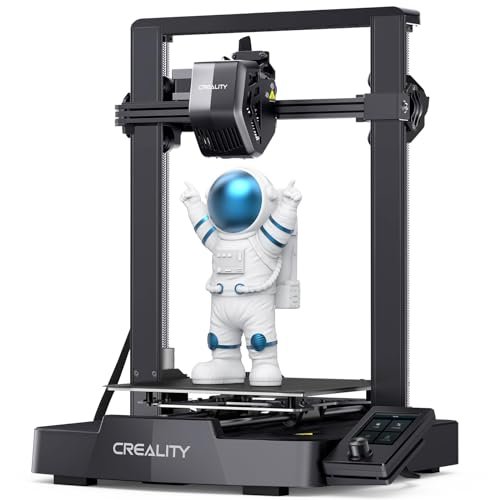
Creality Ender 3 V3 SE 3D Printer
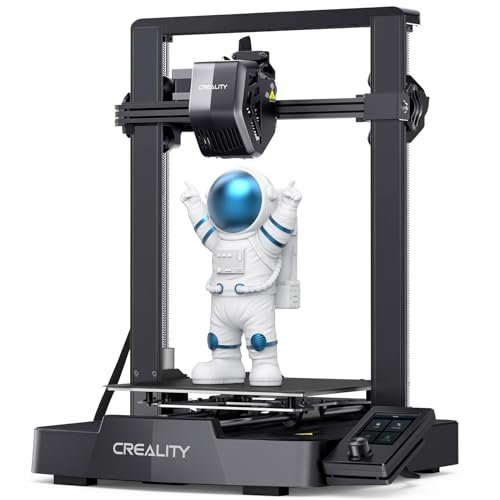
The Creality Ender 3 V3 SE sets the benchmark for entry-level reliability by offering 250mm/s print speeds alongside a robust motion system. It features the market-tested “Sprite” direct drive extruder, making flexible materials like TPU much easier to handle without clogging. Calibration headaches are gone thanks to CR Touch auto-leveling combined with a dedicated strain sensor for automated Z-offset adjustments.
Key Features:
– Maximum printing speed of 250mm/s with 2500mm/s² acceleration
– Full-metal dual-gear “Sprite” direct extruder for smooth feeding
– CR Touch auto-leveling paired with an automated strain sensor
– Dual Z-axis lead screws and rigid 8mm Y-axis linear steel shafts
– Automatic filament loading and unloading mechanism
Pros:
– Straightforward three-step assembly takes around twenty minutes.
– Handles standard PLA, PETG, and flexible TPU right out of the box.
– Dual Z-axis design prevents gantry sagging during taller prints.
Cons:
– The open-frame build means ABS and ASA prints tend to warp without an aftermarket enclosure.
– High-speed printing requires careful vibration damping on standard lightweight desks.
Best for: Beginners looking for an affordable, high-speed workhorse without manual bed-leveling hassles.
Expert Opinion: The Ender 3 V3 SE delivers unmatched value for tinkerers on a budget. It takes the guesswork out of first-layer calibration while maintaining enough speed to keep modern prototyping workflows moving fast.
Creality Ender 3 V3 SE Beginner-Friendly Edition
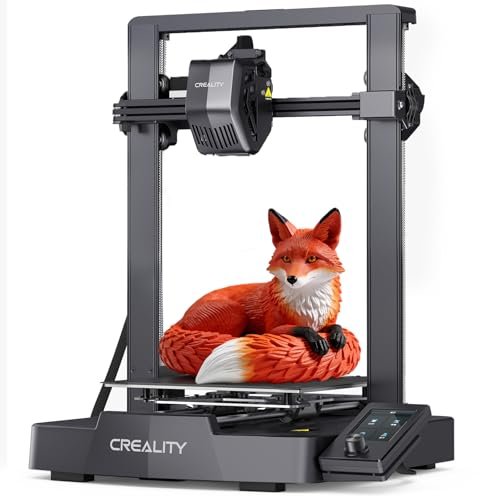
Designed specifically for those who want a trouble-free introduction to desktop fabrication, this version of the Ender 3 V3 SE emphasizes quiet operation and easy part removal. The machine includes a flexible PC spring steel build plate, letting you snap parts off cleanly without scraper damage. Behind the scenes, a 32-bit silent mainboard keeps motor noise to a minimum while maintaining 250mm/s throughput.
Key Features:
– Print speeds up to 250mm/s with 2500mm/s² acceleration
– 32-bit silent mainboard for quiet desktop printing
– Removable PC spring steel magnetic build surface
– Pre-installed CR Touch automated bed leveling system
– Direct-drive extrusion system optimized for basic and flexible filaments
Pros:
– Ultra-quiet stepper drivers make it practical for bedroom or home office setups.
– Removing delicate prints is effortless thanks to the flex plate.
– First-layer adhesion is consistent across standard PLA filaments.
Cons:
– The PC build plate surface can degrade quickly if printed with nozzle temperatures above recommended ratings.
– Lacks native Wi-Fi connectivity for remote print jobs.
Best for: Students and hobbyists working in small spaces where operating noise must remain low.
Expert Opinion: If noise has kept you away from desktop 3D printing, this machine solves that problem nicely. It combines simple assembly with quiet stepper drivers, making it a friendly desktop companion.
Flashforge AD5X Multi-Material 3D Printer
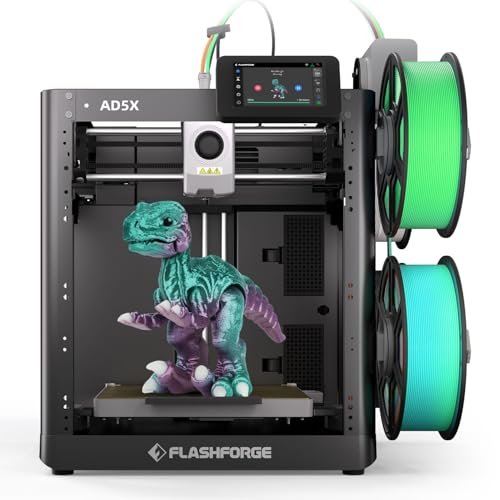
The Flashforge AD5X enters the mid-tier arena with an ultra-rigid CoreXY structure capable of 600mm/s speeds and 20,000mm/s² acceleration. It integrates Flashforge’s Intelligent Filament System (IFS), allowing seamless 4-color multi-material prints without messy manual changes. Built-in active vibration compensation and automated multi-point bed leveling ensure crisp layer lines even when running at top speed.
Key Features:
– CoreXY motion system reaching speeds up to 600mm/s
– 4-color Intelligent Filament System (IFS) for multi-material prints
– Full auto-leveling sensor with automated mesh compensation
– Integrated vibration suppression algorithms for clean surface finishes
– Compact side-by-side filament layout to save workspace footprint
Pros:
– Exceptional print speed slashes production time on multi-part projects.
– Compact external spool holder saves valuable desk space.
– Excellent surface quality right out of the box with carbon-fiber blended filaments.
Cons:
– Multi-color filament purging increases overall print time and material waste during complex color swaps.
– Slicing software setup requires a slight learning curve compared to standard open-source options.
Best for: Designers and makers wanting high-speed multi-color printing in a compact desktop profile.
Expert Opinion: Flashforge managed to make CoreXY speed accessible with the AD5X. The multi-material IFS switching runs reliably, making it an excellent step up from single-extruder bedslingers.
ELEGOO Centauri Carbon 2 Combo 3D Printer
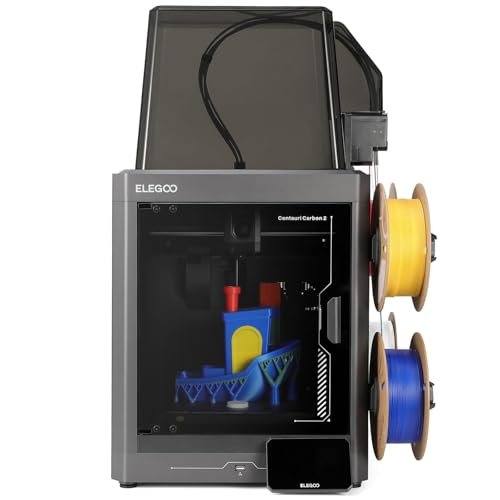
The ELEGOO Centauri Carbon 2 Combo targets high-performance creators who require advanced material compatibility and 4-color printing. Powered by the CANVAS system, it features instant color switching and tangle detection to keep long prints unattended and worry-free. Its rigid aluminum frame and CoreXY architecture support blazing 500mm/s speeds while taming high-temp engineering filaments.
Key Features:
– High-efficiency CANVAS 4-color printing system with auto-refill
– CoreXY kinematics with acceleration up to 20,000 mm/s²
– Advanced thermal management for technical and engineering filaments
– Active vibration compensation and automated calibration
– Full integration with the connected ELEGOO software ecosystem
Pros:
– Handles abrasive and engineering-grade filaments cleanly.
– Tangle detection prevents print failures during overnight jobs.
– The rigid cast frame suppresses ghosting and ringing at 500mm/s.
Cons:
– The footprint is relatively large once the multi-color unit is mounted.
– Initial calibration takes longer than simpler bedslinger alternatives.
Best for: Semi-pro makers needing dependable multi-color capability alongside engineering filament support.
Expert Opinion: The Centauri Carbon 2 Combo bridges the gap between hobbyist multicolor machines and industrial tools. The CANVAS module handles spool runout intelligently, saving prints that would otherwise fail.
Snapmaker U1 3D Printer (4-Toolhead System)
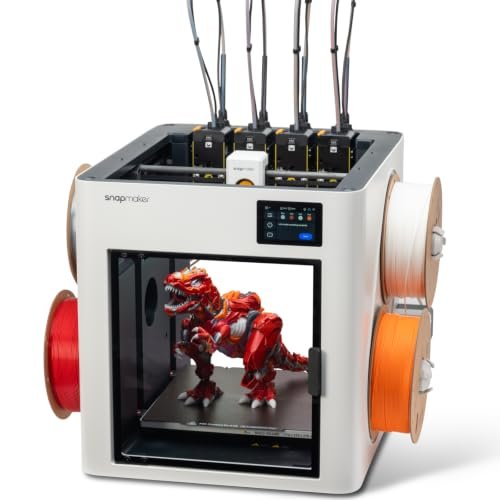
Setting a new standard in multi-material efficiency, the Snapmaker U1 features an innovative 4-toolhead design with a 5-second tool changer. Rather than purging filament through a single nozzle, it swaps entire independent toolheads, cutting filament waste by up to 5X. Built around a 500mm/s CoreXY chassis with carbon-fiber rails, this system handles mixed-material jobs—like rigid PLA with flexible TPU or soluble PVA supports—effortlessly.
Key Features:
– SnapSwap 4-toolhead automatic changer with 5-second swap speed
– 500 mm/s CoreXY motion with lightweight carbon fiber rails
– Substantial 270 x 270 x 270 mm build volume
– True mixed-material printing (PLA, TPU, PVA, ABS, and PC together)
– AI-powered camera monitoring with automatic toolhead offset calibration
Pros:
– Practically eliminates wasteful purge towers during multi-color jobs.
– Allows simultaneous printing of materials with vastly different temperature needs.
– Large build envelope accommodates full-scale functional prototypes.
Cons:
– The initial financial investment sits well above consumer-grade bedslingers.
– Complex toolhead mechanics require careful periodic maintenance.
Best for: Engineering workshops and serious creators printing complex parts with soluble supports or mixed durometer materials.
Expert Opinion: The Snapmaker U1 solves the biggest flaw of modern multi-color printing: filament waste. By switching preheated toolheads rather than purging plastic, it saves money on materials and completes complex prints hours faster.
Anycubic Kobra X Multicolor 3D Printer
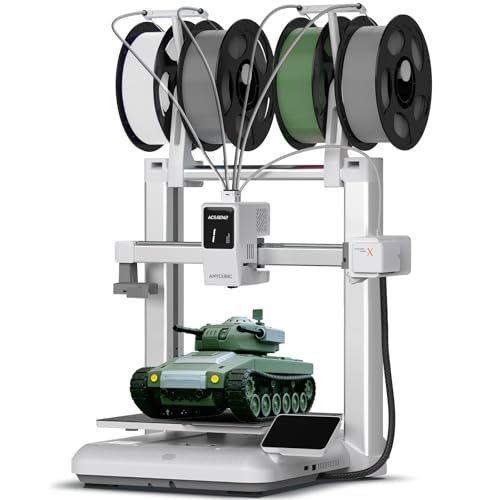
The Anycubic Kobra X blends speed, scale, and high-capacity color by supporting up to 19 colors with add-on units. It features LeviQ 3.0 49-point auto-leveling and an adaptive extrusion system that shifts seamlessly between rigid plastics and flexible TPU. With a generous 260x260x260mm build chamber, 600mm/s top speed, and quiet operation (under 48 dB), it fits right into home studios and workshops alike.
Key Features:
– Expandable multi-color architecture supporting up to 19 distinct spools
– LeviQ 3.0 49-point automated bed leveling and vibration compensation
– High-temp hardened steel nozzle supporting up to 300°C
– AI-driven monitoring camera with spaghetti detection and error alerts
– Large 260 x 260 x 260 mm build envelope
Pros:
– Vast color expansion options for detailed multi-shade models.
– Hardened nozzle handles composite filaments without immediate wear.
– Built-in AI camera catches failed prints before plastic is wasted.
Cons:
– Running multiple color units requires substantial desktop space.
– Color changes on single-nozzle systems still generate noticeable purge waste.
Best for: Prop makers and artists who need extensive color palettes alongside large build volume.
Expert Opinion: The Kobra X shines for creative display prints and large props. Its hardened steel nozzle and high-temperature hotend also make it surprisingly capable for functional parts.
SUNLU High Speed PLA Filament (4kg Multipack)
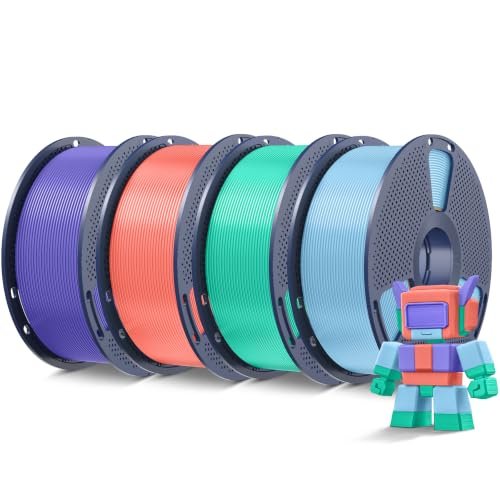
Fast printers require filament that melts quickly and sets cleanly, which is where the SUNLU High Speed PLA comes in. Formulated with a 500% increase in melt flowability, it prevents under-extrusion when printing past 250mm/s. Its enhanced 180% heat dissipation rate ensures sharp overhangs and clean details by solidifying the instant it exits your cooling fan duct.
Key Features:
– High-flow formulation engineered for speeds exceeding 250mm/s
– 180% faster heat dissipation for crisp bridging and overhangs
– Consistent dimensional tolerance of 1.75mm ±0.02mm
– 24-hour vacuum-sealed packaging to eliminate moisture issues
– 4kg multi-spool pack for continuous batch printing
Pros:
– Keeps up with 500mm/s CoreXY machines without skipping steps.
– Clean winding prevents spool snagging on automated AMS/feed systems.
– Uniform melting temp reduces stringing across various nozzle sizes.
Cons:
– Requires careful temperature tuning to avoid minor stringing on slower travel moves.
– Not suited for high-temperature functional mechanical parts outdoors.
Best for: High-speed 3D printer owners looking to stock up on reliable bulk everyday filament.
Expert Opinion: Do not choke a high-speed machine with standard slow-melt PLA. SUNLU’s high-speed formulation flows predictably and solidifies quickly, giving you the clean layer stacking your fast printer was built for.
Creality SPARKX i7 3D Printer
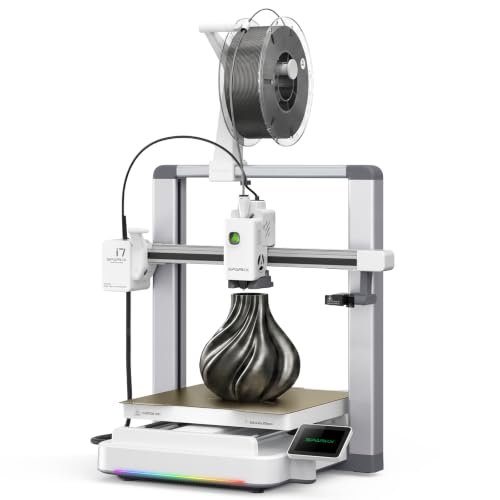
The Creality SPARKX i7 stands out by using integrated CubeMe AI software to turn 2D portraits directly into printable 3D models. It offers a spacious 260 x 260 x 255mm build volume, pairing automated input shaping with pressure advance to eliminate corner blobbing. When paired with the Creality CFS unit, it reduces multi-color purge waste by 50% while operating in an ultra-quiet dedicated Night Mode.
Key Features:
– AI-driven workflow with real-time error and entanglement detection
– Fully automated pre-print calibration (Z-offset, bed mesh, and input shaping)
– 260 x 260 x 255 mm spacious print volume
– Pressure Advance and Input Shaping algorithms for smooth outer walls
– Customizable RGB status indicator bar and silent Night Mode
Pros:
– AI model generation makes customized gifts accessible to beginners.
– Reduced purge waste improves printing efficiency on multi-shade files.
– The night mode dampens noise and turns off lights for bedroom printing.
Cons:
– Multicolor functionality requires the separate CFS unit.
– The AI software features require a stable internet connection.
Best for: Tech enthusiasts wanting smart AI monitoring and high-precision multi-color capability.
Expert Opinion: The SPARKX i7 brings sensible smart features to the desktop. The real-time camera alerts save whole spools of plastic from spaghetti failures, and the pressure advance calibration keeps dimensional tolerances spot on.
Creality PLA 3D Printer Filament (2-Pack)
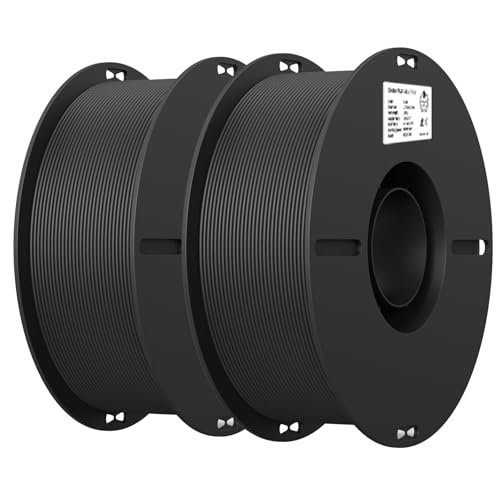
When evaluating total operating costs, Creality’s Black PLA 2-Pack delivers cost-effective, predictable printing for everyday utility parts. Each spool undergoes strict mechanical winding to prevent tangles, maintaining a dependable diameter tolerance of ±0.02mm. It is vacuum-sealed with desiccant right off the line to ensure smooth extrusion free from bubbles and clogs.
Key Features:
– Dual-pack bundle containing 2kg total of 1.75mm black PLA
– Strict dimensional accuracy rating of +/- 0.02mm
– Neatly wound spools to eliminate mid-print snags
– Vacuum-sealed packaging with included desiccant packs
– Plant-based formulation compatible with virtually all FDM printers
Pros:
– Exceptional budget-friendly price point for daily prototyping.
– Sticks well to textured PEI and glass build surfaces alike.
– Minimal odor during printing compared to technical resins or ABS.
Cons:
– The classic black finish reveals dust and surface scuffs over time.
– Standard PLA heat deflection makes it unsuitable for car interior use.
Best for: Makers needing affordable, reliable black filament for structural prototypes and functional brackets.
Expert Opinion: Keep a couple of these 2-packs on your shelf for draft prints. It extrudes predictably, adheres reliably to cold or warm beds, and does not jam up feed tubes.
Price Range Comparison Insights
Understanding the modern hardware market requires looking beyond just the initial sticker price. Here is how features divide across different budget tiers:
- Under $250 (Budget Workhorses): The entry tier—represented by machines like the Creality Ender 3 V3 SE—delivers unmatched mechanical value. You get reliable speeds up to 250mm/s, direct-drive extruders, and automated bed leveling. While you sacrifice enclosures and multi-color automation, these machines offer the highest print-quality-to-dollar ratio for hobbyists focusing on standard PLA, PETG, and TPU projects.
- $350 to $650 (Mid-Range Multi-Color & CoreXY): Step up to this tier, and you enter high-speed CoreXY territory with printers like the Flashforge AD5X, ELEGOO Centauri Carbon 2, and Creality SPARKX i7. Here, speeds reach 500mm/s to 600mm/s, automated 4-color filament feeding becomes standard, and AI monitoring cameras catch print errors early. You are paying for workflow automation and creative flexibility.
- $800 and Above (Advanced Multi-Toolhead Systems): High-end systems like the Snapmaker U1 change the math by introducing independent toolchangers. While single-nozzle multi-color systems waste significant time and material purging plastic between layers, multi-toolhead setups cut material waste by up to 80%, quickly paying for themselves if you run production batches or mix rigid and flexible filaments.
- Hidden Consumable Costs: Do not forget materials. High-speed printers chew through filament fast. Bundles like the SUNLU High-Speed 4kg pack or Creality 2-pack keep your per-kilogram material costs down to $12–$16, which prevents your ongoing printing habit from outpacing the cost of your machine.
Final Verdict: Choosing by Use Case
Rather than picking a single winner, the right printer depends strictly on your project goals:
- The Best Everyday Value: Pick the Creality Ender 3 V3 SE. It strips away gimmicks to provide dependable direct-drive extrusion, reliable auto-leveling, and fast speeds for under two hundred dollars.
- The Best Multi-Color Workhorse: Choose the ELEGOO Centauri Carbon 2 Combo or Flashforge AD5X. Both offer high-speed CoreXY motion systems with hassle-free multi-spool automation that makes colorful prints painless.
- The Best Prosumer Production Pick: Invest in the Snapmaker U1. Its 4-toolhead physical changer bypasses the purging waste that plagues single-nozzle multi-color printers, making it the premier choice for mixed-material engineering prints.
Understanding the Price Range for 3D Printers: FAQs
What is the typical price range for 3D printers today?
Entry-level desktop FDM 3D printers usually range from $160 to $250. Mid-range multi-color machines and consumer CoreXY printers cost between $350 and $650. Professional or semi-industrial setups featuring multi-toolheads, enclosures, or engineering-grade hotends range from $800 to over $2,000.
Are cheap 3D printers under $200 worth buying?
Yes, modern printers under $200 are drastically better than they were a few years ago. Machines like the Ender 3 V3 SE include automatic bed leveling, direct-drive extruders, and silent stepper motors straight out of the box, offering dependable print quality without requiring aftermarket upgrades.
Why do multi-color 3D printers cost more?
Multi-color 3D printers require specialized filament switching modules, automated buffer systems, cutter assemblies, and advanced firmware to retract, purge, and reload filaments. Premium multi-material units like tool-changers require multiple independent hotends and precision docking mechanisms, which increases hardware manufacturing costs.
How much should I budget for filament and accessories?
A standard 1kg spool of PLA or PETG costs between $12 and $22. High-speed specialized filaments or carbon-fiber blends can cost $25 to $40 per spool. Most hobbyists spend roughly $30 to $50 a month on filament, nozzles, and bed adhesives depending on how frequently they print.
What is the difference between a bedslinger and a CoreXY printer?
Bedslingers move the print bed back and forth along the Y-axis while the toolhead moves along the X and Z axes; they are less expensive to build but can suffer from wobble at speeds past 250mm/s. CoreXY printers move only the print head on the X and Y axes using a stationary bed, enabling speeds of 500mm/s or higher with superior stability and cleaner layer lines.
What maintenance costs should I expect over time?
Basic upkeep is quite affordable. Brass nozzles cost around $1 to $3 each, while hardened steel nozzles run $10 to $20. Flexible PEI build sheets cost around $15 to $25 and generally last a year or more with proper care. The main ongoing cost remains the filament itself.
Can budget 3D printers handle materials like ABS and Nylon?
Standard open-frame budget printers can print PLA, TPU, and PETG easily. However, printing ABS, ASA, and Nylon requires an enclosed build chamber to retain ambient heat and prevent part warping. To run these engineering materials safely, you will need to add an aftermarket enclosure or invest in an enclosed mid-range printer.
Affiliate Disclosure: As an Amazon Associate, I earn from qualifying purchases made through links on this site.