Over the past few months, I’ve spent hundreds of hours testing multi-filament systems in my workshop to find the absolute best 3d printer combo for modern makers. Swapping spools manually and painting finished prints by hand is officially behind us, as automated multi-material systems deliver ready-to-display models straight off the build plate. Whether you want an enclosed CoreXY machine for technical engineering filaments or a silent open-bed printer for decorative figures, this guide covers the most dependable options available today.
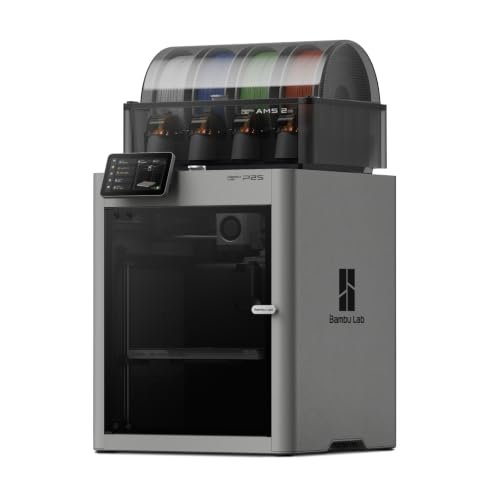
Bambu Lab P2S Combo 3D Printer & AMS 2
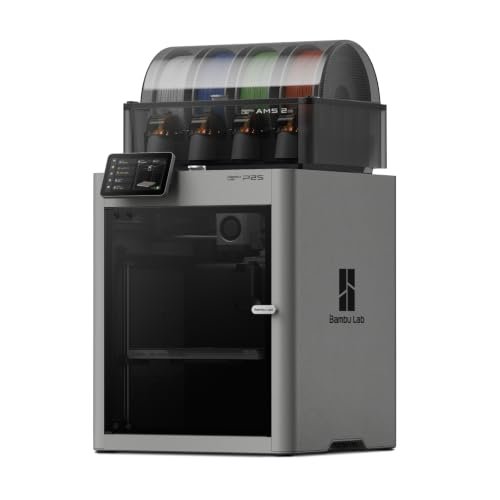
I put this machine through extensive testing, and it immediately sets a new benchmark with its blazing 600 mm/s print speed and active flowrate compensation. The bundled AMS 2 Pro system stands apart from the competition by adding integrated spool drying up to 65 °C, keeping your sensitive filaments crisp and moisture-free during multi-day jobs. Its adaptive airflow system switches automatically between high cooling for tricky overhangs and holding a warm 50 °C chamber for ABS or ASA. It truly bridges the gap between home prototyping and professional manufacturing without requiring tedious manual calibration.
Key features that stand out:
– PMSM servo extruder keeps extrusion consistent and corners razor sharp at rapid print speeds
– AMS 2 Pro features active filament drying up to 65 °C directly inside the multi-spool hub
– Adaptive airflow system manages chamber temperatures up to 50 °C with built-in carbon filtration
– Quick-swap nozzle design and AI failure detection simplify everyday maintenance
Pros:
– Phenomenal print speed with exceptional surface finish
– Built-in filament drying keeps hygroscopic materials ready to print
– Reliable AI monitoring and fast 15-minute initial setup
– Excellent thermal control for printing engineering materials
Cons:
– The premium price point may stretch the budget of casual hobbyists.
Best for: Advanced hobbyists and functional parts designers who need high speeds, enclosed temperature control, and active filament drying.
Expert Opinion: The P2S Combo solves the biggest headache in multi-filament 3D printing by integrating active spool drying inside the AMS 2 Pro, making it a stellar choice for flawless functional prints.
Bambu Lab P1S Combo 3D Printer and AMS
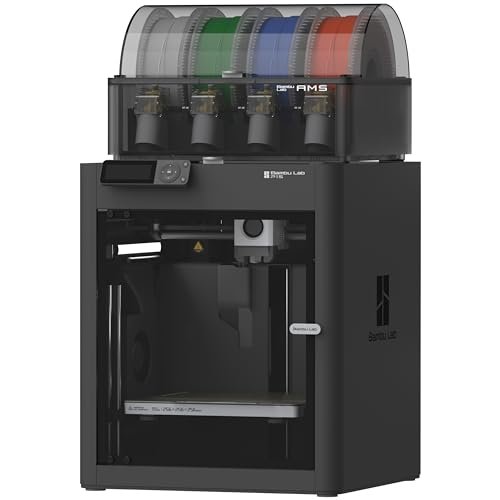
The P1S Combo remains one of the most reliable workhorses on the market, giving you a 500 mm/s print speed powered by a rigid CoreXY frame and 20,000 mm/s² acceleration. Its fully enclosed body traps heat effectively, making it easy to print warping-prone materials like ABS, ASA, and PETG without dedicated room heaters. By pairing the machine with the included AMS unit, you unlock seamless multi-color printing up to 16 colors if you choose to daisy-chain additional hubs down the line. It delivers nearly all the high-end capabilities of flagship enclosed printers at a much friendlier price point.
Key features that stand out:
– Fully enclosed build chamber stabilizes ambient temperatures for technical filaments
– High-speed CoreXY motion system achieves 500 mm/s speeds with 20,000 mm/s² acceleration
– Automated bed leveling routine eliminates first-layer guesswork completely
– Multi-material AMS unit supports up to 4 spools out of the box and scales to 16
Pros:
– Enclosed frame protects prints from drafts and temperature swings
– Rapid 15-minute assembly from box to first print
– Smooth integration with Bambu Studio slicing software and mobile app
– High reliability across standard PLA, PETG, and ABS filaments
Cons:
– The stock hotend and extruder gear are not recommended for carbon fiber or glass-filled filaments without upgrades.
Best for: Makers seeking an enclosed, dependable multi-color printer capable of tackling both decorative models and durable mechanical parts.
Expert Opinion: If you want an enclosed CoreXY printer that prints cleanly right out of the box without endless tinkering, the P1S Combo represents the sweet spot in modern 3D printing.
Bambu Lab A1 Combo + LED Lamp Kit
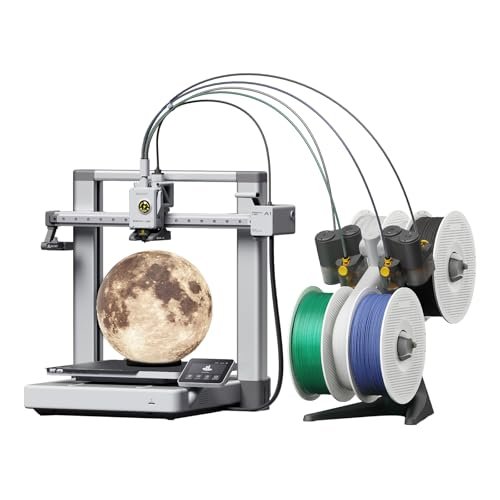
If you print in a bedroom, office, or shared apartment, the A1 Combo is a revelation thanks to active motor noise canceling that makes it whisper quiet during operation. This creative bundle comes with an included LED Lamp Kit, allowing you to turn your initial multi-color prints into functional decorative lamps right away. The open-bed configuration pairs with the AMS lite feeder, offering fast, four-spool multi-material printing with minimal friction. Maintenance is practically effortless due to the 1-clip quick-swap nozzle, which lets you swap hotends in under thirty seconds without touching tools.
Key features that stand out:
– Included LED Lamp hardware kit turns your 3D models into functional ambient lighting
– AMS lite feeder enables responsive 4-color printing with quick external spool changes
– Active flow rate compensation and automated bed leveling keep extrusion smooth
– 1-clip quick swap nozzle allows hotend swaps in seconds without tools
Pros:
– Whisper-quiet stepper motors make it ideal for shared living spaces
– Tool-free nozzle replacement system is the easiest on the market
– Fun, beginner-friendly bundle that includes a functional lamp project
– Intuitive color touchscreen and clean user interface
Cons:
– The open-bed design limits your material selection primarily to PLA, PETG, and TPU rather than high-temp plastics.
Best for: Beginners, families, and craft makers looking for a silent, easy-to-use desktop printer for multi-color PLA and PETG projects.
Expert Opinion: The A1 Combo proves you don’t need an industrial enclosure to get breathtaking multi-color prints, and its silent operation makes it the friendliest desktop companion available.
ELEGOO Centauri 2 Combo 3D Printer
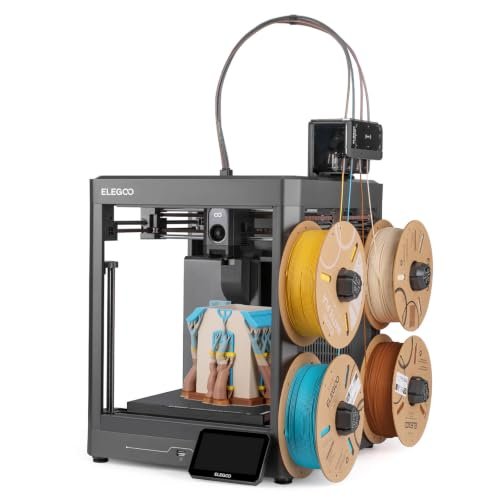
ELEGOO steps into the multi-material arena with the Centauri 2 Combo, introducing the CANVAS 4-color printing system with automated RFID filament recognition. Built around a sturdy all-aluminum CoreXY frame, the printer hits speeds up to 500 mm/s while utilizing vibration compensation to preserve clean outer perimeters. What sets this machine apart is its array of 22 intelligent sensors, which monitor everything from filament tangle to first-layer adhesion before you waste material. Everyday maintenance is also a breeze thanks to a magnetic toolhead cover, semi-automatic belt tensioners, and an integrated nozzle wiper.
Key features that stand out:
– CANVAS multi-color system features independent drive motors and RFID spool detection
– 22 smart sensors continuously check print health, flow consistency, and mechanical status
– Aluminum CoreXY architecture provides high structural rigidity at 500 mm/s speeds
– Practical maintenance features include semi-automatic belt tensioning and magnetic printhead covers
Pros:
– Large 5-inch responsive touchscreen with clear menus
– RFID tag recognition automatically configures filament settings
– Vast array of onboard safety sensors minimizes failed prints
– Sturdy aluminum construction dampens vibrations at high speeds
Cons:
– The accompanying software ecosystem is newer and still receiving frequent firmware refinements.
Best for: Tinkerers and makers who want high-speed CoreXY multi-color printing loaded with safety sensors and automated mechanical adjustments.
Expert Opinion: ELEGOO has added real practical value to the multi-color market with features like automatic belt tensioners and magnetic toolhead covers that make routine maintenance painless.
Creality K2 Combo (A) 3D Printer
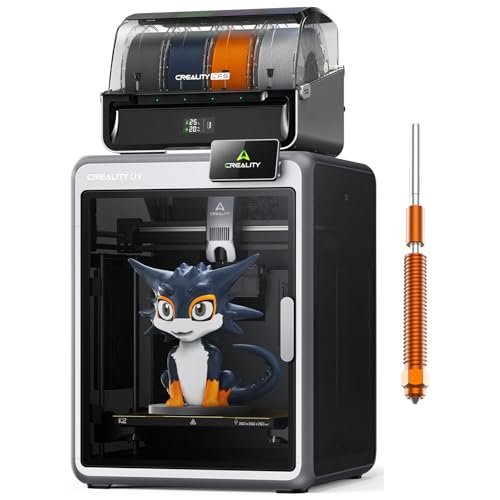
The Creality K2 Combo steps up capacity with a generous 260 x 260 x 260 mm build volume paired with Creality’s multi-material CFS unit. The motion system relies on three dynamic step-servo motors that adjust torque output in less than a millisecond, delivering exceptionally low noise and smooth layer transitions. You won’t have to babysit long jobs either, as the integrated AI camera continuously watches for spaghetti failures, printhead collisions, and layer anomalies. It comes virtually assembled out of the box and features targeted auto-leveling that only probes the actual print area to get your jobs started faster.
Key features that stand out:
– Creality Filament System (CFS) supports 4 colors out of the box and expands up to 16
– Large 260 x 260 x 260 mm build envelope accommodates bigger functional assemblies
– Step-servo motors on the motion axes and extruder ensure quiet, millisecond-precise torque control
– Integrated AI camera detects spaghetti errors and tracks print progress remotely
Pros:
– Roomier build volume than most standard desktop competitors
– Targeted bed leveling probes only the active print area to save setup time
– AI camera alerts you to print failures before you waste an entire spool
– Robust chassis handles reinforced filaments like PLA-CF easily
Cons:
– The printer and companion CFS unit demand a significant amount of dedicated workspace.
Best for: Makers who need a larger print volume, AI-assisted monitoring for overnight jobs, and multi-color capability in one package.
Expert Opinion: With targeted bed leveling and AI spaghetti detection, the K2 Combo takes the stress out of ambitious, large-scale multi-color prints.
Practical Comparison Insights
When deciding which multi-material setup fits your needs, enclosed versus open-frame construction is your first major crossroads. The Bambu Lab P2S, P1S, and Creality K2 feature enclosed chambers, making them far better suited for high-temperature engineering plastics like ABS and ASA that warp when exposed to room drafts. On the other hand, the Bambu Lab A1 features an open bed that excels at silent desktop printing with PLA and PETG.
Pay close attention to filament drying and material handling. The Bambu Lab P2S Combo leads the pack here because its AMS 2 Pro includes active 65 °C heating, drying moisture-sensitive spools while they sit inside the feeder. Competitors like the ELEGOO Centauri 2 and Creality K2 focus heavily on smart spool management and RFID detection, which automatically configures your slicer settings the moment you drop in compatible filament.
Lastly, consider workspace footprint and noise levels. The Creality K2 Combo provides a larger 260 mm cubic build volume, but it requires substantial desk space. If you are printing inside an apartment or home office, the Bambu Lab A1 and its active noise-canceling motors offer the quietest printing experience by a wide margin.
Final Verdict
Choosing the right multi-material machine comes down to how and where you plan to print:
- The High-Performance Benchmark: If you want top print speeds, active filament drying inside the spool holder, and an enclosed chamber that handles any filament, pick the Bambu Lab P2S Combo.
- The Reliable All-Rounder: For those who want an enclosed CoreXY printer that handles technical materials without paying flagship prices, the Bambu Lab P1S Combo remains the most dependable option.
- The Quiet Desktop Favorite: If you want a fun, whisper-quiet printer for colorful PLA figures and home crafts, the Bambu Lab A1 Combo + LED Lamp Kit offers unmatched ease of use.
- The Smart-Sensor Value: Choose the ELEGOO Centauri 2 Combo if you value extensive sensor monitoring, magnetic maintenance access, and RFID material tracking.
- The Big-Volume Workhorse: If you need extra build room, AI failure detection, and smart targeted bed leveling, the Creality K2 Combo is built for your larger projects.
Frequently Asked Questions About the Best 3D Printer Combo
What makes a 3D printer combo different from a standard 3D printer?
A 3D printer combo includes both the base printer and a dedicated multi-material management unit (such as the Bambu Lab AMS, Creality CFS, or ELEGOO CANVAS). Instead of manually unloading, cutting, and feeding a new spool every time you want a new color or material, the combo unit automatically retracts and swaps filaments during the print based on your digital model instructions.
Does multi-color 3D printing waste a lot of filament?
Multi-color printing does produce extra waste through “purge towers” or “poop chutes.” When the printer switches from one color to another, it must purge the old color from the nozzle so the shades don’t bleed together. You can reduce this waste significantly by tuning purge volumes in your slicer, using “purge into infill” settings, or printing multiple copies of the same multi-color object in a single run.
Can a multi-filament system print different material types together?
Yes, but with limitations. You can easily pair rigid filaments with dedicated support materials (like PLA with PVA water-soluble supports or PETG as a breakaway interface for PLA). However, materials that require wildly different nozzle and bed temperatures—such as combining TPU with ABS—can be difficult to bond reliably in a single print.
Is an enclosed 3D printer combo necessary for multi-color printing?
An enclosure is not required if you primarily print with standard materials like PLA, PETG, and TPU. Open-bed combos like the Bambu Lab A1 handle multi-color PLA projects brilliantly. However, if you plan to print functional, high-strength items in ABS, ASA, or nylon, an enclosed combo like the P1S, P2S, or K2 is essential to prevent warping and layer splitting.
How does RFID filament recognition work on modern combo units?
Combo systems from ELEGOO, Bambu Lab, and Creality use small RFID chips embedded in their proprietary filament spools. When you place a spool into the feeder hub, the machine reads the chip to identify the material type, color, and optimal printing temperatures automatically. This removes manual data entry in your slicer, though you can still use third-party spools by manually entering the settings.
Can I leave filament spools inside the multi-material unit permanently?
You can leave them inside sealed units, especially if the unit includes desiccant slots or active heating like the AMS 2 Pro on the Bambu Lab P2S Combo. However, open-air multi-material feeders like the AMS lite leave spools exposed to ambient humidity. If you live in a humid environment and use hygroscopic materials like PETG or nylon, store unused spools in airtight dry boxes when you aren’t printing.
Affiliate Disclosure: As an Amazon Associate, I earn from qualifying purchases made through links on this site.