When I first started testing desktop machines years ago, getting a clean print meant dealing with tangled wires, tedious bed leveling, and endless failed attempts. In these hands-on 3d printer for beginners reviews, I break down seven user-friendly models that take the headache out of modern maker tech right out of the box. You’ll discover how each machine balances ease of use, print speed, software support, and value so you can pick your ideal match without wasting filament or time.
Entina Tina2C 3D Printer for Beginners & Kids
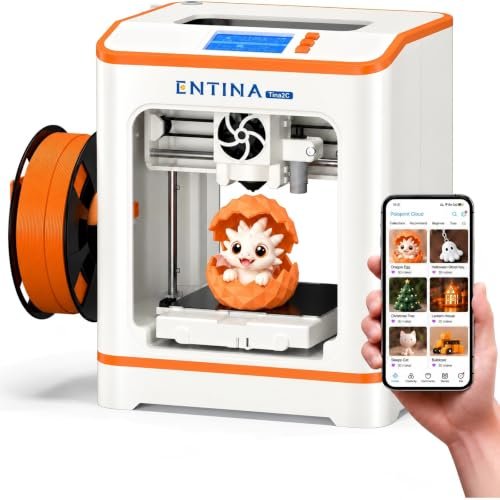
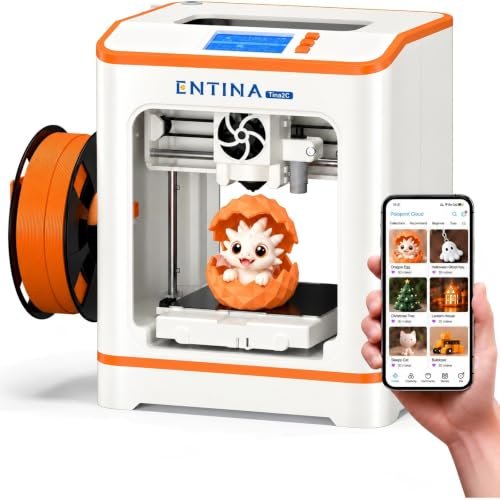
The Entina Tina2C is a compact desktop unit tailored specifically for first-timers who want zero friction. It arrives fully assembled with factory-calibrated auto leveling, meaning you can skip manual bed adjustments entirely. With its smart Wi-Fi setup and Poloprint Cloud app, you can trigger your very first model straight from your smartphone within minutes. It is lightweight, remarkably quiet, and fits neatly onto any standard study desk or bookshelf.
Key features that stand out:
– Fully assembled setup ready to print in about 5 minutes
– Automatic bed leveling system with power-loss recovery
– Built-in 2.4GHz Wi-Fi with Poloprint Cloud mobile control
– Flexible magnetic build plate for easy, bend-to-release print removal
– Removable quick-swap nozzle design simplifies cleaning
– Compact 3.9 x 3.9 x 3.9-inch build volume
Pros:
– Extremely easy to unbox and run within minutes
– Poloprint app offers thousands of ready-to-print models
– Flexible build sheet makes pop-off print removal effortless
Cons:
– The small build volume restricts you from printing larger household items.
Best for: Young students, kids, and total beginners who want a plug-and-play desktop machine.
Expert Opinion: The Tina2C completely removes the intimidating mechanical assembly hurdles that often scare off novices, though its small build plate means you will eventually outgrow it if you want to print adult-sized cosplay or large mechanical tools.
Bambu Lab P1S Combo 3D Printer with AMS
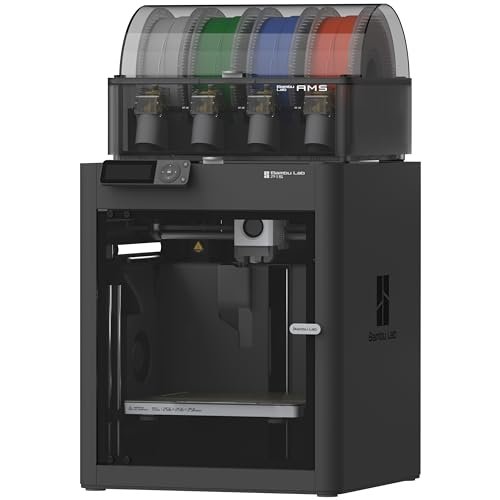
If you want a high-performance experience right from day one, the Bambu Lab P1S Combo is an outstanding workhorse. It features a fully enclosed chassis paired with the Automatic Material System (AMS), allowing you to print with up to 16 vibrant colors automatically. Blazing print speeds up to 500mm/s with 20,000 mm/s² acceleration ensure projects finish in record time without compromising accuracy. Reliable automatic bed leveling and vibration compensation guarantee smooth finishes even when printing technical filaments like ABS or PETG.
Key features that stand out:
– Multi-color printing capabilities supporting up to 16 colors via AMS
– High-speed printing up to 500mm/s with 20,000 mm/s² acceleration
– Fully enclosed body suitable for temperature-sensitive filaments like ABS and ASA
– Hands-off automatic bed leveling and active vibration compensation
– Rapid 15-minute setup process out of the box
Pros:
– Multi-color and multi-material automation works reliably without manual intervention
– Enclosed frame handles advanced technical filaments with ease
– Outstanding print speed and surface quality right out of the box
Cons:
– The initial price tag is notably higher than basic entry-level desktop machines.
Best for: Beginners with a flexible budget who want multi-color capability and zero tinkering.
Expert Opinion: Bambu Lab changed the entry barrier for makers, and the P1S Combo provides an astonishingly smooth multi-material printing experience without requiring you to tune stepper drivers or manually adjust belts.
Entina Tina2C Mini 3D Printer Starter Bundle
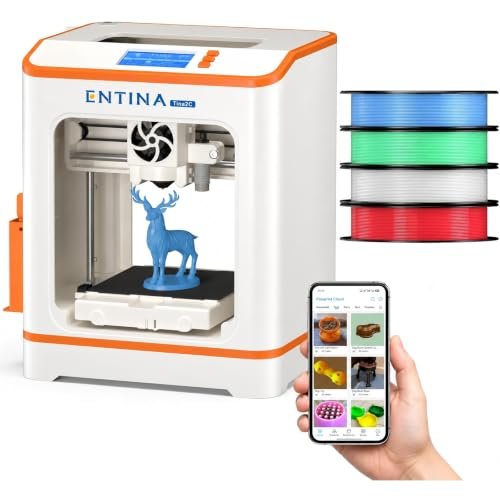
The Entina Tina2C Starter Bundle takes the proven ease of the base Tina2C and packages it with four 250g rolls of multi-color PLA filament. This gives you a full 1kg of material right away, so you can tackle creative builds without purchasing separate spools. It includes hands-off auto bed leveling and an easy-access mobile app loaded with thousands of pre-tested designs. Thanks to the flexible magnetic print bed, removing finished models requires just a slight bend.
Key features that stand out:
– Complete starter bundle with 1kg PLA across four different color spools
– Plug-and-play design that sets up in roughly 5 minutes
– Over 3,500 printable models accessible through Poloprint Cloud
– Magnetic build sheet and quick-change nozzle system
– Power-loss resume and automated bed leveling
Pros:
– Includes plenty of multi-colored filament to begin printing immediately
– Intuitive app interface lets you start jobs from your phone
– Safe and quiet enough for shared family spaces
Cons:
– You are limited to the compact 3.9-inch cubic build area for all your prints.
Best for: Families and beginners looking for an all-inclusive gift package that prints out of the box.
Expert Opinion: Having diverse filament colors in the box removes the extra step of sourcing filament separately, making this starter bundle the most practical unboxing experience for kids or school projects.
FLASHFORGE Adventurer 5M 3D Printer
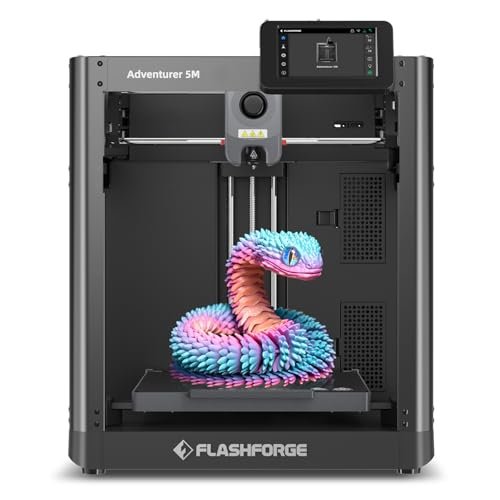
The FLASHFORGE Adventurer 5M brings professional CoreXY kinematics down to an approachable consumer level. It achieves blistering travel speeds up to 600mm/s along with automatic one-click bed leveling to guarantee solid first-layer adhesion. The hotend features a 3-second quick-swap nozzle and heats up to 200°C in just 35 seconds, minimizing waiting time. Combined with a dual-sided textured PEI plate and direct-drive extruder, it effortlessly processes everything from standard PLA to flexible TPU.
Key features that stand out:
– High-speed CoreXY structure reaching up to 600mm/s and 20,000mm/s² acceleration
– One-click full automatic bed leveling system
– Tool-free quick-swap nozzle that swaps in three seconds
– High-flow 32mm³/s hotend heating up to 200°C in 35 seconds
– Dual-sided PEI spring steel build platform and remote app monitoring
Pros:
– Extremely fast print times with clean layer consistency
– Rapid nozzle swaps make maintenance completely painless
– Sturdy metal chassis minimizes vibrations during high-speed printing
Cons:
– The open-frame design makes it noisier during high-speed moves and less ideal for high-warp plastics.
Best for: Makers who want speed, reliable auto-calibration, and a full-sized build volume on a budget.
Expert Opinion: Flashforge hit the sweet spot between high-speed industrial performance and accessible beginner mechanics, giving you fast turnarounds without the steep learning curve of DIY kits.
Entina Tina2 Plus 3D Printer
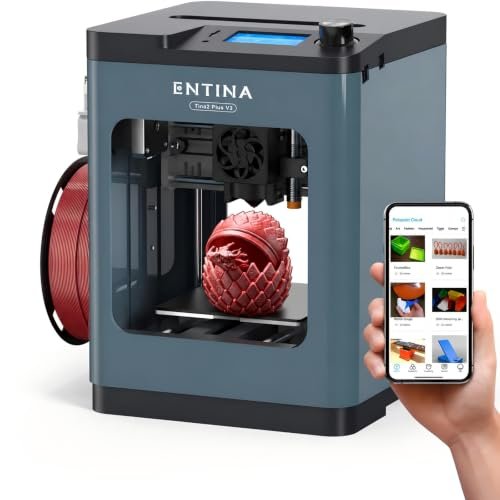
The Entina Tina2 Plus delivers an impressive speed bump over smaller mini printers, reaching speeds up to 250mm/s. It features an upgraded dual Z-axis structure and PEI build plate that substantially enhances print stability and first-layer reliability. A rapid 40-second ceramic hotend minimizes preheat waits, while the semi-enclosed frame shields hot moving parts from curious hands. It retains the same beginner-friendly app integration while offering a more rugged mechanical foundation.
Key features that stand out:
– Elevated print speeds up to 250mm/s with quick-heat ceramic hotend
– Dual Z-axis motion system for improved vertical accuracy
– Textured PEI spring steel platform with automatic bed leveling
– Semi-enclosed frame design for added safety around children
– Mobile app control with Wi-Fi slicing and a 3,500+ model repository
Pros:
– Dual Z-axis provides noticeably better vertical print consistency
– Fast heating hotend reduces project downtime
– Semi-enclosed frame adds an extra layer of desk safety
Cons:
– The build area remains modest compared to standard full-size desktop machines.
Best for: Classrooms, hobbyists, and older kids who need faster turnarounds and solid mechanical stability.
Expert Opinion: The Tina2 Plus addresses the primary limitations of ultra-budget mini printers by adding a rigid dual Z-axis and a genuine PEI sheet, which drastically improves layer consistency and longevity.
Bambu Lab A1 mini 3D Printer with LED Lamp Kit
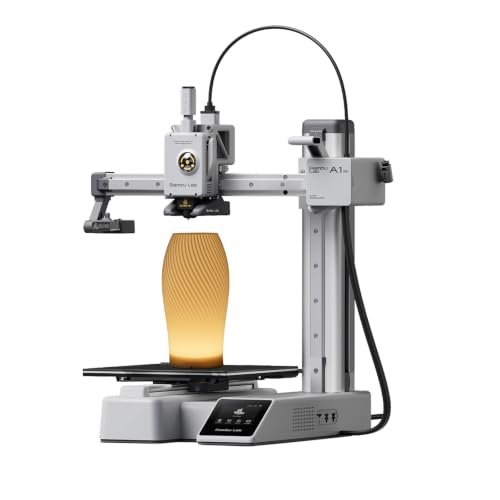
The Bambu Lab A1 mini brings the renowned Bambu ecosystem to an accessible desktop footprint with the added bonus of an included DIY LED lamp kit. It features fully automated calibration that tunes bed leveling, vibration resonance, and nozzle pressure advance without any manual user input. Using the Bambu Handy mobile app and MakerWorld, you can browse thousands of community projects and launch prints with a single tap. It operates so quietly you can keep it running directly on your work desk without distraction.
Key features that stand out:
– Bundled DIY LED Lamp Kit for creating functional interior lighting projects
– Automated full calibration covering bed leveling, vibration, and flow dynamics
– Active motor noise cancellation for whisper-quiet printing
– Direct integration with MakerWorld and the Bambu Handy app
– High-precision motion system with quick-swap nozzle design
Pros:
– Near-zero calibration failure rate thanks to intelligent onboard sensors
– Extremely quiet operation even during high-speed jobs
– Included project kit makes your first functional creation exciting
Cons:
– The open-bed design restricts printing high-temperature, warp-prone materials like ABS.
Best for: Beginners who prioritize hassle-free reliability, quiet operation, and creative DIY household projects.
Expert Opinion: If you want a 3D printer that behaves like a reliable home appliance rather than a tinkering hobby project, the A1 mini is currently one of the cleanest entry points available.
AOSEED AI 3D Printer for Kids
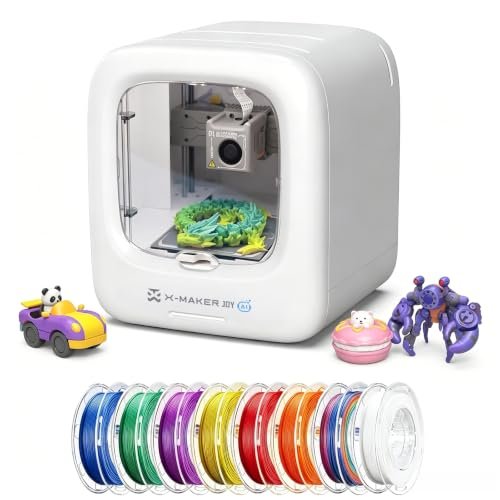
The AOSEED AI 3D Printer is designed specifically around family engagement, featuring built-in AI-powered creation tools like text-to-3D, voice generation, and photo-to-cartoon modeling. It reaches peak printing speeds of 400mm/s while maintaining an enclosed, pinch-resistant frame for complete peace of mind. A built-in monitoring camera automatically captures time-lapse videos of every build to let families share their prints easily. The complete starter kit includes eight small rolls of non-toxic PLA and kid-friendly tools so kids can begin making toys immediately.
Key features that stand out:
– AI generation tools including AI Doodle, MiniMe photo-to-3D, and voice prompts
– Enclosed kid-safe chassis with pinch prevention and non-toxic certified filament
– Fast print speeds peaking at 400mm/s with 0.05mm precision
– Integrated camera for remote monitoring and automated time-lapse creation
– All-in-one starter kit with 8 PLA rolls, stickers, and removal tools
Pros:
– AI modeling features eliminate the need for complex CAD software knowledge
– Enclosed safety design keeps curious hands away from hot components
– Built-in camera provides handy remote monitoring and fun time-lapses
Cons:
– The machine prints only one color at a time, requiring multi-part assembly for multi-color designs.
Best for: Young creators, elementary or middle school students, and parents seeking an educational tech gift.
Expert Opinion: AOSEED has solved the biggest roadblock for children—learning complex 3D modeling software—by using smart AI prompts that turn simple sketches and photos into printable toys instantly.
Helpful Comparison Insights for Beginners
Choosing the right starter machine comes down to how much space you have, who will be running it, and what you want to make.
- Build Volume vs. Footprint: If you want to print full-scale cosplay helmets or functional storage bins, the FLASHFORGE Adventurer 5M and Bambu Lab P1S offer the build room you need. On the other hand, if desktop space is tight or you are setting up in a child’s bedroom, the Entina Tina2C series and AOSEED AI printer take up barely any desk area.
- Speed and Motion Systems: Modern CoreXY printers like the Adventurer 5M and Bambu P1S move significantly faster (up to 500-600mm/s) because the bed only moves up and down. Traditional “bedslingers” like the Bambu A1 mini and Tina2 Plus move the build plate back and forth; while slightly slower, the A1 mini remains astonishingly quiet due to active noise-canceling motors.
- Enclosed vs. Open-Air Frames: An enclosed body like the P1S or AOSEED protects prints from drafts and shields curious fingers from hot parts. Open-air beds like those on the Adventurer 5M and A1 mini work well for standard PLA and PETG, but they struggle with warp-prone filaments like ABS.
- Material Versatility: For multi-color prints without manual filament swapping, the Bambu Lab P1S Combo with AMS stands completely alone in this lineup. If you plan to print strictly standard PLA toys, budget-friendly single-extruder options will save you significant money upfront.
Final Verdict
To help you choose without overthinking, here is how these machines align with real-world maker goals:
- For the Appliance-Like, Set-and-Forget Experience: Go with the Bambu Lab A1 mini. Its automatic sensor calibration works every single time, making it the least frustrating machine to operate on a daily basis.
- For High-Speed Full-Scale Functional Making: Choose the FLASHFORGE Adventurer 5M. It delivers blistering CoreXY speed, rapid nozzle swaps, and a full-size build plate at a very accessible price point.
- For Hands-Off Multi-Color Printing: Invest in the Bambu Lab P1S Combo. The automated filament system and enclosed chassis give you room to grow into advanced projects without needing an upgrade later.
- For Young Kids and STEM Classrooms: Pick the AOSEED AI 3D Printer or the Entina Tina2C Starter Bundle. The AOSEED takes the crown for creative software that lets kids turn doodles into 3D models, while the Tina2C bundle provides an affordable, ready-to-print unboxing experience.
3d printer for beginners reviews: Frequently Asked Questions
What should I look for when reading 3d printer for beginners reviews?
Focus primarily on auto bed leveling, setup time, and ecosystem software. A machine that requires manual screw adjustments for bed leveling or complex open-source firmware configuration will cause unnecessary failed prints. Look for machines offering one-click calibration, pre-configured slicing profiles, and active user communities.
Is an auto-leveling print bed necessary for a beginner?
Yes, automatic bed leveling is one of the most critical features for any beginner. Getting the first layer to stick properly requires a precise gap between the nozzle and the build plate across the entire surface. Auto-leveling measures surface variations electronically and compensates automatically, eliminating manual paper tests and failed first layers.
Can beginner 3D printers print in multi-color?
Yes, but how they do it depends on the hardware. Systems like the Bambu Lab P1S use an automated material switcher (AMS) to swap filaments automatically through a single nozzle during a print. On standard single-extrusion beginner printers like the Tina2C or Adventurer 5M, multi-color prints require either manual filament pauses or printing individual colored parts and snapping them together.
What is the difference between CoreXY and bedslinger 3D printers?
In a bedslinger printer (like the Bambu A1 mini or Tina2 Plus), the print bed moves backward and forward along the Y-axis while the print head moves left to right and up and down. In a CoreXY printer (like the Flashforge Adventurer 5M or Bambu P1S), the bed only moves vertically, while two coordinated belts drive the print head quickly along the X and Y axes. CoreXY systems generally offer faster speeds and reduced print vibration on taller items.
What filaments are safe and easy for beginners to print at home?
PLA (Polylactic Acid) is the easiest and safest filament for beginners. It prints at relatively low temperatures (around 190°C to 215°C), does not emit toxic fumes or unpleasant odors, and exhibits minimal warping. Once comfortable with PLA, beginners can step up to PETG, which offers higher impact strength and better heat resistance for functional household items.
Do I need to know 3D modeling software (CAD) to start printing?
Not at all. Most beginner 3D printers integrate directly with free online model repositories like MakerWorld, Printables, Thingiverse, and Poloprint Cloud. You can download hundreds of thousands of pre-designed toys, tools, and decorative items for free. When you do want to design your own items, beginner-friendly tools like Tinkercad or AI-assisted generation apps make learning intuitive.
How much maintenance do beginner 3D printers require?
Modern beginner printers require very little maintenance compared to older DIY kits. Regular upkeep typically involves cleaning the PEI build plate with warm dish soap and water to remove finger oils, wiping dust off the guide rails, and occasionally swapping out a worn nozzle. Choosing a printer with a quick-swap nozzle design makes maintenance fast and tool-free.
Affiliate Disclosure: As an Amazon Associate, I earn from qualifying purchases made through links on this site.