After spending months testing various multi-material setups in my workshop, I found that choosing the right independent dual extruder 3d printer can save you dozens of hours of failed jobs and piles of wasted filament. Running separate print heads side-by-side lets you tackle soluble supports, complex engineering geometries, and clean multi-color prints without messy cross-contamination or massive purge towers. In this guide, I share practical hands-on insights on seven standout multi-head and dual-extrusion machines to help you pick the right fit for your workflow.
Original Prusa XL 5-Toolhead Multi-Material 3D Printer
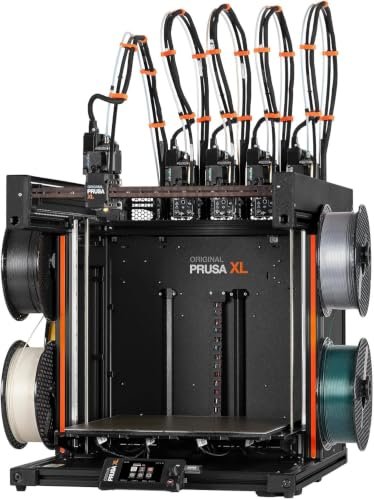
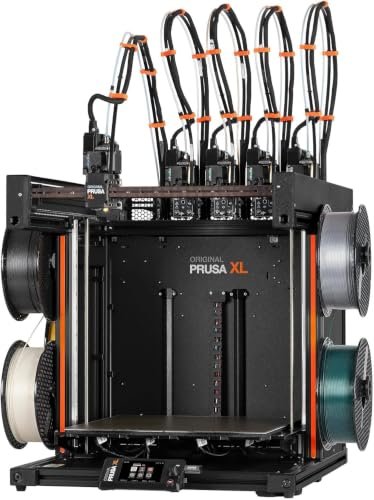
The Original Prusa XL with five toolheads changes how we think about multi-material fabrication by moving beyond standard dual-extrusion limits. Its cinematic tool-changing mechanism physically swaps heads in seconds, eliminating cross-bleed entirely when pairing rigid plastics with flexible filaments. The segmented heatbed design warms only the active printing zone, cutting energy draw while preserving pristine first-layer adhesion across its massive 14.17-inch cubic build space. With deep native integration into PrusaSlicer, setting up multi-material jobs requires very little manual fine-tuning.
Key features that stand out:
– Five independent direct-drive toolheads on an automated tool changer
– Large build volume measuring 14.17 x 14.17 x 14.17 inches (360 x 360 x 360 mm)
– Rigid CoreXY motion system engineered for heavy production cycles
– Segmented modular heated bed with independent tile heating
– Fully automated first layer calibration using load-cell sensors
Pros:
– Swapping toolheads creates virtually zero purge tower waste
– Handles combinations of flexible TPU and rigid materials seamlessly
– Massive build volume easily accommodates full-scale prototypes
– Superb software integration and open ecosystem support
Cons:
– Assembling the separate multi-tool components requires several hours of careful setup.
Best for: Professional prototyping labs and design studios that need high-volume, multi-material functional assemblies.
Expert Opinion: The Prusa XL eliminates the filament contamination issues that plague single-nozzle switchers. While setting up all five heads takes patience, the near-total lack of wasted purge material makes it a true workhorse for engineering prints.
Raise3D E2 Desktop IDEX 3D Printer
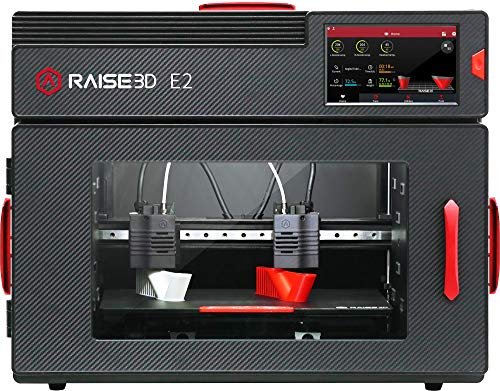
The Raise3D E2 is a dedicated benchtop machine that showcases what an independent dual extruder 3d printer does best. Equipped with independent dual carriages (IDEX), it lets you switch effortlessly between soluble PVA support work, dual-color prints, and simultaneous batch manufacturing. In Duplication and Mirror modes, both extruders work concurrently across the build plate to double your production output in half the time. The fully enclosed chamber, high-temp hotends, and onboard HEPA air filtration make it ideal for demanding technical filaments like nylon, ABS, and polycarbonate.
Key features that stand out:
– True IDEX architecture with Duplication and Mirror printing modes
– Heated bed capable of 110°C with an enclosed chamber and HEPA air filter
– Generous 13 x 9.4 x 9.4 inch build volume
– Video-assisted Z-offset and X/Y offset calibration system
– Full-color 7-inch touchscreen with integrated remote monitoring camera
Pros:
– Duplication mode cuts small-batch production time by 50%
– Built-in video wizard makes IDEX nozzle calibration straightforward
– Enclosed chassis controls internal heat and traps fine particulate emissions
– Reliable power recovery and filament runout protection
Cons:
– The overall footprint is quite heavy and takes up significant workbench space.
Best for: Classrooms, small businesses, and manufacturing hubs needing reliable short-run production.
Expert Opinion: Raise3D nailed the IDEX user experience on the E2. Its offset calibration assistant removes the guesswork that normally makes dual-head calibration frustrating for beginners.
Olaprin T300D Pro Dual Extruder 3D Printer
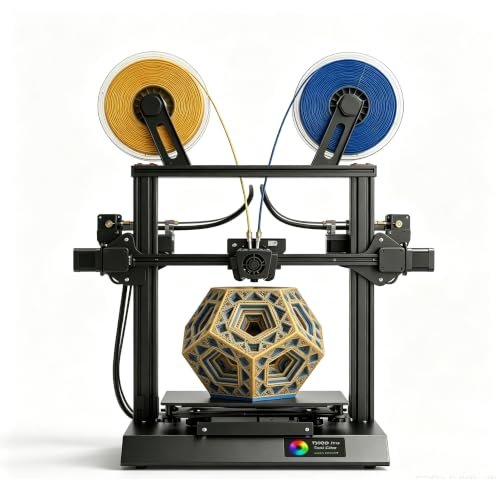
The Olaprin T300D Pro brings multi-material exploration to a budget-accessible desktop platform. Featuring an upgraded dual-drive extrusion system and dual spool carriers, it enables two-color creations and functional material pairings without manual intervention. It combines a 60W high-flow hotend with a rigid, vibration-resistant frame to reach print speeds up to 250mm/s. Intelligent auto-leveling with dynamic Z-offset compensation ensures consistent first-layer squish across a broad range of standard filaments like PLA, PETG, and TPU.
Key features that stand out:
– Dual-extruder feed setup supporting 6 distinct multi-color and blending modes
– Maximum travel and printing speed up to 250mm/s
– 60W high-power hotend reaching temperatures for engineering filaments
– All-metal sturdy gantry structure with intelligent bed leveling
– High-torque dual-drive feed gears to prevent filament slip
Pros:
– Very accessible price point for hobbyists starting out with dual printing
– Fast heating bed and hotend reduce overall startup wait times
– Pre-assembled gantry allows for quick out-of-the-box assembly
– Capable of basic color gradients and segmented multi-color prints
Cons:
– Because it shares a single hotend assembly, it requires small purge transitions between colors.
Best for: Hobbyists and makers looking for an affordable way to create two-color models and decorative art.
Expert Opinion: While not an independent carriage IDEX system, the T300D Pro provides an inexpensive path to dual-color output. It handles basic dual-material prints well if you configure retraction carefully.
FLASHFORGE Creator 5 Multi-Color 3D Printer
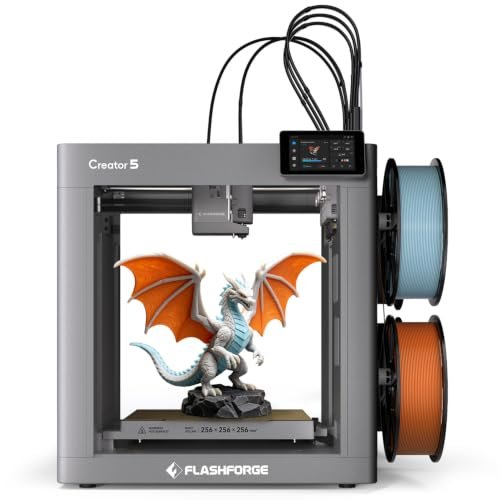
The Flashforge Creator 5 redefines multi-material throughput by using four independent direct-drive extruders housed on an ultra-responsive CoreXY chassis. Because each spool runs on its own dedicated extruder motor and nozzle, you completely bypass the slow unload-and-purge cycles found on standard multi-filament systems. The machine operates at speeds up to 600mm/s while using automated flow adjustments to preserve fine geometric detail. An integrated AI-powered camera continuously watches the 256mm cubic build area to catch print failures before filament is wasted.
Key features that stand out:
– Four separate direct-drive toolheads mounted for rapid switching
– CoreXY motion structure achieving acceleration up to 30,000mm/s²
– Quick-change nozzle mechanism allowing swaps in around 30 seconds
– Integrated AI vision system for automated failure detection
– Full multi-unit farm management via centralized group controls
Pros:
– Up to 5x faster cycle times compared to single-nozzle multi-color units
– Dedicated extruders handle tricky flexible TPU alongside rigid PLA
– Nozzle swaps require zero tools or messy wiring disassemblies
– High-speed CoreXY kinematics keep dimensional accuracy sharp
Cons:
– The slicer software has a moderate learning curve when assigning four independent tools.
Best for: Print farm operators and rapid prototyping teams that want high-speed multi-material parts without filament purges.
Expert Opinion: Having four independent direct extruders in a CoreXY platform is a game-changer for TPU printing. Flexible materials that typically jam up single-nozzle feeder units run reliably on this setup.
FLASHFORGE Creator 5 Pro 3D Printer
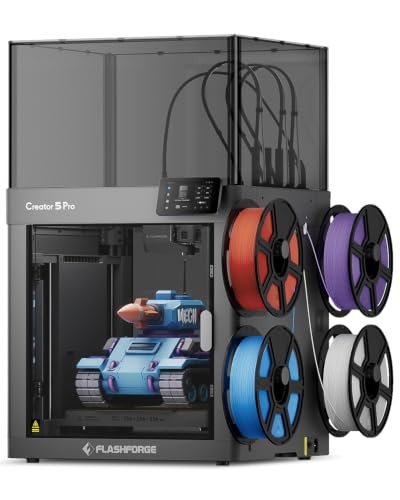
Engineered for production environments, the Flashforge Creator 5 Pro builds on its predecessor by adding an actively heated chamber up to 65°C. This controlled thermal environment prevents warping and layer splitting when working with advanced polymers like carbon-fiber nylon, polycarbonate, and ABS. Its 7-second FlashSwap toolhead changer eliminates filament purge waste completely, drastically reducing scrap rates during high-value jobs. Inside, a dual HEPA 13 and activated carbon filtration array keeps toxic VOCs and airborne micro-particles from entering your workspace.
Key features that stand out:
– 4-toolhead array with a lightning-fast 7-second FlashSwap tool mechanism
– Fully enclosed chassis with an active 65°C heated build volume
– Dual HEPA 13 and activated carbon air scrubbing filtration system
– High-torque 1.5GT timing belts paired with precision linear guide rails
– Automated toolhead offset calibration combined with active vibration compensation
Pros:
– Actively heated interior enables warp-free engineering prints in ABS and PA
– Rapid tool swapping completely eliminates filament flushing waste
– Heavy-duty linear rails maintain dimensional stability at 600mm/s
– Medical-grade HEPA filtration allows safe operation in shared offices
Cons:
– The industrial-grade features push the price tag outside the range of most hobbyists.
Best for: Industrial engineering departments and aerospace machine shops requiring functional, high-temp parts.
Expert Opinion: The active 65°C heated chamber puts the Creator 5 Pro in a different league. Printing nylon with water-soluble supports at 600mm/s without warping makes it one of the most capable engineering tools on the market.
Raise3D Pro2 Plus Dual Extruder 3D Printer
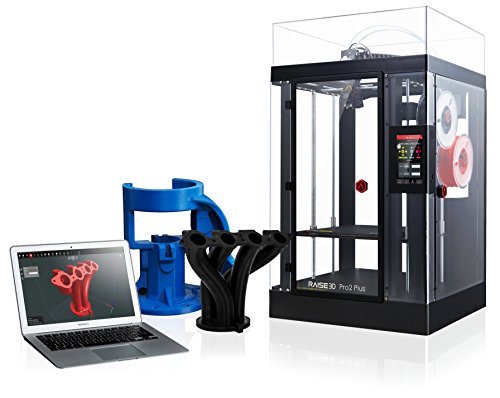
The Raise3D Pro2 Plus is designed for projects that demand serious vertical scale and dual-extrusion reliability. Its electronic-driven lifting dual nozzle system quickly retracts the idle nozzle by 1.5mm, preventing it from dragging across your print and leaving unwanted marks. With an impressive build volume of 12 x 12 x 23.8 inches, you can print tall architectural models and full-scale industrial jigs in a single continuous run. The 32-bit motion controller and magnetic build surface deliver fine 0.01mm layer heights for crisp surface detail.
Key features that stand out:
– Electronically actuated lifting dual nozzle system with 4x extruder torque
– Massive vertical build capacity reaching 23.8 inches in height
– 300°C maximum hotend capability for high-performance engineering filaments
– Enclosed workspace with built-in HEPA filtration and runout sensors
– Responsive 7-inch industrial touchscreen with remote Wi-Fi monitoring
Pros:
– Towering vertical capacity eliminates the need to cut large models into pieces
– Retracting nozzle mechanism completely prevents scraping on delicate surfaces
– Reliable dual-gear feed mechanism prevents filament slipping on long runs
– Sturdy cast frame delivers exceptional structural rigidity
Cons:
– The mechanical tool lifter cannot perform simultaneous duplication printing like a true IDEX layout.
Best for: Industrial designers and architects who need massive, tall prototypes with complex soluble support structures.
Expert Opinion: If vertical scale is your top requirement, the Pro2 Plus is tough to beat. Its nozzle lifting system is reliable, ensuring that your secondary nozzle never collides with delicate support structures during tall prints.
Creality Ender 3 V3 SE 3D Printer
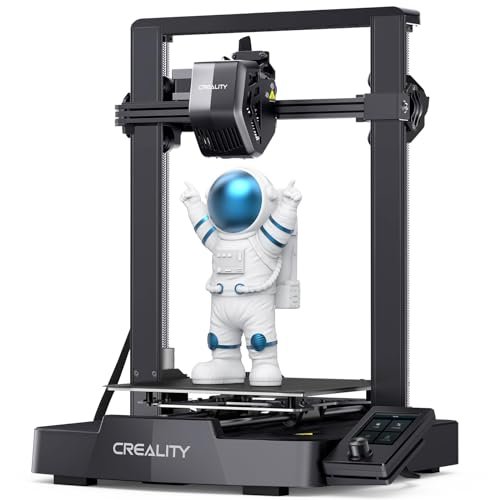
While the Creality Ender 3 V3 SE is a single-extruder machine rather than an IDEX setup, it serves as the essential baseline control model for anyone weighing the cost of single versus multi-extrusion hardware. Powered by a market-proven Sprite direct-drive extruder, it pushes PLA, PETG, and TPU with consistent reliability. It features a modern 250mm/s print speed profile along with dual Z-axis lead screws and rigid 8mm steel Y-axis linear shafts to reduce layer banding. The stress-free CR Touch leveling system and strain sensor handle auto Z-offset adjustments right out of the box.
Key features that stand out:
– Upgraded “Sprite” dual-gear direct extruder for consistent material grip
– Maximum printing speeds up to 250mm/s with 2500mm/s² acceleration
– Dual Z-axis lead screws synchronized with rigid 8mm Y-axis linear shafts
– CR Touch auto-leveling paired with automatic strain-gauge Z-offset
– Fast 3-step assembly process that takes less than 20 minutes
Pros:
– Extremely budget-friendly entry point into reliable 3D printing
– Sprite extruder feeds flexible TPU without tangling or slipping
– Automated leveling and Z-offset calibration take the stress out of initial setup
– Compact footprint fits easily on small desks and workbenches
Cons:
– Only carries a single extruder, meaning it cannot print multi-material or soluble supports automatically.
Best for: Beginners and budget-conscious makers who want a reliable single-extruder baseline before investing in an advanced IDEX machine.
Expert Opinion: The Ender 3 V3 SE remains the benchmark for entry-level reliability. If you do not explicitly need soluble supports or dual-color parts, this machine offers great print quality at a fraction of the cost of an IDEX printer.
Helpful Comparison Insights
When comparing an independent dual extruder 3d printer to multi-toolhead setups or single-nozzle switchers, the biggest performance factor comes down to filament waste and cycle time. Single-nozzle units must clear the melt zone on every single color change, building large purge towers that can waste hundreds of grams of filament on a single job. In contrast, true IDEX and multi-toolhead setups park the idle head, slashing material waste by up to 90% during multi-material prints.
Another key advantage is independent temperature control. If you want to print tough nylon parts supported by water-soluble PVA, both materials require completely different nozzle temperatures. True multi-head platforms like the Raise3D E2 and Prusa XL keep both extruders at their ideal heat profiles continuously. This avoids the constant thermal cycling that leads to nozzle clogs and print failures on shared hotends.
Finally, consider production throughput. Only dedicated IDEX systems feature Duplication and Mirror modes, allowing both carriages to print identical or symmetrical parts simultaneously. If you run an Etsy shop or a light manufacturing business, an IDEX printer essentially acts like two printers on a single frame, doubling your daily output without taking up extra floor space.
Final Verdict
Choosing the right multi-material machine depends on how you balance your budget, your production volume, and the complexity of your designs:
- For Enterprise & Engineering: Choose the FLASHFORGE Creator 5 Pro if you routinely work with high-temp, warp-prone materials like ABS, PC, and nylon. Its 65°C heated chamber and 4-toolhead setup provide serious industrial utility.
- For True Production IDEX: The Raise3D E2 remains our favorite choice for small-batch manufacturing. Its simple calibration workflow, enclosed frame, and Duplication mode make it a dependable workhorse.
- For Waste-Free Complex Geometry: The Original Prusa XL (5-Toolhead) is the gold standard for intricate multi-material models. With five independent heads and an open ecosystem, it delivers unmatched versatility with zero purge waste.
- For Beginners Testing the Waters: If your budget is tight and you want to master standard fabrication before investing in dual-extrusion hardware, the Creality Ender 3 V3 SE delivers solid, reliable single-nozzle results.
Frequently Asked Questions About Independent Dual Extruder 3D Printer Technology
What is the main difference between an IDEX printer and a dual-nozzle 3D printer?
An independent dual extruder 3d printer (IDEX) uses two separate carriages on the same X-axis gantry that move independently. A standard dual-nozzle printer mounts both hotends on a single shared carriage. With IDEX, the inactive print head parks off to the side, preventing hot plastic from oozing onto your model and allowing for Duplication and Mirror printing modes.
Can an independent dual extruder 3d printer print flexible filaments like TPU?
Yes, especially if the machine uses direct-drive extruders. Because IDEX printers let you isolate filaments in their own dedicated hotends, you can pair flexible TPU on one carriage with rigid PLA or ABS on the other. This lets you produce functional over-molded parts, soft grips, and gaskets in a single automated print run.
How do Duplication and Mirror modes work on an IDEX 3D printer?
Duplication mode splits the print bed into two halves, with both print heads moving synchronously to print two identical parts at the exact same time. Mirror mode functions similarly, but the secondary head inverts the motion path along the X-axis to print a symmetrical opposite part (such as a left and right shoe sole) simultaneously, effectively doubling your machine output.
Is an IDEX 3D printer better than a single-nozzle multi-material system?
For mixed-material printing, yes. Single-nozzle multi-color systems must repeatedly retract, cut, feed, and purge filament on every layer change, which creates substantial plastic waste and extends print times. IDEX systems park the inactive head and resume printing immediately, saving filament and cutting total print duration significantly.
What are the best support materials to use with a dual extruder setup?
The most popular combinations are PLA paired with PVA (polyvinyl alcohol), which dissolves completely in warm tap water, and ABS paired with HIPS (high-impact polystyrene), which dissolves in a d-limonene solution. Soluble supports allow you to print complex internal cavities and moving parts that would be impossible to clear manually.
How difficult is it to calibrate the nozzle offsets on an IDEX machine?
Modern IDEX printers have made offset calibration much simpler. While older kits required manual feeler gauges, modern options like the Raise3D E2 feature automated optical or video-assisted calibration routines. These built-in utilities walk you through test lines to set your X, Y, and Z offsets with sub-millimeter precision in just a few minutes.
Affiliate Disclosure: As an Amazon Associate, I earn from qualifying purchases made through links on this site.