I have spent hundreds of hours testing print farm hardware, evaluating throughput, and calculating cost-per-part across various commercial 3D printing setups. When you run a business, you cannot afford constant downtime, failed overnight prints, or sluggish turnaround times. In this guide, I look at the top-performing commercial-grade machines that balance speed, reliability, and print quality so you can scale your operations profitably.
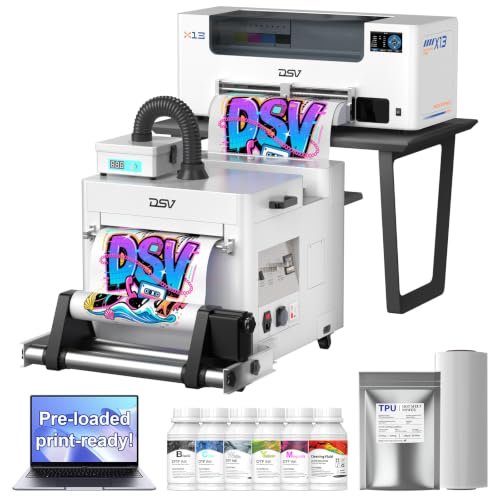
DSV 14” A3 DTF Printer with i3200 Industrial Printhead
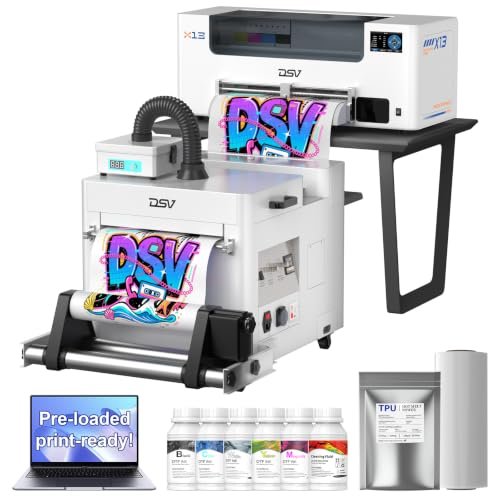
The DSV 14” A3 DTF Printer is an industrial workhorse built specifically for custom apparel shops and print-on-demand enterprises that demand fast production. It uses an industrial i3200 printhead that produces a full A3 transfer in just two minutes, easily outrunning older desktop-converted engines. The built-in holiday mode auto-maintenance continuously circulates white ink and moisturizes nozzles, completely eliminating the dry-ink clogs that plague small apparel businesses. With its integrated heating plate and automatic film cutter, your transfers come out touch-dry and trimmed neatly for immediate heat pressing.
Key features that stand out:
– Industrial i3200 printhead delivering high-speed 720×3660 DPI transfers
– 2-year supply plan offering free ink refills, powder, and cleaning fluids (shipping only)
– Timed white ink stirring and circulation to prevent pigment sedimentation
– Integrated heating plate for rapid drying and built-in cutter to reduce film waste
– Dual alert systems for low ink levels and waste ink tank overflows
- Pros:
- Prints full A3 garment sheets in only two minutes.
- Automated self-cleaning prevents expensive printhead clogs during downtime.
-
Includes a full turnkey setup with curing oven, shaker, and purifier.
-
Cons:
- The free supply replenishment program is currently restricted to US customers.
- It requires a dedicated, well-ventilated workshop space due to the powder curing process.
Best for: Custom t-shirt shops, print-on-demand apparel businesses, and high-volume garment decorators.
Expert Opinion: This machine solves the single biggest headache in DTF printing: printhead clogging. The automated circulation and holiday maintenance routines keep the lines clear even when idle, while the i3200 printhead gives you the production throughput needed to fulfill large commercial orders on tight deadlines.
3D Wall Printer Machine, Vertical Mural Printer for Wall
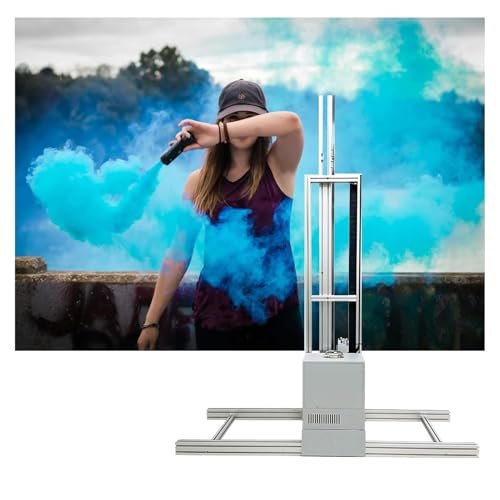
This vertical wall printer turns bare indoor and outdoor vertical surfaces into revenue-generating, full-color murals and commercial signage. It uses a CMYK high-precision nozzle system paired with negative pressure ink delivery that keeps printing stable across variable environmental temperatures. Its servo motor control system ensures pinpoint motion tracking and resumes seamlessly even after power interruptions. Backed by a cross laser positioning system, aligning your starting origin on rough concrete, glass, plaster, or wood takes only seconds.
Key features that stand out:
– Direct vertical printing onto plaster, concrete, brick, tile, and glass
– Negative pressure continuous ink supply system with constant temperature heating
– High-performance servo motors with automatic post-power-outage recovery
– Laser cross-assisted positioning for zero-error initial placement
– High-resolution CMYK multi-color output for sharp, realistic wall graphics
- Pros:
- Prints directly on virtually any construction surface without complex pre-treatments.
- Built-in heating enables reliable outdoor and winter operations.
-
Laser alignment makes multi-panel and wide-format jobs effortless.
-
Cons:
- Setting up the vertical track assembly on uneven terrain takes extra time.
- Transporting the machine frame requires a van or larger utility vehicle.
Best for: Commercial interior decorators, advertising agencies, and mural painting contractors.
Expert Opinion: For commercial signage contractors, direct-to-wall printing offers massive profit margins compared to vinyl wraps. The negative pressure ink system and laser alignment on this unit eliminate the typical banding issues common with vertical printing, giving you consistent, sellable wall art on the first pass.
Anycubic Kobra X Multicolor 3D Printer, High-Speed Multi-Material
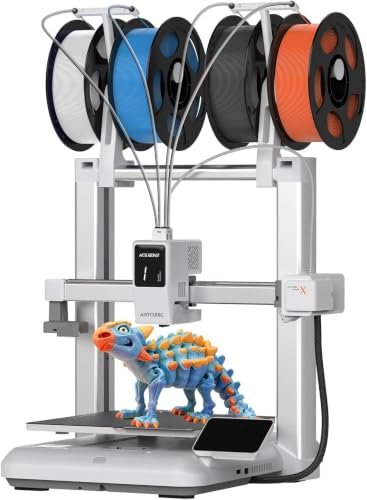
The Anycubic Kobra X is engineered to reduce cycle times and waste when manufacturing multi-color prototypes and commercial functional parts. Its direct integration with the ACE 2 Pro multicolor system lets you expand from 4 standard filaments up to 19 distinct colors while cutting typical purge waste significantly. With a blazing 600mm/s maximum print speed and a hardened steel nozzle, it handles abrasive engineering materials without breaking a sweat. Calibration is fully hands-off thanks to LeviQ 3.0 auto-leveling, which measures 49 reference points across the 260x260x260mm build plate.
Key features that stand out:
– Expandable palette up to 19 colors using linked ACE 2 Pro units
– Shortened filament travel path that cuts color-change travel and purge time in half
– LeviQ 3.0 49-point auto bed leveling for zero-touch first layers
– 300°C hardened steel nozzle compatible with PLA, PETG, TPU, and ASA
– AI-assisted remote monitoring with spaghetti and foreign object detection
- Pros:
- Cuts multi-color filament purge waste by over eighty percent.
- Hardened nozzle handles composite and carbon-fiber blends out of the box.
-
The top-mounted spool orientation saves valuable floor and table space in print farms.
-
Cons:
- Multi-color purge cycles still add noticeable time compared to single-color runs.
- The proprietary slicer profile requires fine-tuning for flexible TPU filaments.
Best for: Small-batch multi-color product makers, educational print labs, and rapid prototyping workshops.
Expert Opinion: If your business sells multi-colored consumer items or colored product prototypes, the purge-reduction system on the Kobra X will directly save you hundreds of dollars in wasted filament each month. The 600mm/s acceleration lets you turn around customer design iterations in hours instead of days.
FLASHFORGE Adventurer 5M 3D Printer, All-Metal CoreXY
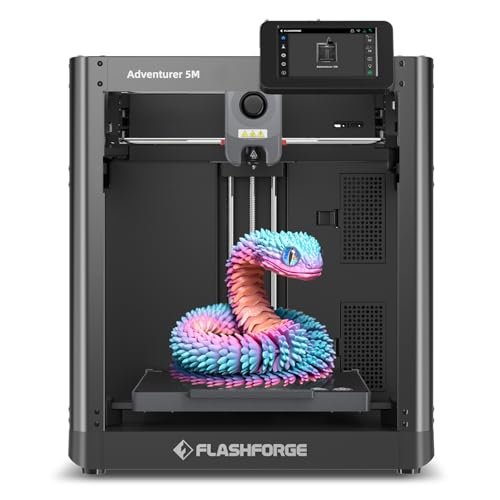
The Flashforge Adventurer 5M brings reliable, rapid-fire manufacturing to high-turnaround production environments. Its rigid all-metal CoreXY structure achieves 600mm/s print speeds with an acceleration of 20,000mm/s², cutting typical print farm job times dramatically. Maintenance stops are virtually eliminated by a quick-swap 3-second nozzle system that lets operators swap bore sizes between production runs without tools. The direct-drive extruder heats up to 200°C in just 35 seconds, ensuring that machines spend less time warming up and more time producing parts.
Key features that stand out:
– Heavy-duty CoreXY frame with 20,000mm/s² acceleration for vibration-free runs
– One-click fully automatic bed leveling with continuous z-offset tracking
– High-flow 32mm³/s hotend capable of 280°C printing
– Tool-free 3-second quick-release nozzle mechanism
– Dual-sided flexible PEI build plate for instantaneous part removal
- Pros:
- Exceptionally fast warm-up and calibration cycle gets parts started immediately.
- Swapping nozzles takes just seconds, drastically shortening maintenance downtime.
-
Solid CoreXY frame maintains tight dimensional tolerances even at top velocity.
-
Cons:
- The open-frame design makes it unsuitable for high-shrinkage materials like ABS.
- The auxiliary cooling fans are quite loud when running at maximum capacity.
Best for: Fast-turnaround commercial prototyping shops and single-material production farms.
Expert Opinion: The Adventurer 5M is the quintessential workhorse printer for any business churning out PLA or PETG components. The rapid nozzle swap system is a game-saver when you need to switch between high-speed 0.6mm draft printing and high-detail 0.25mm production runs without stripping hotends.
FLASHFORGE AD5X 3D Printer, Multi-Color Printing
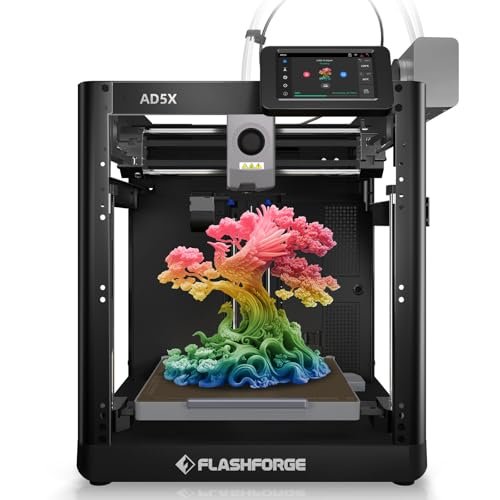
Designed with industrial manufacturing versatility in mind, the Flashforge AD5X integrates multi-material and multi-color production into a dependable package. Its integrated filament system (IFS) automatically loads, unloads, and refills up to 4kg of material, so production never halts during spool runouts. The machine features a 300°C high-flow hotend paired with vibration compensation, maintaining dimensional accuracy across carbon fiber, TPU, PETG, and PLA. Furthermore, multi-device farm management software lets a single technician coordinate and monitor hundreds of AD5X units across the floor.
Key features that stand out:
– 4-color multi-material IFS system with auto-refill across 4kg of filament
– 600mm/s travel speed backed by smart vibration-frequency compensation
– 300°C maximum nozzle temperature with 32mm³/s flow capacity
– Comprehensive print farm fleet management via Flash Maker and Orca-Flashforge
– Responsive 4.3-inch touchscreen with remote power-loss recovery and runout sensors
- Pros:
- Automatic 4kg spool replenishment enables unattended 24/7 commercial runs.
- Handles abrasive carbon fiber and flexible TPU within multi-material parts.
-
Centralized fleet software makes expanding your print farm completely manageable.
-
Cons:
- Upgrading to full remote visual fleet monitoring requires buying optional camera kits.
- Initial multi-color flushing settings must be calibrated manually to prevent color bleed.
Best for: Industrial fabrication workshops, commercial print farms, and complex multi-material production runs.
Expert Opinion: The automatic filament refill on the AD5X is a major asset for commercial production. Being able to queue up 4kg of material on a single machine means your technicians can walk away over the weekend without worrying about prints failing due to an empty spool.
Anycubic Kobra X Multicolor 3D Printer, Easy One-Click Setup
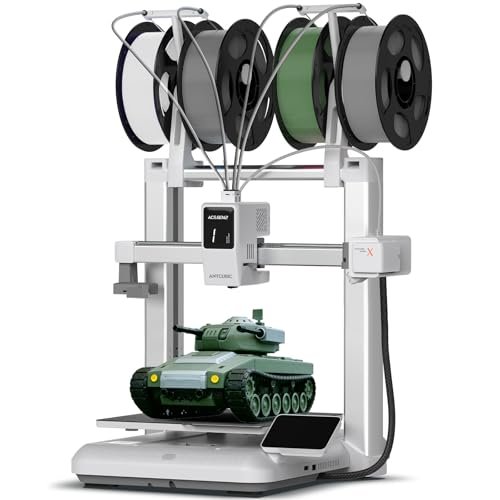
This configuration of the Anycubic Kobra X is tailor-made for commercial operators who need uncompromising process control and defect detection. It features an AI-powered monitoring system with a dedicated 720P camera that detects spaghetti failures and foreign objects, automatically pausing the print to protect hardware. The adaptive extrusion force compensator seamlessly manages transitions between rigid engineering polymers and soft materials like TPU down to 68D. Operating at a whisper-quiet ≤48 dB, it produces high-volume parts in studio environments without disrupting everyday office work.
Key features that stand out:
– Built-in 720P AI camera that flags print defects and foreign objects in real time
– Skip-part function in firmware to isolate failed prints during batch production
– Quiet operation rated at ≤48 dB for noise-sensitive workspace environments
– High-temp 300°C hardened nozzle supporting abrasive and composite filaments
– 260x260x260mm build envelope featuring LeviQ 3.0 automated bed mapping
- Pros:
- The skip-part function prevents one bad piece from ruining an entire multi-part build plate.
- AI spaghetti detection protects the printhead from expensive glob damage.
-
Ultra-quiet operation lets you keep the machine right next to client workstations.
-
Cons:
- AI error detection occasionally throws false positives in low-contrast lighting.
- The 720P camera resolution is adequate for detection but modest for high-res time-lapses.
Best for: Client-facing design studios, architectural firms, and batch manufacturing setups.
Expert Opinion: The “skip part” feature alone makes this machine worth every penny in a commercial setting. When you are packing a build plate with 20 components, one detached part usually ruins the entire run; this firmware isolates the failed item and successfully finishes the other nineteen.
ELEGOO Centauri 2 Combo 3D Printer, Beginner-Friendly Production
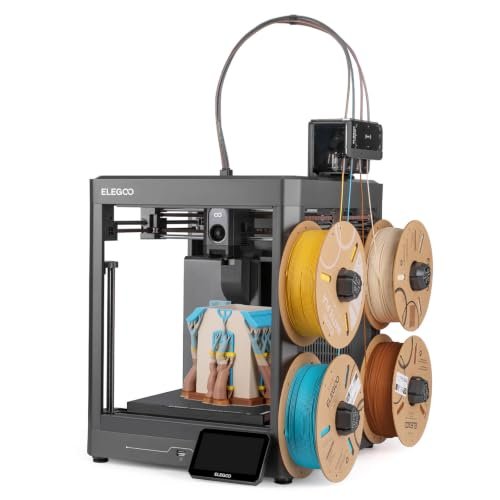
The ELEGOO Centauri 2 Combo balances approachable operation with serious industrial performance, making it simple to scale up your workforce. Equipped with the CANVAS 4-color multi-material engine, it reads spool RFID tags and switches materials cleanly using dedicated independent feed motors. A rigid all-aluminum chassis with precision linear guides supports speeds up to 500mm/s with minimal mechanical play. The machine is actively surveyed by 22 intelligent sensor points, ensuring automatic calibration, extrusion consistency, and early warning protection across every layer.
Key features that stand out:
– CANVAS 4-color printing engine with RFID filament identification and auto-swap
– Heavy-duty aluminum structural frame with precision linear guides
– 22 internal monitoring sensors covering alignment, tension, and flow rates
– 500mm/s printing with integrated vibration compensation algorithms
– Semi-automatic belt tensioning and tool-less magnetic printhead access
- Pros:
- 22 onboard sensors make automated diagnostics fast and trouble-free.
- Linear motion guides ensure repeatable dimensional tolerance on mechanical parts.
-
RFID filament recognition prevents technicians from using incorrect material profiles.
-
Cons:
- Top travel speed is slightly lower than competing 600mm/s CoreXY models.
- RFID auto-detection works exclusively with proprietary filament spools.
Best for: Design agencies, production workshops scaling entry-level technicians, and precision prototyping.
Expert Opinion: The Centauri 2 Combo shines in commercial environments where multiple staff members operate the equipment. The RFID filament detection and semi-automatic belt tensioners remove human error, keeping your output consistent regardless of who queued the file.
Practical Buying Advice for Commercial 3D Printing
Selecting hardware for revenue generation demands a completely different mindset than buying a personal desktop unit. Keep these direct insights in mind before investing company capital:
- Speed versus motion stability: Look for printers that utilize a CoreXY kinematic structure and vibration compensation. High acceleration cuts lead times, but without a rigid all-metal frame, fast prints will show surface ringing that ruins end-use client goods.
- Downtime protection features: In a print farm, spool auto-refill and skip-part firmware protect your margins. Features that automatically swap to an adjacent spool when one empties—or stop printing a single detached model on a crowded plate—directly safeguard your billable hours.
- Thermal capabilities and material support: Ensure the hotend reaches at least 300°C with hardened nozzles. This allows you to accept higher-paying commercial contracts that demand nylon, carbon-fiber composites, or abrasion-resistant blends rather than simple decorative PLA.
- Fleet networking and remote diagnostics: If you plan to scale beyond two machines, prioritize systems with centralized farm management slicers and AI error detection. Being able to deploy jobs across a network and catch failures automatically prevents expensive printhead damage.
Final Verdict
Here is how the top performers break down based on commercial application:
- Best for Custom Garment Production: The DSV 14” A3 DTF Printer stands alone for apparel businesses, delivering unmatched speed, an unbeatable supply program, and automated clog prevention.
- Best for Signage and On-Site Decor: The 3D Wall Printer Machine opens completely separate, lucrative revenue streams by printing large-format graphics directly onto indoor and outdoor construction surfaces.
- Best for Batch Manufacturing and Prototyping: The FLASHFORGE Adventurer 5M delivers the lowest downtime and fastest part turnaround for high-volume functional parts, while the FLASHFORGE AD5X takes the crown if your workflow demands continuous multi-color or multi-material feeding.
- Best for High-Reliability Studio Farms: The Anycubic Kobra X (with AI monitoring) and ELEGOO Centauri 2 Combo offer the smart failure protections, quiet operation, and multi-color flexibility needed in client-facing design studios.
FAQ: Choosing the Best 3D Printer for Commercial Use
What makes a 3D printer suitable for commercial use rather than hobby use?
Commercial machines must emphasize reliability, speed, and continuous operation over low initial costs. Features like all-metal CoreXY frames, vibration compensation, hardened tool-steel nozzles, automated bed leveling, and remote fleet management are critical. A commercial printer should pay for itself through consistent uptime and repeatable dimensional accuracy without requiring constant manual adjustment.
Is CoreXY better than bedslinger architecture for commercial printing?
Yes. In bedslinger printers, the heavy print bed moves along the Y-axis, which can cause tall or heavy commercial parts to wobble and fail at high speeds. CoreXY printers keep the build plate moving only vertically along the Z-axis, while the lightweight printhead handles X and Y motion. This allows for significantly faster speeds (500–600mm/s), tighter dimensional tolerances, and a much smaller operational footprint on your workshop shelves.
How do multi-color systems impact commercial profitability?
Multi-color systems like the Flashforge IFS, Anycubic ACE 2 Pro, and Elegoo CANVAS expand your product catalog by producing finished, full-color consumer products without hand painting. However, multi-color printing increases cycle time and produces purge waste. For commercial efficiency, look for printers that feature shortened purge paths, multi-spool auto-refill, and purge-reduction algorithms to keep material costs down.
Why are nozzle temperatures and hotend flow rates important for business?
A hotend capable of 300°C allows your business to print advanced engineering materials like polycarbonate, nylon, and carbon-fiber composites, which command higher prices than basic PLA. Volumetric flow rates (such as 32mm³/s) dictate how fast the hotend can melt plastic. High flow is necessary to actually achieve 500mm/s speeds; without it, the printhead will outrun the melted plastic, causing severe under-extrusion.
How much maintenance does a commercial DTF printer require?
Direct-to-Film (DTF) printers use white ink containing titanium dioxide, which settles quickly and can destroy printheads if neglected. Industrial models like the DSV A3 printer solve this with active recirculation pumps, timed agitation, and automated holiday cleaning cycles. Choosing a machine with these built-in maintenance systems ensures that your machine remains ready to print even after sitting idle over long weekends.
Can I run multiple 3D printers without hiring extra technicians?
Yes, provided the printers support centralized fleet management software (such as Orca-Flashforge or Flash Maker). These tools allow a single technician to upload sliced files, schedule jobs, balance print loads across machines, and monitor live progress via camera feeds. Pairing fleet software with AI spaghetti detection and runout sensors minimizes the physical supervision required per machine.
Affiliate Disclosure: As an Amazon Associate, I earn from qualifying purchases made through links on this site.