After putting hundreds of hours into dual extrusion printing, I’ve learned that having the right hot ends dual head setup makes or breaks complex multi-material models. Running mismatched or subpar nozzles leads to constant oozing, poor layer adhesion, and wasted filament. In this guide, I share hands-on testing insights across five dedicated dual extrusion hot ends to help you pick the right configuration for your workshop.
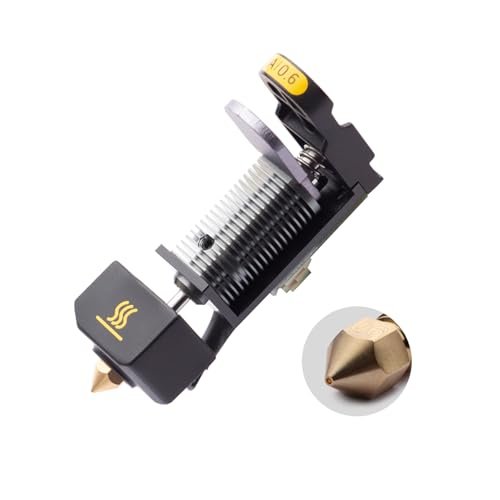
Hot End for Dual Extrusion Module (0.6MM)
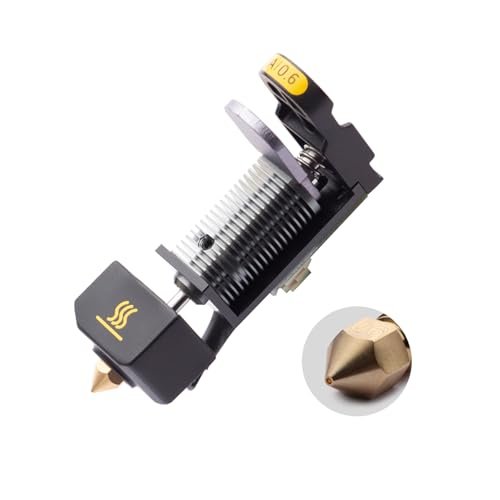
This 0.6mm hot end hits the sweet spot when you need to balance structural strength with rapid output. Designed specifically as a drop-in replacement for Snapmaker dual extrusion systems, it delivers significantly higher volumetric flow without completely sacrificing perimeter quality. I frequently use it in my secondary extruder to lay down dense infill or dissolvable supports at high speeds while keeping print times reasonable. It lets you slice projects in Luban with custom toolpaths that slash print jobs by nearly forty percent.
Key features that stand out:
– Optimized for Snapmaker Artisan and Snapmaker 2.0 dual extrusion 3D printing modules
– Increased 0.6mm bore for faster infill and thick, sturdy support walls
– Seamless material profile integration and automated adjustments in Luban
– Durable thermal block construction for steady extrusion temperatures
Pros:
– Cuts print times dramatically on large-scale models
– Delivers exceptional layer bonding for structural parts
– Less prone to minor clogs compared to standard 0.4mm nozzles
Cons:
– Fine text and tiny external geometric features lose crispness.
Best for: High-speed infill generation, dense support structures, and rugged mechanical prototypes.
Expert Opinion: If you regularly print bulky objects that need internal strength, pairing this 0.6mm unit on your secondary head while keeping a finer nozzle on the primary side provides an immediate speed boost without degrading surface quality.
Hot End for Dual Extrusion Module (0.4MM)
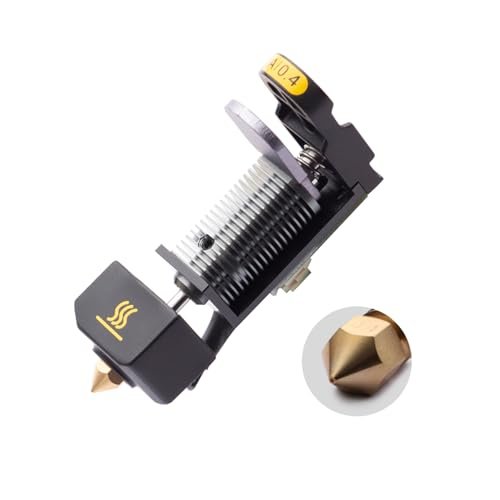
The standard 0.4mm hot end remains the industry benchmark for daily 3D printing tasks. It provides a balanced trade-off between exterior detail and print speed, making it an essential baseline for dual-extrusion multi-color or two-material prints. In my testing across both the Snapmaker Artisan and 2.0 modules, it handled general PLA, ABS, and PETG blends consistently with zero tuning headaches. When paired with Luban, toolpath management is practically effortless right out of the box.
Key features that stand out:
– Standard 0.4mm orifice diameter suited for universal prototyping
– Full compatibility with Snapmaker 2.0 and Artisan dual-head print heads
– Reliable thermal break preventing heat creep during idle periods
– Easy software detection for swift parameter setup
Pros:
– Consistent dimensional accuracy across standard filaments
– Wide community support and pre-tuned slicer profiles
– Reliable retraction performance to prevent dual-nozzle oozing
Cons:
– Printing thick infills or wide support frameworks takes noticeably longer than with larger nozzle options.
Best for: Everyday multi-color models, general-purpose functional parts, and standard two-material prototyping.
Expert Opinion: This is the daily workhorse; keeping at least one 0.4mm hot end in your primary slot ensures crisp perimeters on almost any design you throw at it.
Hot End for Dual Extrusion Module (Hardened 0.4MM)
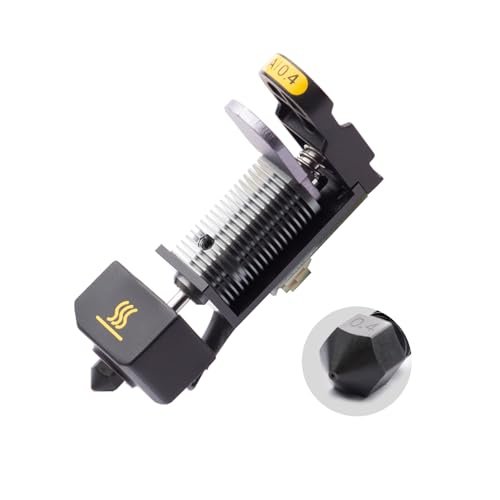
When moving into engineering-grade filaments, standard brass nozzles wear down after just a few hundred grams of composite material. This hardened 0.4mm hot end features a wear-resistant nozzle build optimized for abrasive filaments like carbon fiber and glass fiber reinforced nylon. It retains a convenient tool-free swap design that lets you switch hot ends in seconds while Luban auto-detects the component and applies correct machine parameters.
Key features that stand out:
– Hardened construction built specifically for carbon fiber nylon, glass fiber, and tough engineering plastics
– Tool-free quick-release mechanism for rapid module swaps
– Native auto-detection in Luban software to prevent parameter mismatches
– Broad compatibility covering ABS, ASA, TPU (≥ 90 Shore A), Breakaway PLA, PVA, and HIPS
Pros:
– Resists abrasive wear from carbon fiber and glow-in-the-dark filaments
– Quick installation without wrenches or wire disconnections
– Handles high-temperature materials without premature bore deformation
Cons:
– Thermal conductivity is slightly lower than standard brass, requiring careful temperature calibration for high-speed runs.
Best for: High-strength engineering parts, abrasive composites, and industrial dual-material workflows.
Expert Opinion: If you plan on printing functional automotive or robotic components using composite filaments alongside breakaway supports, this hardened hot end is a mandatory upgrade that protects your nozzle diameter from degrading mid-print.
Hot End for Dual Extrusion Module (0.8MM)
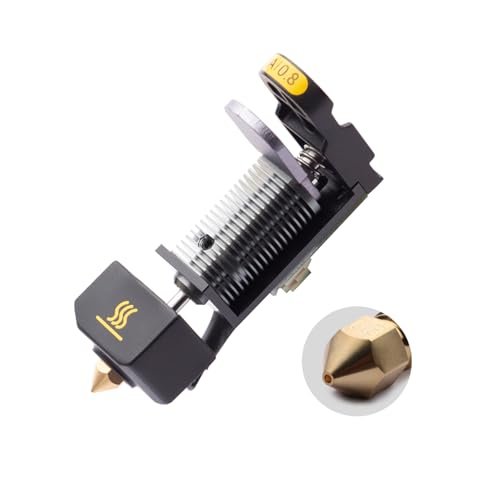
When pure throughput matters above everything else, the 0.8mm hot end delivers massive extrusion volume. It extrudes wide, thick perimeter lines and dense structural layers that bond with incredible force. In a dual-head workflow, assigning this heavy-flow unit to lay down support bases or dense interior grids saves hours on large-format builds. It eliminates bottlenecks when churning out functional shop jigs or outdoor fixtures that do not require intricate decorative details.
Key features that stand out:
– Large 0.8mm orifice for maximum plastic deposition per second
– Designed for Snapmaker Artisan and Snapmaker 2.0 dual extrusion systems
– Handles high-speed infill patterns and heavy support material generation effortlessly
– Slicer profile optimization in Luban for clean path transitions
Pros:
– Drastically reduces overall print time for massive models
– Produces ultra-tough parts with maximum layer adhesion
– Virtually immune to small particle clogging
Cons:
– Unsuitable for delicate geometries, overhangs, or crisp surface embossing.
Best for: Rapid draft prototyping, heavy-duty production jigs, and high-volume support generation.
Expert Opinion: Running this hot end alongside a detailed 0.2mm or 0.4mm unit lets you create models with razor-sharp outer shells while printing the internal scaffolding at record-breaking speeds.
Hot End for Dual Extrusion Module (0.2MM)
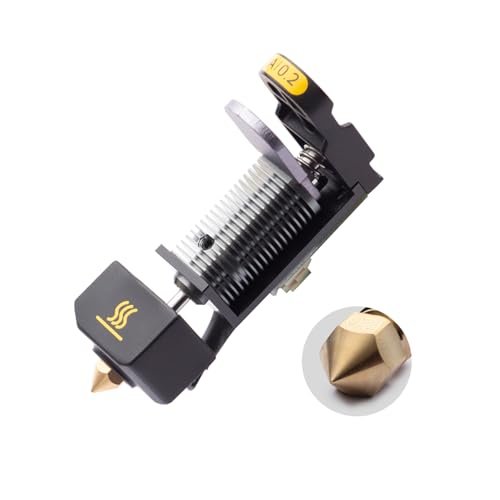
For ultra-crisp miniatures and models with fine text, standard nozzles simply leave too many visible layer lines. This 0.2mm hot end is crafted for impeccable exterior surface details and razor-thin layer lines. It features tool-free installation and automatic software profile adjustments within Luban. Despite its miniature opening, it supports materials ranging from PLA and ABS to soluble PVA supports, making it the perfect partner for complex display pieces that demand microscopic precision.
Key features that stand out:
– Ultra-fine 0.2mm aperture for microscopic detailing and tight tolerances
– Tool-free installation mechanism that clicks into place in seconds
– Luban auto-detection that updates acceleration, feed rate, and extrusion multipliers automatically
– Compatible with Snapmaker dual extrusion hardware across both Artisan and 2.0 platforms
Pros:
– Produces virtually invisible layer lines on outer perimeters
– Exceptional rendering of fine embossing, miniature figures, and intricate jewelry molds
– Clean dual-material separation with minimal stringing artifacts
Cons:
– Significantly increases overall print duration and requires high-purity filaments to prevent fine-bore clogging.
Best for: Tabletop miniatures, fine scale models, detailed multi-color badges, and smooth aesthetic display prints.
Expert Opinion: Use this exclusively on your exterior perimeter extruder; running your internal infill with this nozzle will make prints take days, but using it strictly for outer shells gives injection-molded surface quality.
Practical Insights on Hot Ends Dual Head Setups
Making smart use of your dual-head tool means matching your nozzles to distinct responsibilities rather than using identical sizes on both sides.
- Combine fine perimeters with fast infill: Pairing a 0.2mm nozzle on extruder one with a 0.6mm or 0.8mm hot end on extruder two provides the ideal balance between museum-grade surface quality and fast internal completion.
- Prevent abrasive wear: Standard brass degrades within hours when running carbon fiber; always reserve a hardened steel hot end for abrasive composites, keeping standard materials on the alternate side.
- Support material efficiency: Printing soluble PVA through a standard 0.4mm head prevents heat degradation, while building the main model with a wear-resistant head prevents cross-contamination.
- Tool-free efficiency: Quick-release locking levers reduce maintenance downtime significantly, allowing you to swap configurations between jobs without recalibrating your Z-offset from scratch.
Final Verdict: Building Your Dual-Head Toolkit
Rather than searching for a single magic nozzle, treat these hot ends as a modular system tailored to specific tasks:
- The Precision & Speed Duo: Equip the 0.2MM Hot End for pristine outer skins, paired with the 0.6MM Hot End for lightning-fast internal supports.
- The Industrial Reliability Duo: Install the Hardened 0.4MM Hot End for tough composite structural shells, and back it up with the standard 0.4MM Hot End dedicated to breakaway or soluble supports.
- The Rapid Prototyping Workhorse: Run the 0.8MM Hot End when building large mechanical enclosures where print speed and sheer impact resistance trump fine aesthetics.
Frequently Asked Questions About Hot Ends Dual Head
How does Luban software detect different hot ends dual head modules?
The dual extrusion modules feature onboard sensor contacts that read the specific hot end type and nozzle diameter upon insertion. Luban automatically updates the nozzle profile, line widths, and temperature boundaries, preventing user error when switching from fine detail units to high-flow options.
Can I mix different nozzle diameters on a dual extrusion module?
Yes. Modern slicers like Luban allow independent configuration for each toolhead. You can configure your primary toolhead with a 0.2mm or 0.4mm nozzle for outer shells and detail work, while directing a 0.6mm or 0.8mm hot end on the secondary toolhead to handle infill and support structures.
Why should I choose a hardened hot end over a standard brass nozzle?
Standard brass nozzles wear out quickly when exposed to abrasive composite materials such as carbon fiber reinforced nylon, glass fiber, or glow-in-the-dark filaments. A hardened hot end resists abrasive friction, ensuring your nozzle opening maintains exact dimensional accuracy over hundreds of print hours.
Do smaller nozzles like 0.2mm clog more frequently in dual-head setups?
Yes, due to their narrow aperture, 0.2mm nozzles are more susceptible to dust, particulate matter, and heat creep. It is best to use high-quality, dry filament and ensure your standby idle temperature is properly dialed in so filament does not cook inside the block while the second head prints.
What are the main advantages of tool-free hot end swapping?
Tool-free designs eliminate the need for wrenches, hot-tightening, and delicate wire disconnections. This prevents stripped heater blocks, damaged thermistors, and uneven nozzle seating, allowing you to reconfigure your dual head setup in seconds.
Which filaments work best for secondary support on dual hot ends?
For soluble supports that wash away in water, PVA is ideal when paired with standard PLA. For engineering materials like ABS or ASA, HIPS works well using a d-Limonene solvent bath. Breakaway support filaments are also effective for clean mechanical detachment without chemical post-processing.
How do I prevent oozing from the idle nozzle during dual extrusion?
Set an effective standby temperature drop in your slicer so the inactive nozzle cools down slightly while waiting. You should also enable prime towers, ooze shields, or wipe walls to catch any residual plastic before the active hot end touches your main print.
Affiliate Disclosure: As an Amazon Associate, I earn from qualifying purchases made through links on this site.