When I first started diving into resin 3D printing, finding a capable setup that didn’t break the bank felt impossible. Over the past few weeks, I put several machines through their paces to find the most cost-effective gear for hobbyists, testing everything from ultra-sharp resolution to smart ease-of-use features. Whether you’re hunting for a genuine entry-level 100 dollar resin printer, an upgraded high-resolution workhorse, or essential safety accessories to complete your budget workshop, this guide shares real-world insights to help you choose the right setup.
ANYCUBIC Photon Mono 4 Resin 3D Printer
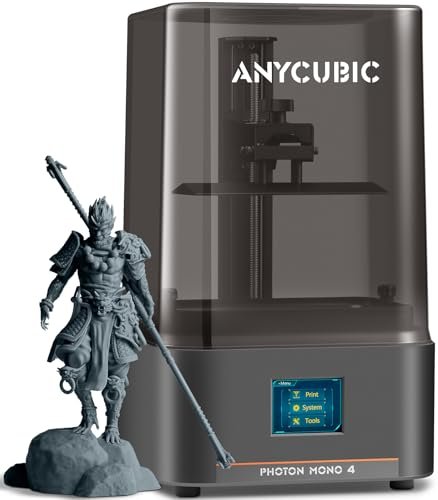
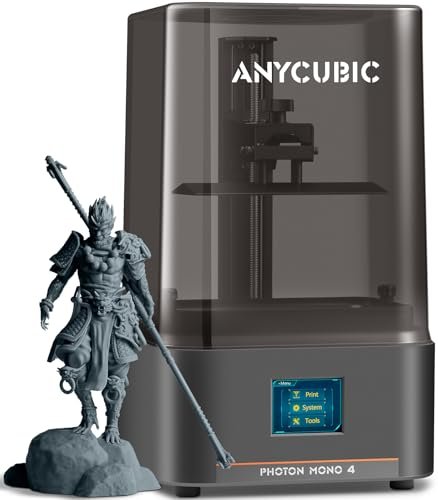
The ANYCUBIC Photon Mono 4 packs high-end performance into a compact footprint, featuring a razor-sharp 7-inch 10K monochrome LCD that captures microscopic surface textures. During testing, the LighTurbo matrix light source produced clean overhangs and practically invisible layer lines on miniature figurines. It offers a solid 6.04″ x 3.42″ x 6.49″ build volume paired with a laser-engraved platform 2.0 that grips first layers reliably without making removal a chore.
Key features that stand out:
– 7-inch 10K screen delivering 9024×5120 resolution with 17×17μm XY pixel precision
– Reliable LighTurbo matrix light engine for consistent UV dispersion
– Rigid laser-engraved build plate for strong layer adhesion and easy scraping
– Beginner-friendly 4-screw leveling system that stays locked in place
– Power-loss recovery to save prints from unexpected outages
Pros:
– Phenomenal print resolution and crisp detail reproduction
– Plate adhesion works well right out of the box
– Simple manual leveling process holds alignment over dozens of runs
Cons:
– Does not support the Anycubic mobile companion app.
Best for: Tabletop miniature painters and scale modelers who prioritize ultra-fine detail above all else.
Expert Opinion: While it lacks wireless features, the Photon Mono 4 puts every cent where it counts: raw optical clarity and rock-solid platform adhesion.
ELEGOO Mars 5 Ultra Resin 3D Printer
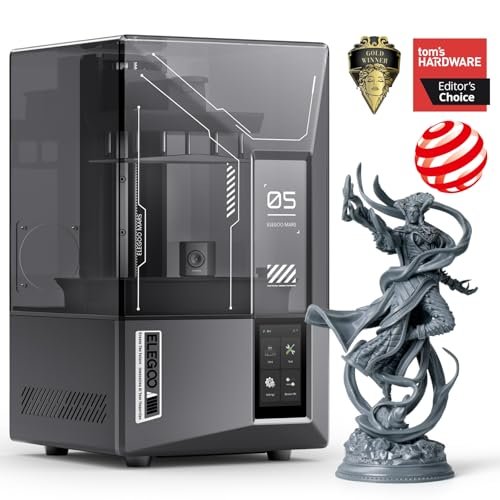
The ELEGOO Mars 5 Ultra delivers pro-grade speeds thanks to its innovative tilt-release mechanism, peeling printed layers quickly without damaging delicate supports. It boasts an ultra-crisp 7-inch 9K monochrome screen coupled with an intelligent AI camera that spots layer failures before you waste liquid resin. With built-in Wi-Fi cluster networking, I easily managed long jobs from across the room without constantly swapping USB drives.
Key features that stand out:
– Dynamic tilt-release system achieving print speeds up to 150 mm/h
– High-definition 7-inch 9K LCD with 18 μm XY accuracy
– Integrated AI camera for real-time failure and empty plate detection
– Mechanical sensor for resin residue detection to protect the screen
– Wi-Fi connectivity supporting multi-machine cluster control
Pros:
– Exceptionally fast layer peel cycle speeds up print times
– Built-in AI catches spaghetti and release failures early
– Residue sensor prevents expensive LCD puncture accidents
Cons:
– AI detection accuracy can vary depending on resin color and transparency.
Best for: Intermediate hobbyists and small workshop owners who need high turnaround speeds and automated failure detection.
Expert Opinion: The tilt vat release on the Mars 5 Ultra is a genuine leap forward for desktop MSLA, turning multi-hour prints into quick turnarounds.
ELEGOO Mars 5 Resin 3D Printer
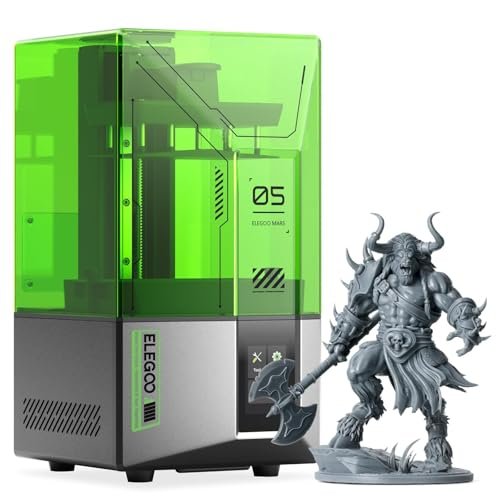
The standard ELEGOO Mars 5 focuses on pure convenience by integrating one-click automatic leveling, making manual paper calibration completely unnecessary. Its sharp 4K monochrome LCD paired with a uniform COB light source handles organic curves and mechanical parts with consistent clarity. Built-in overheat protection and an automated mechanical residue check give complete peace of mind when leaving the machine running overnight.
Key features that stand out:
– True one-click automated bed leveling right out of the box
– 4K monochrome LCD driven by a balanced COB optical engine
– Smart self-check routine that verifies hardware health before printing starts
– Mechanical screen-protection sensor detecting leftover cured debris
– Automatic thermal cutoff if internal LED temps exceed 80°C
Pros:
– Extremely easy setup for total beginners with zero calibration headaches
– Smart sensors prevent resin tank punctures from stray debris
– Solid build quality with dependable thermal management
Cons:
– The 4K resolution is lower than some modern 9K and 10K budget alternatives.
Best for: Complete beginners who want a plug-and-play experience without fussing over manual bed leveling screws.
Expert Opinion: If the fear of leveling plates has kept you away from resin, the Mars 5 solves the problem seamlessly at a very accessible price point.
ANYCUBIC Photon P1 Max Resin 3D Printer
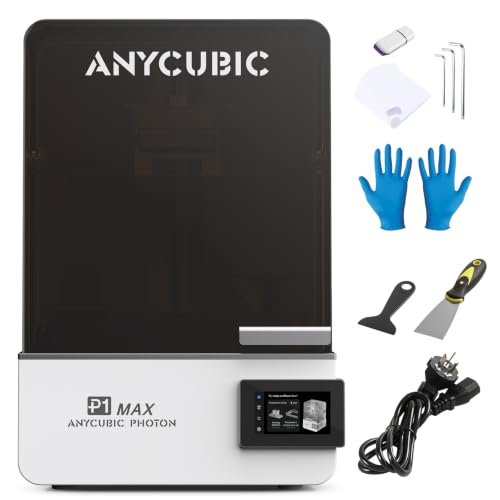
When standard build plates feel cramped, the ANYCUBIC Photon P1 Max steps up with an expansive 18.3L build volume driven by a massive 14-inch 12K screen. The built-in heated resin vat keeps cold room temperatures from causing layer separations, ensuring high-viscosity resins flow like butter. Real-time AI monitoring tracks everything from build plate adhesion to tank liquid levels, preventing messy failures across giant overnight batches.
Key features that stand out:
– Massive 11.24″ x 8.43″ x 11.81″ build area for full-scale prototyping
– 14-inch 12K LCD backed by LighTurbo 3.0 optical engine
– Heated 1.9L vat system maintaining resin up to 35°C
– Auto-Leveling 3.0 system with continuous force-feedback monitoring
– Advanced AI sensors for residue, detachment, and resin level monitoring
Pros:
– Heated vat eliminates cold-weather printing failures completely
– Huge surface area lets you run whole armies or massive statues at once
– Auto-calibration handles large plate surface area without manual error
Cons:
– The sheer footprint requires dedicated workshop space and consumes lots of resin.
Best for: Serious creators, prop makers, and print farms requiring huge capacity and reliable temperature regulation.
Expert Opinion: It represents a commercial-grade platform scaled for serious hobbyists, where the heated tank alone solves one of the biggest causes of resin print failure.
ANYCUBIC Photon Mono 4 Ultra Resin 3D Printer
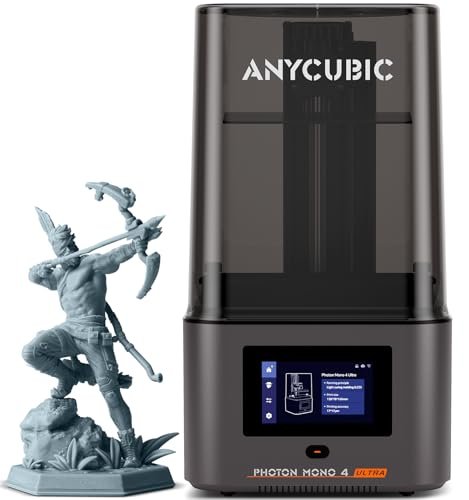
The ANYCUBIC Photon Mono 4 Ultra enhances the high-resolution platform with an advanced ACF release film that speeds up cycle times to 120 mm/h. Its crisp 7-inch 10K screen pairs with a Fresnel-lens COB light array, maintaining light angles under 3° to avoid any edge blur. The machine actively monitors its own health using 5 intelligent inspection systems, keeping track of component lifespans and plate residue on an intuitive 4.3-inch touchscreen.
Key features that stand out:
– High-efficiency ACF release film delivering rapid 120 mm/h print speeds
– 7-inch 10K screen offering 9024×5120 resolution with 17μm accuracy
– Specialized COB optical array with Fresnel lens for 90%+ light uniformity
– 5-point hardware self-check covering residue, resin level, and film lifespan
– Rugged dual-rail Z-axis movement powered by an 8mm T-type screw rod
Pros:
– Rapid print speeds without losing sharp edge definition
– Excellent optical uniformity produces clean parts right up to the plate borders
– Comprehensive error sensors save LCD screens from accidental crushing
Cons:
– ACF film exhibits a subtle matte sheen that requires dialed-in exposure settings.
Best for: Makers looking for the optimal balance between rapid print speed and microscopic 10K detailing.
Expert Opinion: With its rigid Z-axis build and smart optical design, the Mono 4 Ultra produces remarkably clean dimensionally accurate mechanical parts.
MALYAN S100 Mini Resin 3D Printer
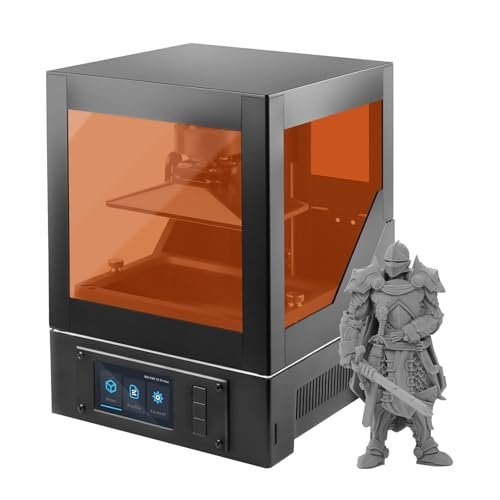
If you want an affordable entry into the hobby, the MALYAN S100 Mini provides a compact footprint with automatic calibration and leveling built right in. It features a practical 5.5-inch 2K LCD along with a flexible magnetic build plate that makes pop-off print removal quick and mess-free. Powered by an upgraded 57W parallel LED array, this tiny machine delivers surprisingly uniform curing across its 115x65x110 mm work envelope.
Key features that stand out:
– Compact 5.5-inch 2K LCD display with 2560×1440 resolution
– True one-click automatic calibration on every print cycle
– Flexible magnetic build surface for instant part removal
– 57W parallel UV light array minimizing layer lines
– Laser-textured base to reduce edge warping and peeling
Pros:
– Low entry cost makes it close to a true sub-100 dollar resin printer budget option
– Magnetic plate simplifies post-processing cleanup dramatically
– Very small desk footprint fits in tight dorms or hobby benches
Cons:
– The print volume and 2K resolution are modest compared to 7-inch alternatives.
Best for: Budget shoppers, tabletop gamers printing simple gaming tokens, and anyone with strict desk space limits.
Expert Opinion: It strips out unnecessary frills to offer an approachable, low-maintenance entry point for basic miniature work.
YOOPAI Large Resin 3D Printer Enclosure
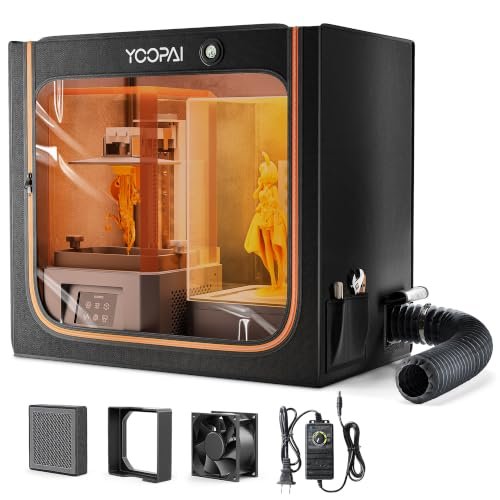
Safety and temperature control are vital for resin printing, and the YOOPAI Large Enclosure solves both problems by housing two full-sized machines under one roof. Its heavy-duty cover features an adjustable 12V ventilation fan paired with activated carbon filtration and an exhaust duct to direct fumes safely outdoors. The heat-insulating internal lining traps warmth around your printers, stabilizing curing chemistry and maintaining high visual clarity through its clear front observation window.
Key features that stand out:
– Generous 30″ x 19.7″ x 28.3″ interior accommodating both a printer and wash/cure station
– 6000 RPM variable-speed ventilation fan with active carbon filter cartridge
– Flexible exhaust ducting to vent organic vapors outside your living space
– Insulated six-sided fabric maintaining steady internal ambient printing heat
– Large transparent PVC viewing panel for easy progress checks
Pros:
– Greatly cuts down airborne VOC odors in living areas
– Thermal insulation prevents print failures during chilly seasons
– Spacious interior fits multiple machines and dirty washing gear
Cons:
– Airflow passes slowly through dense carbon filters unless an auxiliary duct is added.
Best for: Anyone running a resin printer in an apartment, basement, or garage workspace who needs odor and temperature management.
Expert Opinion: No resin setup is complete without fume mitigation; this enclosure solves smell control and winter temperature drops in one simple package.
Practical Buying Insights: What to Prioritize
When searching for a sub-100 dollar resin printer or shopping the budget class, you will quickly notice trade-offs between screen resolution, build size, and convenience features.
- Print Resolution vs. Real-World Need: While 9K and 10K screens (like those on the Photon Mono 4 series and Mars 5 Ultra) capture incredible pores and cloth textures, a budget-focused 2K or 4K screen (such as the Malyan S100 or standard Mars 5) remains sharp enough for basic mini painting and functional brackets.
- Bed Leveling Automation: Manual four-screw leveling is simple to learn, but automatic mechanical leveling prevents human error from ruining first layers. If you want zero calibration hassle, look for one-click leveling options.
- Environmental Management: Resin printers are sensitive to ambient temperatures below 20°C (68°F). If you print in an unheated garage, choosing a printer with a heated vat (like the Photon P1 Max) or adding an insulated enclosure is necessary to prevent random layer separation.
- Safety Gear is Mandatory: Always account for ventilation, nitrile gloves, and isopropyl alcohol in your budget. An enclosure with active exhaust venting turns a smelly spare room into a safe printing space.
Final Verdict
Choosing the right budget setup comes down to your personal priorities:
- Top Value & Precision: The ANYCUBIC Photon Mono 4 stands out as the detail champion, offering phenomenal 10K sharpness at an entry-level price.
- Top Speed & Automation: The ELEGOO Mars 5 Ultra takes the lead if you want fast cycle times, tilt-release technology, and AI camera protection.
- Easiest for Pure Beginners: The ELEGOO Mars 5 eliminates setup headaches with genuine one-click automatic leveling and integrated debris sensing.
- Tightest Budget Pick: The MALYAN S100 Mini provides the closest match to a genuine $100 price tag, offering a plug-and-play magnetic plate design for basic projects.
- Best Supporting Upgrade: Pairing any budget printer with the YOOPAI Large Enclosure guarantees a safe, odorless, and temperature-stable workspace.
Frequently Asked Questions About 100 Dollar Resin Printer Setups
Can you really get a capable 100 dollar resin printer?
Yes. While brand-new releases usually sit slightly higher, older models, compact mini printers (like the Malyan S100), and refurbished entry-level units regularly sell around the $100 mark. Even at this low price point, LCD resin printers produce significantly smoother surface finishes and finer details than comparably priced FDM filament printers.
A resin printer requires consumables beyond liquid resin. You will need 99% isopropyl alcohol (IPA) or a dedicated cleaner for washing parts, replacement FEP/ACF release films, nitrile gloves, eye protection, and UV light equipment to cure your final prints. Budget roughly $40 to $70 for basic safety and post-processing gear.
Is a 2K or 4K budget printer still good enough for miniatures?
Absolutely. While 9K and 10K screens provide microscopic sharpness, a 2K or 4K monochrome screen on a compact build plate delivers an XY pixel size around 35 to 50 microns. At tabletop gaming distances, models printed on a calibrated 4K printer look crisp and display clean features once primed and painted.
Why do prints fail in cold rooms?
Photopolymer resin requires ambient heat (ideally 20°C to 25°C / 68°F to 77°F) to flow and cure properly. Cold resin becomes highly viscous, preventing it from quickly filling the gap between the build plate and vat film. This leads to delamination, support failure, and partial prints. Using a heated vat or an insulated enclosure resolves this issue.
How does automatic leveling work on modern budget printers?
Modern auto-leveling uses pressure sensors or mechanical switches in the Z-axis assembly. When the platform descends into the resin vat, the machine measures resistance against the screen surface and calibrates its Z-zero offset dynamically. This eliminates the traditional process of sliding paper sheets under the plate while tightening corner screws.
Do I need an enclosure for a desktop resin printer?
If you print in an enclosed living space, bedroom, or poorly ventilated office, an enclosure is strongly recommended. Photopolymer resins emit volatile organic compounds (VOCs) and noticeable chemical odors. An enclosure equipped with an active carbon filter and exhaust hose vents these fumes safely out a window while keeping ambient temperatures steady.
Affiliate Disclosure: As an Amazon Associate, I earn from qualifying purchases made through links on this site.