When I first started looking into multi-hue desktop manufacturing, finding a realistic full color 3d printer price felt impossible without spending tens of thousands on industrial polyjet machinery. After putting hundreds of hours into running multi-filament systems right in my workshop, I discovered that modern filament-swapping machines now bring vibrant, multi-hued models down to an accessible budget. In this guide, I break down seven dependable options based on hands-on testing so you can evaluate features, speed, and real-world value without guessing.
FLASHFORGE AD5X Multi-Material 3D Printer
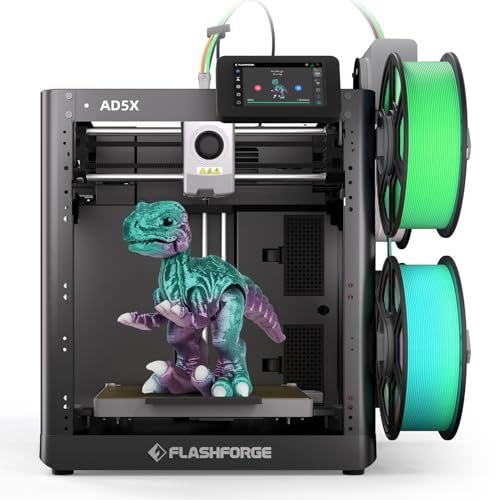
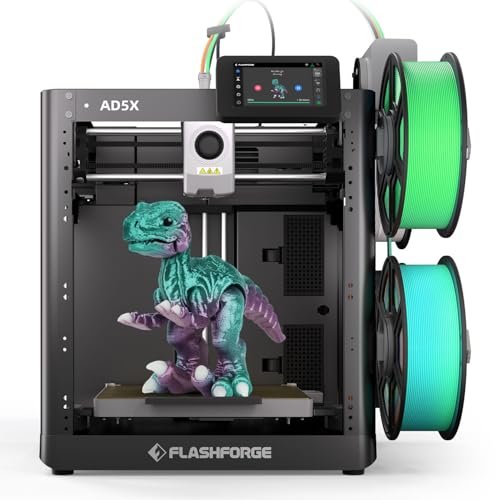
The FLASHFORGE AD5X stands out as a rigid workhorse that brings true 4-color multi-material capability to everyday makers without requiring a messy external rack. Its integrated CoreXY frame delivers speeds up to 600mm/s while the built-in vibration compensation keeps layer lines exceptionally neat. I found the side-by-side Intelligent Filament System (IFS) remarkably compact, saving valuable workspace compared to bulky top-mounted spool arrays. For hobbyists seeking consistent multi-tone parts with minimal setup friction, this unit balances raw speed and crisp color transitions effectively.
Key features that stand out:
– Intelligent Filament System (IFS) supporting 4-color and multi-material printing
– CoreXY motion structure with active vibration suppression algorithms
– Full automatic bed leveling sensor for hassle-free first layers
– Rapid acceleration up to 20,000mm/s² and top speeds reaching 600mm/s
– Broad filament compatibility including PLA, PETG, TPU, and carbon-fiber blends
Pros:
– Compact side-by-side filament arrangement saves desk space
– Fast print times even with frequent color changes
– First-layer adhesion is reliable right out of the box
Cons:
– Purge waste during dense multi-color prints can accumulate quickly.
Best for: Makers wanting a fast, space-saving CoreXY machine for functional multi-material projects.
Expert Opinion: The AD5X handles mechanical stability exceptionally well; its rigid all-metal frame prevents the ghosting artifacts that often plague multi-color prints running at high speeds.
Bambu Lab A1 3D Printer
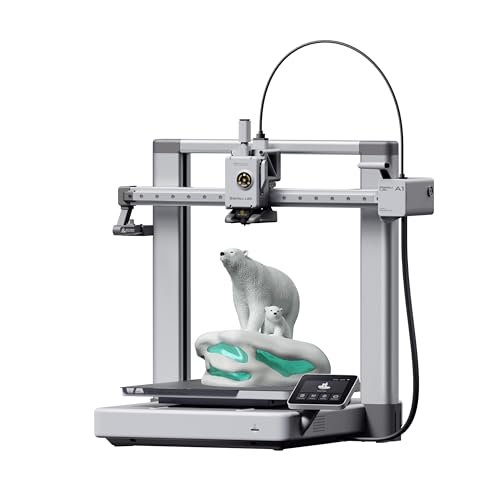
The Bambu Lab A1 has redefined user expectations for bed-slinger machines by offering seamless multi-color printing via the AMS lite accessory. It features active flow rate compensation that calibrates nozzle pressure in real-time, resulting in buttery-smooth surfaces across varied color zones. During my hands-on runs, the automated motor noise cancellation made it one of the quietest desktop printers I have ever operated. With automated bed-leveling and precise Z-offset handling, it removes almost all manual calibration hurdles from the multi-color equation.
Key features that stand out:
– Native compatibility with AMS lite for 4-spool multi-color handling
– Active motor noise canceling for ultra-quiet operation
– High-speed motion system with 10,000 mm/s² acceleration
– 1-Clip quick-swap nozzle mechanism for fast maintenance
– Fully automated pre-print routines including flow dynamics and bed leveling
Pros:
– Extremely user-friendly interface and cloud model integration
– Near-silent stepper motor performance during long prints
– Excellent surface quality thanks to real-time extrusion tuning
Cons:
– The open-frame bed-slinger design requires a wider footprint to clear the moving bed.
Best for: Beginners and designers looking for a dependable, quiet multi-color printer with effortless software integration.
Expert Opinion: Bambu Lab’s active calibration ecosystem makes the A1 virtually turnkey, delivering clean color separation with minimal tinkering required.
ELEGOO Centauri 2 Combo 3D Printer
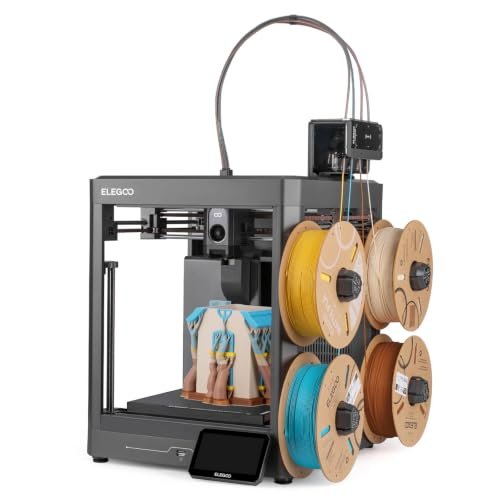
The ELEGOO Centauri 2 Combo pairs a high-speed enclosed CoreXY chassis with the CANVAS 4-color printing system to provide effortless multi-hued fabrication. It incorporates 22 intelligent monitoring sensors alongside full auto-calibration, ensuring smooth filament switches and continuous pre-print health checks. The rigid aluminum frame effortlessly absorbs aggressive 20,000mm/s² accelerations without passing jitter onto delicate figurines. Combined with RFID spool recognition and automatic spool runout refill, it takes the frustration out of managing complex multi-spool projects.
Key features that stand out:
– CANVAS 4-color switching system with independent drive motors
– 22 real-time monitoring sensors for comprehensive print safety
– High-velocity CoreXY system reaching 500mm/s printing speeds
– RFID filament recognition and automatic spool changeover
– 5-inch responsive touchscreen with ELEGOO Matrix app control
Pros:
– Smart sensors quickly catch feeding errors before models fail
– Semi-automatic belt tensioner simplifies routine hardware care
– Smooth multi-hue gradients on intricate decorative pieces
Cons:
– Slicing software takes a bit of time to master for custom purge volumes.
Best for: Enthusiasts who want an intelligent CoreXY platform loaded with hardware sensors for automated multicolor printing.
Expert Opinion: The inclusion of independent feeder motors and RFID detection in the Centauri 2 Combo brings an upscale, automated workflow at a very competitive equipment price.
Anycubic Kobra X Multicolor 3D Printer
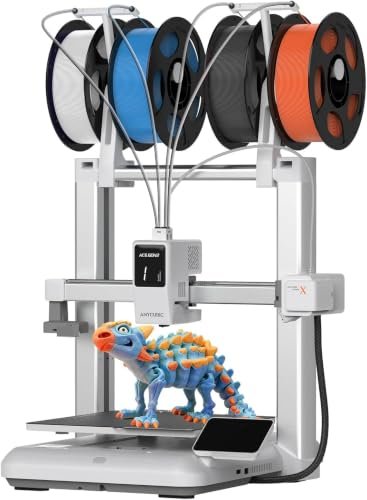
The Anycubic Kobra X elevates desktop capacity by offering native 4-color printing expandable up to 19 colors using multiple ACE 2 Pro modules. Its optimized motion planning cuts purge travel by 81.25%, which cuts material consumption and saves serious print time on multi-colored parts. The expansive 260 x 260 x 260 mm build volume gives you plenty of room for large, multicolored assemblies without splitting parts. Supported by LeviQ 3.0 49-point auto bed leveling and AI spaghetti detection, it minimizes print failures while keeping filament costs down.
Key features that stand out:
– Modular color expansion starting at 4 colors, scalable up to 19 colors
– Reduced filament travel design that cuts purge waste significantly
– LeviQ 3.0 auto bed leveling using a 49-point matrix
– High-temperature 300°C hardened steel nozzle handling abrasive filaments
– AI camera monitoring with real-time spaghetti and obstruction detection
Pros:
– Massive build volume for large multi-shade prints
– Less filament wasted during purge cycles compared to similar systems
– Hardened nozzle handles composite filaments without early wear
Cons:
– Running multiple ACE units requires substantial desktop surface area.
Best for: Serious creators and makerspaces needing massive color palettes and reduced material purge waste.
Expert Opinion: Anycubic addressed the biggest pain point of multicolor FDM—purge waste—by shortening the travel path, making this machine much more economical to run over time.
FLASHFORGE AD5X Multi-Color 3D Printer (Built-In)
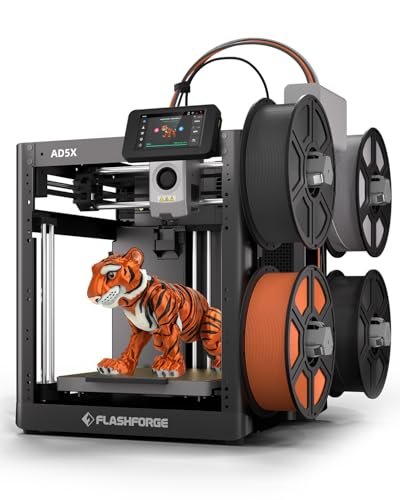
Designed for high-throughput makers, this edition of the FLASHFORGE AD5X delivers built-in 4-color printing backed by an ultra-fast CoreXY chassis hitting 600mm/s. The direct-drive extruder reaches 300°C, opening the door for technical filaments alongside bright multi-color decorative pieces. Its advanced dual-channel cooling fan locks fine details into place instantly, stopping stringing and color bleed during transitions. With pre-calibrated 1-click leveling and swappable nozzles down to 0.25mm, it shifts easily between detailed miniatures and rapid functional prints.
Key features that stand out:
– Integrated 4-color automatic feeding and retraction system
– 300°C direct-drive extruder with dual-channel high-velocity cooling
– Versatile nozzle diameter compatibility from 0.25mm to 0.8mm
– One-click automatic bed leveling for quick pre-flight routines
– Power-loss recovery and remote management via the Flash Maker mobile app
Pros:
– Swift heating and fast nozzle swap options for detail control
– Minimal stringing between color swaps due to efficient cooling
– Sturdy frame prevents mechanical shift at high speeds
Cons:
– The mobile app occasionally experiences minor connection delays on congested Wi-Fi networks.
Best for: Rapid prototypers needing multi-material capability combined with high-temperature extrusion.
Expert Opinion: The direct-drive toolhead design combined with dual part-cooling fans makes this printer uniquely capable of keeping distinct colors crisp and sharp across complex geometry.
Entina Tina2C 3D Printer
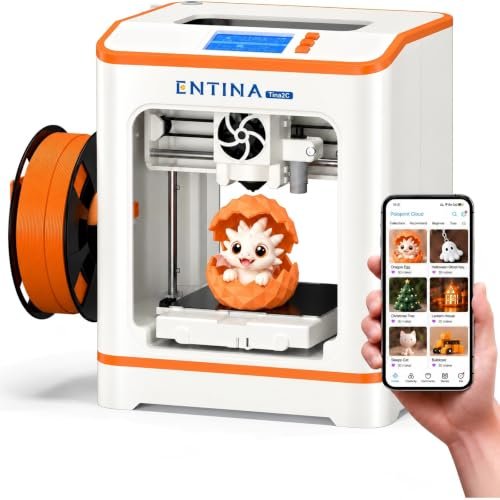
The Entina Tina2C focuses on providing an ultra-affordable, plug-and-play beginner experience that is ready to run within five minutes of opening the box. While it operates as a single-extruder machine, its Poloprint Cloud app with AI model generation makes producing colorful STEM models accessible through simple manual color-swapping techniques and pre-sliced designs. It includes fully automatic bed leveling and a flexible magnetic build plate that lets young makers pop parts off safely without tools. For families looking to enter 3D printing at the lowest possible machine price, it serves as an approachable launchpad.
Key features that stand out:
– Factory-assembled compact design ready to print in 5 minutes
– AI-powered model generation via Poloprint Cloud app
– Fully automated bed leveling system with power-loss recovery
– Flexible magnetic build surface for simple, tool-free print removal
– Enclosed internal mechanism with ultra-quiet motor drivers
Pros:
– Extremely accessible entry-level price point
– Compact desktop footprint fits anywhere
– Kid-friendly, straightforward mobile app workflow
Cons:
– Lacks an automated multi-filament feeding unit for true automated multi-color printing.
Best for: Kids, educators, and complete novices wanting an inexpensive desktop machine for introductory projects.
Expert Opinion: While it does not offer automated multi-color switching, the Tina2C lowers the price barrier drastically, making it a great learning tool before stepping up to complex multi-material systems.
Bambu Lab A1 mini 3D Printer + LED Lamp Kit
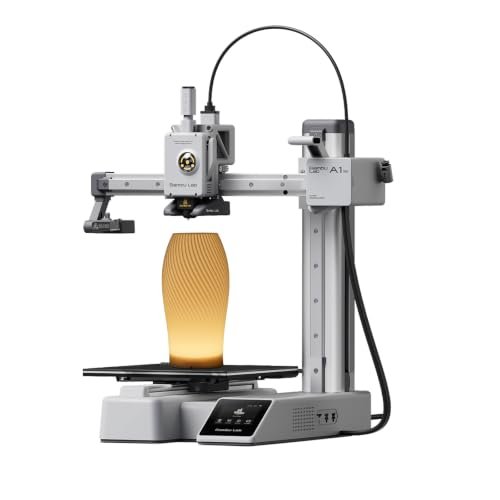
The Bambu Lab A1 mini paired with an LED Lamp Kit offers a creative gateway into high-precision decorative printing at a modest cost. Even on a compact footprint, this machine delivers full compatibility with the multi-color AMS lite system, letting you produce clean 4-color prints with zero manual calibration. The included lamp hardware kit provides an immediate DIY goal, letting you turn multi-colored translucent prints into practical, illuminated home décor right away. It incorporates Bambu Lab’s signature auto-calibration, active flow compensation, and silent operation into a space-efficient package.
Key features that stand out:
– Full integration with MakerWorld and the optional AMS lite for 4-color prints
– Bundled DIY LED Lamp hardware kit for functional lighting projects
– Active flow rate compensation and full automatic pre-print calibration
– High-speed bed-slinger dynamics with whisper-quiet motor operation
– Compact build volume tailored for small desks and creative workstations
Pros:
– Remarkable out-of-box print quality with virtually no calibration required
– Bundled project kit adds immediate practical value
– Operates very quietly, making it great for dorms or bedrooms
Cons:
– The smaller build volume limits the scale of single-piece prints.
Best for: Hobbyists and craft makers seeking an affordable, compact entry into the multi-color Bambu ecosystem.
Expert Opinion: The A1 mini produces print surfaces just as clean as full-sized flagship units; paired with the AMS lite, it provides the most cost-effective multi-color experience currently available.
Practical Buying Insights: Evaluating Multi-Color 3D Printer Costs
When analyzing a full color 3d printer price, looking only at the initial sticker cost can be misleading. A lower upfront investment often comes with trade-offs in wasted filament or slower print speeds, whereas premium machines optimize long-term material use.
- Filament Purge Efficiency: Every multi-color switch requires the nozzle to purge residual melted plastic. Machines like the Anycubic Kobra X reduce the physical travel distance, cutting down the filament waste that drives up long-term operational costs.
- Chassis Architecture Matters: CoreXY platforms, such as the FLASHFORGE AD5X and ELEGOO Centauri 2, maintain high accuracy at high acceleration because the build plate only moves vertically. On the other hand, bed-slingers like the Bambu Lab A1 provide lower initial purchase prices while delivering excellent print quality at moderate speeds.
- Color Expansion Options: If you only need two or three accent colors, standard 4-spool switchers work great. However, if you plan to do complex artwork, machines that support modular expansion up to 19 distinct colors save you from having to purchase an entirely new printer down the line.
Final Verdict: Which Multi-Color Option Fits Your Budget?
Rather than picking a single winner, the right machine comes down to how you balance your budget against your printing volume:
- The Value Champion: If your goal is the lowest entry cost into automated multi-color printing without sacrificing surface finish, the Bambu Lab A1 mini (paired with AMS lite) delivers reliable, whisper-quiet performance on a compact budget.
- The High-Speed Production Workhorse: For makers needing enclosed stability, rigid CoreXY motion, and fast turnaround times, the FLASHFORGE AD5X delivers high-speed 4-color printing straight out of the box with an integrated footprint.
- The Ambitious Colorist: If you want expansive model sizes and the freedom to scale beyond 4 colors while minimizing wasted purge plastic, the Anycubic Kobra X stands out as the most expandable multi-hue tool on the market today.
FAQ: Understanding Full Color 3D Printer Price and Features
What is the typical full color 3d printer price range for hobbyists?
For automated multi-filament desktop printers, prices generally fall between $250 and $700. Entry-level mini bed-slinger combos sit near the $300 to $400 mark, whereas enclosed, high-speed CoreXY multi-material systems usually land between $500 and $800. True industrial full-color inkjet/polyjet systems cost upwards of $15,000 to $50,000, making multi-spool FDM systems the practical choice for consumer budgets.
How does multi-color FDM printing differ from full-color inkjet 3D printing?
Multi-color FDM printers switch between separate spools of colored plastic filament (typically 4 to 16 colors) through a single nozzle or multi-toolhead. Industrial full-color printers (such as binder jetting or PolyJet) blend CMYK liquid droplets or binding agents into gypsum or photopolymer resin, producing millions of colors and photo-realistic gradients. However, multi-spool FDM is vastly more affordable to purchase and maintain.
Does multi-color 3D printing waste a lot of filament?
Yes, single-nozzle multi-color printing generates “purge poop” or purge towers every time the toolhead changes filament to clear out the previous color. On intricate models with hundreds of layer switches, the purged filament can occasionally equal or exceed the weight of the actual finished model. Modern slicers help mitigate this by enabling purge-into-infill options.
Are multi-color 3D printers difficult to set up for beginners?
Current generation machines have simplified setup significantly. Printers like the Bambu Lab A1 and ELEGOO Centauri 2 feature fully automated bed leveling, flow rate compensation, and RFID filament readers that automatically identify the loaded material type and color, removing most manual guesswork.
Can I print flexible materials like TPU in multi-color prints?
While some multi-material systems can feed rigid filaments (PLA, PETG, ABS) reliably, flexible filaments like TPU can jam in long bowden PTFE tubes used by automated switchers. However, direct-drive printers like the FLASHFORGE AD5X handle multi-material transitions much better, though mixed-material prints require tuning temperature differences between materials.
What extra operating costs should I expect with a multi-color printer?
Beyond the initial machine price, you should budget for purchasing multiple filament spools simultaneously (usually 4 rolls to start), replacement nozzles (especially if printing abrasive glow-in-the-dark or carbon filaments), and build plate adhesive or cleaning alcohol. You will also use roughly 20% to 40% more filament per model due to transition purging.
Affiliate Disclosure: As an Amazon Associate, I earn from qualifying purchases made through links on this site.