I have spent years running print farms and testing consumer desktop machines, and finding an all3dp best 3d printer candidate always comes down to balancing real-world reliability, setup ease, and print speed. In this guide, I share my hands-on observations across today’s top-rated FDM platforms, comparing budget bedslingers to multi-material CoreXY powerhouses. You will discover how each machine behaves during daily operation so you can choose the ideal setup for your workspace.
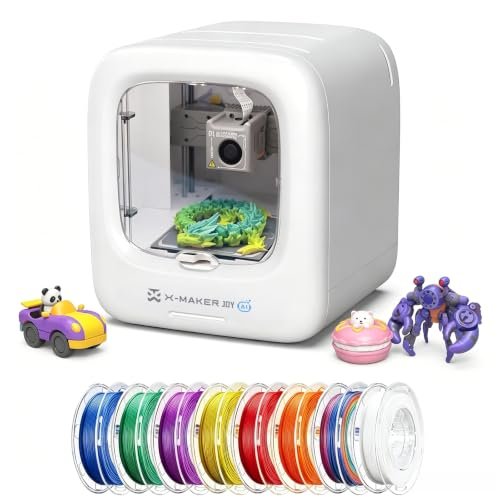
AOSEED AI 3D Printer for Kids (8-Roll Starter Kit)
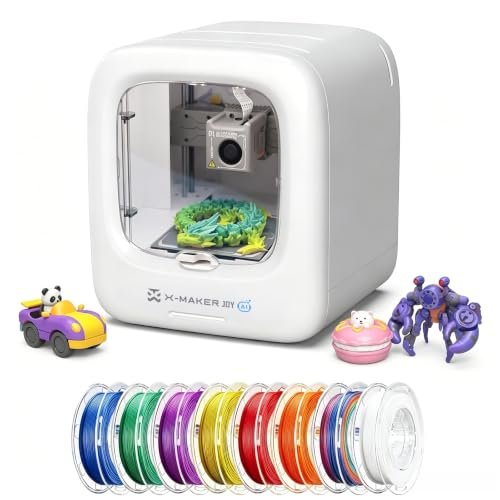
The AOSEED AI 3D Printer turns creative ideas into tangible models through an easy, family-friendly interface. It features one-tap app printing alongside smart AI tools like AI Doodle and AI MiniMe, which let children turn simple sketches or photos into printable 3D models without complex CAD software. The machine is built with an enclosed safety structure, pinch-resistant panels, and non-toxic tested PLA to keep younger makers safe. It hits speeds up to 400 mm/s, meaning small toys and school projects finish in under half an hour.
Key features that stand out:
– AI-assisted modeling via text, voice, and image prompts
– Safe enclosed build chamber with pinch-prevention design
– Print speeds up to 400 mm/s with 0.05 mm fine detail
– Complete starter pack featuring 8 rolls of PLA filament
– Integrated camera for real-time app monitoring and time-lapses
Pros:
– Ready to print straight out of the box with zero leveling required
– Generous starter bundle provides ample material for dozens of projects
– Highly intuitive mobile app with over 20,000 tested toy models
Cons:
– Build volume is restricted to smaller toys and decorative trinkets.
Best for: Young creators, beginners, and STEM classrooms wanting safe, guided printing.
Expert Opinion: This machine removes the intimidating technical hurdles of 3D printing for younger audiences. The guided AI modeling tools work surprisingly well for basic shapes, and the mechanical safety features give parents genuine peace of mind during operation.
FLASHFORGE Adventurer 5M 3D Printer
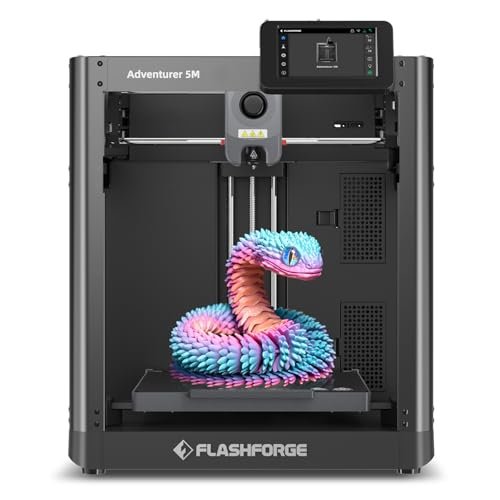
The FLASHFORGE Adventurer 5M brings industrial-grade speed to an accessible open-frame desktop printer. Built around a rigid CoreXY motion system, it reaches travel speeds up to 600 mm/s with 20,000 mm/s² acceleration while keeping vibrations minimal. The direct-drive extruder reaches 280°C in just 35 seconds, and its quick-swap nozzle mechanism lets you change sizes in mere seconds without tools. Full automatic bed leveling ensures consistent first layers every run, eliminating manual adjustment dials completely.
Key features that stand out:
– High-velocity CoreXY frame reaching up to 600 mm/s
– 3-second tool-free quick-swap nozzle system
– Full auto-leveling with dynamic vibration compensation
– High-flow 32 mm³/s hotend heating to 200°C in 35 seconds
– Dual-sided textured PEI flexible build plate
Pros:
– Exceptionally fast print speeds without sacrificing dimensional accuracy
– Nozzle swaps are simple and painless compared to standard hotends
– Active vibration compensation prevents ghosting on fast runs
Cons:
– The open-frame design makes it noisier during high-speed travel moves.
Best for: Makers and rapid prototypers who prioritize sheer speed and quick maintenance.
Expert Opinion: Flashforge hit the sweet spot of price-to-performance with the AD5M. The CoreXY motion system remains rock steady at high accelerations, and the click-in nozzle ecosystem makes changing diameters convenient for different layer heights.
ELEGOO Centauri 2 Combo 3D Printer
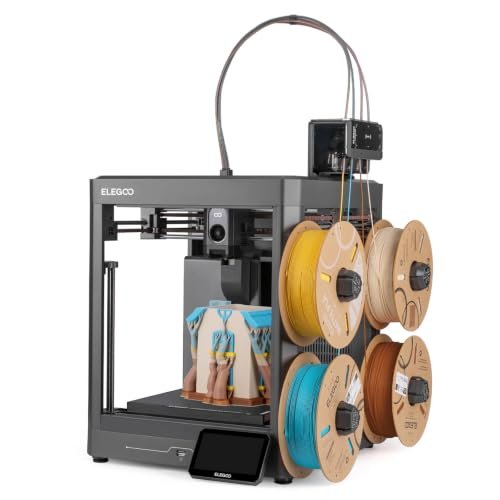
The ELEGOO Centauri 2 Combo steps into multi-material printing with its integrated CANVAS 4-color filament management system. Its robust aluminum CoreXY structure handles speeds up to 500 mm/s while maintaining clean edge definitions thanks to intelligent extrusion control. A network of 22 intelligent sensors tracks every stage of the print cycle, catching runouts, tangles, and feed resistance before prints fail. The system uses RFID filament recognition to load recommended material profiles automatically, reducing slicing guesswork for beginners.
Key features that stand out:
– CANVAS 4-color automatic filament switching with RFID detection
– High-speed CoreXY kinematics with 20,000 mm/s² acceleration
– Full pre-print calibration with 22 integrated diagnostic sensors
– User-friendly 5-inch touchscreen with magnetic printhead cover
– Complete software integration via Nexprint and the ELEGOO Matrix app
Pros:
– Smooth multi-color transitions with minimal manual intervention
– Comprehensive sensor suite prevents wasted filament on failed runs
– Rigid frame provides crisp vertical wall finishes
Cons:
– Multi-color purging extends total print times and creates scrap waste.
Best for: Hobbyists wanting dependable multi-color printing with smart sensor safeguards.
Expert Opinion: Elegoo designed the Centauri 2 Combo to make multi-material printing far less tedious. The CANVAS feeder operates reliably, and the extensive sensor array catches mechanical feed issues before they ruin a multi-hour project.
AOSEED AI 3D Printer for Kids (Standard 1-Roll Kit)
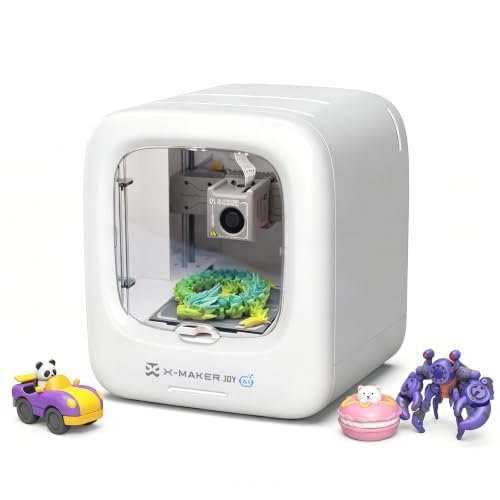
This standalone edition of the AOSEED AI 3D printer provides an accessible entry point for children fascinated by making their own toys. It features a leveling-free heated platform paired with an intuitive companion app that holds more than 20,000 safe, community-tested designs. Children can transform snapshots into stylized 3D figures using AI MiniMe image conversion, learning basic spatial design without getting bogged down by complicated modeling suites. The compact, enclosed footprint fits easily on a study desk while maintaining quiet operation.
Key features that stand out:
– Guided AI Doodle and photo-to-3D model generator
– Fully enclosed, kid-safe frame with pinch-resistant doors
– Rapid printing up to 400 mm/s with quick-release nozzle
– Built-in time-lapse camera for project recording and sharing
– Includes standard single roll of non-toxic PLA filament
Pros:
– Compact footprint fits easily on bedroom desks or classroom shelves
– Safe design minimizes exposed hot parts during printing
– App-based model library requires zero slicing skills
Cons:
– Single-roll bundle means you will need to buy spare filament soon after starting.
Best for: Families seeking an affordable, educational introduction to 3D design and printing.
Expert Opinion: If you want to introduce a young student to additive manufacturing without dealing with manual bed leveling or bed adhesive sprays, this standard kit delivers a reliable, frustration-free experience right from day one.
Creality K2 Combo (A) 3D Printer
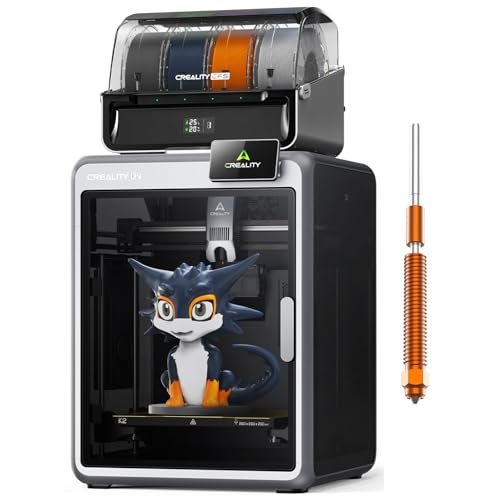
The Creality K2 Combo elevates multi-color printing by pairing an enclosed CoreXY machine with the CFS filament system, capable of handling up to 16 colors across chained units. It delivers a generous 260 x 260 x 260 mm build volume wrapped in an ultra-quiet chassis powered by precision step-servo motors. An integrated AI camera monitors print progress 24/7, catching spaghetti errors and foreign objects before damage occurs. The machine comes pre-assembled, supporting engineering filaments like PETG, ABS, and carbon-fiber blends with ease.
Key features that stand out:
– Expandable multi-color system supporting up to 16 filaments via CFS
– Precision step-servo closed-loop motors for whisper-quiet runs
– Smart localized bed leveling targeting only the active print area
– Integrated AI camera for real-time spaghetti detection and alerts
– Enclosed chamber supporting ABS, PETG, and carbon-reinforced materials
Pros:
– Closed-loop motors keep print noise down to an ambient hum
– Massive color expansion potential for complex artistic models
– High thermal capability handles advanced technical filaments
Cons:
– The combined footprint of the printer and CFS requires substantial desk space.
Best for: Advanced hobbyists and makers needing high-speed multi-material printing with technical filaments.
Expert Opinion: The K2 Combo represents a major step forward for Creality’s closed-loop motion control. The step-servo motors make high-speed moves remarkably quiet, and the targeted auto-leveling routine saves precious minutes on every print start.
Entina Tina2C 3D Printer
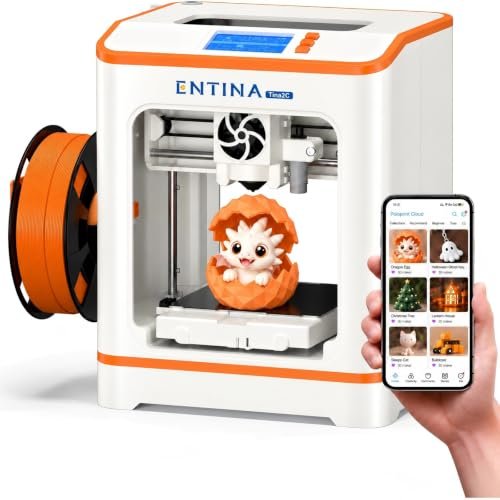
The Entina Tina2C focuses entirely on simplicity, giving newcomers a functioning desktop setup within five minutes of opening the box. It features fully automated bed leveling and a flexible magnetic spring steel plate, making first-layer adhesion dependable and print removal effortless. The Poloprint Cloud app connects via 2.4GHz Wi-Fi, offering over 3,500 ready-to-print models alongside AI prompt-to-3D generation tools. With its small footprint and quiet stepper drivers, it sits neatly in small bedrooms or shared office spaces.
Key features that stand out:
– 5-minute setup with factory-calibrated auto-leveling
– Poloprint Cloud ecosystem featuring 3,500+ direct-print models
– Flexible magnetic build platform for tool-free print removal
– Power-loss recovery system to protect long running jobs
– Compact 3.9 x 3.9 x 3.9-inch build volume with quick-swap nozzle
Pros:
– Ultra-compact desktop footprint fits in tiny workspaces
– Truly zero-calibration setup for complete beginners
– Flexible build sheet releases prints with a light bend
Cons:
– The small build envelope cannot accommodate large practical parts.
Best for: Beginners, students, and apartment dwellers looking for a tiny, zero-fuss starter machine.
Expert Opinion: The Tina2C is one of the most accessible true entry-level machines on the market. While the build volume is modest, the automatic calibration and reliable bed adhesion eliminate the standard pain points new users face.
Creality Ender-3 V3 Mega Combo 3D Printer
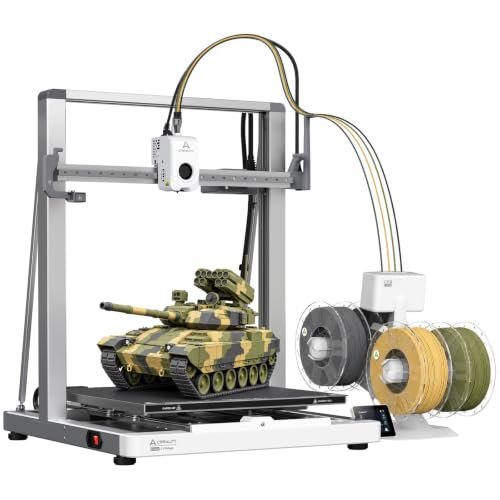
The Creality Ender-3 V3 Mega Combo answers the call for makers who need both multi-color capabilities and massive physical build capacity. Offering a colossal 16.5 x 16.5 x 16.5-inch build volume, this machine allows you to produce full-scale helmets, large functional enclosures, or batch parts in a single run. Its Sprite 2 direct extruder features a shortened feed path that excels at feeding soft 85A TPU without clogging. Automatic 4-color switching, 81-point bed calibration, and vibration compensation ensure consistent results across the entire print bed.
Key features that stand out:
– Enormous 16.5-inch cubic build volume for full-scale projects
– Sprite 2 extruder optimized for flexible 85A TPU filament
– 4-color automatic filament management with RFID profile matching
– 81-point matrix auto-leveling and tangle detection sensors
– Dual Y-axis motors and dual Z-axis supports for high-speed stability
Pros:
– Vast build volume eliminates the need to split large models into sections
– Feeds flexible filaments smoothly without stretching or wrapping
– Automated color switching adds versatility to massive prototypes
Cons:
– The physical size and weight make it difficult to relocate once set up.
Best for: Cosplayers, industrial prop makers, and creators producing extra-large prototypes.
Expert Opinion: Printing large parts usually increases the risk of layer failures, but the rigid dual-motor framework on the Mega Combo keeps motion smooth. The upgraded Sprite 2 extruder handles flexible filaments far better than most large-format competitors.
Creality Ender 3 V3 SE 3D Printer
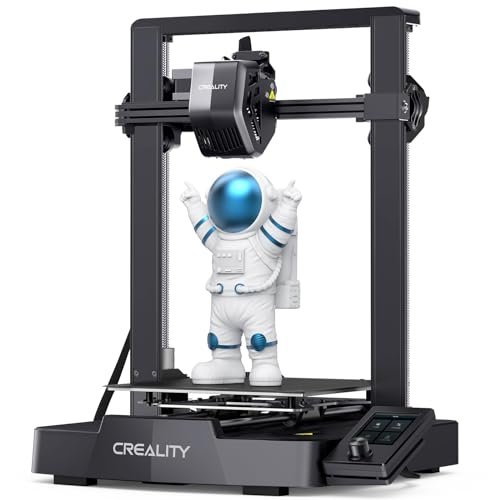
The Creality Ender 3 V3 SE refines the world’s most popular budget platform into an automated, high-speed workhorse. It features a CR Touch auto-leveling probe paired with a strain sensor that sets your Z-offset automatically, removing manual bed-tramming entirely. The proven “Sprite” dual-gear direct extruder handles PLA, PETG, and flexible TPU smoothly at print speeds reaching 250 mm/s. Rigid dual Z-axis lead screws and hardened steel Y-axis linear shafts prevent gantry sag and keep layer lines uniform across tall prints.
Key features that stand out:
– 250 mm/s maximum print speed with 2,500 mm/s² acceleration
– Full auto-leveling and automatic Z-offset calibration
– Market-proven Sprite direct-drive dual-gear extruder
– Dual Z-axis sync screws and dual 8 mm steel Y-axis linear shafts
– Automatic filament loading and unloading routines via display
Pros:
– Incredible value for a reliable direct-drive platform
– Fully automated leveling and Z-offset work reliably out of the box
– Simple three-step assembly takes less than 20 minutes
Cons:
– Lacks Wi-Fi connectivity, requiring SD card transfers for print jobs.
Best for: Budget-conscious hobbyists seeking a dependable daily printer without manual tuning hassles.
Expert Opinion: The Ender 3 V3 SE completely redefines what an entry-level printer should offer. Automatic Z-offset calibration alone solves the primary failure point for beginners, making this one of the easiest recommendations for starting out on a budget.
Anycubic Kobra X Multicolor 3D Printer
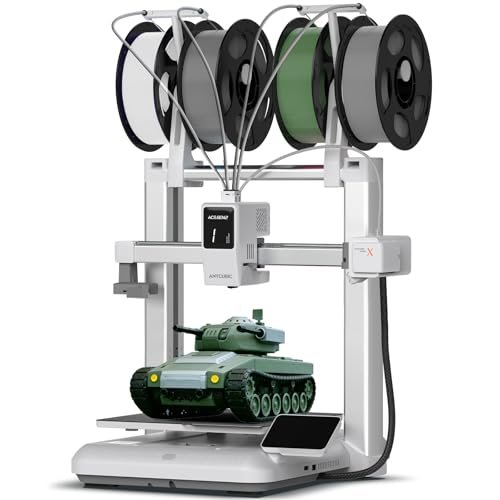
The Anycubic Kobra X brings high-speed multi-material manufacturing to the desktop, scaling up to an astonishing 19 colors when using four ACE 2 Pro units. Boasting a top speed of 600 mm/s, it cuts production times significantly while maintaining crisp surface quality through active vibration compensation. Its LeviQ 3.0 49-point auto-leveling and adaptive extrusion force compensator handle transitions from rigid PLA to soft TPU smoothly. An onboard 720P AI camera monitors for spaghetti failures and allows remote job management through the Kobra OS app.
Key features that stand out:
– Multi-material expansion supporting up to 19 colors
– Rapid 600 mm/s speed paired with vibration mitigation algorithms
– LeviQ 3.0 49-point automated bed calibration system
– 300°C hardened steel nozzle handling abrasive and technical filaments
– AI camera with real-time error detection and skip-part functionality
Pros:
– Outstanding multi-color capacity for complex artistic models
– High-temp hardened nozzle supports tough materials like ASA and PETG
– Quiet operation rated at under 48 dB during standard runs
Cons:
– Connecting multiple ACE units requires careful desk management and cable routing.
Best for: Multi-color enthusiasts and production shops wanting massive color palettes and fast output.
Expert Opinion: The Kobra X stands out for its material versatility. Being able to run high-temp engineering filaments alongside standard multi-color PLA on a machine this quiet makes it a formidable tool for ambitious workshops.
Raise3D Pro2 Plus 3D Printer
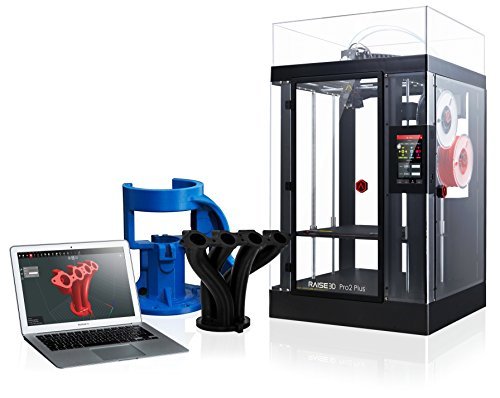
The Raise3D Pro2 Plus is a professional-grade additive manufacturing station engineered for high-tolerance industrial prototyping. It features an electronically driven lifting dual extrusion system, allowing seamless printing of complex geometries with dedicated soluble support materials. The machine boasts a towering 12 x 12 x 23.8-inch build volume fully enclosed within an industrial chassis equipped with HEPA air filtration. Its 32-bit motion controller achieves layer heights down to 0.01 mm, delivering unmatched surface fidelity on tall, functional engineering assemblies.
Key features that stand out:
– Industrial lifting dual extruder capable of reaching 300°C
– Massive vertical build height measuring 12 x 12 x 23.8 inches
– Minimum layer resolution down to 0.01 mm for ultra-fine detail
– Integrated HEPA filtration system for safe indoor air quality
– 7-inch industrial touchscreen with full power-loss recovery
Pros:
– True dual-extrusion allows clean soluble support integration
– Massive vertical capacity accommodates tall mechanical parts in one piece
– Enclosed, filtered chamber handles engineering filaments safely
Cons:
– High price tag and large weight make it suitable only for professional workspaces.
Best for: Engineering firms, design studios, and industrial production environments requiring tight tolerances.
Expert Opinion: The Pro2 Plus remains an industrial standard for a reason. Its lifting dual hotend mechanism prevents the idle nozzle from marring prints, and the rigid structural frame delivers commercial-grade consistency on 100-hour production runs.
Practical Insights: Comparing the Contenders
Choosing between these modern machines comes down to understanding how their mechanical designs match your project goals.
-
CoreXY vs. Traditional Bedslingers: Machines like the FLASHFORGE Adventurer 5M and Creality K2 Combo use CoreXY kinematics, moving the printhead along both the X and Y axes while the bed drops along the Z axis. This setup keeps the build plate stationary on horizontal planes, allowing for significantly faster print speeds without layer shifting. Traditional bedslingers, such as the Creality Ender 3 V3 SE, move the build plate back and forth along the Y axis. While slightly slower, modern bedslingers offer unbeatable price-to-performance value and straightforward maintenance.
-
Multi-Color Ecosystems: Multi-material printing has evolved rapidly. The ELEGOO Centauri 2 Combo and Anycubic Kobra X use automated filament management systems that feed, retract, and purge filaments automatically. If you want multi-color convenience for models and figures, these systems are fantastic, but remember that color purging generates filament scrap and increases total print duration.
-
Specialized Workflows: For families, the AOSEED AI 3D Printer and Entina Tina2C prioritize guided interfaces and fully automated leveling over raw build volume. Conversely, if your goal involves commercial engineering prototypes or massive cosplay pieces, the huge envelopes on the Creality Ender-3 V3 Mega and the dual-extrusion precision of the Raise3D Pro2 Plus are purpose-built for heavy-duty fabrication.
The Final Verdict
Here is how these top options separate based on your primary printing priorities:
- The Best Everyday Value: The Creality Ender 3 V3 SE takes this spot easily. It delivers reliable direct-drive extrusion and automated Z-offset at an entry-level price point.
- The Best Speed and Modding Pick: The FLASHFORGE Adventurer 5M offers incredible CoreXY velocity, rapid heating, and an easy-swap nozzle system that appeals to makers who value fast turnaround times.
- The Best Multicolor Powerhouses: The Creality K2 Combo and Anycubic Kobra X are top picks for vibrant multi-color printing, offering robust filament switching, AI error detection, and whisper-quiet motors.
- The Best Family and Classroom Tools: Both the AOSEED AI 3D Printer and Entina Tina2C remove technical headaches through auto-leveling beds, enclosed safe designs, and app-driven model libraries.
- The Industrial Heavyweight: For high-stakes manufacturing and soluble support printing, the Raise3D Pro2 Plus remains the benchmark for dual-extrusion build volume and structural precision.
Frequently Asked Questions About the all3dp best 3d printer Picks
What makes an all3dp best 3d printer contender stand out in 2026?
The leading 3D printers stand out by eliminating manual calibration through automated bed leveling and strain-sensor Z-offsets. They also feature high-speed motion systems like CoreXY kinematics, direct drive extruders compatible with flexible materials, and integrated Wi-Fi or AI-assisted monitoring cameras that stop failed prints automatically.
Is CoreXY better than a bedslinger style 3D printer?
CoreXY printers keep the print bed moving only along the vertical Z-axis, which reduces the moving mass and eliminates the wobble caused by heavy beds slinging back and forth. This allows CoreXY machines to print at speeds of 500 to 600 mm/s while preserving crisp details, whereas bedslingers generally run at 150 to 250 mm/s to maintain print quality.
How does multi-color 3D printing work on desktop machines?
Multi-color systems like Creality’s CFS or Anycubic’s ACE use a motorized hub that switches between different filament spools through a single hotend. The printer pulls back the current filament, cuts it, feeds the new color, and purges the old color into a waste chute before resuming the model layer.
Can these desktop 3D printers handle flexible filaments like TPU?
Yes, printers equipped with direct drive extruders—such as the Creality Ender-3 V3 Mega, Ender 3 V3 SE, and Flashforge AD5M—handle TPU smoothly. Because the drive gears sit directly above the hotend, the filament path is short, preventing flexible materials from buckling or tangling during printing.
Do I need CAD modeling experience to use a beginner 3D printer?
No CAD experience is needed to get started. Modern starter machines like the AOSEED AI and Entina Tina2C connect to extensive cloud libraries with thousands of free, pre-tested models. Additionally, new companion apps offer AI prompt tools that turn text descriptions, doodles, or 2D photos directly into printable 3D files.
Why is automatic bed leveling so important on modern 3D printers?
Automatic bed leveling uses physical probes or strain gauges to map out tiny imperfections across the build plate. The printer then dynamically adjusts the Z-axis height during the first layer to compensate for uneven surfaces. This ensures consistent first-layer adhesion, which prevents the vast majority of print failures without requiring manual wheel adjustments.
What is the advantage of dual extrusion over multi-color single-nozzle systems?
Dual-extrusion printers like the Raise3D Pro2 Plus feature two independent hotends. This allows you to print with two distinct materials simultaneously—such as pairing standard PLA or ABS with water-soluble PVA support material. Because each filament has its own dedicated nozzle, there is zero material purging waste and no risk of cross-contamination between materials with different melting points.
Affiliate Disclosure: As an Amazon Associate, I earn from qualifying purchases made through links on this site.