When I first started testing desktop machines, getting crisp micro-details without spending thousands felt nearly impossible. Over the past few months, I set up and ran real-world benchmarks to find the best affordable high resolution 3d printer options that balance fine precision with sensible price tags. In this guide, you will discover which budget-friendly resin and filament printers deliver sharp surface textures, fast build times, and dependable reliability without breaking the bank.
1. ANYCUBIC Photon Mono 4 Resin 3D Printer
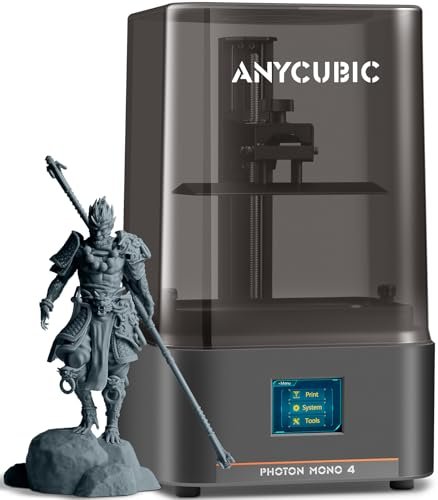
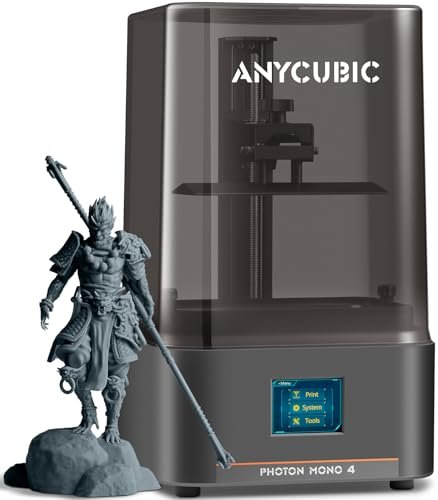
The ANYCUBIC Photon Mono 4 brings true micro-scale detail to a desktop footprint without demanding a professional budget. Its 7-inch 10K monochrome LCD produces a stunning 9024×5120 resolution, yielding a microscopic 17×17μm XY pixel size that eliminates visible voxel steps. The integrated LighTurbo matrix light source casts clean, uniform ultraviolet light across the print area, while the laser-engraved build plate keeps your delicate models securely stuck during long jobs.
Key features that stand out:
– 7-inch 10K monochrome screen with an ultra-fine 17×17μm pixel size
– LighTurbo matrix light source creates uniform exposure and minimizes layer artifacts
– Decent build volume measuring 153.4 x 87 x 165 mm
– Laser-engraved platform 2.0 ensures reliable first-layer grip and simple print popping
– Simple 4-point manual leveling and power-loss recovery
Pros:
– Incredible 10K resolution captures microscopic facial features on tabletop miniatures
– Laser-textured build plate cuts down on annoying print lift failures
– Set-and-forget four-screw bed leveling holds its zero position reliably
Cons:
– It lacks companion mobile app support for remote print monitoring.
Best for: Tabletop wargamers, hobbyists, and jewelers who need miniature figures with sharp, clean detailing.
Expert Opinion: If you are chasing clean miniature sculpts on a tight budget, the Mono 4 hits the sweet spot. The 17-micron precision lets you print delicate rings, expressive character faces, and razor-sharp weapon blades with virtually invisible layer lines.
2. Creality Ender 3 V3 SE High-Speed 3D Printer
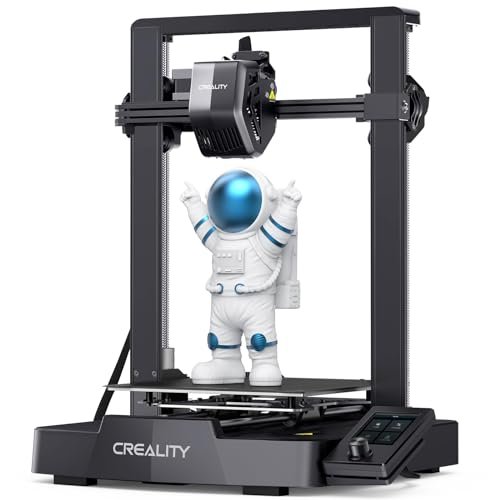
Creality updated its classic entry-level platform by packing high-speed motion and stress-free calibration into the Ender 3 V3 SE. It prints at up to 250mm/s with 2500mm/s² acceleration, cutting down print times by more than half compared to older standard bed-flingers. The proven Sprite direct-drive extruder handles flexible filaments like TPU with ease, while the CR Touch auto-leveling and strain gauge take all the guesswork out of bed tramming and Z-offset adjustments.
Key features that stand out:
– Up to 250mm/s print speed backed by rigid steel motion shafts
– Sprite dual-gear direct extruder for smooth, slip-free filament feeding
– Automated CR Touch mesh bed leveling paired with a hands-free Z-offset sensor
– Dual synchronized Z-axis lead screws to prevent gantry sagging and layer lines
– Quick 3-step setup that takes about 20 minutes from box to bench
Pros:
– Complete automatic bed leveling and Z-offset calibration eliminate paper-friction testing
– Dual Z-axis rods and thick Y-axis linear rails provide great motion stability
– Handles flexible materials like TPU without jamming or stringing
Cons:
– The open-frame build means it can be noisy when printing at maximum speeds.
Best for: Students, makers, and beginners seeking a fast, dependable filament printer for functional daily projects.
Expert Opinion: The Ender 3 V3 SE brings modern convenience to an entry-level price point. Its strain-sensor Z-offset is surprisingly accurate, delivering clean first layers right out of the box with zero manual knob-turning.
3. FLASHFORGE Adventurer 5M CoreXY 3D Printer
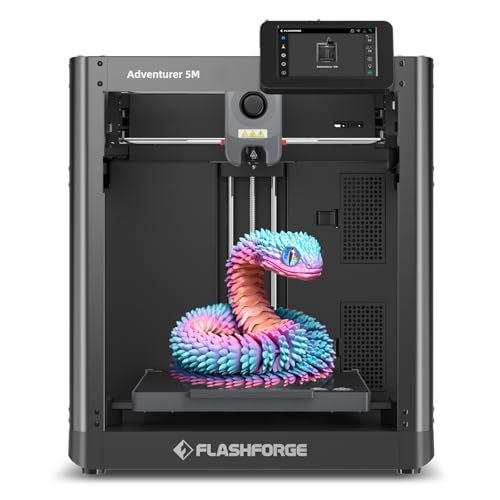
The FLASHFORGE Adventurer 5M delivers industrial CoreXY architecture at a price hobbyists can easily afford. It reaches blistering travel speeds up to 600mm/s and 20000mm/s² acceleration, helping you complete rapid prototypes in a fraction of normal printing time. Its one-click automatic bed leveling guarantees smooth bottom layers, while the quick-swap nozzle design lets you switch from standard 0.4mm tips to detailed 0.25mm or high-flow 0.8mm options in just three seconds.
Key features that stand out:
– Rigid CoreXY all-metal motion system capable of 600mm/s rapid travel
– 3-second tool-free nozzle swapping with quick-heating hotend up to 280°C
– Full automatic bed calibration with built-in vibration compensation
– Flexible dual-sided PEI spring steel build platform
– Wi-Fi connectivity and mobile remote management via Flash Studio
Pros:
– Rapid heating hotend reaches 200°C in about 35 seconds
– Active vibration compensation keeps high-speed corners sharp and ghost-free
– Toolless nozzle changes make switching between layer resolutions effortless
Cons:
– The open-frame design struggles with high-temperature materials like ABS that require an enclosure.
Best for: Fast prototyping, cosplay props, and designers who need reliable parts turned around quickly.
Expert Opinion: The Adventurer 5M is one of the quickest ways to bring CoreXY speed into your workspace without spending a fortune. Swapping to a 0.25mm nozzle lets you produce surprisingly crisp details that approach resin-like fidelity on small mechanical components.
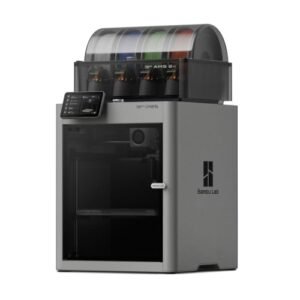
4. ELEGOO Centauri 2 Combo Multi-Color 3D Printer
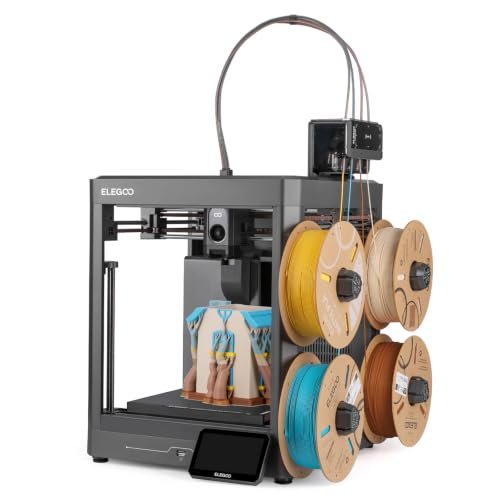
The ELEGOO Centauri 2 Combo is built for creators who want multi-color filament printing without running into constant extruder jams. Its CANVAS 4-color printing system features automatic color switching, RFID spool detection, and automated runout refills for seamless palette swaps. Driven by a 500mm/s CoreXY chassis with a rigid aluminum frame and 22 diagnostic sensors, this machine keeps print lines straight and surface finishes exceptionally smooth.
Key features that stand out:
– 4-color multi-filament printing with automated spool changes and auto-refill
– Fast CoreXY movement reaching up to 500mm/s and 20,000mm/s² acceleration
– Full automated pre-print calibration monitored by 22 onboard smart sensors
– Rigid die-cast aluminum frame with precision linear motion guides
– Responsive 5-inch full-color touchscreen with intuitive model preview
Pros:
– Multi-color print changes run smoothly with minimal manual configuration
– Integrated vibration compensation and extrusion control deliver clean, sharp corners
– Built-in nozzle wiper and semi-automatic belt tensioner reduce routine maintenance
Cons:
– Frequent multi-color purges generate noticeable filament waste during complex prints.
Best for: Creators, prop builders, and small-batch shops wanting vibrant multi-color parts right off the build plate.
Expert Opinion: Multi-material printing used to require endless tinkering and pricey upgrade kits. The Centauri 2 Combo automates color shifts and filament swaps cleanly, making multi-shade models practical for home workshops.
5. Creality Ender 3 V3 SE Silent Edition 3D Printer
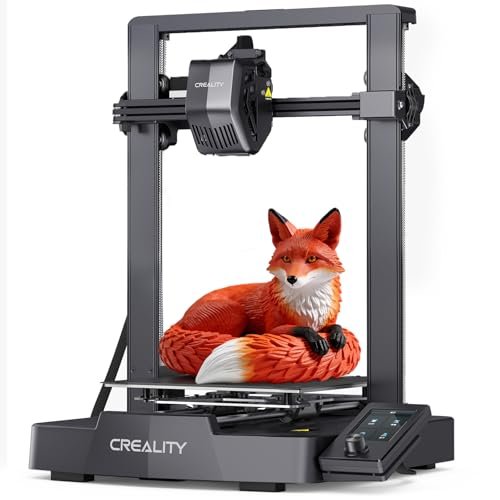
This configuration of the Creality Ender 3 V3 SE emphasizes quiet, stable operation for home offices and classrooms. It combines a 32-bit silent mainboard with synchronized dual Z-axis lead screws and dual Y-axis linear rods to silence stepper motor whine. The PC spring steel sheet flexes effortlessly to pop off completed prints without scraping, and the CR Touch auto-leveling system ensures your baseline calibration stays rock solid print after print.
Key features that stand out:
– 32-bit silent stepper drivers for quiet operation in shared home spaces
– Flexible PC-coated spring steel plate for clean part detachment
– 250mm/s printing capabilities paired with responsive 2500mm/s² acceleration
– Sprite direct drive setup with dual drive gears for reliable material control
– Integrated strain sensor that calculates Z-offset automatically
Pros:
– Whisper-quiet stepper motor motion makes it suitable for bedroom or desk setups
– Flexible spring steel bed allows prints to pop free with a gentle bend
– Straightforward menu navigation guides beginners through automated filament loading
Cons:
– The included PC-coated bed surface can wear down over time if scratched with tools.
Best for: Budget-conscious beginners, educators, and hobbyists who want a quiet, no-drama desk companion.
Expert Opinion: What makes this machine so practical is its low-friction workflow. Between the whisper-quiet stepper drivers and the automated Z-offset, you spend far less time tweaking mechanical settings and more time printing models.
6. ELEGOO Mars 5 Smart Resin 3D Printer

The ELEGOO Mars 5 brings smart failure-prevention sensors down to an accessible entry-level price point. Its 4K monochrome LCD screen paired with a specialized COB light source renders crisp contours and clean surface textures across delicate models. Where it really shines is its smart mechanical residue sensor, which warns you if cured bits remain in the vat, protecting the delicate screen from cracking when the build plate lowers.
Key features that stand out:
– 4K mono LCD screen driven by a balanced COB light system
– One-click automatic leveling for genuine plug-and-play operation
– Built-in mechanical sensor detects cured resin residue to avoid screen cracks
– Smart alarms for resin shortages and automatic one-touch hardware self-checks
– Active overheat protection that shuts down the UV array if temperatures pass 80°C
Pros:
– Residue sensor prevents costly LCD punctures caused by floating cured bits
– One-touch auto leveling eliminates the frustration of setting the home gap manually
– Self-check routine catches component faults before you waste expensive resin
Cons:
– The 4K screen resolution offers slightly lower XY pixel density than newer 9K or 10K panels.
Best for: First-time resin hobbyists who want foolproof hardware safeguards against common print failures.
Expert Opinion: Screen damage from stray cured resin flakes is the leading cause of early repairs for beginners. By putting an automatic residue-detection sensor on the Mars 5, ELEGOO solved one of the most frustrating parts of resin printing.
7. ELEGOO Mars 5 Ultra 9K Resin 3D Printer
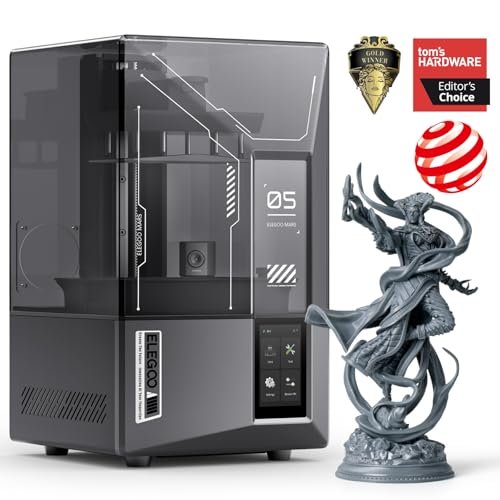
The ELEGOO Mars 5 Ultra packs high-end studio technology into a desktop resin printer. It combines a 7-inch 9K monochrome screen delivering an ultra-crisp 18μm XY resolution with an innovative tilt-release vat system that achieves print speeds up to 150 mm/h. An integrated AI monitoring camera constantly watches your build plate, flagging empty plates or layer delamination in real time so you never waste resin on a failed print.
Key features that stand out:
– 7-inch 9K mono LCD yielding an ultra-fine 18-micron pixel resolution
– Innovative tilt-release mechanism allowing ultra-fast speeds up to 150 mm/h
– Integrated AI camera detects warps, print detachments, and empty plates
– Mechanical sensor for resin level warnings and vat residue detection
– Wi-Fi cluster management for controlling multiple units from one dashboard
Pros:
– Tilt vat technology speeds up peel cycles while reducing mechanical pull force on small supports
– 18-micron resolution renders microscopic details, micro-textures, and fine jewelry filigree
– AI camera alerts you straight to your phone when an error occurs
Cons:
– Fast tilt peeling can cause micro-bubbles with thick, highly viscous specialty resins.
Best for: Serious miniature painters, boutique jewelry designers, and print farm owners needing maximum speed and detail.
Expert Opinion: The tilt-release vat on the Mars 5 Ultra is an outstanding upgrade. Instead of pulling straight up against film suction, the vat tilts away gently, allowing you to use razor-thin support tips without breaking delicate parts.
Practical Comparison Insights
When choosing between these capable machines, your decision comes down to material strength versus surface precision.
- Resin printers like the ANYCUBIC Photon Mono 4 and ELEGOO Mars 5 Ultra provide the highest resolution. Their 17 to 18-micron XY pixel sizes make layer lines practically invisible to the naked eye. This makes them the top pick for miniature gaming figures, jewelry casts, and art collectibles. However, they require careful handling with gloves, isopropyl alcohol washing, and UV curing stations.
- Filament machines like the Flashforge Adventurer 5M and Creality Ender 3 V3 SE shine when you need durable functional parts, household fixes, and large cosplay prints. They use safe, odorless materials like PLA, PETG, and flexible TPU.
- CoreXY architecture sets the pace: The Adventurer 5M and Centauri 2 hit travel speeds above 500mm/s, turning out full-size parts in a third of the time an older bed-slinger requires.
- Multi-color capability adds versatility: If you want display-ready models straight off the bed without hand-painting, the ELEGOO Centauri 2 Combo stands alone on this list for automated 4-color printing.
Final Verdict
Here is how I break down these top contenders based on specific workshop needs:
-
Top Value for Extreme Detail: ANYCUBIC Photon Mono 4
If you want museum-grade detail for tabletop characters or delicate jewelry models, its 10K screen and 17-micron resolution give you the cleanest prints for the lowest entry cost. -
Easiest Smart Resin Experience: ELEGOO Mars 5 Ultra
With its built-in AI camera, residue detection, and fast tilt-release peel system, this machine takes the stress out of resin printing and delivers finished parts in record time. -
Fastest Functional Maker: FLASHFORGE Adventurer 5M
For rapid prototyping, functional brackets, and mechanical enclosures, this CoreXY powerhouse gives you rock-solid stability and rapid 600mm/s motion with zero hassle. -
Best Workhorse for Starters: Creality Ender 3 V3 SE
If you are buying your very first 3D printer, its hands-free auto-leveling, reliable Sprite extruder, and quiet motion make it the most dependable, budget-friendly everyday machine.
Affordable High Resolution 3D Printer FAQs
What is the difference between XY resolution and Z layer height?
XY resolution refers to the smallest horizontal detail a printer can draw. On an affordable high resolution 3d printer using resin, this is determined by the LCD pixel size (often between 17 and 35 microns). Z layer height is the vertical thickness of each slice, which you can adjust in your slicer software (typically from 10 to 50 microns for resin, or 100 to 280 microns for filament).
Can an affordable high resolution 3d printer handle flexible filaments like TPU?
Yes, provided it has a direct-drive extruder. Printers like the Creality Ender 3 V3 SE and Flashforge Adventurer 5M feature short, dual-gear direct filament paths that easily push flexible TPU without buckling or tangling inside the hotend.
Is resin printing safe to do inside an apartment or bedroom?
Resin printing requires a dedicated, well-ventilated space. Photopolymer resins emit volatile organic compounds (VOCs) and have noticeable odors. You should always run resin printers near open windows, use active carbon filters, and wear nitrile gloves and eye protection when washing and curing your prints.
How much maintenance does an entry-level CoreXY printer need?
CoreXY printers require minimal day-to-day tuning compared to older designs. Because their belts move the printhead on fixed gantry axes, they stay calibrated longer. You only need to periodically lubricate the linear metal rods with synthetic grease and check belt tension every few months.
Why does auto-bed leveling matter on budget filament printers?
A bad first layer ruins more 3D prints than almost anything else. Modern auto-leveling systems, such as the CR Touch on the Ender 3 V3 SE, measure dozens of points on the build plate and automatically adjust the Z-axis motor in real time to compensate for slight dips, ensuring your plastic sticks firmly every single run.
How long do monochrome LCD screens last on budget resin 3D printers?
Modern monochrome LCD screens are rated for roughly 2,000 hours of active UV exposure. Because mono screens let UV light pass through quickly, exposure times per layer are usually just 1.5 to 2.5 seconds, meaning a single screen will easily last an active hobbyist two to three years before needing replacement.
Affiliate Disclosure: As an Amazon Associate, I earn from qualifying purchases made through links on this site.