Over the past few months, I’ve spent dozens of hours in my workshop testing different setups to help you choose a dependable 3d resin printer bundle. From fine-tuning exposure times on microscopic details to dealing with bed adhesion issues, I know how tricky resin printing can feel when starting out. In this guide, I break down my hands-on experience with five top-performing machines so you can pick the right setup for your tabletop miniatures, engineering prototypes, or creative hobby projects.
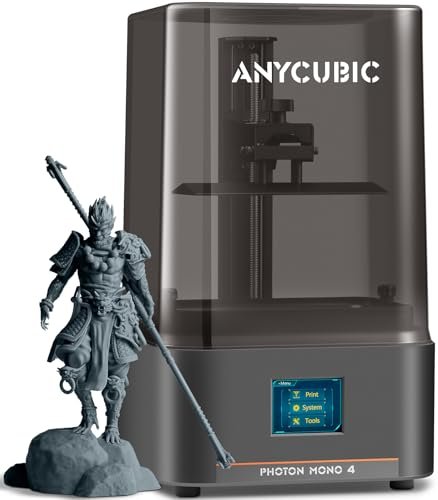
ANYCUBIC Photon Mono 4 Resin 3D Printer
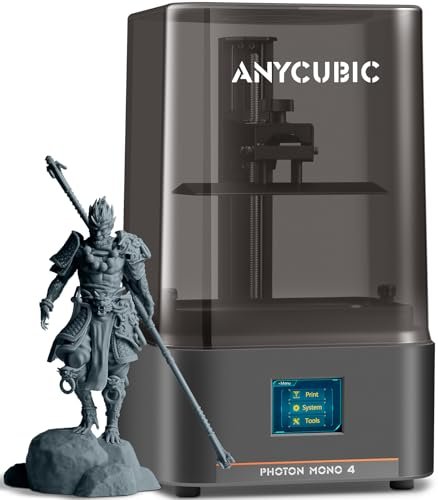
The ANYCUBIC Photon Mono 4 is a compact powerhouse built for makers who demand crisp details without a steep learning curve. Its 7-inch 10K monochrome screen delivers exceptional sharpness with tiny 17×17μm pixels that make print lines practically vanish on small figurines. The upgraded Laser-engraved Print Platform 2.0 provides strong initial bed adhesion while still letting you pop prints off without wrestling a scraper. It is an accessible desktop machine that keeps the printing workflow straightforward and dependable.
Key features that stand out:
– High-precision 7-inch 10K screen with 9024×5120 resolution
– LighTurbo matrix light source for even UV distribution
– Useful build volume of 153.4 x 87 x 165 mm
– Upgraded laser-engraved platform for better bottom-layer grip
– Simple 4-point leveling system with power-loss resume support
Pros:
– Exceptional surface detail on tiny miniatures and jewelry models
– Reliable bed adhesion right out of the box
– Simple leveling process that holds its position well
Cons:
– It does not support wireless printing through the Anycubic mobile app.
Best for: Hobbyists and tabletop gamers focused on printing highly detailed miniatures on a reasonable budget.
Expert Opinion: If you don’t care about cloud apps and just want raw detail, the Mono 4 hits the sweet spot. The 10K resolution on a 7-inch panel gives you some of the crispest edges in this price bracket.
ELEGOO Mars 5 Ultra Resin 3D Printer
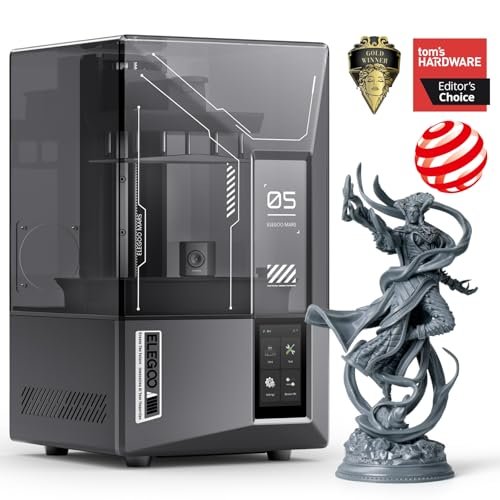
The ELEGOO Mars 5 Ultra brings high-end automation to a compact desktop footprint, making printing much faster and less stressful. Its standout tilt release technology drastically cuts down print times by peeling layers quickly without tearing fragile supports. You also get an integrated AI camera that watches for warped layers or empty build plates in real time, saving you from wasting costly resin. Built-in mechanical sensors keep an eye on leftover debris in the vat, protecting your screen from expensive punctures.
Key features that stand out:
– 7-inch 9K monochrome LCD with 18-micron XY precision
– Tilt-release mechanism capable of print speeds up to 150 mm/h
– AI camera with automated error detection and remote viewing
– Smart residue detection and resin level alerts
– Built-in Wi-Fi cluster management for multi-printer setups
Pros:
– Fast print cycles cut production times in half
– AI monitoring prevents major print fails before resin is wasted
– Wi-Fi connectivity makes file transfer painless
Cons:
– The AI detection accuracy can vary depending on resin color and ambient lighting.
Best for: Creators who value speed, smart error detection, and the convenience of wireless print management.
Expert Opinion: The tilt release mechanism on this unit is genuinely useful. It shaves hours off tall prints while keeping delicate details intact, making it one of the most efficient compact printers available.
ELEGOO Saturn 4 Ultra 16K Resin 3D Printer
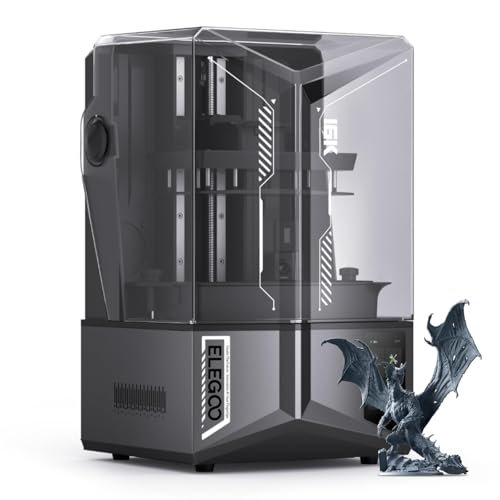
The ELEGOO Saturn 4 Ultra 16K combines a roomy build area with cutting-edge convenience features that eliminate standard printing headaches. Its built-in smart tank heating system maintains your resin at a steady 30 °C, which keeps the liquid flowing smoothly and prevents failed prints in cold workshops. The machine features true one-click auto-leveling, meaning you can unbox it, pour resin, and start printing without paper calibration sheets. Paired with a chamber monitoring light and tilt-release speed, this machine takes the guesswork out of mid-size resin production.
Key features that stand out:
– 16K resolution LCD screen offering lifelike textures
– Intelligent vat heating that automatically keeps resin at 30 °C
– Factory auto-leveling system ready to print out of the box
– High-speed tilt-release technology reaching up to 150 mm/h
– Built-in chamber light and AI monitoring camera with time-lapse support
Pros:
– Active heating makes printing in unheated garages or basements reliable
– True plug-and-play auto-leveling saves setup time
– Generous build volume accommodates larger multi-part models
Cons:
– The heated vat mechanism slightly increases overall power consumption during long jobs.
Best for: Makers working in cold environments who want large-scale prints without manual bed calibration.
Expert Opinion: Cold resin causes more failed prints than almost anything else. Having built-in temperature regulation in a 16K printer makes this one of the most reliable workhorses you can run through winter.
ELEGOO Saturn 4 Ultra 16K High-Capacity Resin 3D Printer
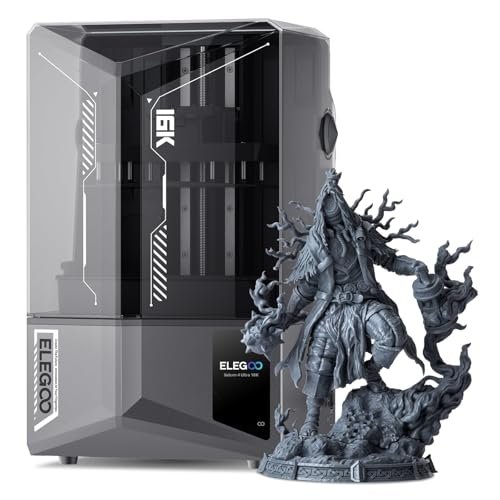
Designed for serious production runs and large sculptures, this version of the Saturn 4 Ultra 16K brings an expansive 8.33 x 4.66 x 8.66-inch build envelope to your workbench. Its screen boasts a dense 15120 x 6230 resolution, allowing you to print full-scale helmets, massive monster busts, or batches of parts with no loss of surface fidelity. The printer includes an automated thermal sensor that activates heating whenever temperatures dip below 25 °C. Combined with sensor-driven foreign object detection, it protects your LCD screen from accidental debris damage.
Key features that stand out:
– Ultra-dense 16K LCD panel (14 x 19 μm pixel size)
– Large build space measuring 8.33 x 4.66 x 8.66 inches
– Automated resin heating when ambient temp drops under 25 °C
– Built-in mechanical sensor to detect foreign objects and low resin
– Fast 150 mm/h printing speed without specialized release film
Pros:
– Enormous build volume handles full-sized props and high-volume batches
– Comprehensive safety sensors prevent screen damage from cured debris
– Time-lapse recording lets you easily review your print progress
Cons:
– The larger footprint and heavy flip-up cover require significant bench clearance.
Best for: Prop makers, small studios, and power users who need high batch output and large-scale precision.
Expert Opinion: If you run small-batch production, the combination of mechanical debris detection and self-heating makes this machine a dependable choice that runs safely with minimal supervision.
ELEGOO Mars 5 Resin 3D Printer
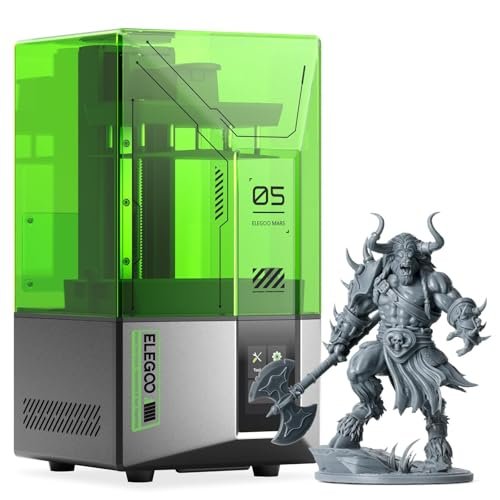
If you want reliable prints without overwhelming technical menus, the ELEGOO Mars 5 delivers a streamlined experience. It features one-click automatic leveling that gets beginners up and running in minutes without manual knob adjustments. A steady 4K mono LCD with a COB light source ensures your layer lines remain crisp, while the built-in mechanical sensor prevents screen cracking by spotting debris in the vat. It also includes an active overheat protection system that safeguards internal components during long print jobs.
Key features that stand out:
– 4K monochrome LCD paired with a uniform COB light source
– One-click auto-leveling calibration
– Automatic component self-check on startup
– Mechanical residue and resin shortage detection
– Thermal safety cutoff that activates if LED temps exceed 80 °C
Pros:
– Very accessible price point for newcomers to the hobby
– Safety sensors help beginners avoid common rookie mistakes
– Low learning curve with quick setup right out of the packaging
Cons:
– It lacks the high-speed tilt mechanism found on the Ultra series models.
Best for: Beginners looking for an easy, budget-conscious entry into resin printing with built-in safety features.
Expert Opinion: The Mars 5 trims out complicated extras to focus on reliable everyday printing. The automatic self-check and residue detection give beginners peace of mind against costly screen breaks.
Practical Insights: Comparing the Top Options
When choosing between these models, your decision comes down to build volume, temperature management, and printing speed.
- Resolution vs. Screen Size: The Anycubic Photon Mono 4 packs a 10K screen into a 7-inch frame, giving it an ultra-fine 17-micron pixel size that rivals larger 16K printers for raw miniature detail. However, if you need to print larger statues, the Saturn 4 Ultra series provides far superior build volume without sacrificing clarity.
- Speed and Peeling Forces: Both the Mars 5 Ultra and Saturn 4 Ultra feature tilt release technology, which rocks the vat to release each layer quickly. Standard vertical-lift printers like the Mars 5 and Photon Mono 4 take longer per layer, making the Ultra models significantly faster for tall models.
- Environmental Reliability: Cold rooms ruin prints by making photopolymer resin too thick to cure evenly. If you print in an unheated garage, the Saturn 4 Ultra’s built-in tank heater is an essential feature that will save you endless failed prints and wasted resin bottles.
Final Verdict
Match your choice to your specific workspace and project goals:
- The Miniature Painter’s Pick: Go with the ANYCUBIC Photon Mono 4 if your main goal is printing tabletop minis with crisp textures on a modest budget.
- The High-Speed Desktop Pick: Choose the ELEGOO Mars 5 Ultra if you want fast turnaround times, wireless slicing, and smart camera monitoring without taking up much desk space.
- The Heavy-Duty Production Pick: Pick the ELEGOO Saturn 4 Ultra 16K if you need large print capacity, automatic bed leveling, and built-in heating to conquer cold-weather printing.
- The Zero-Fuss Starter Pick: Select the ELEGOO Mars 5 if you want an affordable, durable starter machine with built-in screen protection and automatic calibration.
Frequently Asked Questions About 3D Resin Printer Bundles
What should be included in a 3d resin printer bundle?
A complete starter bundle typically includes the resin 3D printer, a wash and cure station, an initial bottle of photopolymer resin, and basic safety gear like nitrile gloves and safety glasses. Many packages also throw in replacement release film, scrapers, and spare resin vat filters.
Why do I need a wash and cure station with my resin printer?
Resin prints come off the build plate covered in sticky, uncured liquid resin. A wash and cure station automates the cleaning process using isopropyl alcohol (IPA) to rinse the model, followed by controlled ultraviolet light exposure to harden the print fully. Doing this manually with tubs and handheld UV flashlights is messy and inconsistent.
What is the advantage of tilt release technology over regular FEP film?
Standard printers pull the build plate straight up, creating strong suction forces between the cured layer and the release film. Tilt release physically tilts the vat to peel the layer away gradually from one side. This reduces mechanical stress on tiny model supports and allows print speeds up to 150 mm/h.
Does resin temperature really affect print quality?
Yes, photopolymer resin cures best between 25 °C and 30 °C (77 °F to 86 °F). When resin gets cold, its viscosity rises, making it flow sluggishly. This often leads to layer separation, incomplete curing, and failed prints. Machines with automated tank heating keep resin at the ideal temperature regardless of room conditions.
How often do I need to replace the LCD screen on a resin printer?
Monochrome LCD screens generally last between 2,000 and 3,000 hours of active printing. Because monochrome panels allow UV light to pass through efficiently, they experience less heat degradation than older RGB screens. Using built-in residue detection sensors helps prevent accidental punctures that cut screen life short.
Is an AI camera necessary for resin 3D printing?
While not strictly required, an AI camera helps catch print failures early. If a model detaches from the plate or warps, the camera sends an alert to your phone so you can pause the job immediately. This prevents the printer from curing an entire vat into a useless block, saving both time and expensive resin.
Affiliate Disclosure: As an Amazon Associate, I earn from qualifying purchases made through links on this site.