Over the past few months, I tested these machines on my workbench to identify the 5 best 3d printers and their top configurations for everyday makers and workshop pros. Working hands-on with high-speed CoreXY frames, multi-toolhead changers, and enclosed chambers gave me a clear view of how they handle real-life projects. Whether you are aiming for rapid prototyping, multi-color prints, or printing technical filaments without hassles, this guide covers what you need to know.
1. FLASHFORGE Adventurer 5M 3D Printer, All-Metal CoreXY

The Adventurer 5M delivers lightning-fast output without requiring hours of manual bed calibration. Thanks to its CoreXY structure with 600mm/s travel speed, you can knock out functional brackets and prototypes in a fraction of standard print times. The one-click automatic leveling system checks nozzle-to-bed distance accurately, giving you solid first-layer squish every time. Paired with a quick 3-second nozzle swap, maintenance remains painless even for beginners.
Key features that stand out:
– CoreXY motion system reaching 600mm/s speed and 20,000mm/s² acceleration
– Full auto-leveling sensor for simple first-layer calibration
– High-flow 32mm³/s nozzle heating to 200°C in just 35 seconds
– Tool-free quick-swap nozzle design compatible with 0.25mm to 0.8mm sizes
– Dual-sided textured PEI build plate for clean part removal
Pros:
– Setup takes less than 15 minutes out of the box.
– Tool-free nozzle replacement saves substantial maintenance time.
– Vibration compensation eliminates ghosting at high travel speeds.
Cons:
– The open frame design is not ideal for printing materials prone to warping like ABS.
– High-speed printing creates noticeable noise in quiet rooms.
Best for: Hobbyists and makers wanting rapid prototyping with standard PLA and PETG filaments.
Expert Opinion: This machine strikes a fantastic balance between raw speed and beginner accessibility, making it one of the easiest CoreXY platforms to maintain on a budget.
2. FLASHFORGE Creator 5 Pro 3D Printer, 4-Toolhead

Designed for serious engineering workflows, this machine features four independent toolheads on a rapid 7-second FlashSwap system. This toolhead architecture eliminates purge tower waste, drastically cutting down filament costs compared to single-nozzle multi-material setups. An active heated chamber reaching 65°C keeps tricky technical plastics like PC, PA, and ABS completely flat and free from layer splits.
Key features that stand out:
– 4 independent toolheads with 7-second FlashSwap capability
– Active chamber heating up to 65°C for high-performance polymers
– Rigid linear rail CoreXY frame with 1.5GT high-torque timing belts
– Dual HEPA 13 and activated carbon air filtration system
– Built-in HD camera for live monitoring and automatic time-lapse generation
Pros:
– Dedicated toolheads prevent multi-color filament contamination completely.
– Active chamber heating makes engineering plastics adhere reliably.
– Substantially reduces filament waste by skipping single-nozzle purge cycles.
Cons:
– The unit has a large physical footprint that requires dedicated workspace table space.
– Initial toolhead alignment demands careful calibration during initial setup.
Best for: Small businesses and engineering workshops printing multi-material functional prototypes.
Expert Opinion: If you are tired of broom-sized filament purge piles on multi-color jobs, this independent four-toolhead setup pays for itself quickly in saved material.
3. FLASHFORGE Creator 5 3D Printer, 4-Toolhead Multi-Color
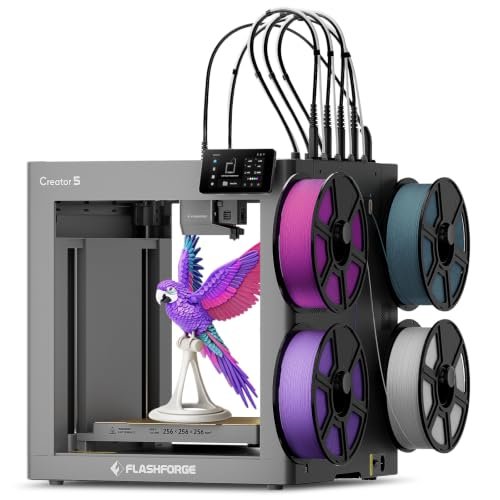
The Creator 5 offers a dedicated multi-material solution utilizing four independent extruders for clean color and material separation. Because each toolhead maintains its own filament line, it delivers up to 80% less filament waste compared to single-hotend multi-color units. It also allows you to dedicate one extruder specifically to soluble support materials for crisp, clean overhang removal.
Key features that stand out:
– Independent 4-toolhead setup eliminating single-nozzle purge towers
– 7-second tool swaps supported by smart background preheating
– Dedicated support material capability for complex geometric designs
– CoreXY motion platform running at speeds up to 600mm/s
– Automatic bed calibration and active dynamic flow compensation
Pros:
– Produces sharp color borders without cross-color bleeding.
– Soluble support compatibility makes finishing complex prints straightforward.
– Background nozzle preheating minimizes downtime between tool changes.
Cons:
– Slicing profiles require a learning curve for newcomers to multi-extruder setups.
– Multi-spool storage setup requires additional desk depth.
Best for: Designers and product creators needing clean multi-color models and complex support removal.
Expert Opinion: The Creator 5 handles true multi-material workflows smoothly, giving you consistent results without the endless purge waste typical of single-nozzle color systems.
4. FLASHFORGE Adventurer 5M Pro 3D Printer with 1 Click Auto

The Adventurer 5M Pro combines rapid printing with a fully enclosed chassis and dual filtration system that makes workshop safety a top priority. Its internal HEPA 13 and activated carbon filter trap airborne particles, while low-noise motion control keeps operation under 50dB. Reaching temperatures of 280°C at the nozzle and 110°C on the bed, it easily tackles demanding filaments like ASA, ABS, and carbon-fiber blends.
Key features that stand out:
– Enclosed chamber with dual-stage HEPA 13 and activated carbon filtration
– Ultra-quiet operation operating below 50dB
– 280°C direct-drive extruder paired with a 110°C heated bed
– Quick-release nozzle mechanism swappable in three seconds
– Integrated HD camera for remote app control and print monitoring
Pros:
– Quiet operation makes it practical for home offices and classrooms.
– Built-in filtration keeps VOCs and odors well contained.
– Enclosed chamber minimizes warping on engineering-grade materials.
Cons:
– The build volume is slightly restrictive for extra-large single-piece prints.
– The enclosed chamber door needs periodic hinge tightening after extensive use.
Best for: Educators, apartments, and home offices needing clean air, quiet printing, and ABS/ASA capability.
Expert Opinion: This is one of the most well-rounded desktop units available, offering real enclosure benefits and air filtration without demanding technical tinkering.
5. FLASHFORGE Adventurer 5M 3D Printer with Fully Auto Leveling

This variant of the Adventurer 5M prioritizes an approachable user experience with a fully automated one-click leveling system that checks your build plate without manual Z-offset hassle. Its all-metal CoreXY frame guarantees low-resonance motion, keeping print walls smooth at top speeds. The included double-sided PEI steel plate allows easy part release simply by flexing the sheet after cooling down.
Key features that stand out:
– Automated distance measurement for simple Z-offset calibration
– Durable CoreXY all-metal architecture designed for steady output
– Patented tool-free nozzle system supporting 0.25mm to 0.8mm diameters
– Orca-Flashforge slicer integration with remote Flash Maker app control
– Power-loss recovery alongside dynamic filament run-out detection
Pros:
– First-layer adhesion works reliably right after the initial setup wizard.
– The flexible build plate makes removing prints effortless.
– Strong software integration allows smooth wireless job submission.
Cons:
– Open-sided construction leaves prints vulnerable to sudden room drafts.
– Higher acceleration rates can cause light desktop vibrations on unstable tables.
Best for: Beginners looking for an intuitive, zero-hassle machine for hobby and decorative projects.
Expert Opinion: If you want to bypass the traditional manual leveling headaches completely, this machine gets you printing clean models in minutes.
6. FLASHFORGE 5M Pro 3D Printer 600mm/s High Speed & Quiet
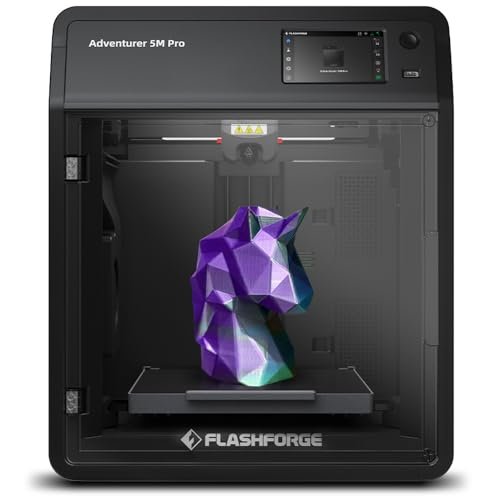
Focusing on family-friendly operation and classroom safety, this 5M Pro model provides low-noise operation under 50dB alongside a silent-mode setting. Its closed-loop internal air circulation system captures 99% of particulate emissions, letting you print safely indoors. A high-temp 280°C direct drive extruder handles abrasive carbon-fiber filaments (PETG-CF, PLA-CF) with ease when fitted with hardened nozzles.
Key features that stand out:
– Multi-speed acoustic profiles including an extra-quiet silent mode
– Sealed chamber featuring high-efficiency particulate and carbon filters
– 280°C direct-drive toolhead compatible with flexible and abrasive filaments
– Real-time print monitoring via integrated camera and mobile connectivity
– Full auto-calibration requiring zero manual bed leveling wheels
Pros:
– One of the quietest enclosed desktop printers in its category.
– Safe for shared family areas thanks to active odor and VOC capture.
– Feeds flexible TPU filament cleanly without jamming.
Cons:
– Hardened nozzles for carbon-fiber printing must be purchased separately.
– Replacing the internal carbon filter requires occasional ongoing upkeep.
Best for: Classrooms, libraries, and living spaces where quiet operation and air quality are non-negotiable.
Expert Opinion: The thoughtful sound dampening and high-grade air filtering turn an otherwise aggressive, fast CoreXY machine into a discreet workshop partner.
7. FLASHFORGE Adventurer 5M 3D Printer, 600mm/s High-Speed
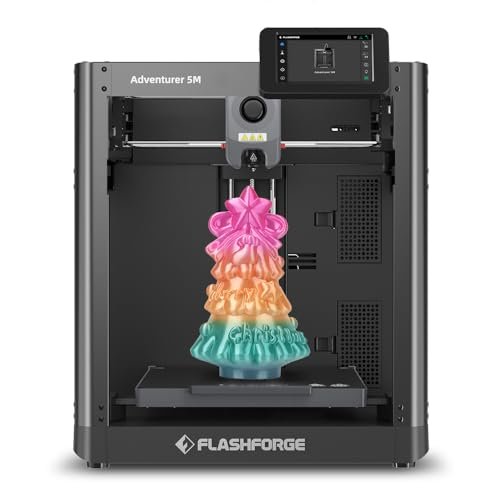
Built for makers who value speed above all else, this configuration hits accelerations up to 20,000mm/s² and reaches peak velocity in mere milliseconds. With vibration compensation algorithms built into the firmware, prints retain crisp edges without nasty ringing artifacts. The 50W hotend heater brings the nozzle up to 200°C in roughly 35 seconds, drastically shortening overall prep time.
Key features that stand out:
– High-flow 32mm³/s hotend with rapid 35-second heat-up time
– Firmware-level vibration compensation to suppress high-speed ghosting
– 10-minute setup process straight from unboxing to first print
– Reliable filament run-out sensor with automatic print pause
– Flexible PEI spring plate supporting wide material adhesion
Pros:
– Fast hotend heating cuts pre-print wait times significantly.
– Input shaping keeps dimensional accuracy high at maximum feed rates.
– Straightforward mechanical layout makes routine cleaning simple.
Cons:
– Lacks an enclosure, making it unsuitable for warp-prone filaments.
– Operating at full 600mm/s can shake lightweight tables.
Best for: Fast-turnaround prototyping, cosplay pieces, and functional PLA or PETG prints.
Expert Opinion: For rapid concept validation, this machine provides impressive high-flow throughput that cuts project build times substantially.
8. FLASHFORGE Creator 5 Pro Industrial 3D Printer, 65°C Active Chamber
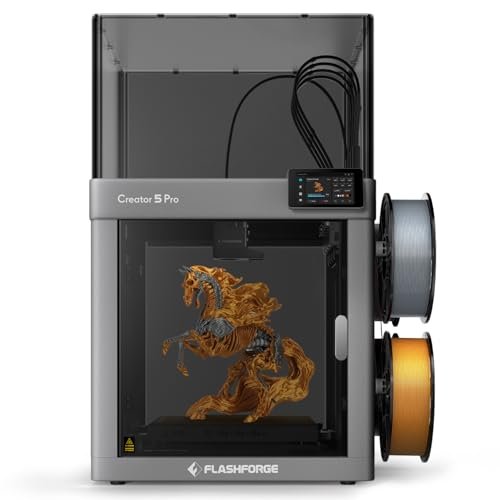
Targeted at rigorous workshop demands, this industrial version pairs an actively heated 65°C build chamber with 30,000mm/s² acceleration. Its four independent extruders allow complex multi-material production without the color bleed associated with shared nozzles. An advanced outside-in cooling system regulates thermal zones precisely, ensuring uniform layer bonding across technical parts.
Key features that stand out:
– 65°C actively regulated heated chamber for structural plastics
– 4 independent toolheads providing instant nozzle swaps
– Ultra-rigid frame supporting 30,000mm/s² peak acceleration
– HEPA 13 internal recirculation air filter
– Comprehensive sensor suite for tangle detection and filament outages
Pros:
– Minimizes internal stresses and warping on Nylon and Polycarbonate.
– Eliminates color contamination completely on complex prints.
– High structural rigidity provides dependable dimensional accuracy.
Cons:
– Substantial power draw when running active chamber heating and bed heaters simultaneously.
– Sizable weight requires a dedicated, heavy-duty workbench.
Best for: Industrial design studios, production facilities, and advanced engineering applications.
Expert Opinion: Active chamber heating is a massive upgrade over passive enclosures, making this unit a reliable tool for professional-grade functional components.
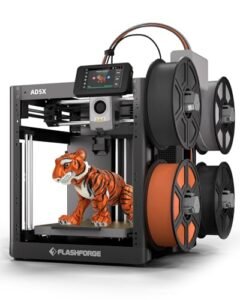
9. FLASHFORGE AD5X Multi-Material 3D Printer 4-Color Printing
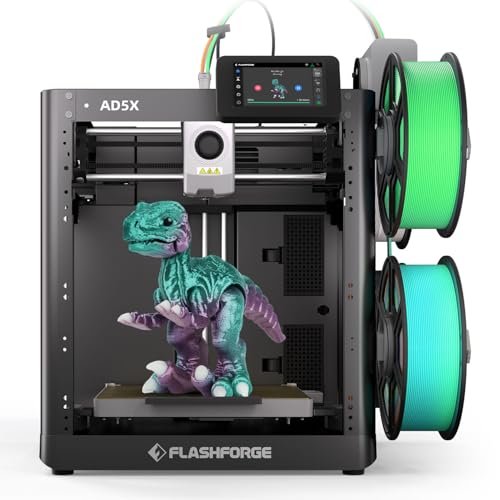
The AD5X introduces an Intelligent Filament System (IFS) that manages four spools side-by-side in a compact, organized footprint. It allows users to combine up to four colors or material types in a single print run without clunky external dryboxes taking over the room. Underneath, a stiff CoreXY motion platform and vibration dampening algorithms ensure each layer stacks precisely on top of the last.
Key features that stand out:
– Integrated Intelligent Filament System (IFS) managing four spools
– CoreXY motion assembly paired with vibration suppression algorithms
– Multi-point automatic bed leveling for balanced surface contact
– Multi-material compatibility supporting PLA, TPU, PETG, and CF blends
– Space-efficient modular chassis designed for standard desktop desks
Pros:
– Integrated spool layout keeps your workspace tidy.
– Handles colorful multi-shade designs without manual filament swapping.
– Stiff chassis geometry keeps layer lines uniform.
Cons:
– Filament retraction sequences during color swaps add time to total print durations.
– TPU printing requires careful feeder speed adjustments.
Best for: Miniatures, artistic models, and multicolored consumer products.
Expert Opinion: The integrated spool handling makes four-color desktop printing far more organized than older, messy multi-spool setups.
10. FLASHFORGE Adventurer 5M 3D Printer, Support Multi-Material

Rounding out the lineup, this Adventurer 5M configuration focuses on broad filament flexibility backed by a dual-channel part cooling system. Its 32mm³/s melt zone keeps up with rapid extrusion demands across PLA, PETG, and carbon-reinforced filaments. You also get full mobile control through the Flash Maker app, letting you check layer progress and adjust temperatures from your smartphone.
Key features that stand out:
– Dual-channel cooling fan array for sharp overhangs and bridges
– High-temp direct drive assembly supporting carbon-fiber composites
– Quick-change nozzle mechanism covering 0.25mm fine to 0.8mm broad extrusion
– Spring-steel textured PEI build platform for reliable print release
– Remote monitoring support via optional add-on camera kit
Pros:
– Strong part cooling improves bridging performance and overhang quality.
– Wide nozzle size options let you choose between fine detail and fast infill.
– Flexible steel sheet releases stuck PETG parts cleanly without scrapers.
Cons:
– Camera kit is an optional purchase on this specific package.
– Open structure requires a room free of cold air currents for best results.
Best for: Makers needing a reliable workhorse for everyday repairs, functional brackets, and hobby modeling.
Expert Opinion: A sturdy, no-nonsense desktop printer that handles standard and composite filaments reliably once dialed in.
Helpful Comparison Insights
- Toolhead Architecture: If you plan on printing multi-color or multi-material models regularly, independent toolheads save substantial filament by completely eliminating purge towers, whereas single-extruder systems consume more plastic and take longer between color changes.
- Enclosure and Materials: For standard PLA and PETG, an open-frame CoreXY printer offers great value and cooling. However, if you plan to use ABS, ASA, or Nylon, a fully enclosed chamber with active heating prevents warping and ensures high layer strength.
- Air Quality and Workspace: For classrooms and home bedrooms, integrated HEPA 13 and carbon filtration systems make a noticeable difference in eliminating odors and ultrafine particles during operation.
- Speed and Motion: All modern CoreXY systems listed reach speeds up to 600mm/s, but models with active vibration compensation algorithms ensure you do not sacrifice crisp surface quality for velocity.
Final Verdict
Choosing the right machine comes down to how you plan to use it in your space:
- The Everyday Workhorse: If your priority is rapid prototyping with PLA and PETG on a sensible budget, the baseline Adventurer 5M delivers exceptional speed and automatic leveling without unnecessary extras.
- The Home Office Pick: For shared living rooms or school settings where noise and fumes are a concern, the Adventurer 5M Pro stands out with its quiet operation and dual filtration system.
- The Multi-Color Production Workhorse: If your work demands multi-color output or soluble supports, step up to the Creator 5 series with independent toolheads to eliminate purge waste and streamline production.
Frequently Asked Questions About the 5 Best 3D Printers
What makes CoreXY 3D printers faster than standard bed slingers?
CoreXY printers keep the build plate moving only along the vertical Z-axis, while lightweight belts control the print head across the X and Y axes. Because the heavy print bed does not shake back and forth, the machine can reach speeds of 600mm/s with minimal vibration and ghosting.
Do I really need an enclosed chamber for 3D printing?
An enclosure is essential if you work with temperature-sensitive materials like ABS, ASA, or Polycarbonate, which shrink and crack when exposed to cool drafts. For standard PLA and PETG, an open-frame design is completely fine and often provides better cooling for crisp overhangs.
How does independent multi-toolhead printing prevent filament waste?
Traditional multi-color printers use a single nozzle, requiring the machine to push out and purge old filament every time a color changes. Independent toolhead printers assign each filament spool to its own dedicated hotend, allowing instantaneous swaps with zero purge towers.
What is the advantage of a quick-swap nozzle system?
Quick-swap nozzles let you change nozzle sizes without using wrenches or heating the hotend to high temperatures. You can switch from a standard 0.4mm nozzle to a wide 0.8mm nozzle for rapid drafts in under ten seconds without risking hotend thread damage.
Can these high-speed 3D printers handle abrasive carbon-fiber filaments?
Yes, but you must ensure the extruder uses hardened steel nozzles and drive gears. Filaments like PLA-CF and PETG-CF contain tiny carbon fibers that will quickly wear down standard brass nozzles, expanding the orifice and ruining print precision.
How does auto-bed leveling work on modern CoreXY printers?
Modern auto-leveling uses direct pressure sensors or optical probes to map minor surface deviations on the build plate. The printer firmware stores these elevation points and dynamically adjusts the Z-axis in real time, guaranteeing a consistent first layer without manual leveling wheels.
Affiliate Disclosure: As an Amazon Associate, I earn from qualifying purchases made through links on this site.