When I first started testing desktop machines years ago, finding the best 3d pla printer often meant spending hours tweaking eccentric nuts and leveling warped beds with a piece of paper. Today, modern machines print smooth PLA figures straight out of the box with auto-leveling sensors, lightning-fast CoreXY kinematics, and reliable cooling systems. In this guide, I share my real-world workshop findings on the most dependable 3D printers and materials so you can pick the right setup without second-guessing your choice.
Bambu Lab P1S Combo
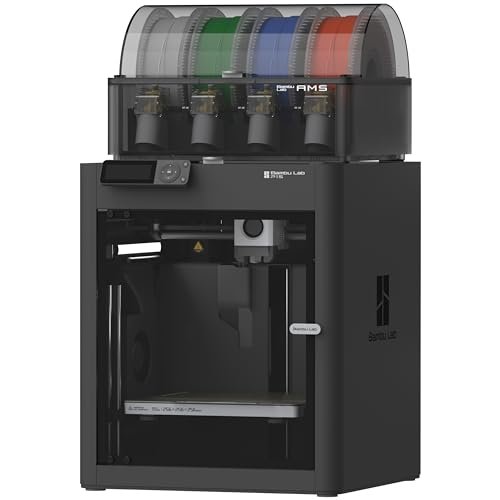
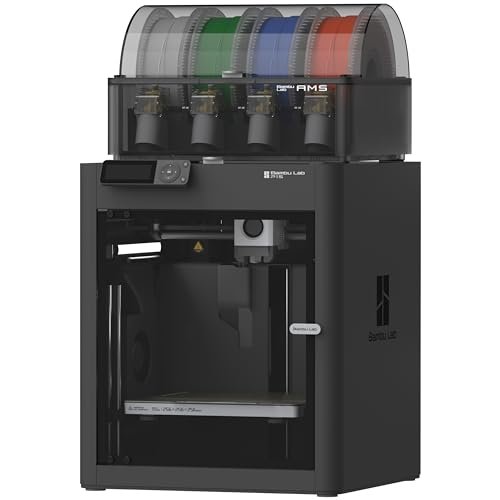
The Bambu Lab P1S Combo is a workhorse that takes the headache out of multi-color filament management by bundling the machine with the Automated Material System (AMS). With its fully enclosed chassis, you get stable internal temperatures that prevent drafts from lifting delicate corners on large decorative models. The motion system reaches print speeds up to 500mm/s, turning multi-hour prints into quick afternoon projects without skipping steps. Setting everything up takes roughly 15 minutes, making it a stellar entry point for creators who value their time.
Key features that stand out:
– Automatic bed leveling: Eliminates manual tramming and ensures flat, reliable first layers every time.
– AMS multi-color system: Handles automated color and material swaps for up to 16 colors when daisy-chained.
– High-speed motion system: Accelerates up to 20,000 mm/s² to dramatically cut down total print time.
– Enclosed build chamber: Shields your prints from drafty rooms and keeps noise levels contained.
– Broad material support: Runs standard PLA, PETG, and TPU smoothly alongside high-temp engineering filaments.
Pros:
– Automated multi-color printing works reliably without manual filament swaps
– Blazing-fast output speeds with crisp layer consistency
– Fast, straightforward out-of-the-box assembly
Cons:
– Swapping hotends takes a few extra steps compared to newer quick-release clip designs.
Best for: Enthusiasts and makers who want multi-color PLA printing right out of the box with zero guesswork.
Expert Opinion: The P1S Combo sets the standard for consumer-grade reliability because the AMS automates filament retraction and purging so cleanly that you spend your time designing rather than fixing jams.
Bambu Lab P1S 3D Printer
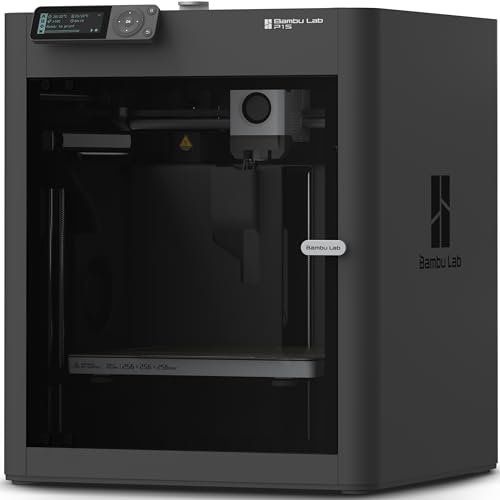
If you want the raw mechanical performance of a high-end CoreXY machine without paying for multi-color units upfront, the standalone Bambu Lab P1S delivers phenomenal value. Its sturdy enclosed frame keeps the workspace clean and dampens motor vibration during rapid direction changes. You get the same reliable automated bed leveling and vibration compensation found on the Combo version, ensuring smooth surfaces across dense PLA prints. Because it is pre-configured and ready to run in under twenty minutes, you can jump straight into high-speed prototyping.
Key features that stand out:
– Enclosed body structure: Regulates ambient temperature and keeps moving mechanical parts safe from debris.
– 500mm/s top speed: Slices print times significantly while maintaining tight dimensional accuracy.
– Self-calibrating sensors: Runs frequency sweeps and automated mesh bed leveling before jobs run.
– Expandable architecture: Allows you to plug in an AMS module whenever you want to explore multi-color printing.
– Direct-drive extruder: Feeds flexible and standard PLA filaments with minimal slipping.
Pros:
– Delivers rapid high-speed printing at a lower starting price point
– Enclosed chamber protects prints from cool drafts
– Easy upgrade path to multi-color printing later on
Cons:
– The small onboard monochrome screen feels basic compared to modern color touchscreen displays.
Best for: Hobbyists looking for a dependable, high-speed enclosed printer who do not need multi-color printing immediately.
Expert Opinion: Buying the standalone P1S gives you the exact same printing horsepower as the Combo model, making it a smart way to get high-end speed and clean PLA layer stacking while leaving room in your budget for future add-ons.
FLASHFORGE Adventurer 5M 3D Printer
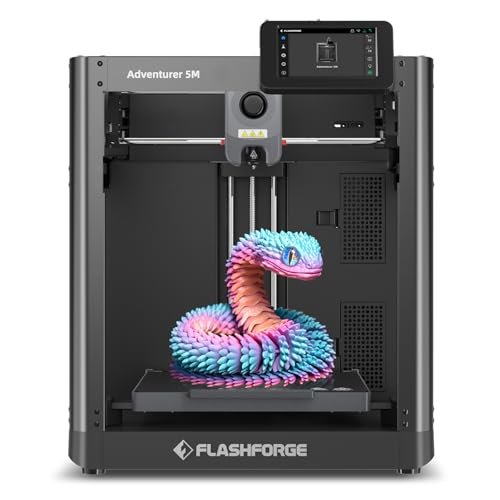
The FLASHFORGE Adventurer 5M is built around a rigid all-metal CoreXY framework that focuses on raw printing efficiency. It features a lightning-fast 35-second nozzle heat-up that pairs with a high-flow 32mm³/s hotend to lay down molten PLA at up to 600mm/s travel speeds. The one-click automatic leveling system probes the bed electronically, so you never have to adjust leveling wheels underneath the carriage. Maintenance is also refreshingly painless thanks to a quick-change nozzle design that snaps out in just three seconds.
Key features that stand out:
– CoreXY motion structure: Delivers rapid acceleration up to 20,000mm/s² for swift prototypes.
– One-click automatic bed leveling: Ensures consistent first-layer squish without paper tests or manual knobs.
– 3-second quick-swap nozzle: Lets you change between 0.25mm and 0.8mm nozzle sizes without messy tool teardowns.
– Dual-fan auxiliary cooling: Solidifies PLA overhangs quickly to prevent drooping and surface stringing.
– Flash Studio app integration: Gives you remote print monitoring and controls from your phone or PC.
Pros:
– Exceptionally fast warm-up and high print throughput
– Tool-free nozzle replacement makes clearing clogs easy
– Flexible dual-sided PEI plate pops prints off effortlessly
Cons:
– The open-frame construction does not isolate high-speed motor noise as well as enclosed models.
Best for: Practical makers and school labs seeking high-speed throughput and low maintenance on an open-frame platform.
Expert Opinion: The Adventurer 5M is an unsung hero for rapid functional prototyping; its high-flow hotend melts standard PLA so quickly that you can finish standard benchy tests in under fifteen minutes with admirable surface quality.
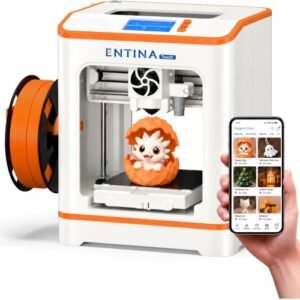
AOSEED AI 3D Printer for Kids
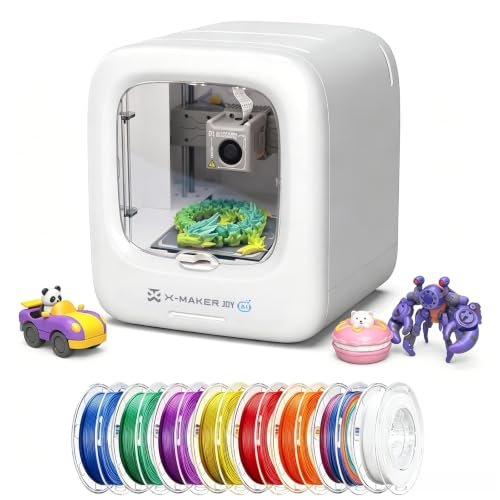
The AOSEED AI printer is specifically engineered to eliminate the intimidating learning curves often tied to 3D printing software. Instead of fiddling with complex slicers, young makers can turn simple sketches, voice prompts, and photos into physical objects using the integrated AI modeling tools. The machine operates inside a fully enclosed, pinch-resistant safety shell, keeping curious fingers away from hot components during operation. Despite its kid-friendly focus, it packs genuine hardware capability, reaching speeds up to 400mm/s with a reliable magnetic build surface.
Key features that stand out:
– AI-driven creation suite: Transforms text prompts, doodles, and pictures into printable STL files via the companion app.
– Safety-certified enclosed build: Features rounded edges, pinch protection, and low-odor PLA compatibility for home bedrooms.
– Over 20,000 curated models: Provides instant access to tested toys, desk accessories, and educational projects.
– Integrated monitoring camera: Records time-lapse clips and lets parents monitor print jobs from a smartphone.
– Leveling-free build plate: Completely removes calibration steps so kids can print with a single tap.
Pros:
– Extremely safe and easy for beginners and children to operate independently
– AI software tools remove the need for technical 3D modeling skills
– Comes bundled with filament, tools, and fun accessories right out of the box
Cons:
– The compact build volume limits your ability to print large functional parts.
Best for: Young creators, parents, and classrooms looking for a safe, educational introduction to 3D fabrication.
Expert Opinion: Most “kid-friendly” printers are slow and fragile, but AOSEED paired high-speed internal hardware with smart software prompts, giving children instant creative gratification without parental headaches.
SUNLU PLA Filament 1.75mm (250g Spool Bundle)
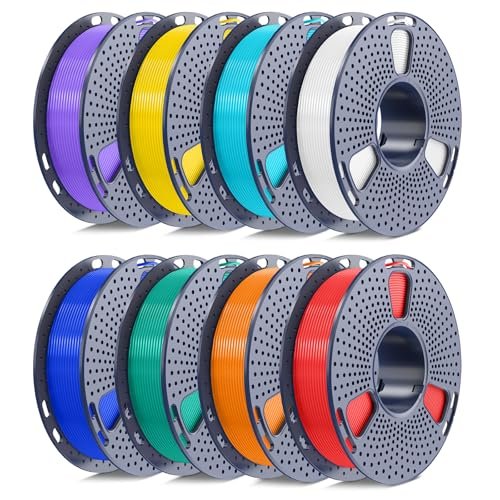
High-speed printers demand consistent filament, and this multi-pack bundle from SUNLU solves the common problem of half-empty 1kg spools collecting dust. Each pack includes multiple compact 250g mini spools, providing a generous mix of colors for small detailed figurines, cosplay accents, and multi-part assemblies. The filament holds a strict dimensional tolerance of ±0.02mm, which prevents sudden under-extrusion or nozzle clogs during fast print runs. Because it is wound with neat mechanical tension, you won’t run into mid-print snags that ruin overnight builds.
Key features that stand out:
– Compact 250g spool sizes: Lets you stock varied color palettes without buying expensive single-kilogram rolls.
– Precision diameter control: Maintains a 1.75mm ±0.02mm profile for steady volumetric flow rates.
– Neat machine winding: Reduces tangles and spool binding inside tight feeding tubes.
– Low warp formula: Bonds securely to clean PEI sheets at standard 50°C to 60°C bed temperatures.
– Wide hardware compatibility: Works seamlessly with direct-drive and Bowden style extruders alike.
Pros:
– Fantastic color variety without excessive plastic waste
– Consistently smooth layer lines with low stringing
– Tightly wound spools minimize feeding jams
Cons:
– Using these smaller mini-spools inside automated systems like the Bambu AMS requires printing a custom spool adapter.
Best for: Model makers, tabletop hobbyists, and anyone who wants diverse PLA colors on hand without storing bulky rolls.
Expert Opinion: Having small, reliable spools of PLA on hand is a game changer when you need accent pieces or rapid color swatches, and SUNLU’s consistent diameter ensures your dialed-in slicer settings stay accurate across every spool.
Practical Buying Insights
When you are weighing which machine best suits your desk, keep these practical points in mind:
- Enclosed vs. Open Frame: The Bambu Lab P1S features an enclosed chassis that cuts down high-frequency motor noise and protects prints from sudden drafts. Conversely, the FLASHFORGE Adventurer 5M runs an open frame that offers easier access to the print bed and rapid nozzle changes, though fan and axis noise are more noticeable in quiet rooms.
- Multi-Color Needs: If your priority is printing colorful figurines in a single pass without painting, the Bambu Lab P1S Combo handles automated multi-filament feeding seamlessly. If you only print functional brackets or single-color prototypes, you can save money by selecting a standalone printer.
- Ease of Use for Beginners: If you are introducing a child to the hobby, traditional slicers like Cura or OrcaSlicer can feel overwhelming. The AOSEED AI Printer bypasses technical hurdles by generating models via voice and text prompts, while standard printers require basic knowledge of layer heights, supports, and infill percentages.
- Filament Management: High-speed printing requires consistent material. Using tightly wound spools with uniform diameter, such as the SUNLU 250g PLA Bundle, prevents hotend under-extrusion and lets you test multiple color palettes without cluttering your workspace.
Final Verdict
Choosing the right setup comes down to your personal goals:
- For the Complete Enthusiast Experience: Choose the Bambu Lab P1S Combo. Its automated AMS feeder, enclosed chassis, and rapid CoreXY speeds eliminate almost all the manual maintenance traditionally associated with multi-color 3D printing.
- For Fast Functional Prototyping on a Budget: Go with the FLASHFORGE Adventurer 5M. Its 3-second quick-swap nozzle, high volumetric flow, and straightforward automatic leveling make it an efficient workhorse for daily utility parts.
- For Young Students and Family Learning: Pick the AOSEED AI 3D Printer. The built-in safety features, pinch-proof frame, and prompt-based model generator offer a fun, creative path into STEM without complex CAD software.
- For Essential Workshop Consumables: Keep the SUNLU PLA 250g Bundle nearby to handle miniature accents, colorful test prints, and multi-part projects without wasting money on full-sized rolls.
Frequently Asked Questions About the Best 3D PLA Printer
What makes a machine the best 3d pla printer for beginners?
The best beginner machines offer automated bed leveling, a direct-drive extruder, and a flexible PEI build plate. These features prevent bed adhesion failures and nozzle jams, which are the most common frustrations newcomers face when working with standard polylactic acid filament.
What nozzle and bed temperatures are ideal for printing PLA?
Most standard PLA filaments print best with a nozzle temperature between 195°C and 220°C, alongside a heated bed temperature between 50°C and 60°C. High-speed printers often raise nozzle temps closer to 220°C to 230°C to ensure the material melts quickly enough to match high volumetric flow rates.
Can an open-frame printer produce PLA parts as well as an enclosed printer?
Yes, PLA actually benefits from high airflow and active part cooling fans. While an enclosed chamber helps dampen motor noise and protects against cool drafts, open-frame printers like the Flashforge Adventurer 5M excel at printing PLA because excess heat vents naturally, preventing heat creep inside the extruder.
Why does my PLA print curl or lift at the corners?
Corner warping happens when the extruded plastic cools and contracts too quickly. You can fix this by cleaning your PEI print sheet with warm water and dish soap to remove finger oils, bumping the bed temperature up to 60°C, and disabling the auxiliary cooling fan for the first two or three layers.
Do I need a hardened steel nozzle to print PLA?
Standard brass nozzles work perfectly for standard PLA, PLA+, and silky aesthetic filaments. However, if you plan to print abrasive composite materials like glow-in-the-dark PLA, wood-filled PLA, or carbon-fiber infused blends, you should swap to a hardened steel nozzle to prevent rapid bore wear.
How does print speed affect PLA surface finish?
Printing at speeds above 250mm/s requires higher extruder temperatures to keep the plastic flowing smoothly, which can sometimes result in a slightly more matte surface finish. Modern machines use vibration compensation (input shaping) to prevent ghosting or ringing artifacts along outer walls at these elevated speeds.
How should I store PLA filament when I am not printing?
Although PLA is less hygroscopic than nylon or PETG, it will absorb ambient moisture over time, leading to stringing, snapping filament, and bubbling at the hotend. Store your spools in airtight plastic containers or vacuum-sealed bags with desiccant packs to maintain clean extrusion quality.
Affiliate Disclosure: As an Amazon Associate, I earn from qualifying purchases made through links on this site.