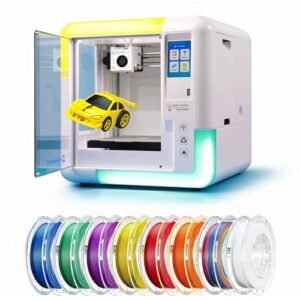
Over the past few years, I’ve spent hundreds of hours testing desktop fabrication gear right at my own workbench, sorting through the models that run smoothly and the ones that constantly jam. Finding the best 3 d printer for home use comes down to balancing ease of use, reliable bed leveling, clean print quality, and straightforward software. In this guide, I share my practical takeaways on five standout desktop machines so you can pick the right option for your family, workspace, and budget.
Hephi3d TINA2C 3D Printer
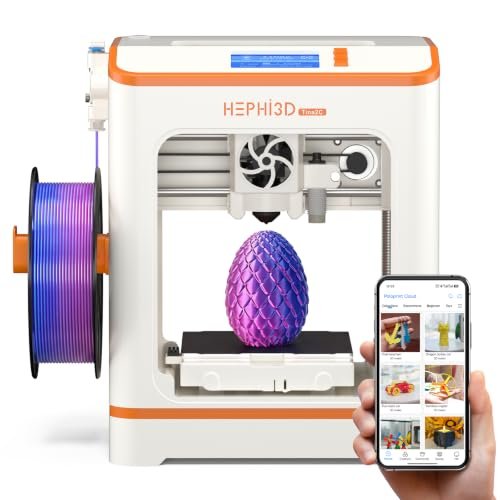
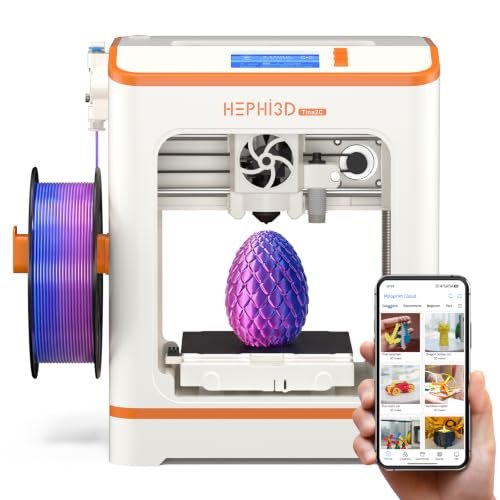
The Hephi3d TINA2C is built specifically for users who want to dive into printing without spending hours turning wrenches or adjusting leveling screws. It arrives fully assembled from the factory, allowing you to plug it in and start your first project within minutes. The integrated smart app connectivity provides direct access to thousands of ready-to-print designs, while the open-source firmware compatibility ensures you aren’t trapped in a walled software ecosystem.
Key features that stand out:
– Factory-assembled build with fully automated bed leveling
– Poloprint cloud app support featuring over 3,500 models and photo-to-3D generation
– Open-source slicing compatibility with Wiibuilder, Cura, and offline TF card printing
– Compact desktop footprint with whisper-quiet motor operation and power-loss resume
Pros:
– Ready to print straight out of the box with virtually zero mechanical setup.
– Flexible magnetic build sheet makes removing finished prints quick and effortless.
– Generous starter kit includes sample filament and essential maintenance tools.
Cons:
– The compact print volume is too small for large household utility items.
Best for: Students, kids, and beginners looking for an approachable starter machine for desk crafting.
Expert Opinion: If you are nervous about complex calibrations and want an unintimidating way to introduce 3D printing to your household, the TINA2C delivers a remarkably smooth entry point without requiring any technical background.
Entina Tina2 Plus 3D Printer
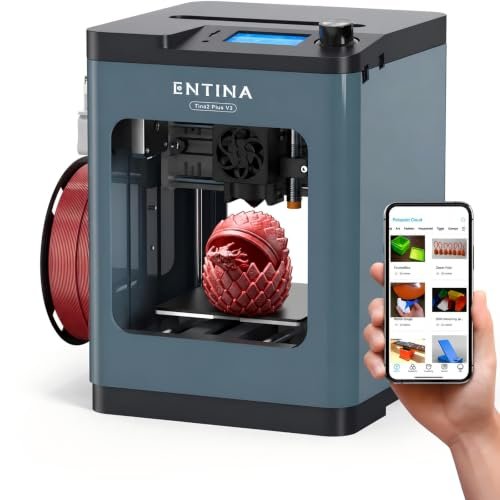
The Entina Tina2 Plus takes the simplicity of mini desktop printers and adds serious upgrades to speed and mechanical stability. With print speeds up to 250 mm/s, you won’t be waiting half a day for simple prototypes and figurines to finish. It combines a rapid-heating ceramic hotend with a rigid dual Z-axis structure, giving your models sharper details and cleaner layer lines while maintaining a compact footprint on your desk.
Key features that stand out:
– Fast 250 mm/s printing speed backed by a reinforced dual Z-axis frame
– Quick-heating ceramic nozzle that reaches printing temperature in roughly 40 seconds
– Spring steel PEI magnetic build plate for strong adhesion and instant print release
– Built-in Wi-Fi and Poloprint Cloud app integration for remote printing
Pros:
– Slashes print times significantly compared to standard entry-level machines.
– Textured PEI build surface holds prints firmly while hot and releases them easily when cool.
– Partially enclosed frame keeps hot components away from stray fingers.
Cons:
– Part cooling fans generate noticeable background noise when running at maximum speed.
Best for: Hobbyists and educators who want rapid project turnaround times without sacrificing desk space.
Expert Opinion: The Tina2 Plus bridges the gap between basic starter machines and performance printers, making it a great pick if you want fast output, better layer consistency, and zero bed-leveling headaches.
AOSEED AI 3D Printer for Kids
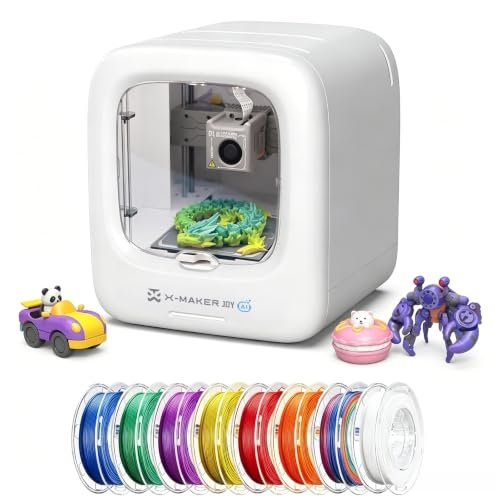
The AOSEED AI printer is thoughtfully tailored to turn creative sketches into tangible toys with minimal friction. Its fully enclosed kid-safe chassis keeps hot moving parts out of reach, while the built-in AI Doodle and MiniMe features allow children to transform spoken prompts, text, or phone photos into printable 3D models. An internal camera keeps an eye on each layer and automatically compiles time-lapse videos that you can save directly to your phone.
Key features that stand out:
– AI-driven design tools including voice, text, and photo-to-model generators
– Built-in monitoring camera with automated time-lapse video recording
– Fully enclosed, pinch-resistant design certified with family-safe testing standards
– Fast motion capability reaching peak speeds up to 400 mm/s
Pros:
– Generous starter bundle comes with 8 filament spools and DIY stickers.
– Extremely intuitive child-friendly app eliminates the need for complex CAD training.
– Completely enclosed body reduces operational noise and enhances safety.
Cons:
– Prints only a single color at a time, requiring multi-part assembly for colorful toys.
Best for: Young creators, homeschool setups, and parents who prioritize physical safety and software ease of use.
Expert Opinion: AOSEED did an impressive job rethinking the user interface for younger minds, turning what used to be a technical chore into a fun, safe toy factory right on the family table.
Entina Tina2C 3D Printer
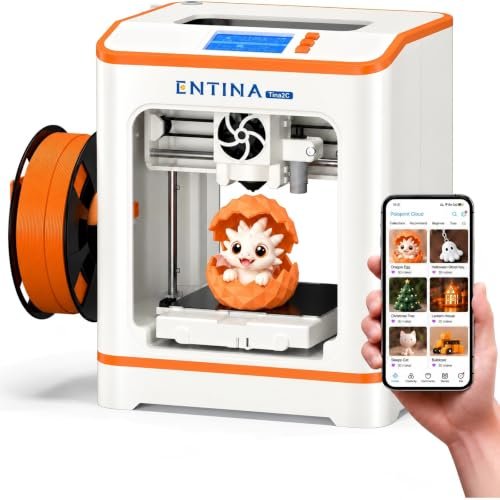
The Entina Tina2C is a space-saving desktop machine designed for quick creative projects, educational activities, and light repairs. Its 3.9-inch cubic build volume fits cleanly onto any crowded workstation, and the guided Poloprint app setup gets your first layer down in minutes. With automatic bed leveling, power-failure recovery, and a quick-swap nozzle mechanism, it removes common maintenance bottlenecks for first-time operators.
Key features that stand out:
– Plug-and-play design with factory-calibrated automatic bed leveling
– Flexible magnetic build surface that releases parts with a gentle flex
– Quick-release nozzle assembly that simplifies cleaning and replacement
– Broad slicer compatibility supporting Cura, Simplify3D, and mobile app printing
Pros:
– Ultra-compact size fits on practically any bookshelf or study desk.
– Poloprint app provides access to thousands of ready-sliced models for one-tap printing.
– Built-in LED light makes it easy to monitor layer progress in low light.
Cons:
– Lacks a heated bed, which restricts printing exclusively to standard PLA materials.
Best for: First-time makers, hobbyists on a budget, and casual tinkerers with tight workspaces.
Expert Opinion: While it won’t produce giant functional brackets, the Tina2C handles small trinkets, replacement clips, and desk toys reliably, serving as a dependable, low-cost stepping stone into the craft.
FLASHFORGE Adventurer 5M 3D Printer
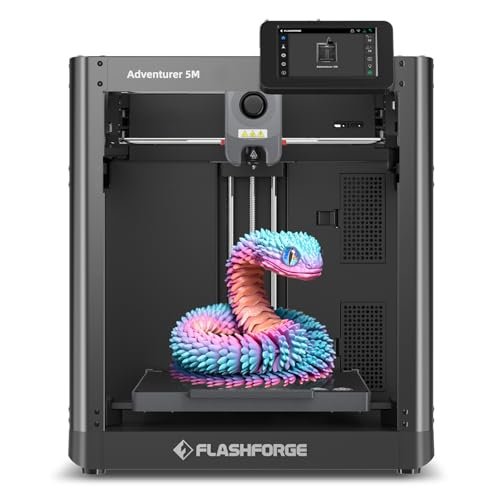
If you need professional-grade speed and the versatility to tackle tough engineering materials, the FLASHFORGE Adventurer 5M is in a class of its own. Built around a high-speed CoreXY motion system, it reaches speeds up to 600 mm/s with 20,000 mm/s² acceleration while keeping vibrations in check. The 280°C direct drive extruder paired with a dual-sided PEI platform lets you print everything from basic PLA to heat-resistant PETG and flexible TPU without breaking a sweat.
Key features that stand out:
– CoreXY architecture delivering travel speeds up to 600 mm/s
– Fully hands-free automatic bed leveling via nozzle pressure sensors
– High-temperature direct drive extruder capable of reaching 280°C
– Quick-swap nozzle mechanism allowing tool-free changes in just seconds
Pros:
– Completes standard household prints in a fraction of normal printing times.
– Handles functional filaments like PETG and TPU smoothly thanks to the direct drive setup.
– Sturdy all-metal frame provides exceptional layer accuracy and stability.
Cons:
– It carries a substantially larger footprint and heavier weight than mini desktop units.
Best for: Serious makers, DIY enthusiasts, and anyone needing fast functional prints with wider material support.
Expert Opinion: The Adventurer 5M brings industrial-level speed and auto-calibration down to a practical price point, making it my top pick for makers who want to move past basic figurines into functional home fabrication.
Buying Advice and Quick Comparisons
Choosing between these machines comes down to how you plan to use the printer and who will be operating it:
- For Young Children and Family Safety: The AOSEED AI Printer stands above the rest due to its fully enclosed housing, kid-safe materials, and intuitive app-driven model creation. It keeps curious fingers away from hot parts while removing the steep CAD learning curve.
- For First-Time Beginners on a Budget: Both the Hephi3d TINA2C and Entina Tina2C offer zero-assembly convenience and pocket-friendly price tags. They are compact, whisper-quiet, and feature pre-calibrated beds, though their build volumes are limited to small trinkets and miniatures.
- For Fast Hobby Printing in Small Spaces: The Entina Tina2 Plus delivers a noticeable speed upgrade to 250 mm/s and includes a textured PEI plate, making it ideal for school projects and hobby crafts that you need finished quickly.
- For Functional Parts and Material Variety: The FLASHFORGE Adventurer 5M outpaces the smaller units by miles. Its CoreXY frame, 600 mm/s speed, and 280°C direct drive hotend allow you to print durable PETG utility items, tool holders, and mechanical brackets at rapid rates.
Final Verdict
Different households have different needs, so here is how I categorize these recommendations:
- The Best Overall Desktop Workhorse: FLASHFORGE Adventurer 5M
If you have the desk space and want a printer that grows with your skills, this machine offers unmatched speed, a generous build volume, and the versatility to handle functional filaments. - The Best for Kids and Family Play: AOSEED AI 3D Printer
With its enclosed safety design, built-in camera, and generative AI features that turn drawings into real toys, it provides the most engaging experience for children. - The Best Compact Value Pick: Entina Tina2 Plus
It strikes a great middle ground by pairing true plug-and-play ease with upgraded speed and a durable PEI build surface, all while maintaining a tidy desktop footprint.
FAQs About Finding the Best 3D Printer for Home
What should I look for when choosing the best 3 d printer for home use?
When shopping for a home machine, focus on four key factors: automatic bed leveling, an intuitive software workflow, reliable customer support, and a size that fits your living space. If you plan to place the printer in a bedroom or shared living room, also look for silent stepper motor drivers and an enclosed or semi-enclosed chassis to keep noise levels down.
Is 3D printing at home safe around children and pets?
Yes, provided you choose the right model and filament. Printing with standard PLA is non-toxic and plant-based, producing negligible odors. However, nozzles heat up to over 200°C (392°F). If you have younger kids or curious pets, pick an enclosed unit like the AOSEED AI printer or ensure any open-frame unit operates on a dedicated shelf under adult supervision.
Can I run these home 3D printers without any 3D modeling experience?
Absolutely. Modern entry-level printers link directly with mobile apps like Poloprint Cloud or built-in model repositories. These libraries contain tens of thousands of free, pre-tested models—from cable organizers to game pieces—that you can slice and send to the machine with a single tap on your smartphone or tablet.
What is the difference between open-frame and CoreXY home printers?
Open-frame mini printers (like the Tina2 series) move the build bed back and forth along the Y-axis. They are affordable, lightweight, and compact. CoreXY machines (like the Flashforge Adventurer 5M) keep the bed stationary on the horizontal plane while moving the lightweight print head on both X and Y axes, enabling much higher speeds and cleaner precision without shaking the printed part.
Which filament material is best for everyday home printing?
PLA (Polylactic Acid) is the best choice for beginners and home environments. It prints at lower temperatures, does not require a heated build chamber, adheres well to magnetic and PEI plates, and resists warping. Once you are comfortable, machines with higher-temperature hotends can handle PETG for outdoor durability or flexible TPU for phone cases and seals.
How much maintenance does a beginner-friendly 3D printer need?
Very little compared to older kits. Factory-calibrated home units with auto-leveling require you to occasionally wipe the build plate with isopropyl alcohol to remove finger oils, keep the motion rods lightly lubricated, and replace the quick-swap nozzle if you experience a heavy clog or wear after months of heavy use.
Affiliate Disclosure: As an Amazon Associate, I earn from qualifying purchases made through links on this site.