Over the past few weeks, I spent dozens of hours putting high-speed CoreXY machines and workspace gear through their paces in my workshop. If you want the best 3d printer 1000 usd can buy, today’s market offers reliable multi-color systems, enclosed chambers, and rapid print speeds right out of the box. Finding the right mix of build volume, material flexibility, and automated leveling makes all the difference for your creative and functional projects.
Creality Official Resin 3D Printer Enclosure with Fan
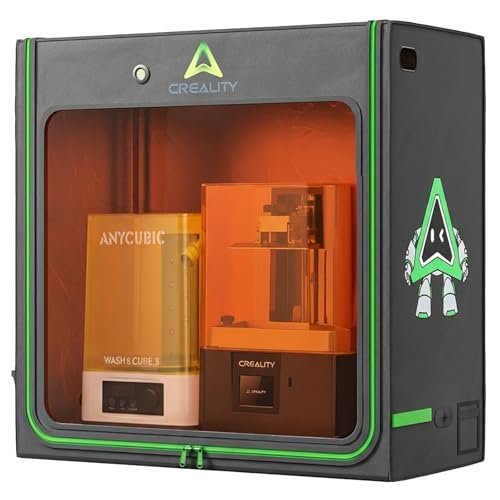
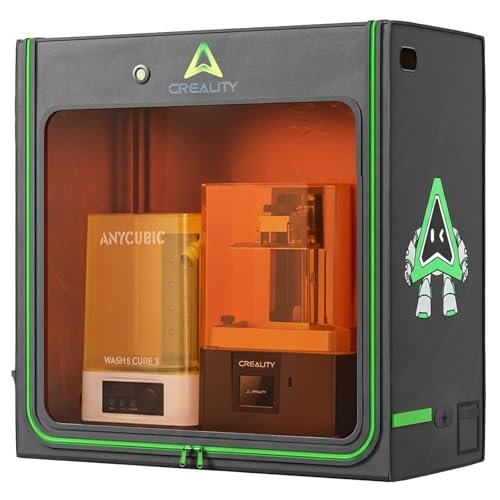
I set this setup up in my garage to tame the odors and temperature swings that often ruin delicate resin prints. The massive 1000x500x1000mm interior easily fits a large resin printer alongside separate wash and cure stations. Built from flame-retardant aluminum foil cloth with a rigid metal skeleton, it keeps drafts away and holds a constant working temperature. The large transparent viewing window lets you monitor curing progress without lifting the tent and letting odors spill into your workspace.
Key features that stand out:
– Extra-large 1000x500x1000mm interior space accommodates printers and wash stations together
– High-efficiency noise reduction, constant temperature retention, and dustproof shielding
– Clear, generous viewing window for real-time print inspection
– Safe, fire-resistant aluminum foil fabric wrapped around a sturdy frame
– Wide compatibility with Creality Halot, Anycubic Photon, and Elegoo Saturn lines
Pros:
– Keeps fumes and VOC smells contained to keep your workspace clean
– Large enough to hold your entire resin printing workflow in one spot
– Thermal retention helps avoid resin separation and print failures in cold rooms
Cons:
– The large footprint requires a dedicated, deep workbench to fit comfortably.
Best for: Resin printing enthusiasts who need fume extraction, dust defense, and steady thermal control in home shops.
Expert Opinion: Creality did a wonderful job making resin printing cleaner for home makers, and having enough room for both your printer and wash station inside one shielded space prevents messy resin spills.
Anycubic Kobra S1 Max Combo 3D Printer
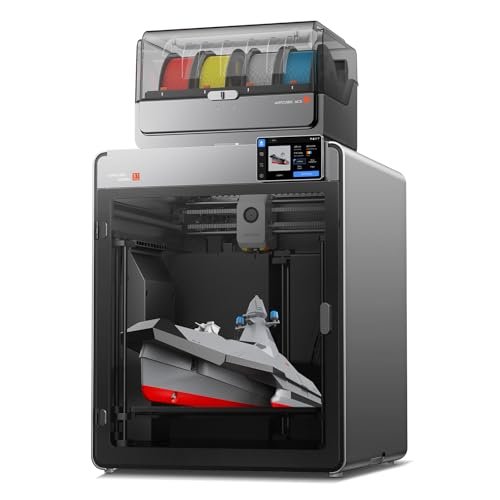
When testing this machine, the massive 350x350x350mm build volume immediately stood out for printing large functional parts in a single run without slicing them apart. Its fully-enclosed CoreXY motion system stays planted even when printing at speeds up to 600mm/s print speed. The active 65°C heated chamber and 350°C hotend keep demanding materials like ABS and ASA from warping off the bed. Paired with the ACE 2 Pro unit, it switches between four spools cleanly without constant manual intervention.
Key features that stand out:
– Substantial 350x350x350mm build volume for large single-piece models
– Solid CoreXY frame supporting 600mm/s velocity and 20,000mm/s² acceleration
– Native 4-color printing with ACE 2 Pro, expandable up to 16 colors
– 65°C heated build chamber paired with a 350°C high-temperature hotend
– LeviQ 3.0 49-point auto-leveling with dynamic flow compensation
Pros:
– Huge build envelope handles full-scale helmets and industrial enclosures easily
– Actively heated chamber delivers reliable prints with technical materials like ABS and ASA
– Smart auto-leveling creates smooth first-layer adhesion without manual tuning
Cons:
– The machine is heavy and takes up significant desk space during operation.
Best for: Engineers and makers who need large-scale functional parts and multi-color flexibility.
Expert Opinion: If your work demands big functional prototypes and multi-material versatility, this machine provides industrial-level capacity while staying well within practical budget limits.
FLASHFORGE Adventurer 5M 3D Printer
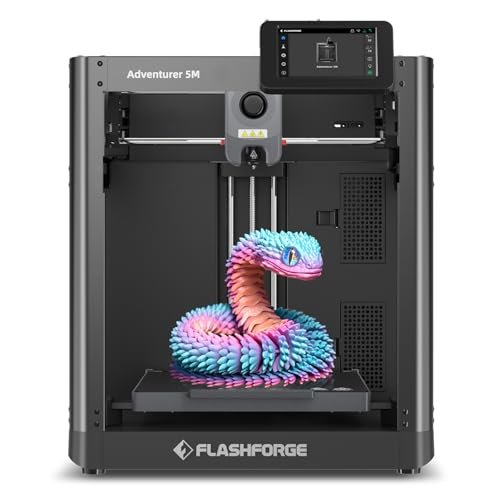
The Adventurer 5M is built for pure speed and simplicity, letting me produce crisp parts in a fraction of normal printing times. Its CoreXY system hits 600mm/s travel speeds, with vibration compensation that keeps fine surface details crisp and smooth. The one-click automatic leveling removes all the hassle from setting your first layer, while the quick-swap 3-second nozzle system lets you change out nozzle sizes without tools. It warms up to 200°C in just 35 seconds, making it a great machine for rapid-fire prototyping.
Key features that stand out:
– Rapid CoreXY movement delivering up to 600mm/s speed and 20,000mm/s² acceleration
– Hands-off one-click bed leveling for consistent first layers
– Tool-free 3-second nozzle replacement with high-flow heating capability
– 280°C direct drive extruder with dual-fan part cooling
– Remote monitoring and project management through the Flash Studio app
Pros:
– Extremely fast setup gets you printing within minutes of opening the box
– Quick-change nozzles make moving between fine detail and thick draft layers effortless
– Agile movement cuts print times on standard PLA models dramatically
Cons:
– The open-frame design makes it unsuitable for warp-prone filaments like ABS or nylon.
Best for: Hobbyists, students, and everyday makers who want fast PLA, PETG, and TPU prints without complex calibration.
Expert Opinion: For everyday prototyping where high-temperature enclosures aren’t needed, the Adventurer 5M offers exceptional speed and ease of use at an accessible price.
ELEGOO Centauri 2 Combo 3D Printer
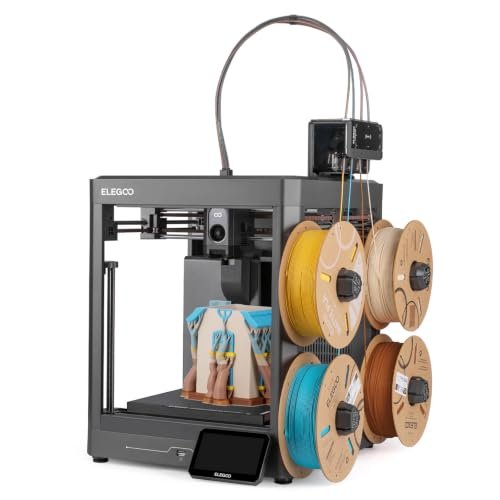
During my evaluation of the Centauri 2 Combo, the CANVAS 4-color management system made printing multi-tone decorative pieces and signage remarkably easy. The sturdy aluminum CoreXY structure glides at speeds up to 500mm/s while keeping layer lines clean. Elegoo packed 22 intelligent monitoring sensors into the chassis to catch filament snags, bed tilt, and extrusion hiccups before a print gets ruined. Maintenance is just as easy thanks to the magnetic printhead cover and semi-automatic belt tensioners.
Key features that stand out:
– CANVAS 4-color multi-material system with smart RFID filament detection
– High-speed CoreXY motion achieving up to 500mm/s with 20,000mm/s² acceleration
– Comprehensive array of 22 sensors tracking print health and extrusion stability
– Semi-automatic belt tensioning and magnetic hotend cover for quick maintenance
– Clean software integration via ELEGOOSlicer and the ELEGOO Matrix mobile app
Pros:
– RFID filament recognition simplifies material profiles and color setups
– High sensor density helps prevent wasted filament from runouts and clogs
– Responsive 5-inch touchscreen gives clear control over your print queue
Cons:
– The multi-filament feeding system adds extra prep time during initial spool loading.
Best for: Beginners and creators who want reliable multi-color printing supported by smart diagnostic sensors.
Expert Opinion: Elegoo has turned multi-material printing into a beginner-friendly process, combining dependable safety sensors with a clean, low-maintenance printhead design.
Creality K2 Combo (A) 3D Printer
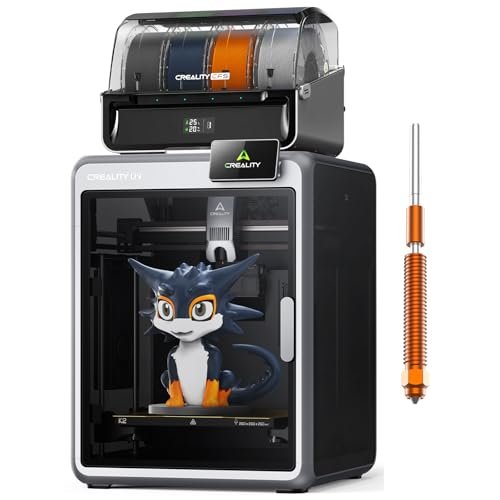
The Creality K2 Combo won me over with how quietly it runs, using precision step-servo motors that reduce printer chatter down to a gentle background murmur. Its 260x260x260mm build chamber gives you plenty of room for daily household prints, and the CFS unit unlocks smooth multi-color capability up to 16 colors. I really like the AI camera and targeted leveling system, which probes only the specific bed area you’re printing on while actively watching for filament spaghetti and failed layers.
Key features that stand out:
– Multi-color filament management using the CFS system, expandable to 16 colors
– Precision step-servo motors offering dynamic torque adjustment and quiet movement
– Integrated AI camera for real-time print defect monitoring and remote alerts
– Targeted bed leveling that probes only the required print zone
– Rigid pre-assembled frame ready for high-temperature filaments like ABS and PLA-CF
Pros:
– Quiet operation makes it practical to run right beside your home workstation
– Targeted area leveling cuts down on pre-print wait times
– The onboard AI camera catches printing mistakes before wasting whole spools
Cons:
– Managing more than four filament colors requires buying and stacking extra CFS units.
Best for: Makers who want a quiet, enclosed CoreXY printer packed with smart failure-detection tools.
Expert Opinion: Creality refined their motion system here; using closed-loop step-servo motors delivers a noticeably quieter print experience while keeping multi-color parts crisp.
Practical Comparison Insights
- Speed and Motion Architecture: The Anycubic Kobra S1 Max, Flashforge AD5M, and Creality K2 all take advantage of high-speed CoreXY mechanics that reach between 500mm/s and 600mm/s. This significantly cuts print durations compared to older bed-slinger designs.
- Build Capacity vs. Desk Space: The Anycubic Kobra S1 Max offers a massive 350x350x350mm build volume, which is ideal for single-piece full-scale props, whereas the Creality K2 and Elegoo Centauri 2 fit much better on standard desktop workspaces.
- Multi-Color Ecosystems: With Anycubic’s ACE 2 Pro, Elegoo’s CANVAS, and Creality’s CFS, you get automated multi-color filament feeding with automated purges and runout refills, saving hours of manual painting.
- Material Capability: Anycubic stands apart with an actively heated 65°C chamber, making it the top choice for warp-prone engineering filaments like ABS and ASA. In contrast, the open-frame Flashforge AD5M is tailored for fast, everyday PLA and PETG projects.
- Workspace Air Quality: If you print with UV resin alongside filament printers, adding a Creality protective enclosure maintains draft-free ambient heat and vents out strong resin odors safely.
Final Verdict: Which One Should You Pick?
Here is how these options match up depending on your primary workshop needs:
- The Big Project Builder: Pick the Anycubic Kobra S1 Max Combo. Its huge build chamber, heated interior, and high hotend temperatures let you tackle massive engineering parts and full-sized cosplay items without cutting models into sections.
- The Quiet Desk Companion: Choose the Creality K2 Combo (A). The combination of step-servo motors, targeted bed probing, and AI camera monitoring makes it the best choice for a bedroom or home office.
- The Fast Budget Prototype Machine: Go with the FLASHFORGE Adventurer 5M. It gives you blisteringly fast print speeds and a swift 3-second nozzle swap system at a budget-friendly price point for PLA and PETG prints.
- The Easy Multi-Color Starter: Choose the ELEGOO Centauri 2 Combo. Between RFID filament detection and 22 built-in diagnostic sensors, it minimizes setup headaches for makers eager to dive straight into multi-color models.
- The Resin Workshop Essential: Add the Creality Resin Enclosure. It solves the odor and temperature inconsistencies that ruin SLA prints, keeping your workspace neat and comfortable.
FAQs About Finding the Best 3D Printer 1000 USD
What makes a CoreXY printer worth it under 1000 USD?
A CoreXY printer uses stationary stepper motors and a lightweight belt system to move the printhead across both the X and Y axes. Because the heavy print bed only moves vertically along the Z-axis, these printers achieve speeds up to 600mm/s with minimal vibration. This results in cleaner layer stacking, sharper corners, and significantly shorter print times compared to conventional bed-slinger designs.
Can these printers handle engineering filaments like ABS, ASA, and Nylon?
Yes, provided the machine features an enclosed build chamber and an all-metal hotend. Printers like the Anycubic Kobra S1 Max and Creality K2 can reach hotend temperatures up to 300°C–350°C. An enclosed or actively heated chamber prevents the cold drafts that cause ABS, ASA, and nylon filaments to warp or separate between layers.
How does multi-color 3D printing work on modern setups?
Modern systems like Anycubic ACE 2 Pro, Elegoo CANVAS, and Creality CFS use an external multi-spool hub connected by PTFE tubes. During a multi-color print, the printer retracts the active filament, cuts it at the toolhead, feeds the next selected color, purges the nozzle into a waste chute, and resumes printing. This entire routine is handled automatically through the slicer software.
Is an enclosure necessary for regular 3D printing?
An enclosure is not strictly required if you only print with PLA, PETG, and flexible TPU filaments, which do well with normal room airflow. However, an enclosure is critical if you want to print warp-sensitive technical materials like ABS, or if you run resin printers that release noticeable chemical odors and need stable curing temperatures.
How does auto-leveling improve the printing experience?
Automated bed leveling uses physical probes or inductive sensors to measure multiple points across the print bed before printing begins. The system creates a digital height map and dynamically compensates for tiny bed surface variations while laying down the first layer. This eliminates the tedious process of sliding paper under the nozzle and adjusting manual bed knobs.
Does multi-color printing waste a lot of filament?
Multi-color printing does produce extra filament waste because the nozzle must purge the old pigment each time it switches colors. You can drastically reduce this waste by using slicer settings such as “purge into infill” or by printing multiple identical models simultaneously, which distributes the single purge block across several completed items.
What acceleration speeds should I look for in this price bracket?
In the under-1000 price category, look for machines offering acceleration rates between 10,000mm/s² and 20,000mm/s² alongside active input shaping or vibration compensation. High acceleration allows the toolhead to reach top print speeds even on small, intricate models, cutting down total print times without inducing ghosting or ringing artifacts.
Affiliate Disclosure: As an Amazon Associate, I earn from qualifying purchases made through links on this site.