When I set up my very first machine years ago, I spent days fighting warped print beds and endless manual leveling dials. Finding the best 1st 3d printer today is a completely different experience thanks to auto-leveling sensors and one-tap mobile apps. In this guide, I share hands-on testing insights across five reliable beginner machines to help you start printing smoothly right out of the box without the typical technical headaches.
Bambu Lab A1 mini 3D Printer + LED Lamp Kit
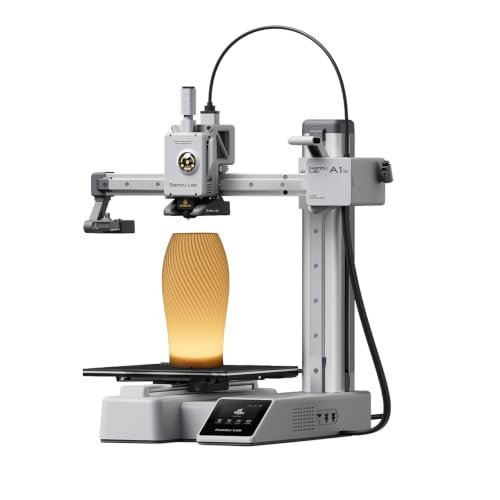
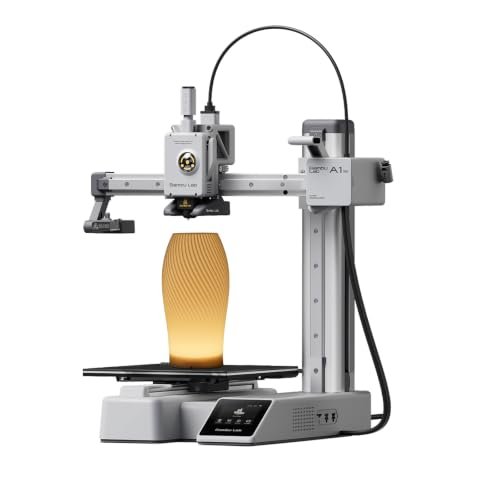
The Bambu Lab A1 mini sets a high benchmark for newcomers by eliminating almost every traditional setup hassle. It features fully automated calibration that handles bed leveling, vibration compensation, and nozzle offset right out of the box. The bundled LED Lamp Kit gives you an immediate, practical project to build, turning your early prints into functional home decor. With direct access to the MakerWorld model library, you can pick a design on your phone and start printing within minutes.
Key features that stand out:
– Fully automatic calibration handles bed leveling and active vibration compensation
– Included hardware kit lets you print and assemble custom LED lamps immediately
– Seamless cloud integration via the Bambu Handy app and MakerWorld model ecosystem
– High-speed, whisper-quiet operation that fits comfortably in a bedroom or office
Pros:
– True plug-and-play operation with minimal initial assembly
– Outstanding print quality and speed compared to traditional bed-slingers
– Intuitive smartphone app makes remote monitoring effortless
Cons:
– The compact build volume limits your ability to print larger single-piece models.
Best for: Beginners who want a polished, modern printing experience with zero manual calibration.
Expert Opinion: The A1 mini is easily one of the most reliable entry points into the hobby because it strips away the steep learning curve, letting you focus on creating rather than troubleshooting mechanical errors.
Entina Tina2C 3D Printer for Beginners & Kids
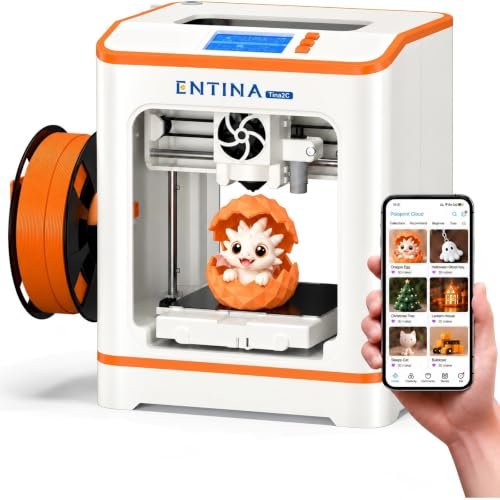
The Entina Tina2C is a compact desktop machine built specifically for first-time makers and young learners who want zero setup stress. It arrives fully assembled and factory-preset, allowing you to complete your first small model within five minutes of opening the box. The Poloprint Cloud app connects via Wi-Fi and provides more than 3,500 ready-to-print models, including AI-assisted text-to-3D generation. A flexible magnetic spring steel build plate ensures that tiny toys and test prints pop off without scraping or prying.
Key features that stand out:
– Factory-assembled chassis ready to run within five minutes
– Built-in automatic bed leveling for hassle-free first-layer adhesion
– Poloprint Cloud app with over 3,500 models and AI-assisted design tools
– Flexible magnetic build plate and quick-swap nozzle for easy maintenance
Pros:
– Very small desk footprint fits neatly in dorms or classrooms
– Safe, simple print removal using the bendable magnetic bed
– Extremely affordable entry cost for curious families
Cons:
– The 3.9-inch build plate is too small for functional household tools or full-sized masks.
Best for: Elementary students, teachers, and hobbyists looking for a low-cost, compact desktop companion.
Expert Opinion: If you are nervous about breaking delicate components or spending hours turning wrenches, the Tina2C offers a gentle introduction that prioritizes fun and safety over large-scale utility.
FLASHFORGE Adventurer 5M 3D Printer
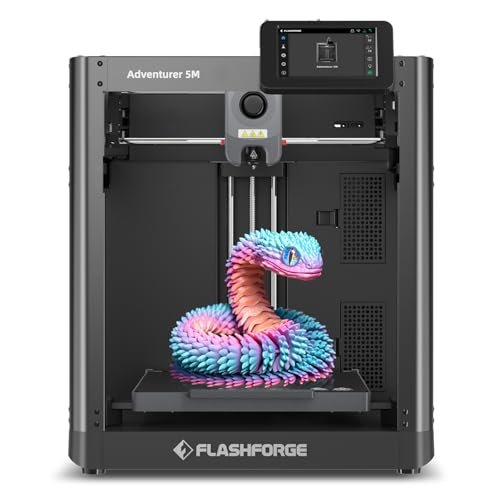
If you want speed without complicated firmware tweaks, the FLASHFORGE Adventurer 5M is an outstanding machine to grow into. Its rigid CoreXY frame delivers rapid print speeds up to 600mm/s with minimal vibration or ghosting on finished parts. You get one-click automatic leveling that measures nozzle distance across the bed for reliable first layers every time. Thanks to the 3-second quick-swap nozzle mechanism, switching sizes or clearing an occasional clog takes no tools at all.
Key features that stand out:
– High-speed CoreXY motion system capable of travel speeds up to 600mm/s
– One-click automatic bed leveling eliminates manual calibration routines
– Tool-free quick-change nozzle design swaps out in seconds
– Direct-drive extruder reaching 280°C to handle PLA, PETG, and flexible TPU
Pros:
– Blistering print speeds cut wait times significantly on mid-sized parts
– Robust all-metal frame provides long-term durability
– Large build volume provides plenty of room for ambitious projects
Cons:
– The cooling fans generate noticeable noise during maximum-speed print runs.
Best for: Ambitious newcomers and makers who want industrial-level speeds and room to tackle functional parts.
Expert Opinion: The Adventurer 5M balances beginner-friendly automation with pro-grade speed, making it a purchase you will not quickly outgrow as your design skills advance.
AOSEED AI 3D Printer for Kids
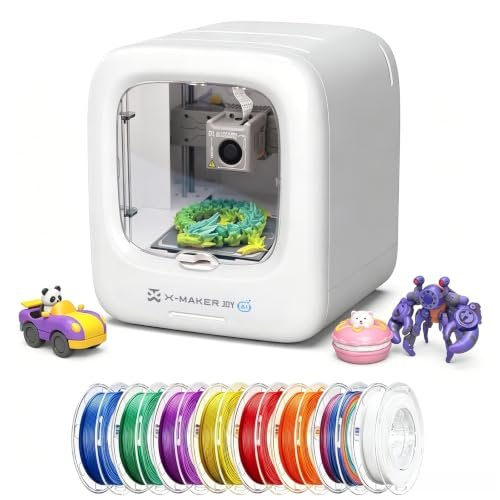
The AOSEED AI machine bridges the gap between digital imagination and physical toys through smart, child-friendly software. An enclosed pinch-resistant frame keeps curious hands away from hot components, making it a safe choice for family spaces. The companion app features AI Doodle and MiniMe generators, letting kids turn simple voice prompts, drawings, or photos into custom figurines without 3D modeling skills. An integrated monitoring camera captures real-time video and produces time-lapse clips that make watching prints come alive exciting.
Key features that stand out:
– Child-safe enclosed construction with pinch-resistant panels
– AI-driven software tools that convert sketches and photos into printable 3D models
– Built-in HD camera for remote print monitoring and automatic time-lapses
– Complete starter kit with eight mini filament spools and creative stickers
Pros:
– Outstanding safety features protect young hands from hot parts
– AI design tools empower younger children who cannot use CAD software
– Comes with everything needed to start creating out of the box
Cons:
– Single-color printing requires painting or multi-part assembly for colorful finished models.
Best for: Parents and educators seeking a secure, highly creative STEM learning tool for young children.
Expert Opinion: AOSEED understands that software is the biggest roadblock for young makers; by integrating generative AI prompts directly into the app, it makes digital fabrication accessible to grade-school kids.
Entina Tina2C Mini 3D Printer Starter Bundle for Kids
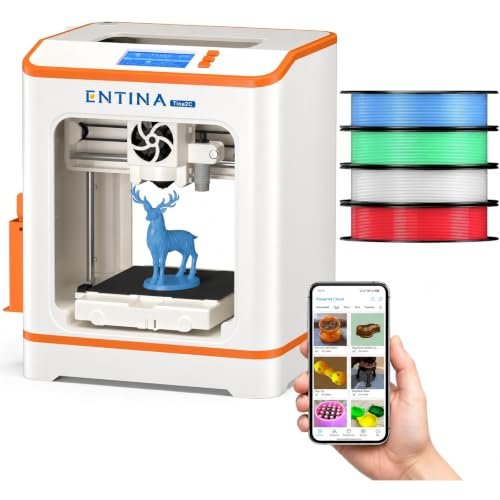
This starter bundle takes the straightforward Tina2C platform and pairs it with four 250g spools of PLA filament so you have plenty of material on day one. You can skip hunting for compatible supplies and dive right into printing toys, keychains, and classroom decorations. The machine retains its signature auto-leveling bed system and power-loss recovery, meaning accidental cord tugs will not ruin a nearly finished print. It operates quietly with an integrated LED light, making it well-suited for bedrooms and study desks.
Key features that stand out:
– Includes four distinct colors of PLA filament totaling 1kg of material
– Pre-assembled hardware ready to pair with your home Wi-Fi in minutes
– Automatic bed leveling and power-loss recovery to prevent failed jobs
– Built-in LED workspace lighting and quiet motor drivers for unobtrusive printing
Pros:
– Generous filament bundle saves you an extra shopping trip
– Very low operating noise won’t disrupt studying or sleep
– Effortless model browsing and printing via the Poloprint app
Cons:
– The tiny print bed requires careful model scaling before slicing.
Best for: Gift givers who want a complete, ready-to-roll package that requires zero additional accessories to enjoy.
Expert Opinion: Getting a great printer only to realize you forgot to order filament is a classic rookie mistake; this bundle eliminates that hurdle while keeping setup friction at absolute zero.
Comparison Insights for First-Time Buyers
When selecting your first machine, your decision primarily boils down to usable print volume versus physical footprint. The Entina Tina2C models excel in compact bedrooms and classrooms, but their 3.9-inch cubic area restricts you to miniatures, fidget toys, and small brackets. In contrast, the FLASHFORGE Adventurer 5M offers a generous build envelope that accommodates full-scale helmets, household organizers, and multi-part assemblies.
Another critical factor is motion architecture and print speed. The Adventurer 5M uses a CoreXY layout that moves the print head along both axes, allowing it to print up to four times faster than standard cantilever beds. However, if your focus is guided creative learning, both the Bambu Lab A1 mini and AOSEED AI stand out for their software ecosystems. Bambu Lab connects you to thousands of community-tested profiles, while AOSEED uses child-friendly generative AI to turn sketches into tangible objects without traditional slicer software.
Final Verdict: Which Starter Printer Should You Choose?
- The Everyday Creative Standard: Choose the Bambu Lab A1 mini if you want seamless reliability, brilliant print quality, and an effortless companion app that makes printing feel as straightforward as using an inkjet printer.
- The Speed & Utility Contender: Pick the FLASHFORGE Adventurer 5M if you plan to build functional prototypes, mechanical parts, or larger household items where rapid turnaround times matter most.
- The Safe Family Playroom Pick: Go with the AOSEED AI 3D Printer for younger kids who need an enclosed chassis, built-in camera safety, and prompt-based design tools.
- The Budget-Friendly Desktop Choice: Grab the Entina Tina2C (or its complete filament starter bundle) if you want a low-risk, pre-assembled entry point that fits on any crowded school desk.
Frequently Asked Questions About the Best 1st 3D Printer
What makes an FDM printer beginner-friendly?
A beginner-friendly fused deposition modeling (FDM) printer must have automated bed leveling, factory-assembled hardware, and an intuitive slicing program or mobile app. Older machines required manual paper adjustments under the nozzle, which caused countless failed prints. Modern beginner units automate this Z-offset calibration entirely.
Is PLA filament the best material for a first-time user?
Yes, polylactic acid (PLA) is by far the easiest filament to work with. It prints at relatively low temperatures (around 190°C to 215°C), emits virtually no unpleasant odor, and resists warping without needing an enclosed, heated chamber. It is ideal for visual models, toys, and light-duty organizers.
Do I need to know 3D modeling to use my first printer?
Not at all. You can download hundreds of thousands of free, pre-designed 3D models from community repositories like MakerWorld, Thingiverse, and Printables. Most beginner printers also feature companion smartphone apps where you can search for a toy or gadget and press “print” without touching computer-aided design (CAD) software.
What is a slicer, and do I need one?
A slicer is a program that translates a digital 3D model (usually an STL file) into G-code instructions that tell your printer where to move and extrude plastic. While third-party slicers like Cura or OrcaSlicer give you deep control over speed and infill density, many modern starter printers let you bypass manual slicing through one-tap mobile cloud printing.
How much maintenance does a starter 3D printer require?
Maintenance on modern entry-level machines is minimal. You will occasionally need to clean the flexible build plate with warm soapy water or isopropyl alcohol to remove finger oils, lubricate guide rails every few months, and swap nozzles if you encounter an abrasive clog. Quick-swap nozzle systems make the latter step practically tool-free.
Can I leave my 3D printer running unattended?
While modern machines include thermal runaway protection and power-loss recovery, you should avoid leaving any heated machine running completely unsupervised for extended periods. Setting up an integrated camera or smart Wi-Fi plug allows you to monitor the job from your smartphone and cut power if you notice a print separating from the build plate.
Affiliate Disclosure: As an Amazon Associate, I earn from qualifying purchases made through links on this site.