When I first started testing 3D printers, I spent hours untangling filament clogs, leveling warped beds, and deciphering confusing slicer software. Over the past few months, I tested the latest hardware and companion guides to find entry-level 3D printing setups that work straight out of the box. Whether you want to print multi-color prototypes, detailed gaming miniatures, or simple household repairs, this guide covers tested solutions that eliminate the steep learning curve.
Creality K2 Combo (A) 3D Printer
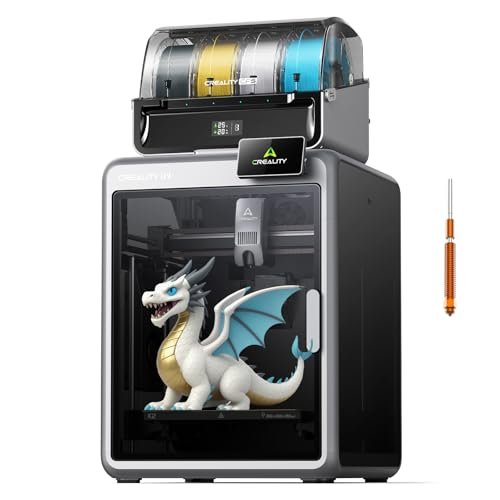
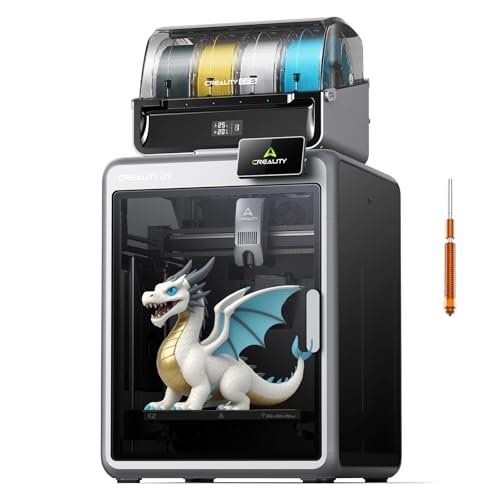
The Creality K2 Combo modernizes multi-material fabrication by integrating an intelligent CFS unit for multi-color printing that automatically manages up to four spools out of the box. Its 600 mm/s maximum print speed paired with an aerospace-grade aluminum chassis delivers smooth, wobble-free parts in a fraction of standard print times. I found that the smart auto-leveling and AI chamber camera eliminate almost all initial calibration headaches by spotting print bed errors before filament is wasted. It packs commercial-grade direct-drive extrusion into a user-friendly package that requires minimal mechanical tuning.
Key features that stand out:
– Multi-color filament management supporting automated switching and up to 16 colors with extra CFS units
– Fast print speeds reaching 600 mm/s with 20,000 mm/s² acceleration rates
– Enclosed die-cast aluminum frame with dual Z-axis and hardened steel X-axis rail
– High-flow direct-drive extruder with a 300°C hardened steel nozzle for PLA, PETG, and ABS
– Integrated AI monitoring camera, silent stepper drivers, and internal active air filter
Pros:
– RFID spool recognition and automated filament feeding make loading completely painless
– Enclosed build volume and built-in air filtration keep fumes and noise well-contained
– Fully assembled out of the box with reliable hands-free bed leveling
Cons:
– Multi-color filament switching creates extra purge waste during frequent color swaps.
– It sits at a higher investment tier compared to basic open-frame starter kits.
Best for: Beginners who want multi-color printing and high-speed reliability without manual tinkering.
Expert Opinion: The K2 Combo bridges the gap between plug-and-play ease and commercial speed, making it an outstanding investment if you want reliable multi-filament printing without tuning calibrations manually.
3D Printing Projects
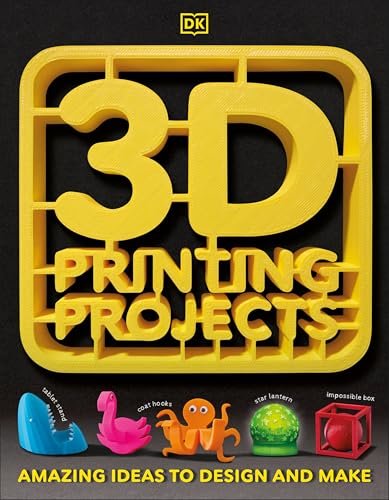
Starting out in 3D printing is much easier when you have clear, functional models to build, and this reference manual provides exactly that. It walks you through practical hands-on maker builds designed to teach core mechanical concepts and slicer optimization step by step. Rather than wasting spools on decorative trinkets, you get structured project tutorials that turn theoretical slicing knowledge into durable, functional household items. It acts as an invaluable roadmap to keep your new printer running with real purpose from day one.
Key features that stand out:
– Curated collection of functional household, workshop, and hobbyist printing projects
– Detailed breakdowns of layer orientation, infill geometry, and slicer settings
– Visual guides that explain mechanical tolerance, snap-fits, and working hinges
– Practical tips for selecting the right materials for specific mechanical stresses
Pros:
– Gives immediate direction so your new printer does not sit idle on your desk
– Explains why specific slicer settings matter across diverse print geometries
– Clear visual instructions suitable for complete novices of any age
Cons:
– It is an educational project book rather than physical printing machinery.
Best for: New makers seeking practical project inspiration and real-world slicer guidance.
Expert Opinion: Hardware is only half the battle; this project guide saves you hours of aimless browsing by showing you how to properly design, orient, and slice functional items right away.
ELEGOO Mars 5 Ultra Resin 3D Printer
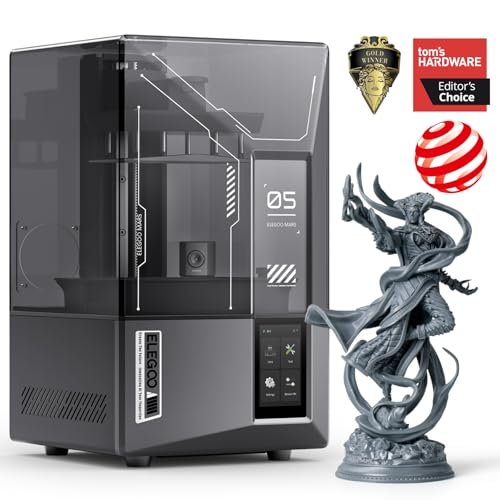
If your main goal is creating tabletop miniatures or ultra-fine jewelry, the Mars 5 Ultra delivers astonishing results with its 7-inch 9K monochrome LCD panel. Its standout tilt-release mechanism allows cured layers to peel away cleanly from the film, which prevents layer separation and pushes print speeds up to 150 mm/h. An onboard mechanical sensor and smart AI camera constantly monitor your resin vat to stop prints if debris or leveling issues are detected. It removes the traditional intimidation factor from photopolymer printing by automating the trickiest resin safeguards.
Key features that stand out:
– 7-inch 9K mono LCD delivering an ultra-fine 18-micron XY resolution
– Tilt-release peeling technology that speeds up print cycles up to 150 mm/h
– Intelligent mechanical sensor that alerts for residue and low resin levels
– Built-in AI camera for real-time print monitoring and warp detection
– Integrated Wi-Fi cluster management for multi-printer control from one app
Pros:
– Produces crisp surface finishes and microscopic details that filament printers cannot match
– Tilt vat design dramatically cuts down suction forces and failed print detachments
– Automated residue detection prevents stray cured bits from cracking the LCD screen
Cons:
– Liquid resin requires dedicated safety gear, room ventilation, and post-wash curing stations.
– The build volume is compact compared to standard filament machines.
Best for: Miniatures, detailed figurines, and hobbyists who prioritize smooth surface finishes over large build size.
Expert Opinion: For miniature painters and tabletop hobbyists, the Mars 5 Ultra is the cleanest way to enter resin printing thanks to its automated residue detection and tilt vat speed.
Creality K2 (A) 3D Printer
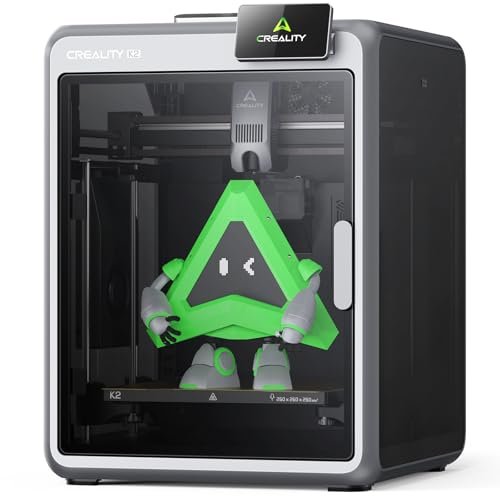
The standalone Creality K2 brings the same robust industrial power as its combo sibling at a more accessible entry price. Featuring a rigid die-cast matrix frame, it keeps vibrations completely at bay even while pushing print speeds up to 600 mm/s. The enclosed build chamber with direct-drive extrusion handles everyday PLA as comfortably as temperature-sensitive PETG and ABS. It arrives fully pre-assembled, giving newcomers an immediate, whisper-quiet platform that can easily be upgraded with multi-color units down the road.
Key features that stand out:
– High-flow direct-drive extruder with a volumetric speed of 40 mm³/s
– Sturdy 260 mm³ enclosed matrix chassis for thermal stability and noise dampening
– Hardened steel nozzle handling temperatures up to 300°C for technical filaments
– Pre-assembled construction with smart auto-bed leveling sensors
– Integrated AI chamber camera and built-in VOC air filter
Pros:
– Heavy-duty chassis ensures crisp, clean print layers at high acceleration
– Upgradable to multi-color printing later with the optional CFS unit
– Whisper-quiet stepper drivers make it pleasant to run in a home office or bedroom
Cons:
– It does not include the multi-filament switching module in the standalone box.
– The enclosed footprint requires a sturdy, wide workspace to accommodate the machine.
Best for: Beginners who want a high-speed enclosed printer without paying upfront for multi-color hardware.
Expert Opinion: If you do not need multi-color printing right away, this standalone K2 provides top-tier build quality, rapid print speeds, and a smooth path to upgrade whenever you are ready.
How to Start 3D Printing: The Beginner’s Guide to Your First Print
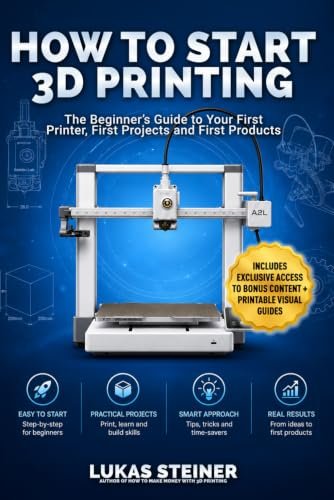
This beginner manual demystifies the technical jargon of additive manufacturing and walks you straight from unboxing your machine to your first successful build. It covers foundational topics like bed leveling fundamentals and slicer software basics in plain, easy-to-understand language. You will learn the exact differences between filaments like PLA, PETG, and TPU, saving you from ruined nozzles and wasted spools. It serves as an essential desktop reference that prevents the common rookie mistakes that cause early print failures.
Key features that stand out:
– Plain-language walk-through of 3D printing terminology, components, and workflows
– Visual troubleshooting charts for first-layer adhesion, stringing, and warping
– Material guides detailing nozzle temperatures, bed heat, and cooling fan speeds
– Practical maintenance checklists to keep belts, lead screws, and extruders running smoothly
Pros:
– Eliminates the steep learning curve for complete newcomers
– Prevents costly filament waste by teaching proper slicer profiles early
– Organized logically from machine setup through advanced tuning
Cons:
– It provides instructional reference material rather than printing hardware.
Best for: Absolute beginners who want a reliable, step-by-step handbook to avoid common setup mistakes.
Expert Opinion: Reading this guide before or alongside your first printer setup will save you dozens of hours of troubleshooting forum posts and failed test prints.
Helpful Comparison Insights
- Filament vs. Resin Technology: Choosing between additive styles comes down to your end goals. FDM printers like the Creality K2 series excel at functional parts, larger toys, and mechanical brackets using tough filaments, whereas resin printers like the ELEGOO Mars 5 Ultra deliver unmatched micro-detail for tabletop gaming minis at the cost of chemical handling and washing steps.
- Single Spool vs. Multi-Color Upgrades: If you want hands-free multi-material models right away, the Creality K2 Combo includes the CFS unit upfront, saving you setup time. On the other hand, the standalone Creality K2 gives you the same high-speed enclosed frame at a lower entry price, letting you add multi-color hardware down the road.
- Hardware vs. Foundational Knowledge: Even the most capable automated machine requires basic slicing know-how. Pairing your machine with practical project manuals and beginner setup guides bridges the knowledge gap and eliminates early printer frustration before you waste spools of material.
Final Verdict
- Top Pick for Multi-Color Filament Printing: The Creality K2 Combo takes top honors for beginners who want high-speed, multi-hue printing right out of the box with zero manual leveling.
- Top Pick for Detailed Miniatures: The ELEGOO Mars 5 Ultra is the clear winner for anyone needing smooth surface finishes and microscopic clarity for models and tabletop figures.
- Top Pick for Core High-Speed Value: The Creality K2 Standalone offers the best balance of speed, enclosed build volume, and engineering material capabilities without forcing you to pay for multi-color features you might not need yet.
- Essential Companion Resources: Pick up How to Start 3D Printing and 3D Printing Projects alongside your hardware to skip rookie slicing mistakes and start building practical items immediately.
3D Printer Recommendations for Beginners: Frequently Asked Questions
What is the easiest 3D printer for a beginner to use?
The easiest 3D printers for beginners are fully enclosed or pre-assembled CoreXY FDM printers with built-in auto bed leveling and direct-drive extruders, such as the Creality K2. These machines eliminate manual wheel leveling, come pre-calibrated, and feature AI cameras that detect errors automatically, allowing you to start printing reliable parts within minutes of unboxing.
Is FDM or resin 3D printing better for someone just starting out?
FDM (filament) printing is generally better for most beginners. Filaments like PLA are non-toxic, odorless, and easy to handle without special safety gear. Resin 3D printing delivers incredible detail for tabletop miniatures, but it requires handling liquid photopolymer chemicals, isopropyl alcohol washes, UV curing stations, and adequate room ventilation.
What filament should beginners start with?
PLA (Polylactic Acid) is the best filament for beginners. It prints at relatively low nozzle temperatures (around 190°C to 215°C), requires minimal bed heating, does not emit harsh fumes, and resists warping on the build plate. Once you master PLA, you can comfortably move on to PETG for stronger outdoor parts or TPU for flexible prints.
Do I need to know 3D modeling to use a 3D printer?
No, you do not need 3D modeling skills to enjoy 3D printing. Beginners can download thousands of free, ready-to-print 3D models from community repositories like Printables, Thingiverse, and MakerWorld. You simply load these digital files into free slicing software (like Creality Print, OrcaSlicer, or Cura) to prepare them for your printer.
How much does it cost to maintain a beginner 3D printer?
Routine maintenance costs are very low. A 1 kg spool of quality PLA filament costs between $15 and $25 and can print dozens of medium-sized items. Replacement nozzles cost just a few dollars, while occasional maintenance items like isopropyl alcohol for cleaning build plates and synthetic grease for linear rails cost under $20 per year.
Can I run a 3D printer in my bedroom or living room?
Yes, but machine choice and filament selection matter. Modern machines with silent stepper motor drivers and enclosed frames operate under 50 decibels, making them quiet enough for living areas. When printing standard PLA or PETG, an enclosed printer with an active carbon air filter minimizes odors. However, resin printers and high-temperature filaments like ABS should always be kept in well-ventilated dedicated workspaces.
Why is automatic bed leveling important for beginners?
Manual bed leveling involves slipping a piece of paper under the nozzle at multiple corners while turning tension knobs, which is the number one cause of failed first layers and clogged nozzles for beginners. Automatic bed leveling uses digital sensors to map microscopic variations in the build surface and compensates in real-time, ensuring strong first-layer adhesion automatically.
Affiliate Disclosure: As an Amazon Associate, I earn from qualifying purchases made through links on this site.