I’ve spent hundreds of hours troubleshooting multi-material setups, scraping purge blocks, and fixing mid-print jams on complex dual-color prototypes. When you need clean transitions or soluble support structures, finding a reliable dual print head 3d printer or multi-toolhead system saves countless hours of post-processing. In this guide, I’ll break down five capable multi-material machines, comparing their print quality, purge efficiency, and real-world reliability to help you choose the right setup.
Creality K2 Combo 3D Printer
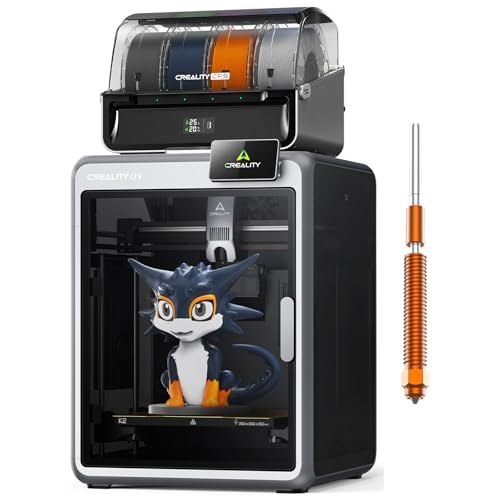
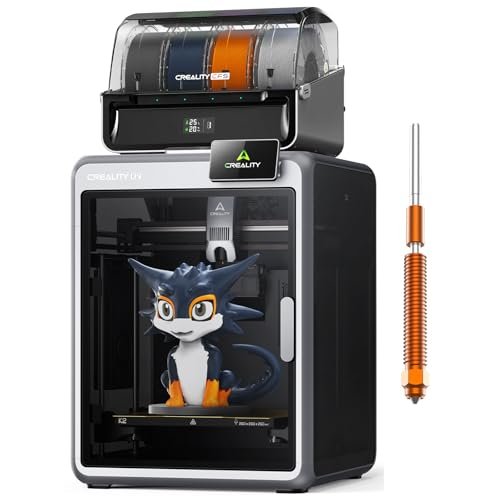
The Creality K2 Combo offers an expansive 260 x 260 x 260 mm build volume paired with an intelligent filament management system that handles complex color work smoothly. Its step-servo motor system dynamically balances torque in real-time, delivering clean layer stacking without high-pitch motor hum. An integrated AI camera system continuously scans the build surface, detecting print failures and spaghetti errors before you burn through valuable filament.
Key features that stand out:
– Multi-color printing system supporting up to 16 colors across 4 linked CFS units
– Ultra-quiet operation using balanced fans and silent step-servo motors
– Pre-assembled frame ready for immediate out-of-the-box printing
– Smart auto-leveling that focuses calibration on the active print zone
– Rigid structural frame capable of processing PLA, PETG, ABS, and carbon-fiber blends
Pros:
– Filament management hub cuts down manual spool handling during big prints
– Active bed mapping speeds up pre-print calibration routines
– Chamber camera catches print defects early to save material
Cons:
– Single-nozzle switching still creates purge waste during frequent color swaps.
Best for: Hobbyists and makers wanting automated multi-color prints with a low noise profile.
Expert Opinion: The K2 Combo bridges the gap between consumer multi-color setups and production speed, offering an exceptionally quiet environment with smart fail-safes that give you peace of mind on overnight jobs.
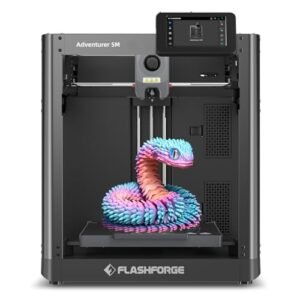
FLASHFORGE AD5X Multi-Material 3D Printer
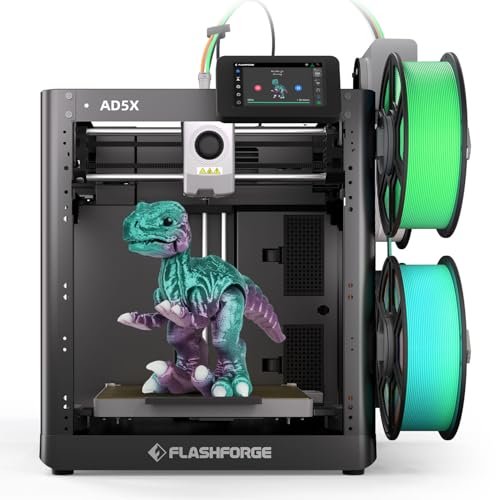
Designed around a rigid CoreXY chassis, the Flashforge AD5X combines high-speed movement with its Intelligent Filament System (IFS) for seamless 4-material printing. You can push printing speeds up to 600mm/s with 20,000mm/s² acceleration while active vibration suppression algorithms preserve fine surface detail. Its side-by-side modular spool setup keeps your desktop organized without requiring awkward overhead mounting fixtures.
Key features that stand out:
– 4-color multi-material printing powered by an automated IFS unit
– High-speed CoreXY metal motion system with dynamic vibration compensation
– Multi-point full auto-leveling for balanced first-layer bed adhesion
– Broad material support including TPU, PETG, PLA-CF, and PETG-CF
– Space-saving compact footprint with integrated side-by-side filament trays
Pros:
– Compact footprint fits easily on standard office desks or workbenches
– Fast acceleration cuts prototyping times on small mechanical brackets
– Handles flexible materials like TPU better than many multi-material feeders
Cons:
– Enclosure is partially open, making high-temperature materials trickier to print.
Best for: Rapid prototyping workshops that need quick multi-material iterations in a small footprint.
Expert Opinion: If you’re tight on workshop space but want high-speed multi-material capabilities, the AD5X packs serious CoreXY performance and responsive filament feeding into a tidy package.
FLASHFORGE AD5X Multi-Color 3D Printer with Quick-Swap Nozzles
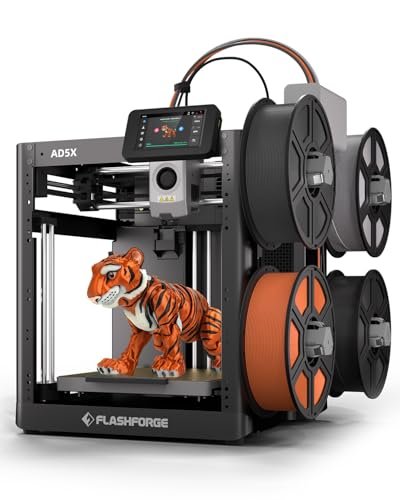
This variation of the AD5X emphasizes versatility by matching a 300°C direct-drive extruder with easily interchangeable nozzle sizes from 0.25mm to 0.8mm. The integrated dual-channel part cooling system prevents heat creep and preserves sharp overhangs during high-speed runs. With 1-click auto-leveling and the Flash Maker mobile interface, managing multi-color queues is accessible even if you aren’t sitting beside the machine.
Key features that stand out:
– Direct-drive extruder reaching 300°C for engineering-grade filaments
– Quick-change nozzle support ranging from ultra-fine 0.25mm up to 0.8mm
– Dual-channel cooling fans that harden overhangs during rapid printing
– 1-click automatic bed leveling sensor for hassle-free bed mapping
– Power-loss recovery and automatic filament runout detection
Pros:
– Swapping between fine miniature nozzles and wide structural nozzles is fast
– High hotend temperature ceiling lets you experiment with technical filaments
– App-based monitoring gives you straightforward control away from the machine
Cons:
– Material purging between stark color contrasts requires careful slicer tuning.
Best for: Model makers and designers who frequently jump between miniature details and large, rapid draft parts.
Expert Opinion: The quick-swap nozzle ecosystem elevates this model, making it a flexible workhorse when you need to swap from delicate miniature detailing straight into heavy-duty structural printing.
FLASHFORGE Creator 5 Pro 3D Printer
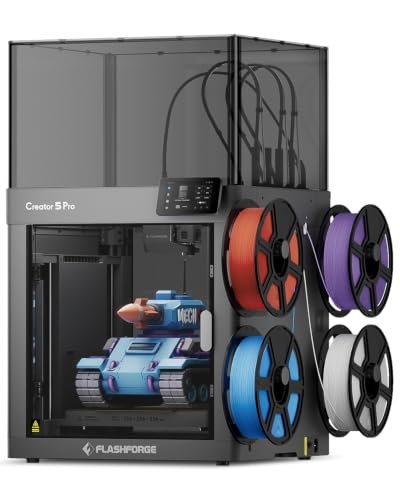
The Flashforge Creator 5 Pro represents true multi-extrusion productivity by employing 4 independent toolheads with a rapid 7-second FlashSwap mechanism. Because each filament stays loaded in its own dedicated hotend, it completely eliminates purge waste towers and prevents cross-color bleeding. The machine is wrapped in an industrial-grade enclosure featuring an actively heated 65°C chamber and dual HEPA 13 filtration, making it fully capable of running warp-prone plastics like PC, ABS, and nylon.
Key features that stand out:
– 4 independent toolheads featuring automated 7-second hotend swaps
– Active heated build chamber reaching 65°C to stop warping on technical filaments
– Dual HEPA 13 and activated carbon air filtration system for workplace safety
– Heavy-duty motion setup with precision linear rails and 1.5GT timing belts
– Automated toolhead offset calibration with dynamic flow compensation
Pros:
– Zero filament purge waste saves massive amounts of money over long production jobs
– Actively heated chamber keeps high-spec industrial materials flat and rigid
– HEPA and carbon filters scrub toxic fumes when melting ABS or nylon
Cons:
– Larger physical footprint and industrial weight require a dedicated, sturdy workbench.
Best for: Professional engineering labs and production shops producing technical parts with complex soluble supports.
Expert Opinion: This machine solves the biggest bottleneck in multi-material 3D printing by replacing wasteful purge cycles with rapid mechanical tool changes, saving both time and raw material costs.
FLASHFORGE Creator 5 Multi-Toolhead 3D Printer
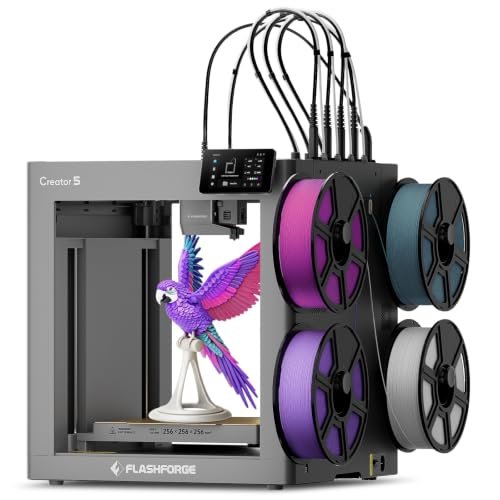
Engineered for high-volume workshops, the Flashforge Creator 5 provides true multi-material printing by dedicating its 4 independent toolheads to separate build and support materials. Its background nozzle preheating ensures tool changes take just 7 seconds, keeping print jobs moving up to five times faster than traditional single-nozzle swappers. By pairing dedicated nozzles for materials like PVA or breakaway filament, it produces clean support release surfaces on intricate internal geometries.
Key features that stand out:
– True 4-toolhead independent architecture eliminating color mixing and nozzle clogs
– Intelligent background preheating that enables rapid 7-second tool swaps
– Up to 80% reduction in wasted purge filament compared to single-nozzle hubs
– CoreXY motion framework delivering reliable print speeds up to 600mm/s
– Flawless mixed-material compatibility including PLA, PETG, TPU, and soluble supports
Pros:
– Dedicated support nozzle leaves contact surfaces smooth without gouging parts
– Background preheating keeps motion fluid without pausing for hotend warmups
– Massive reduction in print time on tall multi-color prints compared to single-nozzle designs
Cons:
– Mechanical tool-changing mechanics require more initial calibration checks than basic setups.
Best for: Manufacturing environments focused on complex architectural models, soluble support structures, and zero-waste multi-color parts.
Expert Opinion: For anyone tired of watching half their filament end up in the purge bucket, the Creator 5 is a breath of fresh air that delivers clean, unpolluted multi-material layers on demanding geometries.
Multi-Material and Multi-Toolhead Comparison Insights
- Purge Waste vs. Direct Tool Swapping: Single-nozzle units like the Creality K2 Combo and Flashforge AD5X use automated filament retracting and purging. While easy to set up, single-nozzle multi-color setups create significant purge waste and add hours to tall models. In contrast, the 4-toolhead Creator 5 platform eliminates the need for purge towers, printing color and material transitions up to five times faster.
- Material Versatility and Temperature Demands: If you print basic visual models with PLA or PETG, the open-frame or semi-enclosed AD5X series provides plenty of speed and detail at a lower price point. However, if your projects demand industrial materials like ABS, Polycarbonate, or Nylon, the actively heated 65°C chamber on the Creator 5 Pro is vital to prevent layer separation and warping.
- Footprint and Workflow Considerations: The AD5X and K2 Combo feature compact, side-by-side spool management that fits neatly onto standard home office desks. The Creator 5 series is an industrial manufacturing station that requires a sturdy base and space for full toolhead articulation.
Final Verdict: Which Machine Fits Your Workflow?
Choosing between these machines comes down to whether your priority is visual color convenience or production efficiency:
- The Space-Saving Prototyper: Choose the Flashforge AD5X if you need high-speed multi-color parts on a standard desktop without breaking the bank.
- The Quiet Home Studio Machine: Pick the Creality K2 Combo if low acoustic noise, large volume, and AI monitoring are your top requirements for everyday multi-filament projects.
- The Dedicated Functional Workshop: Invest in the Flashforge Creator 5 if your work relies on soluble supports, zero purge waste, and printing flexible materials alongside rigid structures.
- The Industrial Production Powerhouse: Opt for the Flashforge Creator 5 Pro when your parts demand actively heated chambers, hazardous fume filtration, and structural engineering materials like PC and PA.
Dual Print Head 3D Printer Frequently Asked Questions
What is the difference between a dual print head 3d printer and a single-nozzle multi-material system?
A traditional dual print head or tool-changing 3D printer uses two or more completely separate nozzles and extruders. This allows one hotend to print while the other stays idle or preheats. Single-nozzle multi-material systems use a single hotend and an automated feeder hub (like Creality’s CFS or Flashforge’s IFS) to cut, retract, and push different filaments into the same nozzle. While single-nozzle setups have a lower upfront cost, independent multi-toolhead printers eliminate color contamination and reduce filament purge waste.
Can a dual print head 3D printer print flexible TPU and rigid PLA together?
Yes, multi-toolhead printers excel at this workflow. Printing flexible TPU alongside rigid PLA or PETG is very difficult on single-nozzle multi-material systems because flexible filaments tend to buckle or jam when retracted through long Bowden feeder tubes. With independent toolheads or direct-drive extruders, one print head handles the flexible material while the other lays down the rigid framework, creating functional overmolds and vibration-dampening seals.
Why do some multi-color 3D printers create a “purge tower” or “poop”?
When multiple colors or materials pass through a single nozzle, the printer must flush out the previous color completely to prevent muddy transitions. It deposits this purged plastic onto a small tower or drops it out of a chute. While effective for simple color models, it wastes filament and lengthens print times. Systems with independent toolheads bypass this step entirely because each material retains its own isolated hotend and nozzle.
What are the benefits of using soluble support materials like PVA?
Soluble support filaments, such as PVA (water-soluble) or HIPS (limonene-soluble), allow you to 3D print complex internal cavities, working mechanical linkages, and delicate overhangs without risking damage during mechanical support removal. Once printing finishes, you simply soak the part in water, leaving a clean surface finish without support scarring or broken details.
How does an actively heated chamber help when printing engineering plastics?
High-performance plastics such as ABS, Polycarbonate (PC), and Nylon shrink as they cool. In an open or passively heated printer, uneven cooling causes parts to curl up from the build plate or split between layers. An actively heated chamber keeps the surrounding air temperature warm and stable (often between 50°C and 65°C), ensuring the plastic cools gradually and evenly to maintain dimensional stability and maximum layer bonding strength.
Is calibration more difficult on independent toolhead 3D printers?
In the past, calibrating independent dual extruders required manual feeler gauges, optical alignment line tests, and fine adjustments to X/Y/Z offsets. Modern multi-toolhead systems automate this process. Machines like the Creator 5 series feature automated offset calibration sensors and dynamic flow compensation routines that align all print heads mechanically and digitally without requiring tedious manual leveling.
Affiliate Disclosure: As an Amazon Associate, I earn from qualifying purchases made through links on this site.