After spending hundreds of hours tweaking multi-material setups in my workshop, I’ve learned that achieving reliable color transitions requires the right blend of hardware flexibility and software control. Getting into open source multi color 3d printing frees you from locked ecosystems, letting you modify firmware, customize feeder setups, and cut down on filament waste. In this guide, I share my hands-on impressions of the top multi-material systems, open-source upgrade kits, and essential tools currently available.
Longer LK5 Pro 3D Printer Large Format
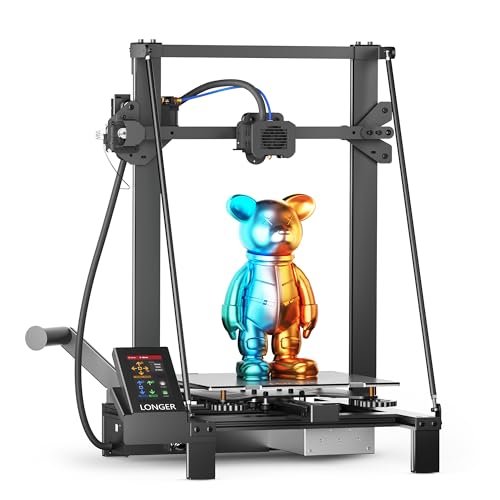
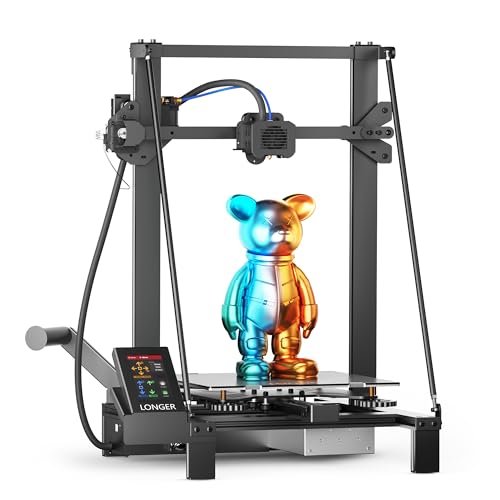
The Longer LK5 Pro offers an expansive canvas that handles oversized models while serving as a fantastic foundation for external multi-material add-ons. Its reinforced triangular structure keeps vibrations minimal during fast travel moves, preserving detail across tall prints. Powered by open-source Marlin-based firmware, this machine gives you complete freedom to flash custom G-code macros and integrate third-party multi-color feeder systems. Thanks to its ultra-quiet TMC2209 stepper drivers, it runs quietly in home workshops without the harsh motor whine common in older budget bedslingers.
Key Features that Stand Out:
– Sturdy diagonal brace rods that form a rigid triangular support to reduce print resonance
– Large 300 x 300 x 400 mm build envelope suitable for oversized projects and multi-part batches
– Open-source 32-bit controller board allowing customized firmware compiling and sensor integration
– Lattice glass build plate providing strong thermal distribution and simple print release
– Integrated filament runout sensor and auto-resume recovery for uninterrupted operation
Pros:
– Open-source firmware makes it easy to integrate community-driven multi-material switchers
– The large print surface gives plenty of room for purge blocks and multi-colored models
– Quiet stepper operation makes it comfortable to keep in a home office or bedroom
Cons:
– It lacks an integrated multi-color feeder straight out of the box, requiring DIY expansion modules.
Best for: Makers who want a large-volume, budget-friendly baseline printer ready for open-source multi-material mods.
Expert Opinion: If you love tinkering, the LK5 Pro gives you a rock-solid mechanical frame and an accessible mainboard that you can easily modify with community multi-extrusion mods.
LONGER LK5 Pro 3 3D Printer with Open Source Mainboard
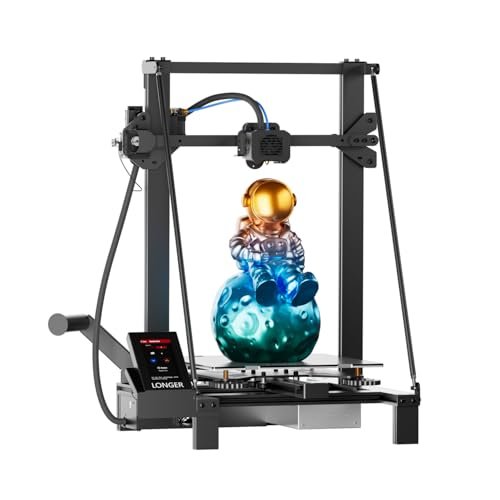
This iteration of the LONGER LK5 Pro puts user customization front and center with an open-source motherboard architecture tailored for maker experiments. It features 180mm/s top printing speeds paired with a carborundum glass platform that keeps large prints flat and free from warping. The firmware openness lets you map out custom pause commands, toolhead park routines, and manual filament swap sequences with zero software blocks. If you want a dependable platform to test DIY multi-color hotends or external multiplexers, this machine provides the stable triangular gantry and processing power to make it happen.
Key Features that Stand Out:
– Open-source 32-bit board designed for easy firmware flashing and custom G-code execution
– Generous 11.8 x 11.8 x 15.7 inch build volume accommodating large multi-color figures
– Dual-fan part cooling system paired with a smooth-flow feed tube for consistent extrusion
– Silent stepper motor drivers that keep operational noise to a minimum
– High-adhesion lattice glass plate that releases parts easily after cooling down
Pros:
– Unlocked firmware environment allows simple tailoring for purge towers and color changes
– Highly rigid frame prevents print banding on taller models
– Quick 95% pre-assembled setup helps you start printing in under an hour
Cons:
– Manual bed leveling requires careful initial adjustment to maintain an even first layer.
Best for: Hobbyists seeking a reliable open-source platform to build their own multi-filament feeding setup.
Expert Opinion: The transparency of Longer’s open-source board lets you tailor acceleration and tool change scripts without fighting proprietary lockouts.
MarsWork Pre-Dried PLA Basic 8-Color Bundle
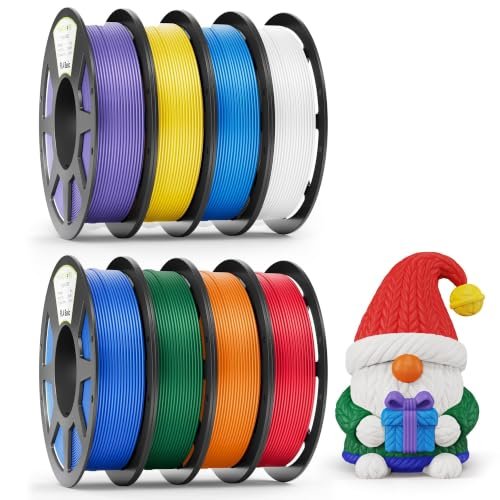
Multi-color printing demands reliable, dry filament to avoid stringing between toolhead retractions, and this MarsWork bundle delivers right out of the box. Each spool undergoes factory triple-drying below 0.3% moisture to prevent bubbling, blobbing, and brittle breakage inside multi-material tubing. The compact 250g mini spool design reduces leftover waste when you only need small accents of specific colors for multi-hue projects. With printable adapter support for automatic feeder units, these spools glide effortlessly inside automated multi-spool feed channels without binding up.
Key Features that Stand Out:
– Eight versatile color spools packaged together for vibrant multi-material combinations
– Factory triple-dried packaging with desiccants ensuring under 0.3% moisture content
– Compact 250-gram spools designed to cut material waste on accent parts
– Smooth dimensional tolerance that feeds cleanly through Bowden tubes and buffers
– Readily available 3D printable hub adapters for automated multi-color feeder systems
Pros:
– Minimizes filament clutter by offering small spools of accent colors you rarely use in bulk
– Extremely dry condition eliminates the stringing that often ruins multi-color tool changes
– Consistent diameter prevents feed slippage and jams inside tight feeder gears
Cons:
– The small spool hubs require printing adapter rings to seat properly on full-size external rollers.
Best for: Multi-color 3D printing enthusiasts who want varied color accents without buying endless 1kg spools.
Expert Opinion: Moisture is the hidden killer in multi-color printing because oozing ruins color boundaries; these pre-dried mini spools solve that issue straight from the package.
BMCU AMS-lite 370C Open Source MMU Expansion
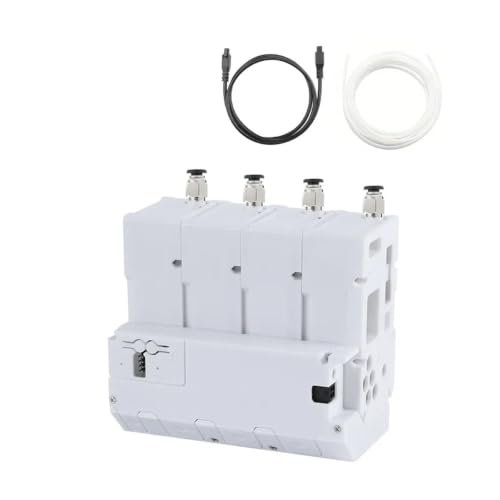
The BMCU 370C is an ambitious multi-material unit built on an open-source MMU framework that gives printers advanced multi-filament switching capabilities. It is engineered with high-temperature resistance up to 370°C, allowing you to blend engineering materials alongside standard visual filaments. The integrated intelligent auto-refill mechanism senses spool runout and automatically transitions to a secondary spool without stopping your active print job. Designed for makers running high-uptime workshops and print farms, its open architecture invites community adjustments, custom mounting solutions, and firmware tweaks.
Key Features that Stand Out:
– Open-source multi-material unit architecture built for community hacking and custom firmware
– High thermal tolerance components rated up to 370°C for engineering plastics
– Built-in automatic filament backup system to switch rolls when filament runs out
– Multi-channel feed paths engineered to prevent high-speed retraction tangles
– Farm-ready structural design capable of handling continuous batch printing cycles
Pros:
– Open community firmware gives you control over feed rates and tension calibration
– Handles both standard PLA and abrasive or high-heat engineering materials
– Continuous auto-refill drastically reduces ruined overnight prints
Cons:
– Requires comfortable familiarity with firmware configuration and wiring to install correctly.
Best for: Advanced makers looking to add high-temp multi-material capabilities to compatible desktop setups.
Expert Opinion: This unit bridges the gap between commercial plug-and-play multi-material units and community-driven open-source feed systems, performing exceptionally well once dialed in.
BIGTREETECH ViViD Multi Color Filament Dryer
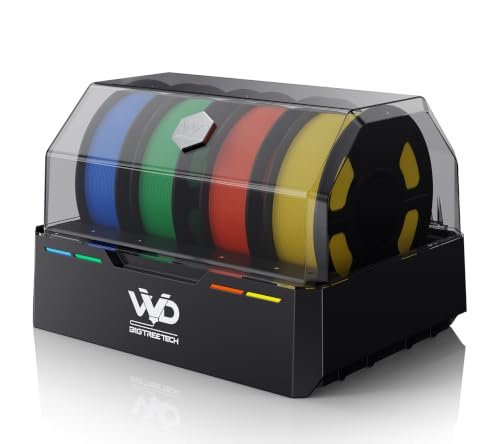
Designed from the ground up for Klipper-powered setups, the BIGTREETECH ViViD brings serious intelligence to open source multi-color 3d printing. Its modular 4-color capacity expandable to 16 colors connects directly into Voron, Rat Rig, and custom CoreXY printers through flexible open-source communication protocols. An active integrated filament dryer keeps hygroscopic materials like PETG, ABS, and Nylon conditioned while printing is underway, preventing moisture defects during long multi-color prints. With smart RFID spool detection and dynamic RGB diagnostic indicators, monitoring feed states and buffer tension is effortless.
Key Features that Stand Out:
– Klipper-optimized architecture that integrates smoothly into open-source printer ecosystems
– Modular design supporting 4-color printing per unit and expandable up to 16 colors via daisy-chaining
– In-line active filament drying system that dries materials while you print
– Auto-backup feeding routine that automatically loads a backup spool when one empties
– Real-time RGB LED indicators displaying filament status, drying heat, and system notifications
Pros:
– Deep native integration with Klipper firmware means you are never tied to proprietary software
– Printing straight from a heated chamber prevents the moisture-related jams common in long prints
– Expandable modularity lets you start with four filaments and expand as your needs grow
Cons:
– Initial setup requires hands-on editing of Klipper config files and macro scripts.
Best for: Klipper enthusiasts and DIY CoreXY builders wanting an integrated, heated multi-color material system.
Expert Opinion: The ViViD is a dream for Voron and open-source CoreXY owners because it treats filament drying and multi-color feeding as a unified, Klipper-native process.
FLASHFORGE Creator 5 Pro Multi-Color 3D Printer
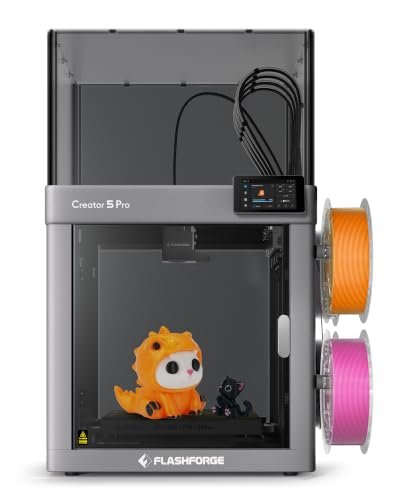
The Flashforge Creator 5 Pro redefines multi-material productivity by implementing four independent toolheads rather than a single nozzle with endless retractions. This true multi-material hardware delivers zero purge waste, completely doing away with the throwaway filament towers and purged “poop” generated by single-nozzle switchers. Its blazing CoreXY motion system hits travel speeds up to 600mm/s with 30,000mm/s² acceleration, producing clean multi-color parts in hours rather than days. An actively heated 65°C chamber and HEPA 13 air filtration make it fully capable of blending engineering polymers without warping.
Key Features that Stand Out:
– Quad independent toolhead system enabling true multi-color and multi-material printing with no purge blocks
– Ultra-fast 7-second color switching without filament retractions and hotend flushes
– Enclosed build volume featuring active 65°C chamber heating and 120°C bed temperature
– High-speed CoreXY motion system rated up to 600mm/s travel speed
– Automated toolhead offset calibration and real-time dynamic flow compensation
Pros:
– Saves hundreds of grams of filament per print by eliminating the need for purge towers
– Prints flexible TPU and rigid materials together without cross-contamination jams
– Heated build chamber ensures professional results with ABS, ASA, and Nylon
Cons:
– The initial investment cost is substantially higher than budget bedslingers equipped with feeder mods.
Best for: Small businesses and serious designers wanting industrial multi-material parts without wasting filament.
Expert Opinion: Moving away from single-nozzle purge cycles saves substantial time and money, making this multi-toolhead system one of the most efficient ways to print multi-material components.
ZHNSNZUVXF AMS Lite Multi Color Unit
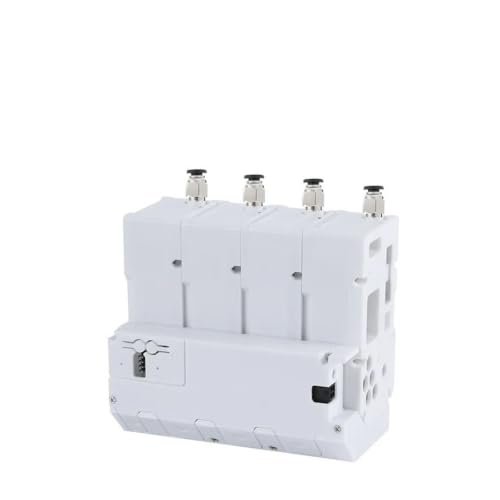
The ZHNSNZUVXF AMS Lite replacement unit provides a versatile alternative built around an open-source MMU framework for hobbyists who love modifying their gear. Designed to work with A1 series printers, it offers 370°C high-temperature adaptation, broadening your material palette beyond basic PLA and PETG. The smooth multi-channel switching system minimizes retraction friction, allowing quick color swaps during complex decorative prints. For makers running mini farms, its automatic spool handover prevents idle printers by jumping to another loaded spool whenever filament runs dry.
Key Features that Stand Out:
– Multi-color material switcher compatible with open-source modifications and mounting brackets
– Enhanced high-temperature internal feeder path tested for technical filament blends
– Automated spool swapping mechanism for seamless filament roll transitions
– Streamlined 4-spool mounting design that saves valuable workshop workbench space
– Smooth feeding guide tubes engineered to decrease friction during rapid material swaps
Pros:
– Offers a modular design that lets you print community-designed mounting brackets
– High-temp capability handles technical filaments better than standard plastic feeders
– Compact footprint fits easily on small shelves alongside your printer
Cons:
– The open-spool design leaves your filament exposed to ambient room humidity during long prints.
Best for: Makers needing a tough, farm-ready replacement feeder for multi-color desktop printing.
Expert Opinion: This unit offers solid mechanical durability, and its compatibility with open-source firmware scripts makes it a practical choice for high-volume makers.
Zopsc 4 Channel Auto Refill Filament Buffer
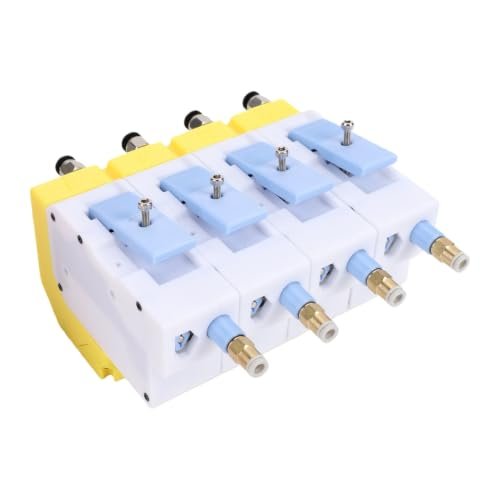
A common headache in multi-filament printing is tension buildup, and the Zopsc 4-Channel Buffer solves this with its bidirectional motorized buffering system. The unit relies on open-source firmware flexibility, allowing users to tweak buffer tension, retraction resistance, and sensor triggers to match their specific printer. Each line features modular independent channel controls, letting you pause or disengage individual spools without disturbing the other three lines. Built from rugged ABS housing with quick-connect fittings, it prevents tangling, binding, and filament breakage between external dryboxes and your toolhead.
Key Features that Stand Out:
– 4-channel filament buffer powered by high-torque, ultra-quiet motorized gears
– Open-source firmware compatibility supported by active community development
– Bidirectional soft buffer mechanism that absorbs retraction slack and feeding pulls
– Independent manual lever toggles for each distinct filament channel
– Standard pneumatic quick-connect fittings for simple PTFE tube routing
Pros:
– Effectively prevents brittle filaments from snapping during aggressive multi-color retractions
– Open firmware lets you fine-tune motor torque and sensor sensitivity
– Independent channel levers make loading new spools painless while other channels are busy
Cons:
– Requires extra desk space behind or beside your 3D printer to route the buffer lines properly.
Best for: DIY multi-color builders struggling with filament tension, spool unspooling, and retraction jams.
Expert Opinion: Proper buffering is the secret sauce for reliable multi-color printing, and this open-source-friendly 4-channel buffer eliminates the slack that causes retractions to fail.
BMCU AMS Lite 370C MMU Unit with Bidirectional Buffering
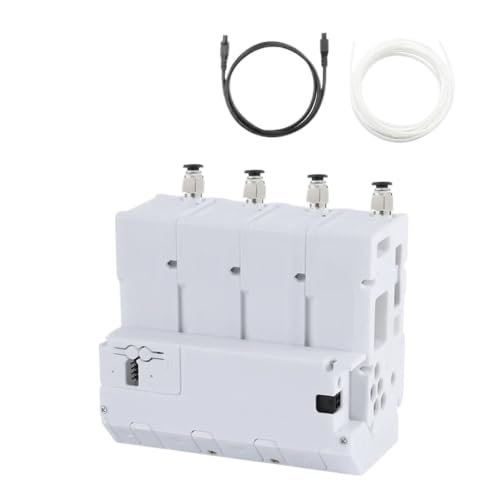
This specialized BMCU unit integrates high-temp feed channels with a bidirectional buffer mechanism to ensure stable filament transitions during rapid swaps. Running on an accessible open-source MMU architecture, it invites users to adjust feeding speed variables and retraction thresholds directly in their firmware configurations. The unit features precise optical and mechanical sensors that catch runouts early, activating the automated filament refill routine before your extruder runs empty. It connects smoothly using standard printer communication protocols, making it an adaptable choice for multi-spool setups and DIY printing farms.
Key Features that Stand Out:
– Community-tunable open-source MMU firmware designed for custom multi-color workflows
– Bidirectional buffering components that keep filament tension uniform throughout color swaps
– 370°C heat-resistant components that accommodate performance filaments
– Sensitive material-detection sensors that trigger smooth automatic roll swaps
– Open mounting interface compatible with custom 3D printed farm brackets
Pros:
– Prevents filament grinding during rapid back-and-forth multi-color retractions
– Open-source platform allows custom macro integration for specialized color sequences
– Works smoothly across varied spool sizes when paired with standard PTFE tubing
Cons:
– The unit includes minimal printed instructions, requiring you to consult online community guides.
Best for: Technical users looking to upgrade their multi-material setup with a durable, open-architecture buffer.
Expert Opinion: The bidirectional buffer on this model handles rapid filament swaps cleanly, making it a reliable pick if you like tweaking open-source settings.
Programming with OpenSCAD: A Beginner’s Guide to Coding 3D Models
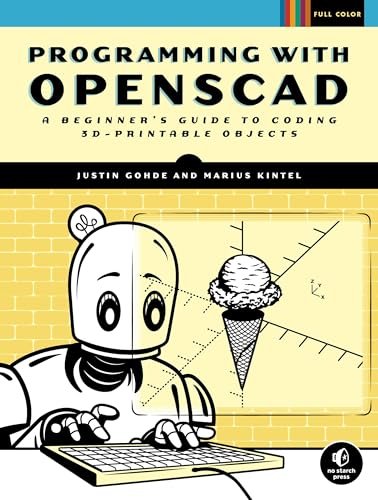
Achieving clean multi-color 3D prints starts at the software stage, and this comprehensive guide unlocks the power of open-source programmatic modeling with OpenSCAD. Unlike standard sculpting apps, OpenSCAD allows you to define distinct color bodies using clean mathematical code and modular syntax, making multi-material part alignment exact to the micron. The book walks you through parameterized geometry and multi-part export workflows, teaching you how to generate distinct STL or 3MF parts that import into your slicer with exact color assignments. It is an indispensable resource for anyone who wants complete control over their open-source design pipeline.
Key Features that Stand Out:
– Step-by-step instruction on designing precise 3D models using free, open-source code
– Dedicated chapters explaining boolean operations for creating mating multi-part prints
– Techniques for writing parametric scripts that let you adjust tolerances with simple variables
– Clear workflow explanations for exporting multi-body files ready for color assignment in slicers
– Practical beginner exercises that build your confidence in programmatic CAD modeling
Pros:
– Teaches you how to create mathematically perfect multi-part models that snap together cleanly
– OpenSCAD is completely free, open-source, and runs on Windows, Mac, and Linux
– Script-based modeling makes it easy to generate dual-color text and interlocking components
Cons:
– Designing models through code requires a logical, programming-oriented mindset that is not for everyone.
Best for: Makers who want to master open-source design software to build precise multi-color and multi-material models.
Expert Opinion: Designing models specifically for multi-color slicing requires exact part tolerances, and this book teaches you how to generate clean multi-part files with code.
Multi-Color 3D Printing Hardware Insights
Choosing the right hardware for multi-material printing comes down to how much you value material savings versus initial budget. Single-nozzle systems with multi-filament buffers—such as the BMCU units or DIY setups on the Longer LK5 Pro—are much more affordable to start with, but they produce purge towers that consume extra plastic and add hours to your print time.
On the other hand, multi-toolhead designs like the Flashforge Creator 5 Pro require a bigger upfront investment, yet they achieve near-zero filament waste and switch materials in seconds. If you are building a custom Klipper machine, modular hardware like the BIGTREETECH ViViD delivers the sweet spot: community-driven open-source firmware control coupled with in-line drying, which keeps hygroscopic materials from stringing across your color borders.
Final Verdict
If you prefer building and personalizing your own rig, starting with an open-source bedslinger like the LONGER LK5 Pro paired with an open-source buffer like the Zopsc 4-Channel gives you total freedom to experiment without spending thousands.
For high-speed, modern CoreXY builds running Klipper, the BIGTREETECH ViViD stands out as the most capable open-source ecosystem upgrade, handling feeding and in-line drying together.
If your main goal is production speed without throwaway purge blocks, stepping up to an independent multi-toolhead machine like the Flashforge Creator 5 Pro is the most efficient choice for functional, professional multi-material manufacturing.
Open Source Multi Color 3D Printing FAQ
How does open source multi color 3d printing differ from proprietary systems?
Open source multi color 3d printing lets you freely inspect, edit, and compile your firmware, such as Klipper or Marlin, without brand-specific restrictions. Proprietary systems lock their feeder units to specific motherboards, cloud slicers, and encrypted RFID chips. With open-source systems, you can build custom filament buffers, adjust retraction speed curves, and use any standard filament spool or third-party hotend you prefer.
What is the purpose of a filament buffer in multi-material 3D printing?
A filament buffer stores the length of filament that gets pushed back out of the print head during a tool change. When a single-nozzle printer switches colors, it retracts 50 to 100 millimeters of filament. Without a motorized or tensioned buffer, that loose filament will unspool, loop over itself, and cause tangles that ruin the print job.
Do multi-color 3D printers waste a lot of filament?
Single-nozzle multi-color systems must clear the old color from the hotend melt zone, creating a small purge block or “poop” for every single layer where a color change happens. On tall models with frequent color swaps, this purge waste can sometimes weigh more than the finished part. Multi-toolhead printers avoid this issue entirely because each color has its own dedicated nozzle.
Can I upgrade my existing open-source 3D printer to print in multiple colors?
Yes, you can upgrade almost any open-source printer by adding an external multi-filament selector unit, a motorized buffer, and flashing firmware that supports multi-extrusion macros. Many makers install community-designed multiplexers or commercial units like the BMCU or BIGTREETECH ViViD on Klipper-based machines like Vorons or Ender/LK5-style bedslingers.
Why is filament dryness so critical for multi-color 3D printing?
Moisture trapped inside filament boils when it hits the hotend nozzle, creating internal steam bubbles that prevent crisp retractions. In multi-color printing, this causes strings and droplets of dark colors to bleed into lighter colors as the toolhead moves across the print bed. Using pre-dried filament or an active in-line drying buffer ensures your color boundaries stay sharp.
What slicer software works best for open source multi color printing?
OrcaSlicer, PrusaSlicer, and Bambu Studio (which are all built on open-source foundations) offer excellent tools for painting colors onto STLs and configuring purge volumes. These slicers let you assign individual extruders to specific geometries, customize wipe towers, and generate custom tool-change G-code compatible with Klipper or Marlin firmware.
Affiliate Disclosure: As an Amazon Associate, I earn from qualifying purchases made through links on this site.