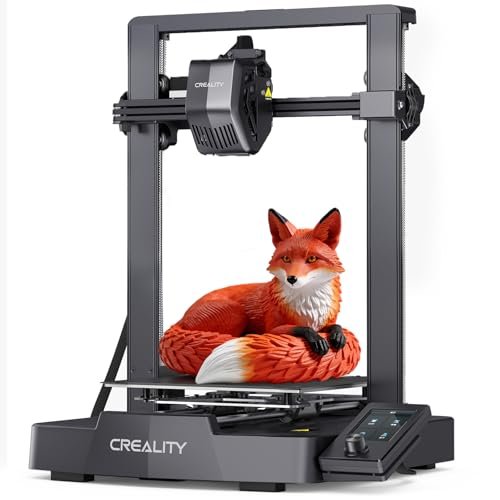
I’ve spent years running print farms and testing budget machines, and finding the right balance between printing speed and hardware costs can be tricky. When evaluating the t250 3d printer price landscape, you’ll find that 250mm/s capable platforms and entry-level workhorses now offer features that used to cost thousands. In this guide, I break down nine standout machines across different budgets to help you get the most value for your workshop or classroom.
1. Creality Ender 3 V3 SE Beginner-Friendly 3D Printer
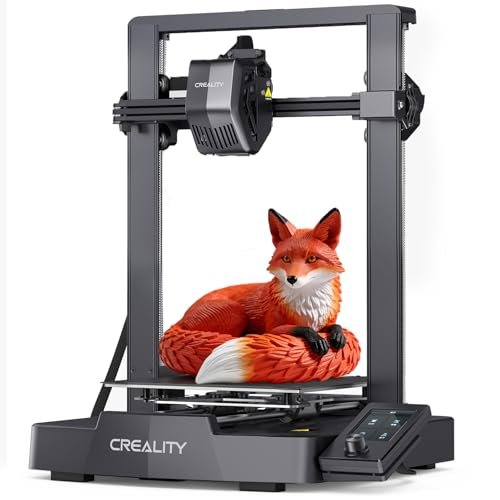
The Creality Ender 3 V3 SE brings modern high-speed printing to an accessible entry point. It features a 250mm/s maximum print speed paired with 2500mm/s² acceleration, cutting production times significantly compared to older budget bedslingers. The inclusion of CR Touch auto-leveling and an automated Z-offset sensor eliminates the frustrating manual leveling routines that used to plague beginners. Powering extrusion is the proven Sprite direct drive extruder, ensuring smooth handling of flexible TPU and everyday PLA.
Key features that stand out:
– 250mm/s print speed with 2500mm/s² acceleration for fast turnaround times
– CR Touch auto-leveling and automatic Z-offset calibration
– Upgraded Sprite direct drive extruder compatible with PLA, PETG, and TPU
– Dual synchronized Z-axis screws and smooth Y-axis linear steel shafts
– 32-bit silent mainboard with flexible PC spring steel build plate
Pros:
– Straightforward setup takes less than thirty minutes out of the box
– Dual Z-axis keeps layer lines consistent during taller builds
– Direct drive feeds flexible filaments reliably without clogging
Cons:
– The plastic screen bracket feels a bit flimsy during daily menu navigation.
Best for: Beginners looking for a dependable, fast starter printer without spending a fortune.
Expert Opinion: The Ender 3 V3 SE resets expectations for budget desktop printing by removing the manual calibration headache while maintaining rock-solid layer quality at higher speeds.
2. Creality Ender 3 V3 SE 3D Printer (Fast Print Edition)
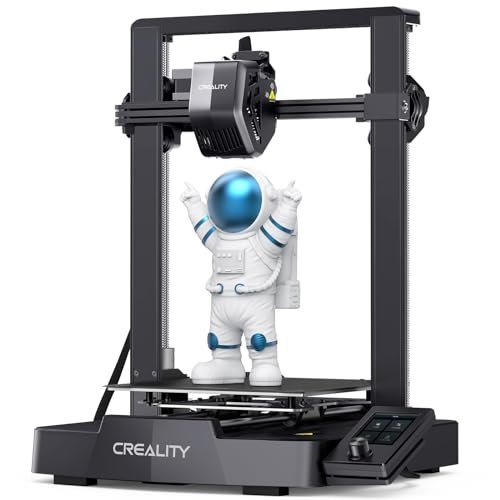
This variant of the Ender 3 V3 SE focuses on effortless material handling and rapid setup right out of the box. With its smart auto filament loading and unloading, you can switch spools with a simple tap on the interface. The rigid frame incorporates sturdy 8mm linear shafts on the Y-axis to prevent bed wobble during sudden direction changes at 250mm/s. Combined with full hands-free strain sensor leveling, it offers an approachable experience for everyday prototyping.
Key features that stand out:
– Auto filament load and retract functions managed right from the display
– Reliable 250mm/s print speed cutting down print times by over 70%
– Wear-proof steel linear shafts on the Y-axis for durable bed movement
– Full-metal dual-gear direct drive system for slip-free filament feeding
– Pre-assembled modular design that sets up in roughly 20 minutes
Pros:
– Automatic loading saves time during routine filament swaps
– Highly rigid frame reduces ringing artifacts on outer walls
– Backed by responsive manufacturer technical support
Cons:
– The included print surface can grip PETG prints too tightly if not prepped properly.
Best for: Students and hobbyists wanting a fast, low-maintenance workhorse for school projects.
Expert Opinion: It delivers consistent layer adhesion and easy bed clearance, making it an excellent benchmark for price-to-performance value in modern desktop printers.
3. Entina Tina2 Plus 3D Printer
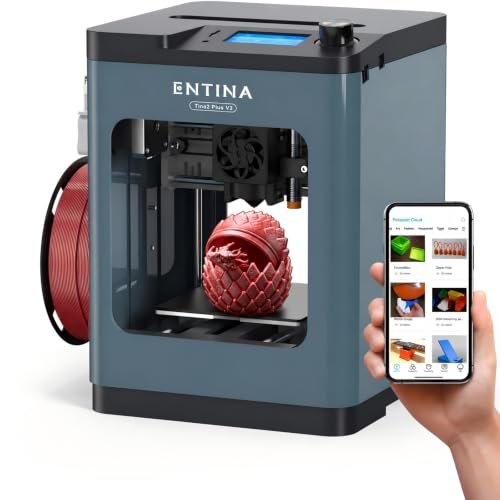
The Entina Tina2 Plus is a compact desktop machine built for speed and small-footprint convenience. It achieves up to 250mm/s print speeds while maintaining a partially enclosed frame that keeps hot components tucked away from curious fingers. The high-efficiency 40-second fast-heat ceramic hotend minimizes preheating downtime before every print job. Using the Poloprint Cloud app, beginners and classrooms can pick from thousands of ready-to-print models and send them over local Wi-Fi.
Key features that stand out:
– Ready to print straight from the box with no assembly required
– Ceramic hotend reaching operating temperatures in just 40 seconds
– Poloprint Cloud Wi-Fi control with an extensive educational model library
– Dual Z-axis mechanical layout paired with a flexible PEI spring sheet
– Partially enclosed chassis providing passive thermal and contact protection
Pros:
– Zero assembly makes it ideal for immediate classroom deployment
– Tiny desk footprint fits neatly beside a monitor or on a bookshelf
– Ceramic heater significantly cuts down pre-print waiting periods
Cons:
– The compact build volume limits your ability to print larger functional assemblies.
Best for: Classrooms, STEM clubs, and makers with limited desk space.
Expert Opinion: If space is tight and you want reliable output without tinkering with belts or calibration screws, the Tina2 Plus is a remarkably capable mini machine.
4. Creality K2 Pro Combo (A) 3D Printer
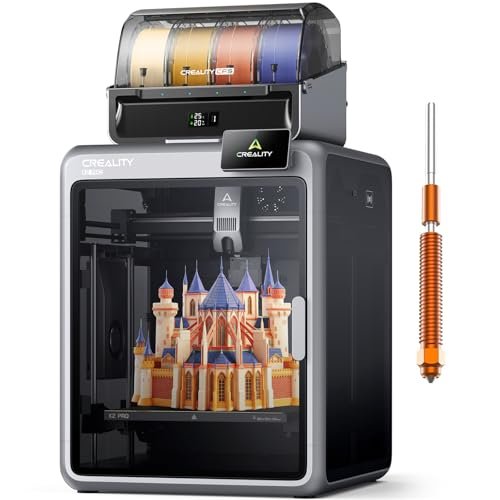
Stepping into high-volume production, the Creality K2 Pro Combo features an expansive 300x300x300mm build volume alongside multi-material capabilities. Driven by step-servo motors, it reaches blistering speeds of 600mm/s backed by an active 60°C heated build chamber for engineering filaments like ASA and nylon. Its standout feature is the CFS Smart Filament System, which supports automated feeding, moisture protection, and up to 16-color printing workflows.
Key features that stand out:
– CFS multi-color system managing automatic material loading and drying
– 600mm/s top speed powered by FOC closed-loop motors and linear rails
– Actively heated 60°C build chamber for warp-free technical materials
– Dual AI camera setup checking nozzle flow rate and detecting spaghetti failures
– Hardened steel gear extruder capable of pushing abrasive carbon-fiber filaments
Pros:
– Huge enclosed volume handles large technical parts effortlessly
– Multi-material unit keeps spools sealed away from ambient humidity
– Active chamber heating prevents warping on engineering-grade plastics
Cons:
– The overall unit requires a wide, heavy-duty workbench due to its substantial footprint.
Best for: Advanced makers, engineering labs, and design studios needing large-scale multi-material parts.
Expert Opinion: The K2 Pro Combo bridges the gap between consumer printers and industrial machines, pairing immense build volume with reliable chamber climate control.
5. Anycubic Kobra X Multicolor 3D Printer
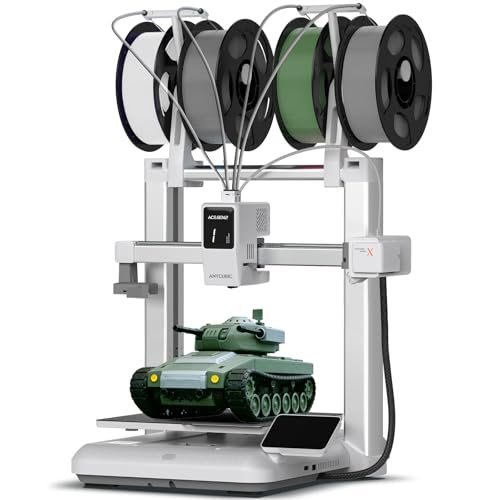
The Anycubic Kobra X brings seamless multi-color printing down to an accessible consumer price bracket. Its versatile feeder system handles soft TPU and standard PLA, expanding up to 19-color printing capacity when paired with additional ACE units. It moves fast at up to 600mm/s, using vibration compensation algorithms to keep corners sharp and surfaces smooth. The LeviQ 3.0 49-point auto-leveling calculates micro-variations on the fly to guarantee flat first layers without manual effort.
Key features that stand out:
– Expandable multi-color support with adaptive extrusion force control
– 600mm/s travel speed backed by internal vibration dampening
– LeviQ 3.0 49-point automated bed calibration matrix
– Integrated 720p AI monitoring camera with automated print error detection
– Generous 260x260x260mm build plate featuring a 300°C hardened steel nozzle
Pros:
– Handles soft and rigid materials in multi-color setups without jamming
– Quiet operation runs comfortably in living spaces at under 48 decibels
– AI camera alerts you quickly if a print detaches or fails
Cons:
– Purge waste can build up quickly when printing complex models with frequent color swaps.
Best for: Creatives and prop makers who want multi-material flexibility without complex tuning.
Expert Opinion: Anycubic has refined multi-color switching with the Kobra X, making multi-hue prints straightforward thanks to its capable leveling sensor and rigid motion system.
6. Original Prusa CORE One+ DIY Enclosed High-Speed 3D Printer
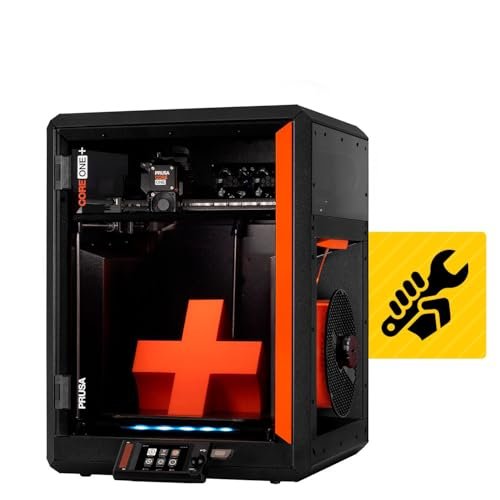
For makers who appreciate precision craftsmanship, the Original Prusa CORE One+ offers an enclosed CoreXY kinematic architecture. Designed as an educational hands-on DIY assembly kit, it teaches you every mechanical component through clear photographic guides. Once built, its actively controlled 55°C chamber and automatic vent doors regulate airflow for flawless results with PETG, ASA, and carbon-fiber blends. It also prioritizes data privacy with 100% offline-capable firmware and removable connectivity modules.
Key features that stand out:
– High-rigidity steel exoskeleton CoreXY motion platform
– Active chamber thermal management reaching 55°C with auto-regulating vents
– Solder-free DIY build system with 1:1 scale visual hardware templates
– Complete local offline operation with removable Wi-Fi module for security
– Native integration with PrusaSlicer and Printables model ecosystems
Pros:
– Exceptional dimensional accuracy across technical materials
– Completely secure for commercial, military, and educational environments
– Highly repairable with long-term open firmware and replacement part support
Cons:
– Building the printer from the kit takes fifteen to twenty hours of careful mechanical work.
Best for: Professionals, research facilities, and committed hobbyists who demand top-tier reliability and data privacy.
Expert Opinion: Prusa continues to set the standard for long-term reliability; the CORE One+ pairs enclosed thermal stability with an exceptionally clean motion system.
7. AOSEED AI 3D Printer for Kids
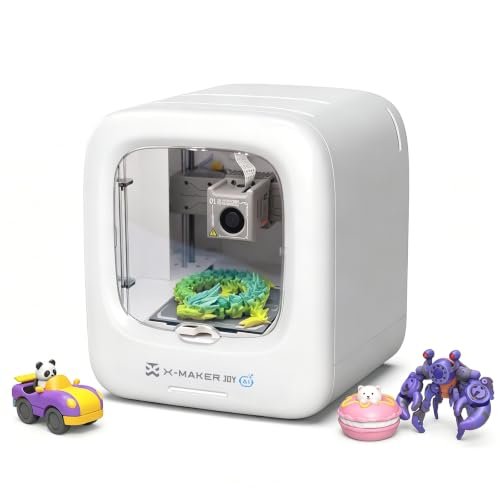
The AOSEED AI printer turns creative ideas into tangible models through an easy-to-use child-safe package. It features an integrated AI design suite that turns text prompts, voice clips, or hand-drawn doodles into printable 3D models via its mobile application. With printing speeds reaching up to 400mm/s, quick toy projects finish in under twenty minutes. The machine uses a fully enclosed, pinch-resistant casing and certified non-toxic PLA, keeping operation quiet and safe in bedrooms.
Key features that stand out:
– AI Doodle and MiniMe software converting sketches and photos into 3D objects
– Safe, fully enclosed frame structure with pinch-free moving parts
– Rapid printing speeds reaching up to 400mm/s for fast project completion
– Built-in time-lapse camera for monitoring jobs and sharing progress clips
– Leveling-free print surface that works straight out of the box
Pros:
– Simple one-tap printing workflow requires zero prior slicing knowledge
– Fully enclosed body protects fingers from hot nozzles and moving belts
– Generates fun custom models directly from voice commands or quick drawings
Cons:
– The proprietary software ecosystem restricts advanced manual g-code tuning.
Best for: Children, young students, and parents seeking an educational, worry-free introduction to making.
Expert Opinion: AOSEED has created one of the most intuitive software interfaces on the market, lowering the barrier to entry so kids can design and print without frustration.
8. LONGER LK10 Plus 3D Printer
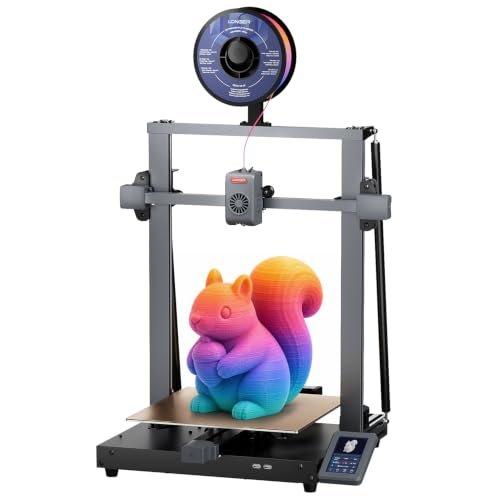
If you need to print large helmets, structural brackets, or batch production runs, the LONGER LK10 Plus delivers an oversized 320x320x400mm build envelope. It runs on responsive Klipper firmware, unlocking speeds up to 500mm/s alongside 10000mm/s² acceleration rates. Its high-flow direct drive extruder melts material quickly to prevent underextrusion during rapid passes. Accurate bed leveling is handled by an advanced eddy current sensor that maps plate imperfections in real time.
Key features that stand out:
– Massive 320x320x400mm build volume ideal for cosplay props and batch work
– Klipper-driven motion reaching up to 500mm/s printing speeds
– Eddy current sensor for rapid, contactless bed surface contour mapping
– Dual-gear high-flow direct drive supporting abrasive and flexible filaments
– Dual Z-axis lead screws powered by quiet TMC2209 stepper motor drivers
Pros:
– Huge build plate allows single-piece prints of full-sized cosplay helmets
– Klipper software provides responsive web-based control and input shaping
– Eddy current sensor provides fast, reliable first-layer calibration
Cons:
– The open-frame build plate requires a draft-free room to prevent edge lift on large prints.
Best for: Cosplayers, prop designers, and makers producing large functional parts.
Expert Opinion: The LK10 Plus combines large build dimensions with high-speed Klipper performance, solving the slow print times that used to plague large-format bedslingers.
9. Hephi3d TINA2 Plus Beginner 3D Printer
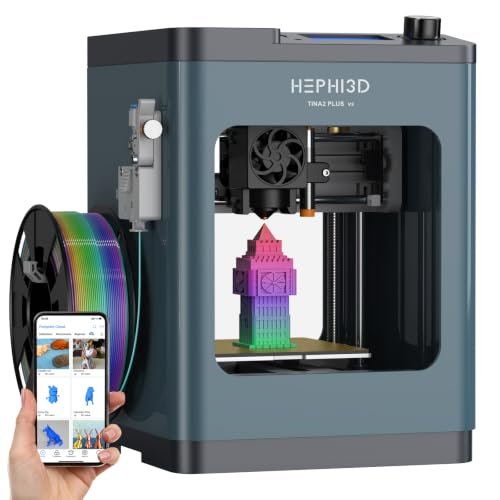
The Hephi3d TINA2 Plus is an open-source compatible mini printer designed for quick creative projects. Out of the box, it requires zero assembly or leveling, allowing users to begin printing in roughly five minutes. It operates up to 250mm/s maximum speed, featuring an efficient 10,000 RPM cooling fan to lock fine overhang details into place. It connects smoothly with the Poloprint app while remaining fully compatible with open-source slicers like Cura, PrusaSlicer, and Wiibuilder.
Key features that stand out:
– Completely assembled out of the box with automated factory bed leveling
– 250mm/s high-speed motion profile with 10,000 RPM model cooling fan
– Heated bed reaching 80°C combined with a 3-second quick-swap nozzle
– Poloprint Cloud wireless printing alongside standard USB and TF card modes
– Broad slicer compatibility spanning Cura, PrusaSlicer, and Chromebook apps
Pros:
– Works right out of the packaging with zero mechanical assembly
– Powerful cooling fan prevents drooping on sharp bridges and overhangs
– Open-source slicer support gives beginners room to learn advanced settings
Cons:
– The small heated bed limits functional prints to miniature scales.
Best for: Budget-conscious tinkerers who want open-source slicer freedom in a miniature format.
Expert Opinion: This printer strikes an ideal middle ground for beginners, pairing plug-and-play simplicity with open software compatibility so you aren’t locked into a walled garden.
Practical Buying Insights for Fast Desktop 3D Printers
Understanding the trade-offs behind printer specs helps you spend your budget where it matters most:
- Speed versus Kinetic Stability: While machines rated between 250mm/s and 600mm/s finish prints quickly, rigid motion systems like linear rails and dual Z-axis screws are vital to prevent ghosting and surface ringing on outer walls.
- Enclosed Chambers for Technical Filaments: If you only print PLA or PETG, an open-frame bedslinger is plenty. But if you plan to use ABS, ASA, or carbon-fiber composites, an actively heated or fully enclosed chamber is necessary to stop warping and layer separation.
- Auto-Leveling Technologies: Modern beds utilize strain sensors, CR Touch probes, or eddy current sensors to handle bed leveling. Choosing a printer with automatic Z-offset compensation will save you hours of manual adjustments.
- Multi-Color Extrusion Systems: Units with multi-spool feed systems expand your artistic freedom, but they do generate extra filament waste during purge cycles. Make sure your workspace has room for the extra feeder units.
Final Verdict
Choosing the right machine comes down to how you plan to use it:
- For Budget Seekers: The Creality Ender 3 V3 SE remains the gold standard for reliable 250mm/s printing on a budget, delivering dependable direct drive extrusion and simple bed leveling without a hefty investment.
- For Large-Scale Makers: The LONGER LK10 Plus offers incredible physical build space and fast Klipper speeds, making it the clear choice for cosplay helmets and larger prototypes.
- For Multi-Color Designers: The Creality K2 Pro Combo offers unmatched production versatility with its active chamber heating, smart filament handling, and expansive build area.
- For Young Learners and Classrooms: The AOSEED AI Printer and Entina Tina2 Plus both remove technical friction with safe enclosures, zero assembly, and simple one-tap wireless printing.
Frequently Asked Questions About T250 3D Printer Price and Value
What should I expect for a typical t250 3d printer price?
The standard t250 3d printer price for entry-level machines printing around 250mm/s usually falls between $180 and $250. Higher-end models offering enclosed frames, multi-color capabilities, or speeds up to 600mm/s will naturally cost more, ranging from $400 to over $1,000 depending on build volume and industrial features.
Does a 250mm/s printing speed reduce overall print quality?
Not on modern machines. Printers engineered for 250mm/s speeds use lightweight direct drive toolheads, vibration compensation algorithms, and high-flow hotends to ensure that layer adhesion and surface finish remain crisp even at high movement rates.
What is the difference between open-frame bedslingers and CoreXY printers?
Bedslingers move the print bed back and forth along the Y-axis, which is cost-effective but can introduce wobble on tall prints at high speeds. CoreXY printers keep the bed stationary (or moving only vertically along the Z-axis) while the toolhead moves rapidly along the X and Y axes, allowing for faster speeds and better stability.
Do I need an enclosed 3D printer for basic PLA printing?
No, PLA and standard PETG print exceptionally well on open-frame 3D printers because they prefer active cooling rather than retained ambient heat. An enclosure is primarily required for high-temperature filaments like ABS, ASA, and nylon that warp when exposed to cool drafts.
How much maintenance does a budget high-speed 3D printer require?
Maintenance is minimal but essential. You should periodically check belt tension, lubricate metal guide rods or linear shafts with light machine grease, wipe down the spring steel print bed with isopropyl alcohol, and check nozzle wear if you run abrasive glow-in-the-dark or carbon-filled filaments.
Can beginners easily manage multi-color 3D printing?
Yes, modern multi-material systems automate filament cutting, retracting, and reloading through dedicated slicing software. However, you should expect longer print times and additional filament waste from purge blocks when swapping colors frequently on individual layers.
Affiliate Disclosure: As an Amazon Associate, I earn from qualifying purchases made through links on this site.