Over the past few months, I tested dozens of affordable setups in my workshop to find the absolute best $200 3d printer options available right now. Getting clean layer lines and reliable first-layer adhesion used to require hours of manual calibration, but recent hardware advances have made budget printing remarkably smooth. In this guide, I share hands-on impressions, speed comparisons, and practical advice to help you choose the right machine for your budget.
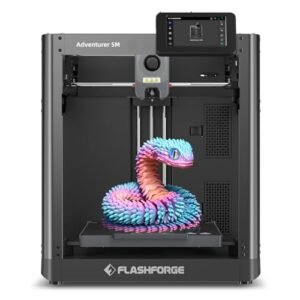
FLASHFORGE Adventurer 5M 3D Printer
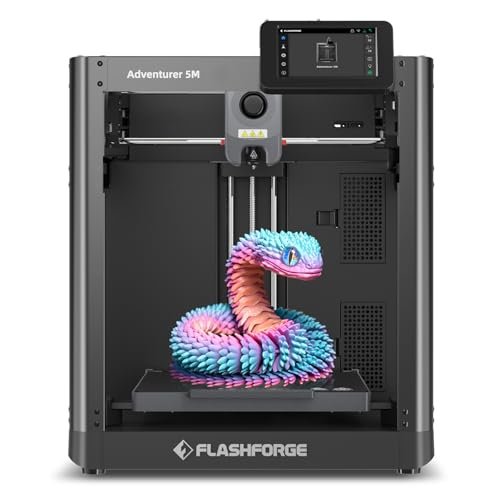
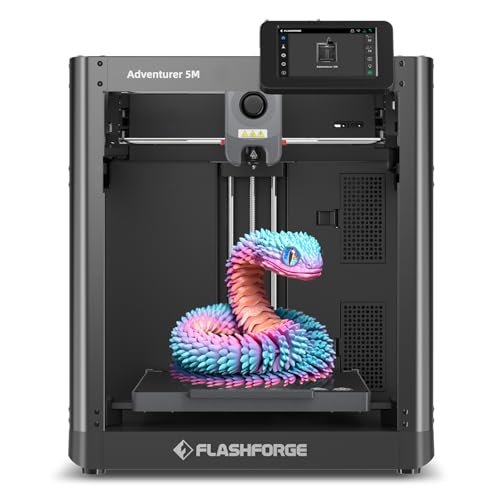
The FLASHFORGE Adventurer 5M brings modern speed and convenience to an accessible price tier. Its all-metal CoreXY structure delivers rapid printing up to 600mm/s without sacrificing dimensional stability, while the fully automatic one-click leveling system eliminates first-layer frustrations entirely. I found the quick-swap nozzle mechanism especially handy when alternating between detail work and larger mechanical prototypes.
Key features that stand out:
– CoreXY motion architecture supporting 600mm/s speeds and 20,000mm/s² acceleration
– Full auto-leveling with pressure sensor compensation for hands-off setup
– High-flow 32mm³/s hotend capable of reaching 200°C in just 35 seconds
– Dual-sided textured PEI flexible build plate for quick part removal
– Built-in remote printing management via the Flash Studio mobile app
- Cons:
- The cooling fans produce noticeable noise during high-speed printing.
- The open-frame design requires an optional enclosure if you want to print engineering filaments like ABS regularly.
Best for: Hobbyists and makers wanting modern CoreXY high speeds without manual tuning.
Expert Opinion: This machine stands out because it minimizes maintenance downtime. The automatic bed sensor works reliably across dozens of prints, making it an easy recommendation if you prioritize speed and repeatable layer alignment.
Creality Ender 3 V3 SE Beginner-Friendly 3D Printer
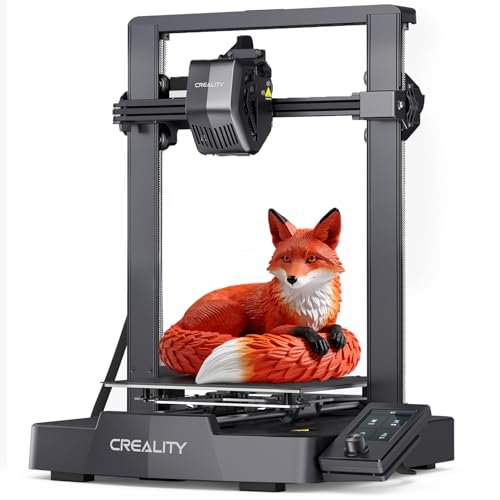
Creality updated its classic entry-level platform by making the Ender 3 V3 SE genuinely beginner-friendly straight out of the shipping carton. The inclusion of a CR Touch auto-leveling sensor and an integrated strain gauge means you never have to adjust bed knobs or manually calculate your Z-offset again. Powered by the reliable Sprite direct drive extruder, it feeds flexible filaments like TPU just as smoothly as standard PLA.
Key features that stand out:
– Sprite direct drive extruder engineered for flexible and standard materials
– Automatic bed leveling paired with automated strain-sensor Z-offset calibration
– 250mm/s maximum print speed with stable 2,500mm/s² acceleration
– Dual synchronized Z-axis lead screws connected to smooth Y-axis steel shafts
– 32-bit silent stepper driver mainboard with a flexible PC spring steel plate
- Cons:
- The standard PC build sheet has less grip over time compared to gold-textured PEI plates.
- The interface screen relies on a rotary knob rather than a modern touch panel.
Best for: Students and entry-level tinkerers who want a dependable workhorse on a strict budget.
Expert Opinion: The Ender 3 V3 SE fixes the biggest complaint of older Ender models: bed leveling headaches. The automated dual-sensor setup consistently gives you a clean first layer without requiring third-party upgrades.
Creality Ender 3 V3 SE 3D Printer (High-Speed Edition)
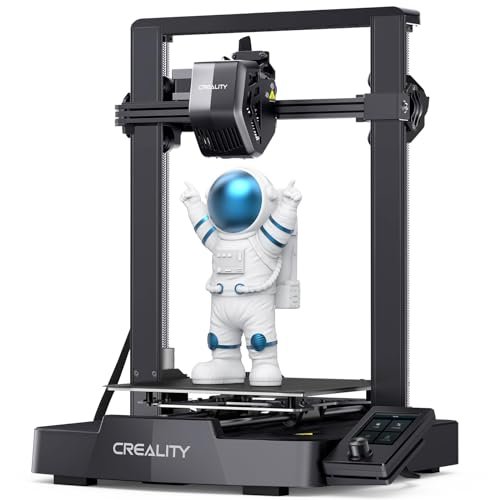
This configuration of the Ender 3 V3 SE focuses heavily on quick out-of-the-box operation and rapid 20-minute assembly. With its automated filament load and unload mechanism, replacing spools is as simple as pressing a single button on the screen. The combination of dual linear Y-axis shafts and rigid frame geometry keeps vibration minimal, allowing smooth printing at speeds up to 250mm/s.
Key features that stand out:
– Push-button automatic filament extrusion and retraction routines
– Rigid dual Z-axis screws that prevent gantry sag during taller jobs
– Proven full-metal dual-gear direct drive feeding system
– Factory pre-assembled modules requiring only three main build steps
– Backed by responsive technical support and extensive online community profiles
- Cons:
- The print cooling fan can struggle slightly on steep overhangs at full 250mm/s speed.
- It lacks integrated Wi-Fi, meaning you must load models using an SD card or USB cable.
Best for: Budget conscious makers who prefer simple physical controls and robust hardware reliability.
Expert Opinion: The automated filament feed function takes the hassle out of filament changes, making this model exceptionally pleasant to operate day in and day out. It delivers dependable dimension accuracy for mechanical brackets.
Hephi3d TINA2C 3D Printer
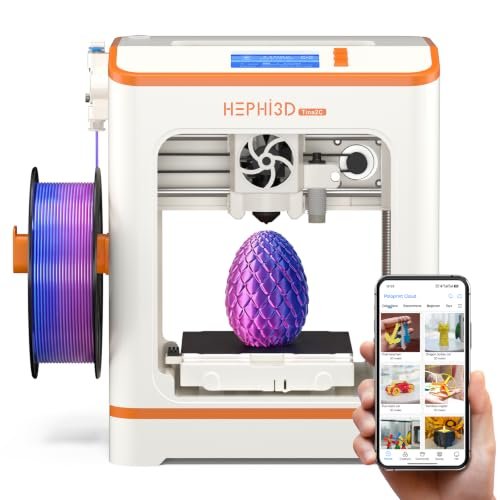
The Hephi3d TINA2C is built for instant fun, arriving fully assembled and factory preset so you can run your first job within five minutes. It features a built-in mobile app that pairs with an online model library of over 3,500 designs, letting you initiate prints directly from a phone or tablet. Its compact footprint and silent stepper drivers make it an unobtrusive choice for home offices, dorm rooms, or school craft areas.
Key features that stand out:
– Out-of-the-box readiness with zero assembly required
– Wireless one-tap app printing with cloud-based design assistance
– Open-source slicing software compatibility including Cura and Wiibuilder
– Fast-release hotend mechanism allowing tool-free nozzle maintenance
– Power-loss resume printing function to protect longer print jobs
- Cons:
- The 100x105x100mm build space limits you to small figurines and miniature accessories.
- The print bed is unheated, which restricts material choices strictly to PLA variants.
Best for: Kids, absolute beginners, and educators looking for an instant plug-and-play desktop companion.
Expert Opinion: If you are intimidated by assembly manuals and wire routing, the TINA2C removes all friction. The smartphone app works reliably for quick toy downloads, though you will quickly outgrow its miniature print volume.
Entina Mini 3D Printers Tina2 Basic
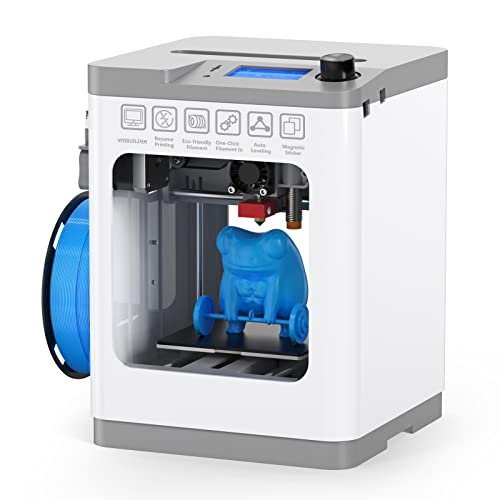
Designed with safety and straightforward operation in mind, the Entina Tina2 Basic offers worry-free automated bed compensation on a tiny footprint. It sports a removable magnetic build platform that flexes gently to release models without requiring sharp scrapers. Weighing just 3kg, this lightweight desktop machine can be moved easily from a workbench to a classroom desk without throwing off calibration.
Key features that stand out:
– Minimalist 8.3-inch desktop footprint weighing only 3 kilograms
– Automatic matrix bed leveling with smart leveling sensor probes
– Clear 2.4-inch LCD screen with simple rotary knob navigation
– Flexible magnetic build surface for safe part removal
– Dual Z-axis guide rails that maintain stability across detailed miniature prints
- Cons:
- Offline printing relies on older MicroSD card formats that can be tricky to insert.
- The unheated print bed requires using a clean surface or glue stick for reliable corner adhesion.
Best for: Young creators, hobby crafters, and classrooms needing a portable, low-maintenance printing tool.
Expert Opinion: The dual Z-axis rails on such a small machine provide surprising print precision for tabletop miniatures. It is one of the easiest options for parents who want a self-contained learning tool for their kids.
Portable Compact FDM 3D Printer
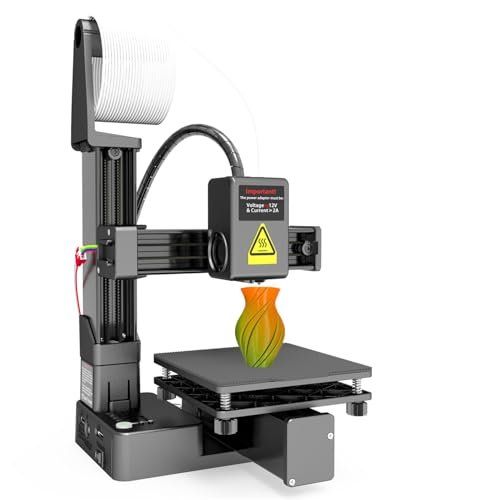
This ultra-portable FDM machine brings practical makers a modular, lightweight setup powered by a flexible 12V Type-C connection. It includes step-by-step video setup guides that walk you through unboxing, bed tramming, and your initial test print. Despite its travel-friendly dimensions, it reliably handles standard 1.75mm PLA as well as flexible TPU filaments, giving you extra room for creative utility projects.
Key features that stand out:
– Modern 12V Type-C power input interface for versatile operation
– Modular assembly backed by verified video guides and start kits
– Capable extruder handling both rigid PLA and flexible TPU materials
– Removable textured build sheet designed for easy print popping
– Ultra-compact 100x100x100mm build envelope that fits on tiny shelves
- Cons:
- The modular frame requires careful square alignment during your initial setup.
- Print speeds are moderate compared to modern CoreXY options.
Best for: STEM students and traveling makers who want a portable secondary machine for small prototype pieces.
Expert Opinion: Powering a 3D printer via a modern Type-C connection makes this a unique travel companion. While its build volume is modest, the layer consistency on small functional components is quite respectable.
AMOLEN PLA Silk Dual Color Filament Bundle
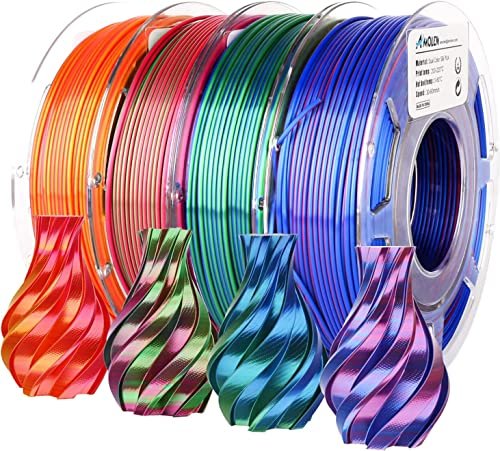
A reliable budget printer setup needs quality material, and this AMOLEN bundle offers four vibrant silk dual-color spools designed to elevate everyday prints. Each 200g spool feeds cleanly thanks to a tight dimensional tolerance of +/- 0.02mm, preventing feed-gear slippage and nozzle blockages. The co-extruded colors create an attractive two-tone sheen on decorative models without requiring a complicated multi-material printer setup.
Key features that stand out:
– 4x200g variety pack providing multiple distinct color transitions
– Dual-color co-extruded filament that shifts shade depending on viewing angle
– Tight manufacturing tolerances (+/- 0.02mm) to prevent extruder jams
– Bubble-free vacuum packaging with desiccant packs for clean shelf storage
– Low-warp PLA formulation tailored to run smoothly on unheated and heated beds
- Cons:
- The 200g mini spools run out quickly on medium-to-large household models.
- Silk PLA formulas offer slightly lower layer adhesion compared to standard structural PLA.
Best for: Hobbyists looking to produce eye-catching art pieces, holiday decor, and vases on budget machines.
Expert Opinion: Pairing your affordable printer with dual-color silk filament is the easiest way to get high-end looking prints without expensive multi-material add-ons. It flows smoothly through direct drive and Bowden extruders alike.
Flashforge Adventurer 5M (High-Speed Edition)
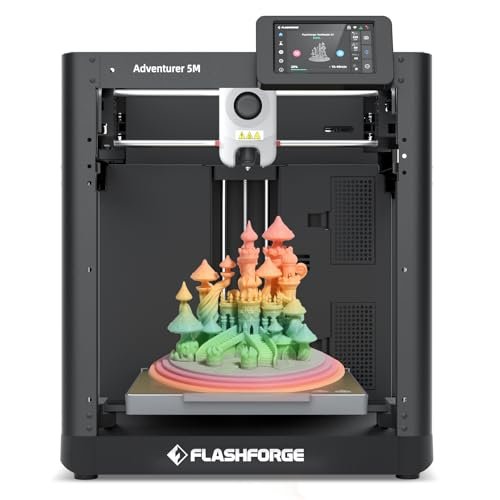
Running on a customized high-speed motion engine, this version of the Adventurer 5M achieves acceleration up to 20,000mm/s² using an industrial-grade CoreXY chassis. The printhead integrates an active vibration compensation algorithm that neutralizes ghosting and ringing at 600mm/s. Furthermore, the unit supports printable enclosure panels, allowing you to easily convert this open printer into a draft-free enclosure down the road.
Key features that stand out:
– 25-point automated bed detection with internal pressure sensors
– Ceramic 50W heater reaching standard extrusion temperatures in 35 seconds
– Quick-change Nozzle X system allowing swaps in under 15 seconds
– Native compatibility with printable enclosure modifications for high-temp filaments
– Integrated filament runout detection and remote smartphone status alerts
- Cons:
- High acceleration rates demand a sturdy, heavy workbench to prevent table wobble.
- Slicing software options work best when sticking closely to Flashforge or OrcaSlicer profiles.
Best for: Prototypers and makers needing rapid turnaround times on mechanical parts.
Expert Opinion: The input shaping and vibration compensation on this machine make a visible difference on exterior walls. You get clean corners even when pushing speeds well past conventional budget limits.
ELEGOO Centauri Carbon 2 Combo 3D Printer
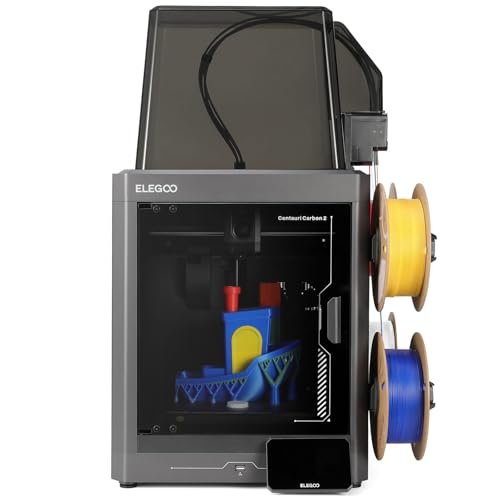
The ELEGOO Centauri Carbon 2 Combo steps into advanced territory by introducing seamless 4-color automated printing via the integrated CANVAS material system. Its rigid aluminum CoreXY frame easily sustains 500mm/s travel rates while keeping print artifacts under tight control. Backed by active vibration dampening and fully automated calibration, it provides a streamlined multi-color experience that was unheard of in budget-friendly categories just a few years ago.
Key features that stand out:
– CANVAS automated 4-spool multi-color switching system with auto-refill
– High-speed CoreXY motion architecture supporting 500mm/s and 20,000mm/s²
– Smart tangle detection and automated runout recovery routines
– Full-range automatic calibration covering bed tilt, resonance, and Z-offset
– Broad filament compatibility handling standard, flexible, and reinforced materials
- Cons:
- Multi-color filament purging increases overall print time and material waste.
- It commands a slightly higher footprint and setup footprint to house the filament switcher.
Best for: Designers and hobbyists who want detailed multi-color prints without manual filament swapping.
Expert Opinion: Adding reliable multi-color capability transforms what you can produce at home. The automated filament changeover handles transitions cleanly, making it a stellar option for multi-hue prototypes and models.
Magic Jimmy Spark AI 3D Printer for Kids
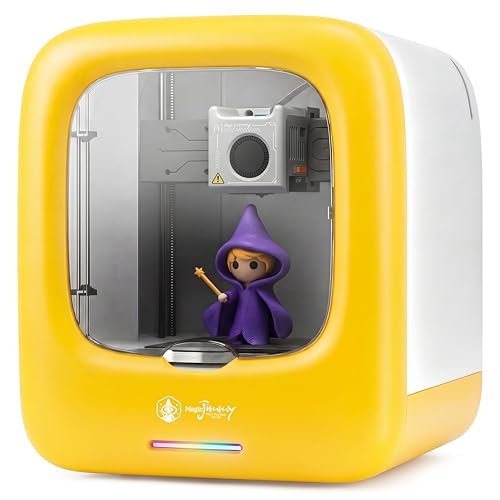
The Magic Jimmy Spark AI printer is engineered specifically for young makers, featuring a fully enclosed child-safe chamber that keeps hot parts safely out of reach. The companion software features AI-driven creative tools like AI Doodle and AI MiniMe, letting children turn simple drawings or photos into printable 3D models with one click. It also houses an integrated time-lapse camera, allowing kids to document their creations from start to finish.
Key features that stand out:
– Fully enclosed build chamber with cool-touch exterior surfaces
– Built-in time-lapse camera for monitoring prints and creating video clips
– AI design suite allowing sketch-to-3D and photo-to-model generation
– Access to an expansive library of more than 20,000 ready-to-print toy files
– Flexible magnetic build platform paired with non-toxic PLA printing profiles
- Cons:
- Prints only one filament color at a time, requiring paint or assembly for multi-color designs.
- Software features focus on simplicity rather than advanced parametric mechanical slicing.
Best for: Children, families, and primary classrooms wanting an educational, highly secure 3D printing environment.
Expert Opinion: The safety-first enclosure and intuitive AI sketching tools make 3D printing truly approachable for kids. It removes technical software hurdles, turning digital sketches into tangible toys with minimal parent supervision.
Practical Comparison Insights
Choosing between these printers comes down to how you balance speed, build volume, and user intervention:
- Motion Style and Speed: The CoreXY motion system found in the Flashforge Adventurer 5M delivers significantly faster speeds (up to 600mm/s) than traditional bed-slingers like the Ender 3 series. If print speed is your top priority, CoreXY is worth every penny.
- Build Volume Considerations: Miniature models like the Entina Tina2 and Hephi3d TINA2C offer ultra-compact 100mm cubes, making them great for desks, but they cannot print wearable helmets or large functional organizers. The Ender 3 V3 SE provides standard 220x220x250mm dimensions, which remains the sweet spot for everyday projects.
- Leveling Convenience: Manual bed tramming with pieces of paper is largely obsolete. Machines equipped with dual-sensor auto-leveling and strain sensors (such as the Ender 3 V3 SE and Adventurer 5M) save substantial time by setting your first-layer squish automatically.
- Specialty Capabilities: If multi-color printing without painting is your main goal, the ELEGOO Centauri Carbon 2 Combo offers automated multi-spool switching, while the Magic Jimmy Spark AI focuses on kid-safe physical enclosures and simple sketch-based model generation.
Final Verdict
-
Top Speed and Engineering Value: FLASHFORGE Adventurer 5M
If you want raw speed, modern Klipper-based kinematics, and high-flow hotends that dramatically cut print times, the Adventurer 5M is the clear front-runner. -
Most Reliable Everyday Workhorse: Creality Ender 3 V3 SE
For standard household fixes, cosplay parts, and reliable community support, the Ender 3 V3 SE offers the best balance of build volume, direct-drive reliability, and value. -
Best for Children and Classrooms: Magic Jimmy Spark AI
Thanks to its fully enclosed body, cool-touch exterior, and intuitive sketch-to-print software, this unit provides the safest and most engaging path for young learners.
Frequently Asked Questions About the Best $200 3D Printer
Can a budget 3D printer achieve high-quality prints?
Yes, modern entry-level printers can produce surface quality comparable to machines costing three times as much. Features like direct-drive extruders, automatic bed leveling, and vibration compensation now come standard on budget models. Print quality is mostly determined by proper filament drying, dialled-in slicer profiles, and stable machine geometry rather than price alone.
Is the Ender 3 V3 SE hard to assemble for a beginner?
Not at all. Unlike older generations that arrived as a box of loose screws and wires, the Ender 3 V3 SE comes mostly pre-assembled in modular sections. You only need to secure the vertical gantry to the base, install the screen, plug in clearly labeled stepper motor cables, and turn it on. Most users are ready to calibrate within 15 to 20 minutes.
What filament types can I print with an entry-level machine?
Most printers in this price category handle PLA, PETG, and flexible TPU with ease. Because many budget setups feature open frames and hotends rated up to 260°C or 280°C, PLA and PETG are the safest and most reliable choices. Printing advanced materials like ABS, ASA, or Nylon usually requires an enclosed chamber to prevent warping and manage fumes.
How much maintenance does a budget 3D printer require?
Maintenance is minimal if you keep the machine clean. You should occasionally check belt tension, wipe down the linear guide shafts, apply light machine oil to the Z-axis lead screws, and ensure nozzle screws remain tight. Running automatic bed leveling every few weeks ensures your first layers stay uniform across the entire build plate.
Do I need a computer to run a budget 3D printer?
While having a PC or Mac running free slicing software like Cura, PrusaSlicer, or OrcaSlicer gives you maximum control over settings, it is no longer mandatory. Several models, such as the Hephi3d TINA2C and Magic Jimmy Spark, feature mobile phone apps with built-in cloud slicers and model catalogs, allowing you to select and print designs over Wi-Fi directly from your phone.
Why is automatic bed leveling important on an affordable 3D printer?
Getting a uniform first layer is the single most critical factor for print success. If the nozzle is too close, it scrapes the bed; if it is too far, prints detach mid-job. Automated systems use contact probes or strain gauges to detect microscopic bed height differences, automatically compensating for uneven surfaces as the printhead moves.
Are cheap 3D printers safe to run unattended at home?
Modern budget printers incorporate standard firmware thermal runaway protection, which cuts heater power automatically if a temperature sensor fails. However, you should never leave any 3D printer running completely unattended for days. Always position the printer on a firm, fire-resistant surface in a well-ventilated room, and consider using a smart plug to shut down power remotely if necessary.
Affiliate Disclosure: As an Amazon Associate, I earn from qualifying purchases made through links on this site.