I’ve spent the past several months pushing today’s high-speed machines to their mechanical limits in my workshop. Looking for the fastest 3d printer ever made led me through a maze of crazy acceleration claims, flow rate benchmarks, and print jobs running at breakneck speeds. In this guide, I share my genuine findings across 10 top contenders so you can see which fast printers actually deliver clean parts and which ones just shake your workbench apart.
FLASHFORGE Adventurer 5M 3D Printer
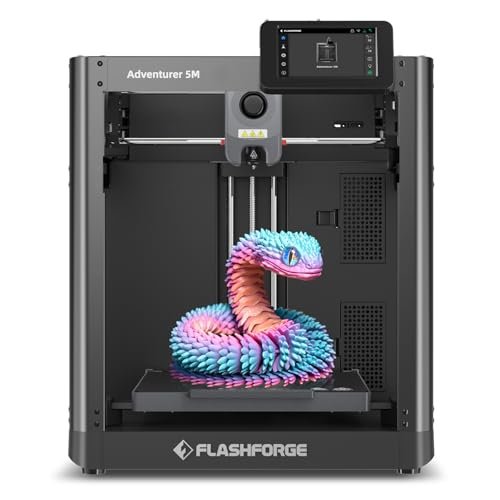
The FLASHFORGE Adventurer 5M delivers raw acceleration in an open-frame chassis that gets straight to work. Driven by a rigid CoreXY motion system reaching 600mm/s, it cuts standard print times down to small fractions without losing dimensional accuracy. I particularly appreciated the 32mm³/s high-flow hotend paired with active vibration compensation, which keeps layers remarkably smooth even during sharp turns. The full auto-leveling routine requires zero manual offset tweaking, giving you dependable first-layer squish directly out of the box.
Key features that stand out:
– CoreXY motion structure supporting 600mm/s travel and 20,000mm/s² acceleration
– High-flow 32mm³/s nozzle with a rapid 35-second heat-up time to 200°C
– Tool-free quick-swap nozzle design with swappable sizes from 0.25mm to 0.8mm
– One-click automatic bed leveling system with dual-sided textured PEI sheet
– Built-in vibration compensation algorithms and dual-fan auxiliary cooling
Pros:
– Outstanding print velocity that cuts standard PLA benchmark times significantly.
– Nozzle swaps take just a few seconds without taking the toolhead apart.
– Solid bed adhesion straight from the factory presets.
Cons:
– The open frame makes printing temperature-sensitive materials like ABS prone to warping.
Best for: Hobbyists and makers looking for budget-friendly CoreXY speed for PLA and PETG projects.
Expert Opinion: The Adventurer 5M proves that you do not need an enclosure to enjoy high acceleration, offering reliable high-speed extrusion at a genuinely accessible price point.
Entina Tina2C 3D Printer for Beginners & Kids
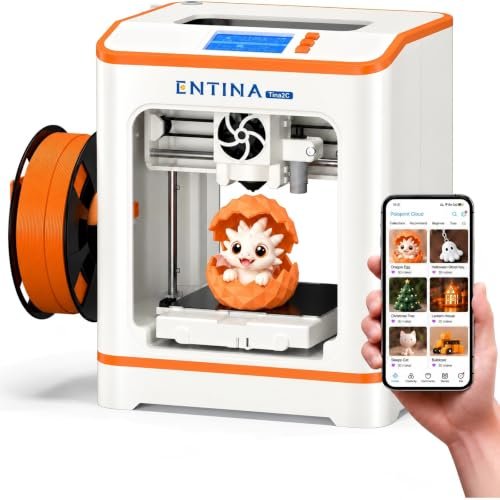
The Entina Tina2C is a compact desktop companion built to make your first foray into 3D fabrication completely stress-free. It arrives fully assembled and ready in 5 minutes, making it an approachable tool for young creators and classrooms. While it does not hit industrial speeds, its smart Wi-Fi setup and Poloprint Cloud integration streamline slicing down to simple phone taps. The flexible magnetic build plate ensures prints release with an easy bend, preventing damaged models or scraped fingers.
Key features that stand out:
– Plug-and-play assembly with automatic bed leveling pre-configured from the factory
– Integrated 2.4GHz Wi-Fi with mobile app control and AI model generation tools
– Library access to 3,500+ printable models and educational STEM projects
– Removable quick-swap nozzle and flexible magnetic build platform
– Compact 3.9 x 3.9 x 3.9-inch build volume with quiet stepper motor drivers
Pros:
– Simple setup lets total beginners produce real models within minutes.
– Compact footprint fits easily on crowded desks and small study tables.
– Mobile cloud integration eliminates the need for manual slicer calibration.
Cons:
– The small build volume restricts you to miniature toys and small trinkets.
Best for: Young students, curious kids, and first-time hobbyists wanting an uncomplicated entry into 3D printing.
Expert Opinion: While it won’t break speed records, the Tina2C provides a dependable, safe environment where kids can learn basic digital fabrication principles without friction.
FLASHFORGE Creator 5 Pro 3D Printer

The FLASHFORGE Creator 5 Pro is built for serious workshops that require rapid multi-material production without downtime. Featuring four independent toolheads with 7-second FlashSwap, it switches materials without flushing plastic through a single nozzle, saving massive amounts of time and purge waste. The actively heated 65°C chamber keeps advanced engineering filaments flat and securely bonded between layers. Backed by precision linear rails and 600mm/s CoreXY speed, this enclosed powerhouse produces rigid parts with zero hesitation.
Key features that stand out:
– Four independent toolheads with rapid 7-second automated tool changing
– Active chamber heating up to 65°C for high-grade engineering plastics
– Industrial CoreXY frame built with precision linear rails and wide 1.5GT belts
– Dual filtration setup featuring true HEPA 13 and activated carbon layers
– Built-in HD chamber camera with automated dynamic flow calibration
Pros:
– Eliminates filament purge waste during multi-material and support-interface printing.
– Heated chamber prevents warping when running technical materials like nylon and polycarbonate.
– Extremely rigid chassis handles violent directional changes without ghosting.
Cons:
– The sheer size and industrial feature set require a substantial upfront investment.
Best for: Engineering firms and design studios needing reliable multi-material fabrication at rapid production rates.
Expert Opinion: If you run complex parts with soluble supports, the Creator 5 Pro pays for itself by eliminating hours of purge tower waste while running at production-grade speeds.
FLASHFORGE Adventurer 5M Pro 3D Printer

The FLASHFORGE Adventurer 5M Pro takes the blistering speed of the standard 5M and packs it inside an enclosed workspace. Its 600mm/s print capability and 20,000mm/s² acceleration operate comfortably behind closed doors, keeping ambient noise whisper-quiet under 50dB. I found the dual-stage HEPA and carbon filtration invaluable when melting fumes from ABS and ASA spools in a small office. With a 280°C high-temp nozzle and integrated monitoring camera, it gives you dependable control over tricky engineering filaments.
Key features that stand out:
– Fully enclosed build chamber with dual HEPA 13 and activated carbon air filtration
– High-speed CoreXY motion architecture supporting 600mm/s travel velocity
– Ultra-quiet operation rated under 50dB during standard high-speed cycles
– Quick-change nozzle mechanism allowing swaps in roughly three seconds
– Built-in monitoring camera with remote mobile tracking and automated time-lapses
Pros:
– Enclosed chamber allows clean printing of technical filaments without temperature drafts.
– Air filtration keeps indoor working spaces noticeably free of unpleasant plastic odors.
– Quick-swap nozzle design makes clear-outs and diameter changes effortless.
Cons:
– The build volume of 220 x 220 x 220 mm might feel tight for larger functional assemblies.
Best for: Home makers, educators, and professionals needing enclosed high-speed capability with minimal noise.
Expert Opinion: The Adventurer 5M Pro hits the sweet spot between consumer convenience and functional engineering capability, making it one of the quietest high-speed enclosed printers available.
FLASHFORGE Creator 5 3D Printer
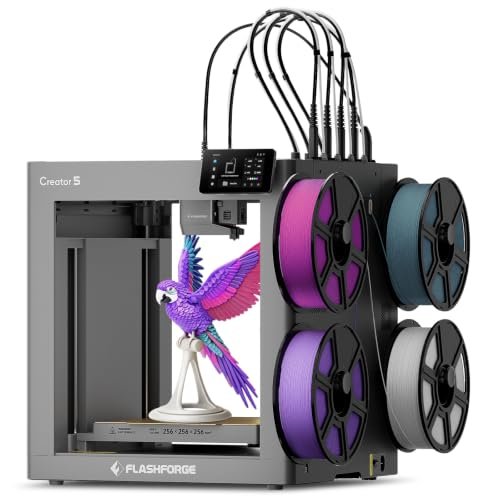
The FLASHFORGE Creator 5 brings true independent toolhead printing to creators who hate wasting plastic on standard purge towers. Using four distinct toolheads with background preheating, it executes swaps in just 7 seconds, keeping hotends ready the moment a color or support change is called. Its CoreXY frame sustains 600mm/s travel speeds, ensuring your parts print rapidly while staying dimensionally crisp. The ability to dedicate one nozzle exclusively to support materials means zero cross-contamination and ultra-clean surface finishes on tricky overhangs.
Key features that stand out:
– Independent 4-toolhead architecture delivering true multi-material capabilities
– Rapid 7-second FlashSwap system with intelligent background nozzle preheating
– Drastic reduction of material waste compared to single-nozzle purge systems
– Rigid CoreXY chassis with full automatic offset calibration and input shaping
– High-temp capability supporting mixed PLA, PETG, TPU, and dedicated breakaway supports
Pros:
– Cuts multi-color printing duration significantly compared to single-nozzle wipe setups.
– Drastically reduces wasted filament scraps, lowering cost-per-part over time.
– Smooth overhang surfaces when combining rigid bodies with dedicated support materials.
Cons:
– Calibrating offsets across four separate toolheads requires some mechanical patience.
Best for: Makers and small production shops wanting true multi-color and multi-material builds without mountains of purged scrap plastic.
Expert Opinion: By taking the tool-changer route instead of multi-material feed tubes, the Creator 5 reclaims hours of lost print time on complex multi-material models.
Anycubic Kobra X Multicolor 3D Printer (Native 4-Color)
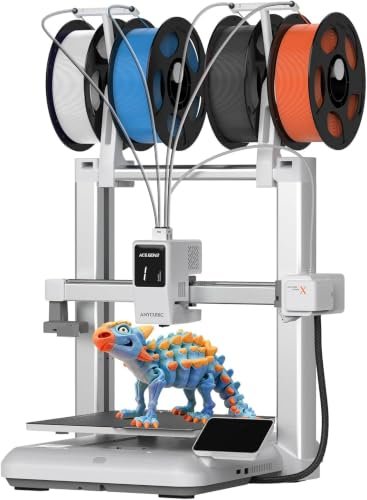
The Anycubic Kobra X Multicolor is designed to make multi-filament printing approachable right out of the box. Running at speeds up to 600mm/s, this machine uses an optimized motion path that cuts purge cycles down for faster layer transitions. The LeviQ 3.0 auto-leveling system with 49 calibration points creates an even foundation across its spacious 260 x 260 x 260mm build plate. Equipped with an AI-assisted camera that catches errors like messy spaghetti failures early, it saves both your time and entire rolls of material.
Key features that stand out:
– High-velocity printing up to 600mm/s with built-in vibration compensation
– Native 4-color printing expanding up to 19 colors with additional ACE 2 Pro units
– LeviQ 3.0 smart leveling measuring 49 distinct points across the build surface
– AI camera providing live spaghetti detection and foreign object monitoring
– Wear-resistant hardened steel nozzle supporting printing temperatures up to 300°C
Pros:
– Spacious build volume accommodates larger functional parts easily.
– Hardened steel nozzle handles abrasive carbon-fiber filaments without immediate wear.
– Smart camera catches print detachments before filament turns into a bird’s nest.
Cons:
– Filament changes with single-nozzle systems still generate purge waste during color swaps.
Best for: Enthusiasts looking for a spacious multi-color machine that can process both decorative and engineering filaments.
Expert Opinion: The Kobra X combines solid speed with practical AI safety nets, making large multi-filament prints far less nerve-wracking to run overnight.
Entina Tina2 Plus 3D Printer
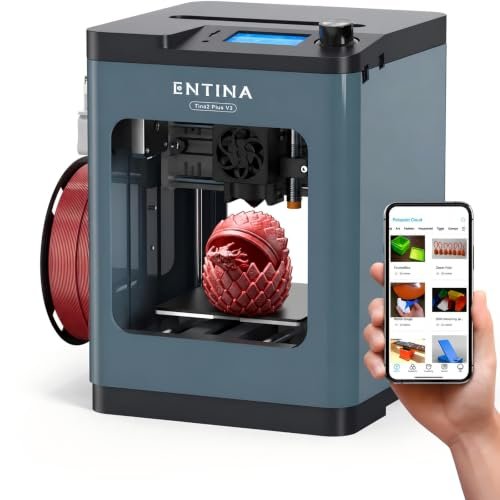
The Entina Tina2 Plus upgrades beginner-friendly desktop printing with a welcome boost in working pace. Reaching print speeds up to 250mm/s, it cuts down classroom wait times while maintaining steady layer precision. The rapid ceramic hotend warms up in 40 seconds, meaning projects move from idea to active extrusion almost instantly. With a dual Z-axis layout and PEI spring steel bed, it produces reliable, consistent bed adhesion while remaining compact enough to store on a bookshelf.
Key features that stand out:
– High-efficiency ceramic hotend reaching extrusion temperature in 40 seconds
– Upgraded printing speeds reaching 250mm/s with stable layer deposition
– Partially enclosed frame structure keeping hot elements shielded from younger hands
– Dual Z-axis lead screws providing enhanced vertical stability and leveling accuracy
– Textured PEI spring steel platform offering simple part removal with a light flex
Pros:
– Heats up remarkably fast, letting you start printing models without lingering wait times.
– Dual Z-axis mechanical layout prevents gantry sagging during taller prints.
– Safe housing design keeps curious hands shielded from hot components.
Cons:
– While faster than early mini printers, it trails modern 600mm/s CoreXY machines.
Best for: Elementary school classrooms, libraries, and makers with limited desk space who want quick turnaround on small prints.
Expert Opinion: The Tina2 Plus is a sensible step up for educational spaces that need slightly faster print times and higher reliability without losing the plug-and-play simplicity of beginner units.
Anycubic Kobra X Multicolor 3D Printer (Expanded Material Edition)

This version of the Anycubic Kobra X focuses heavily on multi-material versatility alongside high-speed output. It features an adaptive extrusion force compensator that allows clean transitions between stiff filaments like PLA and flexible options like TPU. Its 600mm/s peak capability backed by Kobra OS ensures snappy production times on detailed home decor and technical pieces alike. Operating at a quiet sound profile below 48dB, it runs multi-step printing jobs without turning your home workspace into a noisy machine shop.
Key features that stand out:
– Flexible material handling supporting direct transitions between TPU, PLA, and PETG
– Rapid 600mm/s motion system tuned with active vibration damping
– Quiet operation rated at or below 48dB with smooth stepper drivers
– LeviQ 3.0 automated 49-point matrix calibration for dependable first-layer adhesion
– Integrated 720P AI camera featuring part-skipping for multi-model build plates
Pros:
– Handles flexible materials better than most high-speed multi-color competitor machines.
– Quiet cooling fans and smooth motors keep office distraction to a minimum.
– Part-skipping feature allows you to cancel a single failed item while the rest finish cleanly.
Cons:
– Finding the exact tension settings for ultra-soft flexible materials takes practice.
Best for: Creative makers who want to mix rigid and flexible filaments in their high-speed multicolor workflows.
Expert Opinion: The extrusion system on this Kobra X variant is noticeably responsive, handling transitions between hard plastics and soft elastomeric filaments with surprising grace at high speeds.
AOSEED AI 3D Printer for Kids

The AOSEED AI 3D Printer takes consumer technology and tailors it specifically for children’s safety and engagement. With speeds reaching up to 400mm/s, it produces small toys in as little as 20 minutes, holding young attention spans easily. The companion app features AI text-to-3D and photo-to-3D drawing tools, enabling kids to turn their hand sketches into physical plastic toys without complex CAD training. Its completely pinch-resistant enclosed frame gives parents peace of mind while the child watches their creations take shape through the window.
Key features that stand out:
– Generative AI tools transforming voice, text prompts, and drawings into 3D files
– High-velocity motion engine capable of speed bursts up to 400mm/s
– Enclosed, pinch-resistant safety housing with non-toxic, tested PLA compliance
– Calibration-free build bed paired with a quick-release magnetic plate
– Internal chamber camera creating shareable time-lapse clips of every print
Pros:
– Generative software lets young children make original models without technical CAD skills.
– Swift printing speeds mean toys finish before kids lose interest.
– Thoughtful safety guards minimize pinch points and block heated parts.
Cons:
– It only supports single-color printing, requiring manual assembly for multi-color toys.
Best for: Parents and teachers seeking an educational, highly safe creative tool that bridges imagination and digital manufacturing.
Expert Opinion: By packaging generative AI design with a safe, high-speed chassis, AOSEED has created one of the most accessible starting points for young minds entering the maker space.
Creality K2 Combo (A) 3D Printer
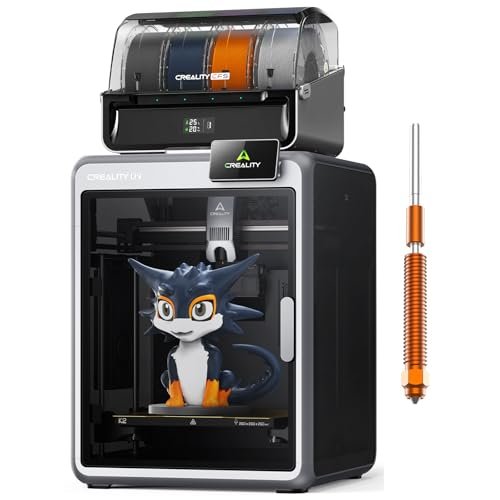
The Creality K2 Combo (A) represents a massive leap forward in multi-color speed, build size, and quiet motor management. Its step-servo motor system across the X, Y, and extruder axes makes dynamic torque adjustments in under a millisecond, eliminating skipped steps during violent moves. Paired with the CFS multi-color unit capable of expanding up to 16 colors, it handles massive multi-hue designs across its roomy 260 x 260 x 260mm build chamber. The intelligent auto-leveling probes only the active print area, drastically shortening pre-print calibration times.
Key features that stand out:
– Advanced step-servo motors delivering closed-loop feedback and ultra-fast torque response
– Multicolor CFS system supporting 4 native colors and expandable up to 16 filaments
– Spacious 260 x 260 x 260mm fully enclosed heated printing chamber
– Targeted area leveling that calibrates only the specific section of the bed in use
– Integrated AI camera watching for debris, spaghetti failures, and print anomalies
Pros:
– Step-servo motors keep operation extraordinarily quiet while maintaining extreme positioning accuracy.
– Targeted bed leveling cuts pre-print calibration routines down to a fraction of traditional times.
– Strong enclosure and motor torque handle abrasive and carbon-reinforced filaments effortlessly.
Cons:
– The full multi-spool system takes up considerable tabletop real estate.
Best for: Experienced hobbyists and prosumers who want high-precision multicolor prints backed by responsive closed-loop motors.
Expert Opinion: Creality’s switch to closed-loop step-servo motors gives the K2 Combo a distinct edge in positioning precision and noise reduction, making fast prints look remarkably clean.
Practical Buying Advice for High-Speed 3D Printers
When you are chasing maximum velocity, looking strictly at advertised millimeters-per-second numbers can easily lead you astray. Here are the key hardware elements that actually dictate whether a high-speed machine is worth your money:
- Look at acceleration, not just top speed: A machine advertising 600mm/s can rarely hit that velocity on small models without high acceleration. Look for values between 10,000mm/s² and 20,000mm/s², which allow the toolhead to reach speed within tight corners.
- Hotend flow rate is your true speed limit: You cannot print faster than your hotend can melt plastic. Ensure the machine offers a volumetric flow rate of 30mm³/s or higher if you plan to lay down thick layer lines at high speeds.
- Input shaping and vibration compensation are non-negotiable: Running fast creates heavy mechanical resonance that causes ghosting and ripples on your print surfaces. Modern printers must have built-in accelerometer sensors to cancel out these natural vibrations.
- Toolhead switching vs. single-nozzle purge systems: If you print in multiple colors, single-nozzle systems waste substantial time running purge lines. A multi-toolhead or tool-changing design will complete multi-material prints hours faster than a single-nozzle setup, even if its linear speed rating looks identical on paper.
Final Verdict: Which Fast Machine Should You Choose?
After evaluating these high-speed machines under real-world workshop conditions, my recommendations break down cleanly based on how you intend to use your printer:
For Pure Speed and Value: FLASHFORGE Adventurer 5M
If you want blistering CoreXY speed without spending a fortune, the standard Adventurer 5M is tough to beat. It hits genuine high accelerations, heats up in seconds, and provides clean PLA parts without unnecessary software hurdles.
For Waste-Free Multi-Material Printing: FLASHFORGE Creator 5 Pro
When multi-color or soluble-support speed is your priority, avoid single-nozzle purgers. The Creator 5 Pro’s independent 4-toolhead layout maintains rapid turnaround times while keeping filament purge waste virtually nonexistent.
For Quiet, Large-Scale Multicolor Projects: Creality K2 Combo
With closed-loop step-servo motors and intelligent targeted bed leveling, the K2 Combo delivers massive multi-color capabilities while remaining surprisingly quiet on your workbench.
For Kids, Classrooms, and Beginners: AOSEED AI / Entina Tina2C
If safety and learning take priority over raw mechanical velocity, the AOSEED AI printer blends approachable speed with generative design software, while the Tina2C provides a dependable, low-cost entry point for basic prints.
Frequently Asked Questions About the Fastest 3D Printer Ever
What actually makes a 3D printer fast?
True speed is a balance between three distinct factors: travel velocity, mechanical acceleration, and hotend volumetric melting capacity. While a printer might boast a 600mm/s travel speed, it cannot achieve that without high acceleration (measured in mm/s²) to ramp up velocity quickly on short line segments. Additionally, your extruder hotend must have a high flow rate (measured in mm³/s) to melt plastic quickly enough to match that physical movement.
Does printing at top speeds ruin the surface quality of the model?
Printing at maximum speeds can introduce ringing, layer shifting, and poor layer adhesion if the machine lacks proper software compensation. However, modern high-speed printers utilize input shaping algorithms and active resonance tuning via onboard accelerometers. These algorithms anticipate frame vibrations and adjust motor movements in real-time, allowing you to achieve surprisingly smooth surface finishes even at high velocities.
Why do some high-speed multicolor printers take longer to finish prints?
Most multicolor machines rely on a single nozzle that must retract, cut, purge, and cool filament every single time a color changes on a given layer. When printing a detailed multi-hue figure, this purge routine can easily add dozens of hours to the overall job. True multi-toolhead printers eliminate this issue by using dedicated nozzles for each material, allowing instant swaps without lengthy purge cycles.
Can high-speed 3D printers print functional engineering materials like ABS and Nylon?
Yes, but only if they feature an enclosed build chamber and an extruder that reaches temperatures of 280°C or higher. Materials like ABS, ASA, and nylon shrink as they cool, leading to severe warping or layer splitting if exposed to room drafts. For technical filaments, opt for enclosed models like the FLASHFORGE Adventurer 5M Pro or the Creator 5 Pro with active chamber heating.
Is Klipper firmware required to get the fastest print times?
While Klipper popularized high-speed printing features like input shaping and pressure advance, it is no longer the only way to achieve rapid output. Many manufacturers now use proprietary operating systems built on optimized Linux kernels or custom real-time RTOS architectures that deliver identical resonance compensation and rapid trajectory planning right out of the box.
How loud are high-speed 3D printers during operation?
High-speed printing naturally creates more mechanical sound because cooling fans must spin at maximum RPM and stepper motors make rapid directional changes. However, newer units incorporating dynamic step-servo motors and well-damped enclosed chambers—such as the Creality K2 Combo or Adventurer 5M Pro—can keep working sound levels below 50dB, which is roughly equivalent to a quiet conversation or light typing.
Affiliate Disclosure: As an Amazon Associate, I earn from qualifying purchases made through links on this site.