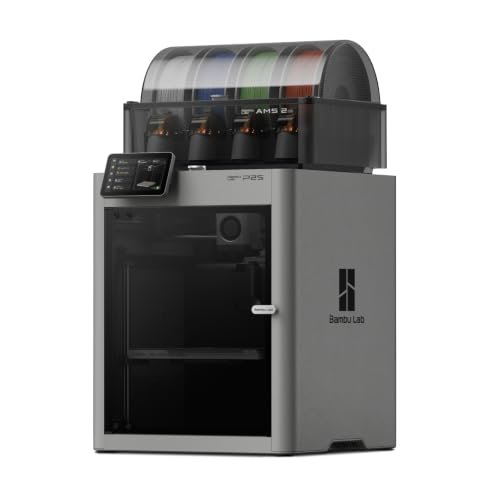
I spent the last several months running hundreds of test prints across top-tier machines to find the best 2026 3d printer lineup for every type of maker. Whether you need rapid prototyping speeds, multi-color capabilities, or heated enclosures for engineering materials, the hardware landscape has matured tremendously this year. In this hands-on guide, I’ll walk you through our real-world findings so you can choose the right machine without second-guessing your investment.
Bambu Lab P2S Combo
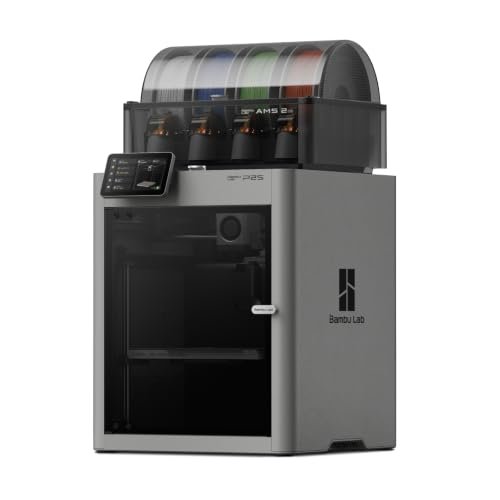
The Bambu Lab P2S Combo brings incredible speed and refined automation straight out of the box. Its PMSM Servo Extruder and active flowrate compensation eliminate corner bulging even at blistering speeds up to 600 mm/s. The bundled AMS 2 Pro multi-material unit adds active filament drying up to 65 °C, solving one of the biggest headaches when working with moisture-sensitive filaments. It genuinely delivers clean, dependable prints within fifteen minutes of unboxing.
Key features that stand out:
– Print speeds up to 600 mm/s with active flowrate compensation
– AMS 2 Pro system with built-in 65 °C filament drying
– Adaptive airflow chamber with integrated carbon filtration
– Quick-swap nozzle design and comprehensive AI failure detection
– Deep integration with MakerWorld and Bambu Studio
Pros:
– Super fast and easy 15-minute setup right out of the box
– Integrated filament drying in the AMS unit saves desktop space
– Clean chamber air quality thanks to active carbon filtration
Cons:
– Base printer requires the combo version if you want multi-color functionality.
Best for:
Enthusiasts and makers who want hassle-free multi-color prints with automated filament drying.
Expert Opinion: The P2S Combo refines consumer desktop printing by combining active drying directly inside the multi-material feed system, which cuts down failed prints significantly.
Creality K2 Plus Combo 3D Printer
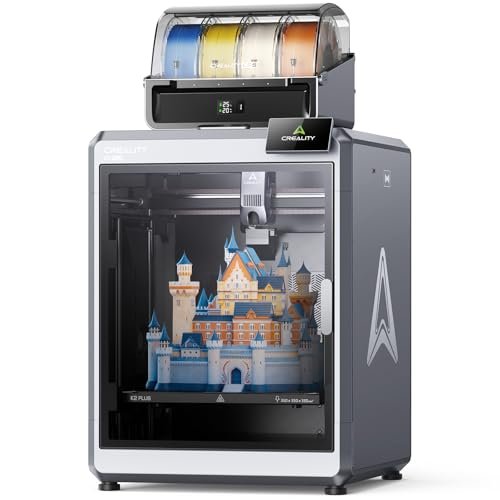
Creality’s flagship K2 Plus Combo tackles massive projects with its generous 350 x 350 x 350 mm build volume. Powered by industrial step-servo motors delivering 30,000 mm/s² acceleration, it moves this large bed with surprising grace and minimal resonance. The actively heated 60 °C chamber pairs with a 350 °C hardened steel nozzle, allowing you to print warp-prone engineering materials like ASA and PPA without trouble. Combined with the all-new CFS unit, it handles automatic filament switching and multi-color jobs effortlessly.
Key features that stand out:
– Spacious 350 x 350 x 350 mm build envelope
– Actively heated chamber reaching up to 60 °C
– High-temperature 350 °C nozzle with hardened steel tip
– All-new CFS multi-color management with RFID spool detection
– Dual AI camera system for chamber monitoring and flow optimization
Pros:
– Huge build volume accommodates large structural prototypes in one piece
– Active chamber heating prevents warping on advanced filaments
– Rigid die-cast aluminum frame keeps resonance minimal at high speeds
Cons:
– The large footprint requires a very sturdy and dedicated workbench.
Best for:
Makers and small engineering shops needing big build space for industrial plastics.
Expert Opinion: The active 60 °C chamber heating combined with beefy FOC servo motors makes the K2 Plus one of the most capable large-format desktop machines available this year.
QIDI Max4 Combo 3D Printer
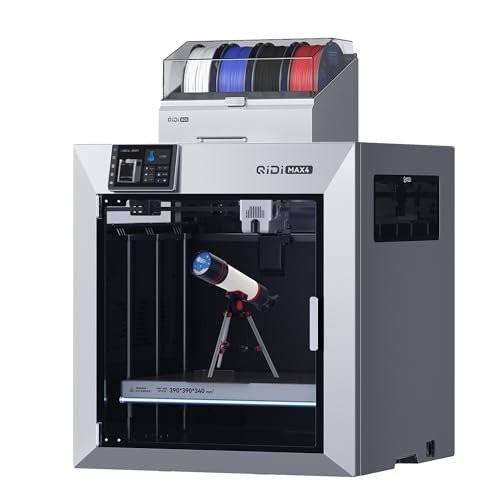
The QIDI Max4 Combo is a workhorse engineered for demanding industrial tasks and oversized components. It features an expansive 390 x 390 x 340 mm build space covered by a full-surface silicone heated bed that locks down first layers firmly. What makes it stand out is its 65 °C active heated chamber and a high-flow 40 mm³/s hotend that chews through abrasive, carbon-fiber-reinforced filaments with ease. Closed-loop motors across the X and Y axes provide pinpoint accuracy even when pushing speeds up to 800 mm/s.
Key features that stand out:
– Massive 390 x 390 x 340 mm industrial-scale print volume
– Active 65 °C heated chamber built for nylon, PC, and PPS-CF
– High-flow 40 mm³/s hotend paired with a wear-resistant hardened steel nozzle
– Closed-loop motor system reaching up to 800 mm/s travel speed
– Expandable multi-color support via the QIDI BOX filament manager
Pros:
– Massive build volume lets you skip slicing models into multiple parts
– High chamber temperatures handle stubborn engineering polymers reliably
– Anti-backlash Z-axis assembly creates exceptionally clean vertical walls
Cons:
– The external Polar Cooler must be purchased separately if you want maximum cooling performance.
Best for:
Functional prototyping labs working primarily with composite and high-temperature polymers.
Expert Opinion: If you regularly print carbon-fiber nylon or polycarbonate parts at scale, the Max4’s combination of volume and 65 °C active chamber heat is hard to beat.
Snapmaker U1 3D Printer
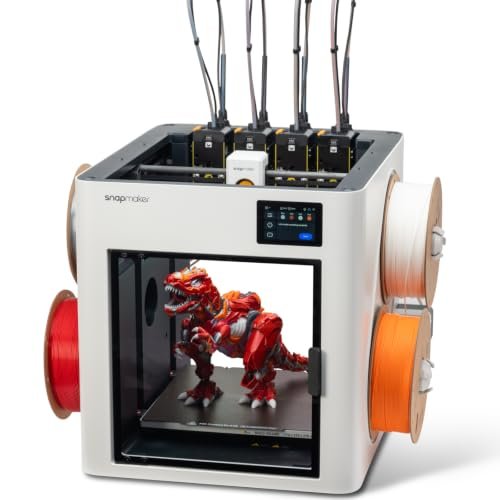
The Snapmaker U1 takes a fresh approach to multi-material fabrication with its 4-toolhead SnapSwap system. Rather than retracting and purging filament through a single nozzle, it swaps preheated toolheads in just five seconds, drastically reducing waste and print times. It excels at true mixed-material printing, letting you combine flexible TPU and rigid PLA or soluble supports in the exact same model. Built on a rigid CoreXY frame with lightweight carbon-fiber rails, it maintains crisp dimensional accuracy across its 270 x 270 x 270 mm envelope.
Key features that stand out:
– 4 independent toolheads with a rapid 5-second automatic swap mechanism
– True multi-material blending including TPU and water-soluble PVA
– Drastic reduction in purge waste compared to single-nozzle systems
– CoreXY motion platform with lightweight carbon-fiber X-axis rail
– Fully automated toolhead offset and vibration calibration
Pros:
– Cuts filament waste dramatically by eliminating frequent nozzle purge cycles
– Seamlessly pairs flexible and rigid materials in a single print job
– Fast tool changes save hours on complex multi-material designs
Cons:
– The multi-toolhead assembly adds mechanical complexity that requires careful initial calibration.
Best for:
Designers who build complex functional assemblies combining flexible gaskets, soluble supports, and rigid shells.
Expert Opinion: The 5-second tool changer is a practical leap forward because it solves the purge-tower waste problem that plagues standard single-hotend multi-color setups.
FLASHFORGE Adventurer 5M 3D Printer
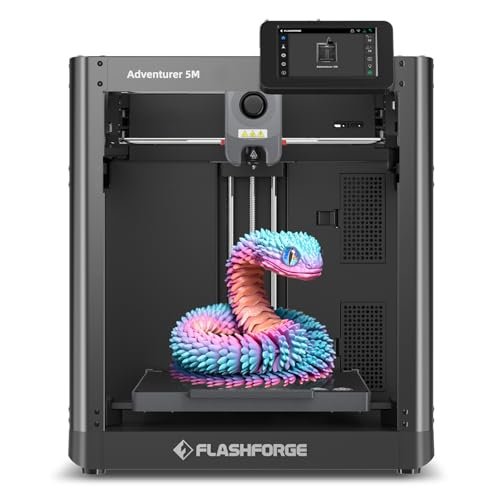
The FLASHFORGE Adventurer 5M provides fast, reliable CoreXY performance without breaking the bank. It comes ready for one-click automatic printing, featuring a reliable bed-leveling routine that consistently nails first-layer adhesion. The 3-second quick-swap nozzle mechanism lets you change between fine detail and high-speed flow without tools or burned fingers. With travel speeds up to 600 mm/s and dual-fan cooling, it pumps out clean prototypes in a fraction of standard print times.
Key features that stand out:
– CoreXY motion system reaching 600 mm/s speed and 20,000 mm/s² acceleration
– Tool-free, quick-swap nozzle assembly swappable in three seconds
– High-flow direct-drive extruder heating up to 280 °C
– Full auto bed leveling for dependable first-layer consistency
– Mobile monitoring and sliced file delivery via the Flash Studio app
Pros:
– Quick-change nozzles make maintenance and size swaps straightforward
– Rapid heating bed and hotend get jobs running in under a minute
– Accessible price point for genuine high-speed CoreXY mechanics
Cons:
– Open-frame design limits its reliability when printing high-temp materials like ABS.
Best for:
Hobbyists, students, and budget-conscious creators wanting a dependable, high-speed PLA and PETG printer.
Expert Opinion: For everyday prototyping in standard filaments, the Adventurer 5M delivers raw CoreXY speed and foolproof bed leveling at an entry-level price.
Anycubic Kobra X Multicolor 3D Printer
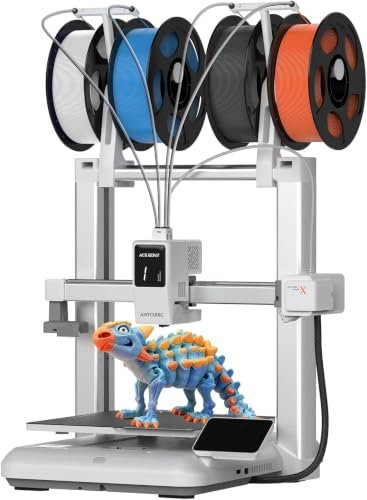
The Anycubic Kobra X Multicolor stands out with an expandable filament architecture that can manage up to 19 distinct colors using linked ACE 2 Pro units. Its re-engineered feed path reduces filament travel distance by over 80 percent, cutting color-change purge times in half. The LeviQ 3.0 auto-leveling system employs a dense 49-point matrix calibration to guarantee a smooth, uniform base layer across its 260 x 260 x 260 mm bed. Paired with a 300 °C hardened steel nozzle, it easily transitions between standard decor pieces and functional parts.
Key features that stand out:
– Native 4-color capacity expandable up to 19 colors with ACE 2 Pro modules
– Re-engineered short-travel filament routing for faster color transitions
– LeviQ 3.0 leveling utilizing a 49-point precision bed scan
– Space-saving top-mounted spool arrangement
– Hardened steel hotend rated up to 300 °C for composite filaments
Pros:
– Huge color expansion potential for artistic and complex visual models
– Shorter filament retraction path saves both time and material
– Top-mount spool holder frees up valuable side desk space
Cons:
– Spools are not included in the standard box, requiring you to source filament before your first run.
Best for:
Model makers, tabletop gamers, and educators focused on high-variety multi-color displays.
Expert Opinion: Anycubic addressed the biggest pain point of multi-color systems by shortening the travel path, which cuts purge waste and speeds up total print durations.
FLASHFORGE AD5X Multi-Color 3D Printer
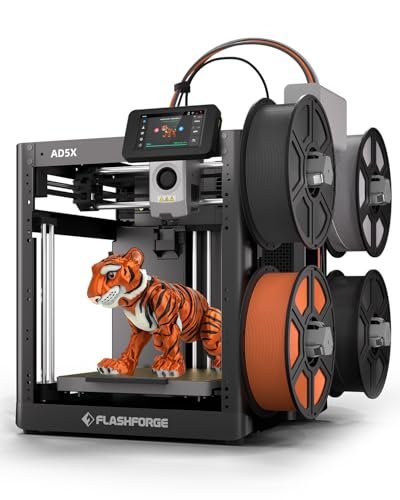
The FLASHFORGE AD5X simplifies multi-hue fabrication by integrating native 4-color printing into a rigid CoreXY chassis. Capable of hitting 600 mm/s with 20,000 mm/s² acceleration, it finishes multi-colored jobs well ahead of older generation bedslingers. Its advanced vibration compensation keeps ghosting and ringing at bay, ensuring smooth surface finishes on delicate figurines and brackets. A direct-drive hotend reaching 300 °C supports multiple nozzle diameters, ranging from ultra-fine 0.25 mm detail nozzles up to high-output 0.8 mm options.
Key features that stand out:
– Simultaneous 4-color printing supported directly out of the box
– High-efficiency CoreXY structure with speeds up to 600 mm/s
– Direct-drive extruder heating up to 300 °C with dual-channel cooling
– Complete single-touch automated bed calibration
– Full nozzle versatility with optional sizes from 0.25 mm to 0.8 mm
Pros:
– Integrated multi-color workflow without requiring separate external modules
– Vibration suppression produces exceptionally clean outer walls
– Automatic filament feeding and retraction simplify spool changes
Cons:
– The enclosed build volume is best suited for small to medium-sized items.
Best for:
Crafters and desktop modelers wanting an all-in-one multi-color solution that fits easily on a standard desk.
Expert Opinion: The AD5X is an attractive mid-size choice because it blends enclosed high-speed CoreXY mechanics with straightforward multi-color handling right out of the box.
Creality K2 Plus Combo 2026 Multi Color 3D Printer
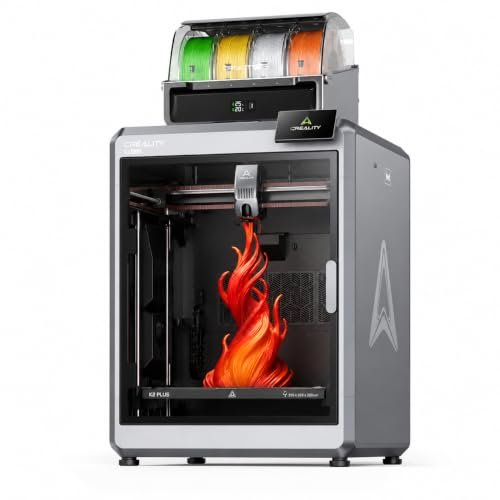
This dedicated 2026 release of the Creality K2 Plus Combo pairs an enormous 350 x 350 x 350 mm build volume with an enclosed CFS unit that stores and conditions four spools. Its high-rigidity matrix frame utilizes aerospace-grade die-cast aluminum, keeping frame distortion virtually nonexistent even at speeds up to 600 mm/s. Despite the raw size and 30,000 mm/s² acceleration, it stays remarkably quiet, operating around 45 dB during standard runs. Dual AI cameras constantly inspect the chamber, spotting spaghetti errors before you lose a whole spool.
Key features that stand out:
– Massive 350 mm cubed print envelope for single-piece manufacturing
– Sealed CFS unit with active drying and smart filament switching
– Ultra-quiet motor drivers operating at just 45 dB under load
– High-rigidity die-cast aluminum alloy frame assembly
– Dual AI camera integration with 18 automated safety sensors
Pros:
– Combines huge print capacity with surprisingly quiet acoustic performance
– Sealed CFS keeps moisture-sensitive filaments dry during long multi-day jobs
– AI cameras catch early print detachment to save filament
Cons:
– Weighs significantly more than standard desktop printers, making it tough to move alone.
Best for:
Product designers and production print farms needing continuous, quiet, large-scale multi-color output.
Expert Opinion: Creality nailed the acoustic tuning here; getting a machine this large to run at 600 mm/s while staying near 45 dB makes it genuinely desktop-friendly.
FLASHFORGE AD5X Multi-Material 3D Printer
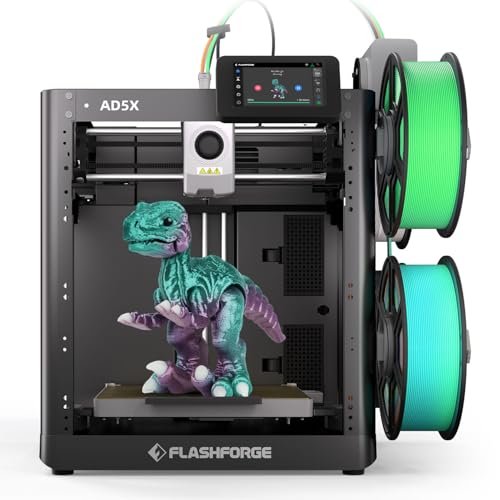
Designed for versatility in smaller workshops, this variant of the FLASHFORGE AD5X highlights an Intelligent Filament System (IFS) that neatly aligns four spools side-by-side. It offers broad multi-material capability, happily running PLA, flexible TPU, PETG, and carbon-fiber blends in tandem. The rigid all-metal CoreXY frame works alongside active vibration suppression algorithms to keep layer lines straight and uniform. Because of its modular, compact layout, it delivers 4-color capability without hogging your entire workbench.
Key features that stand out:
– Intelligent Filament System (IFS) with compact side-by-side spool feeding
– Compatible with rigid, flexible, and carbon-fiber-reinforced filaments
– CoreXY motion assembly with intelligent vibration suppression
– Full multi-point automatic bed leveling for a dependable first layer
– Max printing speed of 600 mm/s with 20,000 mm/s² acceleration
Pros:
– Side-by-side spool layout keeps the overall footprint tight and organized
– Runs flexible TPU and carbon-fiber blends with consistent feeder reliability
– Solid all-metal frame eliminates mechanical slop during sharp directional changes
Cons:
– Filament change times take longer than dedicated toolhead-swapping systems.
Best for:
Makers short on workshop space who still want reliable multi-material and composite printing.
Expert Opinion: If you love multi-color prints but lack room for sprawling external dry boxes, the compact IFS configuration on the AD5X keeps things neat and functional.
Creality K2 Pro Combo (A) 3D Printer
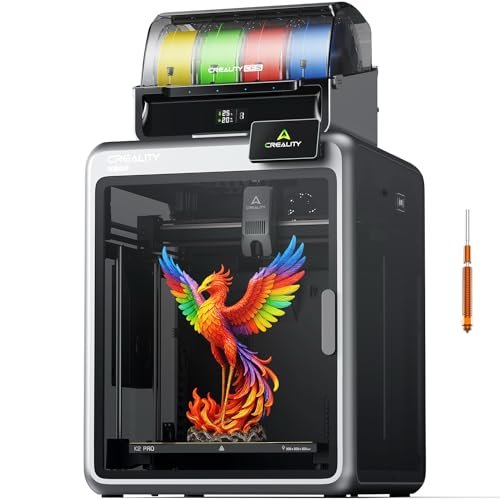
The Creality K2 Pro Combo hits the sweet spot for many makers with its balanced 300 x 300 x 300 mm build volume. Equipped with an active 60 °C heated chamber and a 300 °C hardened steel nozzle, it effortlessly handles performance plastics like ABS, ASA, and PPA-CF. It is driven by quiet FOC step-servo motors delivering speeds up to 600 mm/s, supported by dual Z-axis rods for wobble-free vertical movement. The included CFS filament manager features RFID identification, automated spool relaying, and sealed environmental protection.
Key features that stand out:
– Practical 300 x 300 x 300 mm build area ideal for functional helmets and props
– Actively heated 60 °C chamber reduces thermal stress and warping
– FOC step-servo motion system delivering smooth 600 mm/s speeds
– Dual AI camera setup managing flow calibration and error detection
– CFS filament management with humidity readouts and auto-relay
Pros:
– 300 mm cubed volume fits adult-sized helmets without splitting files
– Active chamber heat ensures warp-free prints when working with ABS and ASA
– Automated filament relay keeps printing uninterrupted when a spool runs dry
Cons:
– Chamber heat-up time requires a few extra minutes of patience before starting engineering prints.
Best for:
Prop makers, cosplayers, and functional prototype builders who need chamber heat in a mid-large format.
Expert Opinion: The K2 Pro Combo delivers the right balance of size, active chamber heating, and multi-color automation, making it arguably the most well-rounded machine for serious builders.
Comparison Insights for 2026 3D Printers
Choosing between the latest machines comes down to identifying which technical trade-offs fit your workflow:
- Single-Nozzle Systems vs. Tool Changers: Multi-filament hubs like the Bambu AMS 2 Pro, Creality CFS, and Anycubic ACE 2 Pro make multi-color printing accessible, but they generate purge waste during color transitions. In contrast, independent tool changers like the Snapmaker U1 eliminate purge towers and allow true mixed-material printing with flexible TPU, though they introduce more mechanical moving parts.
- Active Chamber Heating vs. Passive Enclosures: If you only print PLA and PETG, an open CoreXY machine like the FLASHFORGE Adventurer 5M is fast and economical. However, printing structural ABS, ASA, or carbon-fiber nylon demands actively heated chambers reaching 60 °C to 65 °C, as seen on the QIDI Max4 and Creality K2 series, to prevent delamination and warping.
- Build Volume Practicality: While a 350 mm to 390 mm build plate lets you manufacture full-scale assemblies in one run, these machines require deep, heavy-duty workbenches. A 260 mm to 300 mm print volume remains the desktop sweet spot for most home workshops.
Final Verdict
- The Gold Standard for Everyday Multi-Color: The Bambu Lab P2S Combo remains the benchmark for seamless setup, dependable software, and integrated spool drying.
- The Top Choice for Mixed Materials: The Snapmaker U1 wins for functional engineering designs thanks to its rapid 5-second toolhead swap that combines TPU, PVA, and rigid plastics without purge waste.
- The Heavy-Duty Industrial Champ: The QIDI Max4 Combo stands out for high-temp composite parts, packing an active 65 °C chamber and a massive build area.
- The Best Large-Format Value: The Creality K2 Pro Combo offers the ideal balance of a 300 mm cubed build volume, active chamber heating, and smart multi-color feeding.
- The Best Budget Entry Point: The FLASHFORGE Adventurer 5M delivers raw CoreXY speed and simple nozzle swaps at a price that leaves room for extra filament spools.
Frequently Asked Questions About the Best 2026 3D Printer Options
What makes the best 2026 3d printer models different from previous generations?
The biggest upgrades in 2026 focus on automated multi-material workflows, standardized active chamber heating, and closed-loop servo motors. Rather than tinkering with manual bed leveling or tuning flow rates by hand, modern CoreXY FDM printers use dual AI cameras and load cells to calibrate first layers automatically while reaching travel speeds between 600 mm/s and 800 mm/s.
Is an actively heated chamber necessary for desktop 3D printing?
An active heated chamber is only necessary if you intend to print high-temperature engineering filaments like ABS, ASA, polycarbonate (PC), or carbon-fiber nylon (PA-CF). Standard filaments like PLA and PETG actually require cooler ambient temperatures and strong part-cooling fans; too much chamber heat will cause them to soften prematurely and jam the extruder.
How does a multi-toolhead printer compare to a single-nozzle filament switcher?
Single-nozzle systems (like the Bambu AMS or Creality CFS) retract one filament, cut it, and purge the nozzle before feeding the next color. This works well for decorative items but wastes filament in a purge block. A multi-toolhead system (like the Snapmaker U1) physically swaps separate hotends in seconds, producing near-zero purge waste and allowing you to print rubbery TPU right alongside rigid PLA.
Do I really need hardened steel nozzles for engineering filaments?
Yes. Standard brass nozzles wear out quickly when running abrasive materials like glow-in-the-dark filaments, wood fills, or carbon-fiber composites. A hardened steel nozzle resists friction and wear, maintaining its exact orifice diameter so your extrusion remains consistent across hundreds of hours of printing.
How much filament waste do multi-color 3D printers actually produce?
Single-hotend multi-color prints can generate significant waste—sometimes matching or exceeding the weight of the actual printed model on complex, multi-layered color swaps. Slicers have improved by purging into object infill, but if waste reduction is your primary concern, multi-toolhead architectures or designs that minimize color transitions per layer are vastly superior.
Can high-speed CoreXY 3D printers run quietly in a home office?
Yes, modern machines are substantially quieter than older models. By using 32-bit silent mainboards with Field-Oriented Control (FOC) step-servo motors and dynamically balanced fans, several enclosed printers—such as the Creality K2 series—operate around 45 dB, which is quiet enough to run in the background while you work.
Affiliate Disclosure: As an Amazon Associate, I earn from qualifying purchases made through links on this site.