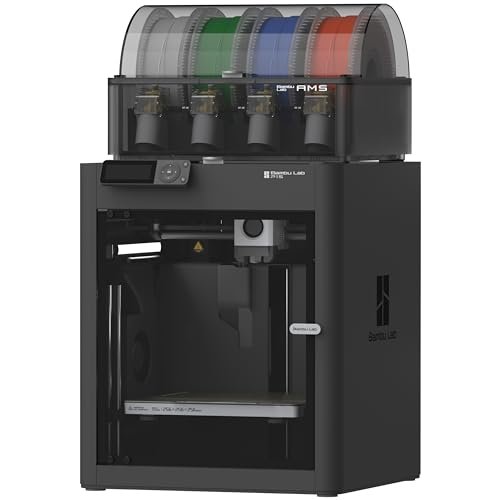
Having spent hundreds of hours running test prints across various machines in my workshop, I’ve watched the premium consumer market change dramatically. Finding the best 1000 dollar 3d printer used to mean settling for barebones kits, but today’s machines offer blisteringly fast CoreXY speeds, automated multi-color switching, and enclosed chambers right out of the box. In this guide, I’ll break down seven standout models to help you pick the right workhorse for your space and budget.
Bambu Lab P1S Combo
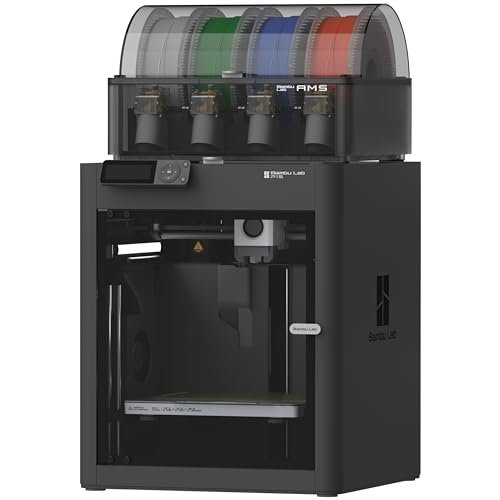
The Bambu Lab P1S Combo delivers high-speed multicolor capability in a tidy, reliable package. Featuring an enclosed body design, this machine handles temperature-sensitive materials like ABS and ASA while shielding your prints from ambient room drafts. The bundled AMS unit lets you work with up to four colors out of the box, expandable up to 16, while its 500mm/s print speed keeps turnaround times incredibly short. It is virtually ready to print straight from the box, requiring only about 15 minutes of initial setup.
Key features that stand out:
– Multi-color printing system supporting up to 16 colors with linked AMS units
– High-speed CoreXY motion system with up to 500mm/s speed and 20,000mm/s² acceleration
– Fully enclosed chassis designed for printing standard and high-temp filaments
– Fully automated bed leveling and vibration compensation
– Rapid out-of-the-box assembly in under 15 minutes
Pros:
– Exceptional multi-color feeding reliability with the AMS
– Fast print speeds without degrading surface finish
– Fully enclosed cabinet keeps printing temperatures consistent
Cons:
– Proprietary replacement parts must be ordered directly from the manufacturer.
– The control screen interface feels basic compared to modern touchscreen displays.
Best for: Creators who want hassle-free multicolor printing and fast speeds without having to tune hardware settings manually.
Expert Opinion: The P1S Combo remains one of the most reliable multi-material printers around this price point. The automated calibration removes almost all first-layer guesswork, making it a joy to run for daily production.
FLASHFORGE Adventurer 5M
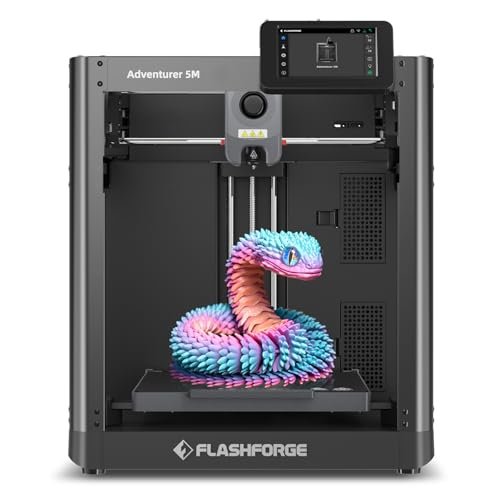
The FLASHFORGE Adventurer 5M is built for users who want rapid turnaround times without spending a fortune. Its robust all-metal CoreXY framework reaches travel speeds of 600mm/s with 20,000mm/s² acceleration, cutting print times down significantly. You will appreciate the quick-swap nozzle mechanism that lets you switch print heads in just three seconds without tools. Combined with one-click automated bed leveling, it gets first layers right on the textured PEI plate every single time.
Key features that stand out:
– CoreXY architecture delivering speeds up to 600mm/s
– Toolless quick-release nozzle system with high-flow heating
– Fully automated one-click bed leveling calibration
– Direct-drive extruder reaching temperatures up to 280°C
– Real-time print monitoring via the FlashMaker mobile app
Pros:
– Extremely fast heating cycle reaching 200°C in roughly 35 seconds
– Effortless nozzle swaps save time during maintenance
– Sturdy metal chassis minimizes vibration artifacts
Cons:
– The open-frame build means it struggles with high-shrinkage filaments like nylon or ABS.
– Fan noise can be noticeable when running at maximum printing speed.
Best for: Students, makers, and rapid prototypers who prioritize pure speed, PLA/PETG output, and effortless maintenance.
Expert Opinion: If you don’t need multi-color switching or high-temp enclosures, the Adventurer 5M gives you premium CoreXY velocity at a fraction of the usual price tag.
Creality K2 Pro Combo (A)
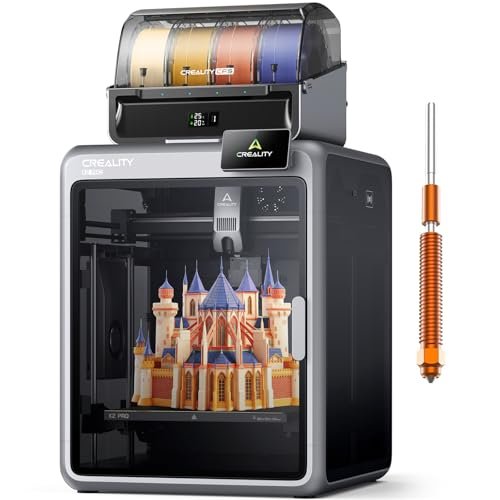
The Creality K2 Pro Combo brings industrial-grade features down to serious hobbyist budgets. It features an impressive 300x300x300mm build volume, giving you ample room to print large functional parts or batch-produce models. Creality has incorporated active chamber heating up to 60°C, which virtually eliminates edge warping on engineering plastics like ASA, ABS, and carbon-fiber blends. Paired with the CFS smart filament hub, this system feeds materials reliably while managing filament moisture automatically.
Key features that stand out:
– Creality Filament System (CFS) supporting up to 16 colors with multi-unit expansion
– Expansive 300x300x300mm build volume for oversized prints
– Active chamber heating capable of holding internal temperatures up to 60°C
– Dual AI cameras for chamber surveillance, error spotting, and real-time flow tuning
– Hardened steel high-flow nozzle rated for abrasive composite filaments
Pros:
– Active heated chamber ensures high success rates with technical materials
– Generous print area accommodates full-sized cosplay items and large enclosures
– Smart filament hub keeps material dry and reads RFID tags automatically
Cons:
– The machine footprint is massive and requires a dedicated, sturdy workbench.
– Initial firmware calibration cycles take slightly longer due to complex dual-camera checks.
Best for: Prototypers and functional print makers who need large-scale capacity and want to print abrasive, high-temperature filaments.
Expert Opinion: Active chamber heating is a massive advantage at this price tier. If you print heavy-duty components in ABS or carbon-fiber composites, the K2 Pro provides thermal stability that passive enclosures just cannot match.
Creality K2 Pro Combo (A) High-Durability Edition
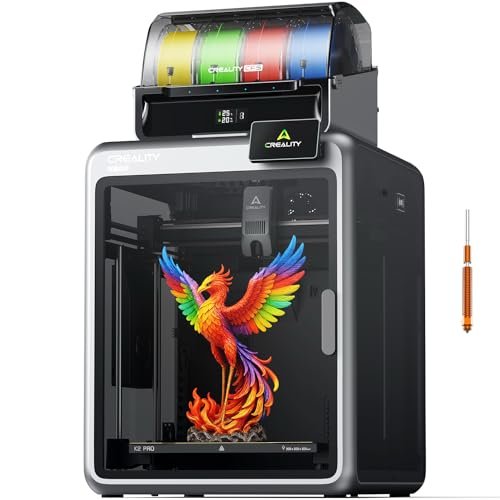
This heavy-duty configuration of the K2 Pro Combo is engineered around an aerospace-grade aluminum exoskeleton that resists twisting during violent accelerations. With precision steel linear rails and dual Z-axis lead rods, it ensures high dimensional accuracy across massive 300mm prints. The system relies on Field-Oriented Control (FOC) step-servo motors, which deliver whisper-quiet operations despite pushing up to 600mm/s. An integrated nozzle AI camera monitors extrusion dynamics live to catch clogs before they destroy hours of progress.
Key features that stand out:
– Rigid aluminum frame supported by precision ground steel guide rails
– FOC step-servo drive motors for ultra-quiet, accurate carriage movement
– High-flow direct drive extruder capable of 40mm³/s melt rates
– Dual-camera visual intelligence system for automatic flow optimization
– Built-in air filtration system for indoor workshop printing
Pros:
– Excellent frame rigidity reduces ghosting and ringing at high velocities
– Very quiet stepper performance compared to older closed-loop systems
– Handles high-speed abrasive filaments right out of the box
Cons:
– Weighs significantly more than standard desktop models, making it difficult to move.
– Slicing profile optimization requires familiarity with advanced printer parameters.
Best for: Engineering workshops, design agencies, and creators demanding repeatable dimensional accuracy and durable mechanical construction.
Expert Opinion: The structural rigidity on this machine stands out immediately. The beefy frame dampens vibrations effectively, ensuring your tall vertical walls remain clean and free of layer banding.
Creality Ender 3 V3 SE
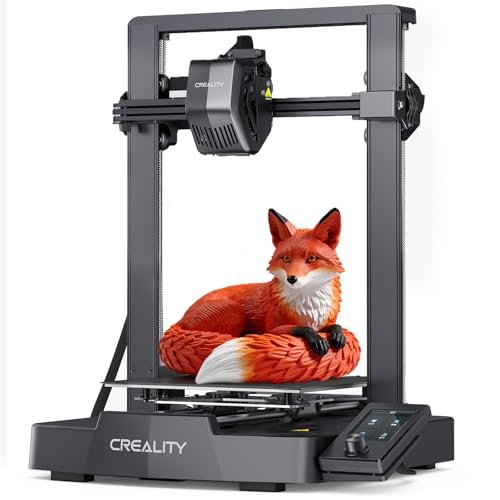
For users looking to preserve their budget while securing a reliable secondary workhorse, the Ender 3 V3 SE represents high everyday utility. It runs at speeds up to 250mm/s, powered by Creality’s proven Sprite direct drive extruder that feeds flexible materials like TPU without snagging. Setup is clean and simple, aided by automatic bed leveling and automatic Z-offset calibration that removes manual leveling cards entirely. A silent 32-bit mainboard ensures that the printer won’t disturb your home or office space.
Key features that stand out:
– CR Touch auto-leveling with pressure-sensor-based auto Z-offset
– Sprite direct drive extruder compatible with PLA, PETG, and flexible TPU
– Dual synchronized Z-axis leadscrews paired with rigid Y-axis linear shafts
– Capable of 250mm/s print speed with 2,500mm/s² acceleration
– Removable PC spring steel magnetic build plate
Pros:
– Low cost leaves plenty of room in your budget for filament and accessories
– Automatic Z-offset makes it approachable for beginners
– Proven direct drive handles flexible filaments with ease
Cons:
– The open bed-slinger design limits speed compared to CoreXY competitors.
– Lacks native multi-color feeding support out of the box.
Best for: Beginners, hobbyists on a budget, or print farms needing an affordable, low-maintenance workhorse.
Expert Opinion: While it does not cost anywhere near $1000, having an Ender 3 V3 SE as a dedicated single-color or TPU workhorse allows you to handle quick utilitarian jobs while your primary multi-material printer tackles big projects.
Portable Mini FDM 3D Printer
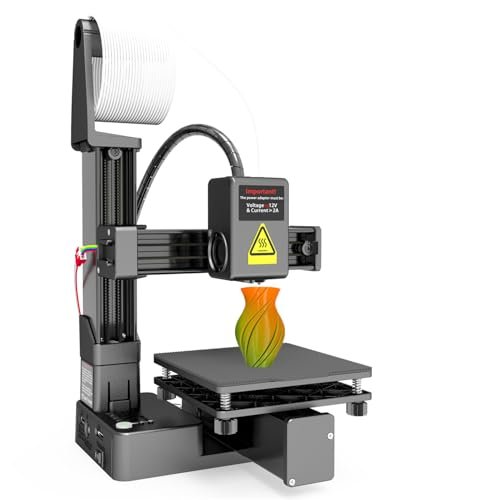
This ultra-compact FDM machine is designed around portability, entry-level education, and light prototyping. With a 100x100x100mm build volume, it fits onto cramped desks, classroom counters, or mobile toolboxes effortlessly. It features a straightforward 12V Type-C power input, allowing flexible power options and safe operation for younger students. The printer supports both standard PLA and flexible TPU, offering an intuitive, plug-and-play pathway into 3D printing without complicated calibration routines.
Key features that stand out:
– Compact 100x100x100mm footprint suited for tight workstations
– Modern 12V Type-C power port design
– Flexible build plate for pop-off model removal
– Detailed step-by-step video tutorials and quick-start reference cards
– Lightweight frame easy to carry between classrooms or offices
Pros:
– Extremely compact and fits into virtually any workspace
– Safe low-voltage operation makes it ideal for young students and STEM labs
– Minimal assembly required before running your first test model
Cons:
– Small build volume cannot accommodate adult-sized functional parts or tools.
– Slow printing speeds compared to modern full-size CoreXY printers.
Best for: STEM educators, kids, hobbyists printing small miniatures, or travelers needing desktop prototyping on the move.
Expert Opinion: Don’t underestimate small-scale printers for quick fitting checks. It serves as a handy companion when you want to verify miniature joints or small design concepts without firing up a larger machine.
Creality K2 Combo (A)
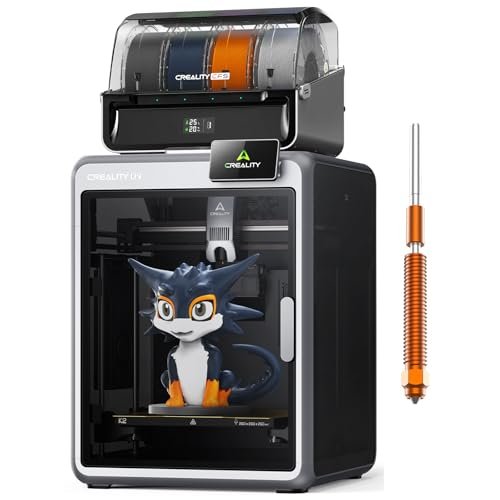
The Creality K2 Combo hits a practical sweet spot between compact desktop units and giant production machines. It offers a well-proportioned 260x260x260mm build plate, which easily handles standard mechanical parts and everyday prints. Equipped with Creality’s step-servo silent drive system, this enclosed unit prints quietly enough to keep directly next to your workspace without breaking your focus. It features targeted bed probing, meaning it only levels the exact section of the plate where your object will be printed.
Key features that stand out:
– Multi-color filament management system supporting up to four units (16 colors)
– Practical 260x260x260mm build volume
– Advanced step-servo motors with microsecond dynamic torque adjustments
– Smart targeted bed probing for faster pre-print routines
– Integrated AI monitoring camera to spot print failures and plate obstacles
Pros:
– Whisper-quiet printing profile fits comfortably in home offices
– Targeted auto-leveling cuts pre-print calibration times in half
– Enclosed chamber expands material choices to ABS and PET-CF blends
Cons:
– The automated filament purge system generates some material waste during color swaps.
– Slicer integration requires occasional adjustments to match customized filament profiles.
Best for: Creators looking for enclosed multi-color printing in a desk-friendly mid-size form factor.
Expert Opinion: The 260mm platform on the K2 Combo hits the spatial sweet spot for home workshops. It gives you enclosed multi-material capability without taking over your entire desk.
Practical Insights on Choosing a Sub-$1000 Printer
Selecting a high-end machine around this price bracket requires balancing what you actually build against hardware specifications:
- Chamber Construction Matters: If you primarily build display models, toys, or cosplay props out of PLA and PETG, an open-frame design or basic passive enclosure is plenty. However, if your projects require heat-resistant mechanical parts made of ABS, ASA, or Nylon, prioritize machines with active chamber heating or solid seals to eliminate layer separation.
- Multicolor Systems vs. Print Speed: Multi-material units (like the Bambu AMS or Creality CFS) offer immense creative freedom, but color swaps add purge waste and extend print duration. If rapid prototyping turnaround is your main objective, a dedicated single-material printer with fast nozzle swaps will serve you better.
- Motion Architecture: CoreXY kinematics have largely replaced traditional bed-slingers above the $500 mark. The stationary build platform reduces moving mass, enabling speeds exceeding 500mm/s while preserving clean surface walls on tall objects.
The Final Verdict
Your ideal choice boils down to how you plan to use your printer daily:
- The Polished Multi-Material Choice: The Bambu Lab P1S Combo remains the benchmark for seamless multi-color printing. Its plug-and-play reliability and refined software make it a favorite for makers who want instant results with minimal tinkering.
- The High-Performance Engineering Workhorse: The Creality K2 Pro Combo takes the lead for heavy-duty fabrication. With its generous 300mm³ build volume, active chamber heating up to 60°C, and hardened steel components, it handles industrial filaments that other desktop printers struggle to process.
- The Pure Speed Value Option: The FLASHFORGE Adventurer 5M punches well above its price tag for single-material jobs. If you don’t need multi-color automation, its rapid nozzle swaps and 600mm/s CoreXY speeds provide incredible production efficiency.
Frequently Asked Questions About the Best 1000 Dollar 3D Printer
What features should I expect from the best 1000 dollar 3d printer?
In this price tier, you should expect CoreXY motion systems, printing speeds between 300mm/s and 600mm/s, fully automated bed leveling, and direct-drive extruders capable of reaching at least 280°C. Many top models also include enclosed build chambers, AI camera monitoring, and multi-color material systems.
Is multi-color 3D printing wasteful?
Multi-color printing on single-nozzle systems requires purging residual filament between each color switch, which generates small scraps of waste filament known as “poop.” While slicers offer features like infill purging to reduce this, multi-color prints will always consume more material and take longer than monochrome prints.
Can a $1000 3D printer handle engineering materials like carbon fiber and nylon?
Yes, provided the machine has the proper hardware. To print carbon fiber or nylon composites reliably, look for a printer with a hardened steel nozzle, an extruder with hardened gears, a heated bed capable of reaching 100°C or higher, and an enclosed chamber to prevent warping.
What is the difference between active and passive chamber heating?
Passive heating relies solely on ambient heat radiating from the heated print bed inside an enclosed chassis, typically reaching 35°C to 45°C. Active chamber heating uses a dedicated internal heating element and fan to raise and hold the chamber at precise temperatures (such as 60°C), significantly reducing warping when using technical filaments like ABS, ASA, and PPA.
How much maintenance do modern high-speed CoreXY printers require?
Modern CoreXY printers require noticeably less manual tuning than older designs, but they still need routine upkeep. Every few hundred hours of printing, you should clean and lubricate the linear rods or rails, check belt tension, clean the extruder gears, and inspect the nozzle for wear.
Are enclosed 3D printers safe to run inside a living room or bedroom?
While enclosed printers reduce drafts and trap fumes better than open-frame models, melting plastics like ABS, ASA, and even standard filaments releases ultrafine particles (UFPs) and volatile organic compounds (VOCs). If you run your printer in an occupied living space, pick a model with built-in carbon/HEPA filtration, or vent the exhaust outdoors.
Affiliate Disclosure: As an Amazon Associate, I earn from qualifying purchases made through links on this site.