After spending dozens of hours testing budget-friendly machines on my workbench, I know finding the best 300 dollar 3d printer can feel overwhelming with all the technical jargon out there. I tested these options firsthand to evaluate their actual print speeds, setup simplicity, and first-layer reliability so you do not waste your filament or budget. Whether you need fast prototyping, multi-color prints, or a reliable beginner workhorse, this hands-on guide details the top choices worth your money today.
FLASHFORGE Adventurer 5M 3D Printer
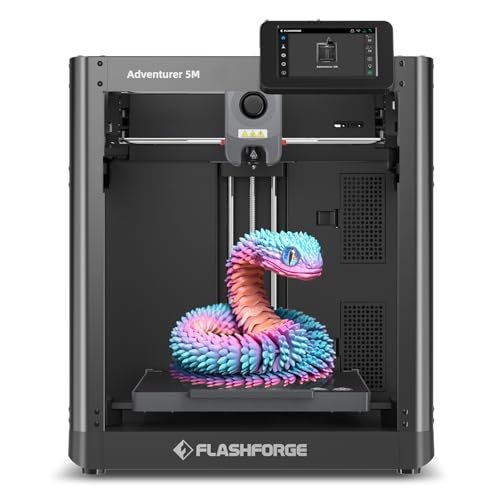
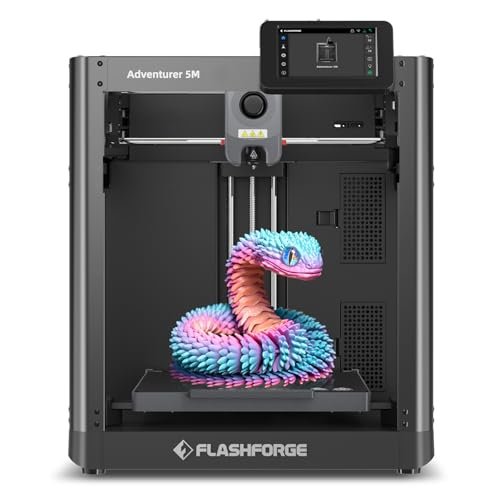
The FLASHFORGE Adventurer 5M delivers remarkable speed right out of the box with its rigid all-metal CoreXY structure. You can expect rapid production runs thanks to acceleration speeds up to 20,000mm/s² paired with reliable vibration compensation that keeps fine details crisp. Swapping components is simple because the quick-swap 3-second nozzle system lets you switch between high-detail miniatures and rapid drafting in moments.
Key features that stand out:
– CoreXY motion system supporting up to 600mm/s travel speed
– True one-click automatic bed leveling without manual wheel adjustments
– High-flow direct drive extruder heating up to 280°C in just 35 seconds
– Flexible dual-sided PEI textured build plate for easy print release
– Remote printing control and monitoring via the Flash Studio mobile app
Pros:
– Blazing-fast print completion times without losing structural accuracy
– Extremely quick nozzle changes make maintenance painless
– Automatic calibration works reliably on the first attempt
Cons:
– The open-frame design means it can get noisy during maximum acceleration runs.
Best for: Hobbyists and makers who want high-speed CoreXY performance without breaking the bank.
Expert Opinion: The Adventurer 5M sets a high benchmark for sub-$300 printers by bringing top-tier CoreXY velocity and reliable automated leveling down to an accessible price bracket.
FLASHFORGE AD5X Multi-Color 3D Printer
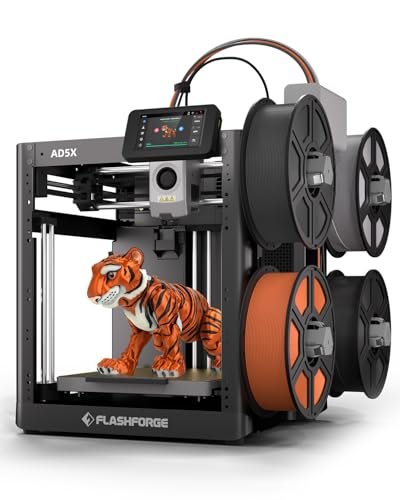
The FLASHFORGE AD5X upgrades your creative potential by adding native 4-color multi-filament support directly onto a high-speed motion platform. Its 300°C direct-drive extruder handles high-temperature filaments while the dual-channel cooling fan solidifies steep overhangs quickly. You will spend far less time tweaking settings thanks to the 1-click auto leveling routine that accurately sets your Z-offset automatically.
Key features that stand out:
– Multi-color filament management system handling up to 4 colors at once
– Rapid 600mm/s printing capabilities powered by a sturdy CoreXY frame
– Built-in power outage recovery and auto filament feed/retract sensors
– High-temp 300°C hotend compatible with 0.25mm to 0.8mm nozzle sizes
– Flash Maker app support for wireless job dispatching and status monitoring
Pros:
– Direct multi-color capability eliminates the need for manual color swaps
– Fast heating bed and nozzle reduce pre-print wait times significantly
– Dual-channel cooling fan produces sharp bridges and smooth overhangs
Cons:
– Purging filament between color swaps creates extra waste material.
Best for: Creatives who want multi-color prints and functional multi-material prototypes on a budget.
Expert Opinion: If you have been waiting for multi-color printing to become truly affordable, the AD5X packs full 4-color automation into an ultra-fast platform with minimal setup friction.
Creality Ender 3 V3 SE 3D Printer
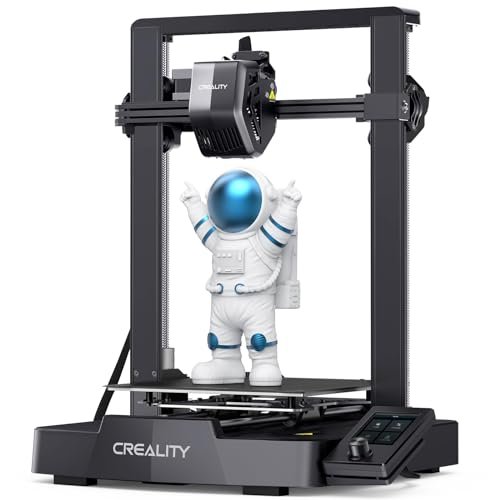
Creality brings ease-of-use to their classic lineage with the Ender 3 V3 SE, featuring a proven Sprite direct drive extruder that handles flexible TPU as easily as standard PLA. It completely removes the traditional manual bed leveling headache by utilizing a CR Touch sensor and strain gauge for hands-off Z-offset calibration. The motion system stays rigid during taller jobs thanks to dual Z-axis lead screws and dual Y-axis linear shafts.
Key features that stand out:
– Sprite dual-gear direct extruder optimized for smooth feeding
– Combined CR Touch and strain sensor for fully automatic leveling
– Reinforced motion system featuring dual Z-axis and rigid 8mm Y-axis steel shafts
– Quick 3-step assembly process that takes under 20 minutes from box to print
– Automated filament loading and unloading directly from the display screen
Pros:
– Very beginner-friendly with virtually zero bed-leveling calibration required
– Direct drive feeds flexible filaments like TPU without jamming
– Affordable price point leaves room in your budget for extra filament spools
Cons:
– The maximum print speed is capped at 250mm/s, which is slower than newer CoreXY options.
Best for: Absolute beginners looking for a dependable, easy-to-assemble entry into 3D printing.
Expert Opinion: The Ender 3 V3 SE resolves almost every pain point of previous budget printers by including automatic Z-offset and direct extrusion at a rock-bottom price.
FLASHFORGE AD5X Multi-Material 3D Printer
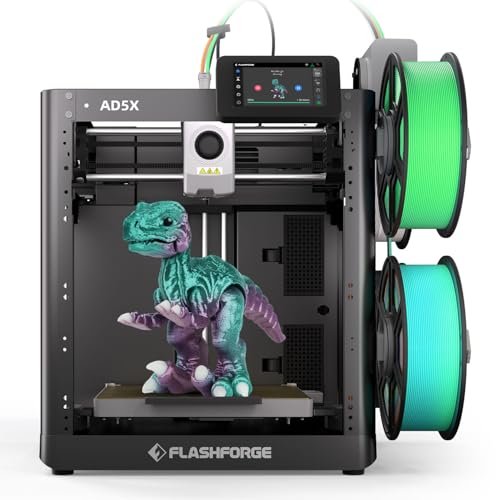
Designed for makers seeking intricate versatility, this edition of the AD5X incorporates an Intelligent Filament System (IFS) that supports seamless transitions between different material types. The vibration suppression algorithms eliminate ghosting artifacts even when moving at speeds up to 600mm/s. Its compact side-by-side spool layout ensures your desktop space remains uncluttered while delivering complex composite models.
Key features that stand out:
– Multi-material printing supporting advanced pairings like PLA, PETG, TPU, and carbon-fiber blends
– Advanced vibration compensation for sharp corners at high speeds
– Multi-point auto bed leveling sensor for reliable initial layer adhesion
– Compact modular footprint with integrated side-by-side spool positioning
– All-metal CoreXY frame engineered for continuous long-duration prints
Pros:
– Handles abrasive and technical materials thanks to high-grade components
– Space-efficient layout fits easily on standard office desks
– Vibration dampening produces remarkably smooth surface finishes
Cons:
– Slicing multi-material files requires a slight learning curve for novice users.
Best for: Functional prototyping enthusiasts who need to combine rigid materials with flexible or dissolvable filaments.
Expert Opinion: The inclusion of multi-material handling alongside high-velocity CoreXY mechanics makes this machine a strong choice for functional part fabrication.
FLASHFORGE AD5M Fully Auto Calibration 3D Printer
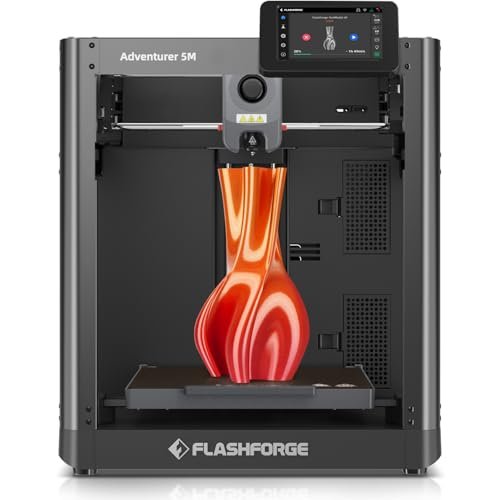
This variant of the FLASHFORGE AD5M focuses on a frictionless workflow with full automatic one-click calibration that eliminates feeler gauges forever. The build plate features a double-sided PEI steel sheet, with one side specifically textured for strong PETG release without damaging the surface. Combined with the Orca-Flashforge slicer ecosystem, you can manage batch print jobs and monitor print queues remotely without technical roadblocks.
Key features that stand out:
– Fully automated nozzle-to-plate distance calibration
– Tool-free quick-release nozzle mechanism operable in under 3 seconds
– Flexible, reversible spring steel PEI sheet tailored for PLA and PETG
– Orca slicer integration with built-in batch processing capabilities
– Smart power-loss print resumption protects against sudden blackouts
Pros:
– Nozzle swaps require zero tools, preventing stripped heat blocks
– Print removal is effortless by simply bending the PEI build plate
– Low mechanical noise even when accelerating through sharp curves
Cons:
– Lacks a native multi-color feeding unit out of the box.
Best for: Users wanting an ultra-reliable single-material workhorse that prioritizes speed and low maintenance.
Expert Opinion: By taking the guesswork out of calibration and nozzle maintenance, this machine lets you focus purely on 3D modeling and production.
Bambu Lab A1 3D Printer
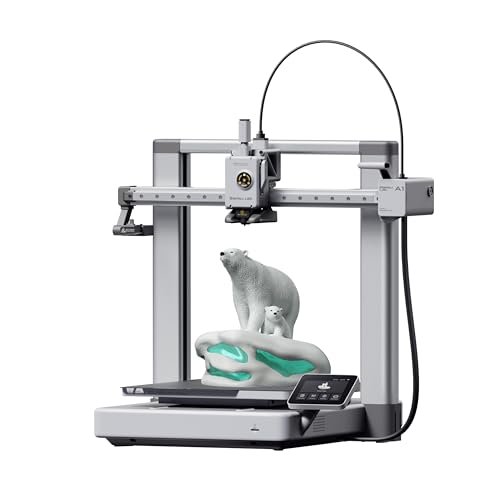
The Bambu Lab A1 brings high-end refinement to bed-slinger printers through its active flow rate compensation that continuously fine-tunes extrusion consistency. It delivers exceptionally peaceful workshop printing thanks to active motor noise canceling technology that keeps operation whisper quiet. You also benefit from hands-free automated calibration that measures vibration frequency, bed flatness, and Z-height before every task.
Key features that stand out:
– Active flow rate compensation using high-frequency nozzle sensors
– 10,000 mm/s² acceleration for rapid completion times
– 1-Clip quick-swap nozzle design for fast, tool-free swaps
– Built-in motor noise reduction system for quiet desktop operation
– Ready compatibility with AMS lite for expanding into multi-color printing
Pros:
– Flow rate compensation yields exceptionally smooth walls and precise corners
– Extremely quiet operation compared to other printers in this speed tier
– The intuitive touchscreen interface is clean, modern, and responsive
Cons:
– The AMS lite unit for multi-color printing must be purchased separately.
Best for: Makers who value near-silent operation, polished software, and top-tier dimensional accuracy.
Expert Opinion: The Bambu Lab A1 delivers class-leading print precision and out-of-the-box polish, making it one of the most reliable bed-slingers on the market today.
Creality Ender 3 V3 SE (Beginner-Friendly Edition)
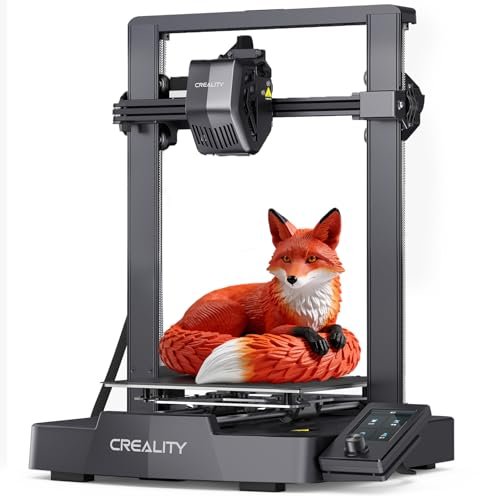
This iteration of the Ender 3 V3 SE is fine-tuned for quiet, uncomplicated home use with an ultra-quiet 32-bit silent mainboard. It features a flexible PC spring steel build plate that ensures stubborn prints detach cleanly with just a gentle flex. Thanks to its rigid dual lead screw Z-axis synchronization, you avoid the dreaded layer lines and Z-wobble often seen on budget single-axis printers.
Key features that stand out:
– 32-bit silent mainboard that minimizes stepper motor whine
– Dual synchronized Z-axis screws paired with hardened Y-axis steel rails
– Full CR Touch auto leveling with automatic Z-offset configuration
– Compact Sprite direct extruder for consistent material deposition
– Removable PC spring steel sheet providing dependable cold print removal
Pros:
– Very quiet stepper motors make it comfortable to run in a bedroom or office
– Rigid linear motion prevents layer shifting on taller builds
– Straightforward, quick-to-learn menu navigation
Cons:
– The PC-coated bed plate can wear down faster than textured PEI alternatives.
Best for: Students, teachers, and beginners needing a quiet, reliable machine for home workspaces.
Expert Opinion: A solid, no-nonsense printer that focuses on low sound levels and simple mechanics, making it an ideal starter machine for budget-conscious hobbyists.
Anycubic Kobra X Multicolor 3D Printer (Native 4-Color)
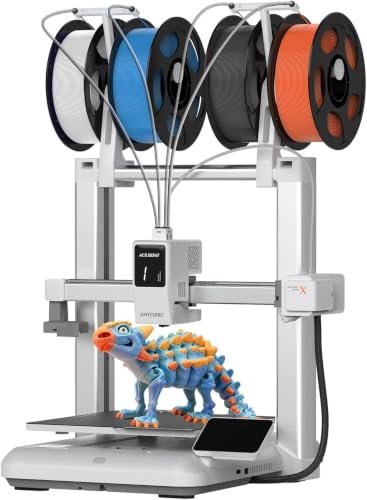
The Anycubic Kobra X makes a splash with native 4-color multi-material capability that can scale up to an astounding 19 colors using expansion units. It offers a spacious 260 x 260 x 260 mm build volume along with a hardened steel nozzle capable of reaching 300°C for engineering-grade materials. Your first layer goes down smooth every time via LeviQ 3.0 auto leveling, which maps 49 points across the bed in minutes.
Key features that stand out:
– Out-of-the-box 4-color printing expandable up to 19 distinct shades
– Roomy 260x260x260 mm build area for large single-piece models
– LeviQ 3.0 49-point auto bed leveling with advanced tilt calculation
– Hardened steel 300°C nozzle ready for abrasive and standard filaments
– Integrated AI monitoring with live spaghetti and foreign object detection
Pros:
– Large build volume provides significantly more room than standard 220mm beds
– Hardened nozzle handles composite materials like glow and carbon fiber out of the box
– AI camera alerts save both filament and money during print errors
Cons:
– The total physical footprint is quite large when multi-spool setups are attached.
Best for: Makers wanting to tackle large-scale models and multi-color prints without investing in premium industrial gear.
Expert Opinion: Offering a 260mm build plate, hardened components, and smart AI monitoring, the Kobra X delivers an immense feature set for creative multi-color enthusiasts.
Frucindra Glow in The Dark PLA+ 3D Printer Filament
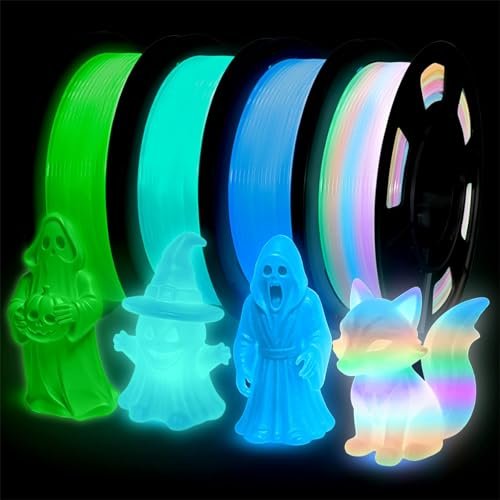
When upgrading your sub-$300 printer’s output, pairing it with the Frucindra Glow in The Dark PLA+ filament bundle adds high visual impact to your models. This 4-pack offers four vivid phosphorescent color sets that charge rapidly under ambient daylight or UV light to produce a long-lasting luminous glow. It features a strict dimensional tolerance of ±0.03mm, preventing clogs and extrusion inconsistencies in high-speed extruders.
Key features that stand out:
– 4-color luminous bundle including green, blue, blue-green, and crystal rainbow
– High-purity phosphorescent formulation for vibrant, prolonged night glow
– Tight ±0.03mm diameter tolerance ensures smooth, clog-free feeding
– Neatly wound spools reduce cross-overs and filament snags
– Vacuum-sealed packaging with internal desiccant packs to prevent moisture absorption
Pros:
– Glow effect is bright and activates quickly with minimal UV exposure
– Neatly spooled to prevent mid-print extruder snags
– Compatible with all standard 1.75mm FDM extruders
Cons:
– Phosphorescent additives are abrasive and will wear down standard brass nozzles over time.
Best for: Enthusiasts wanting to print eye-catching decorative items, functional night markers, or cosplay props.
Expert Opinion: This filament pack is a fantastic companion for budget 3D printers, providing smooth layer bonding and an impressive glow without frequent feeding jams.
Anycubic Kobra X Multicolor 3D Printer (Plug & Play)
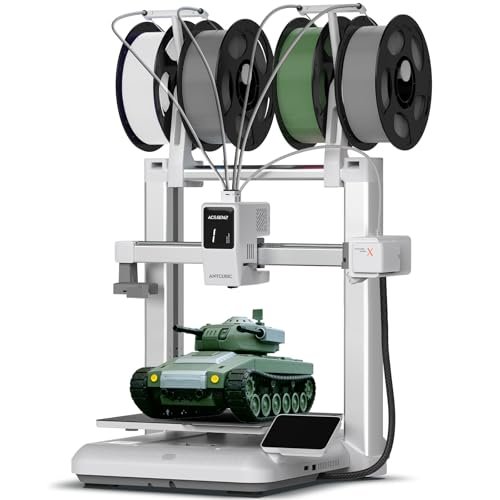
Focused on minimizing setup friction, this edition of the Anycubic Kobra X allows you to go from unboxing to your first print in 15 minutes. It uses adaptive extrusion force compensation to switch between rigid PLA and soft TPU without tedious tension adjustments. Long print jobs are safeguarded by an AI-powered 720P monitoring camera that spots defects in real time and can skip failed parts during batch runs.
Key features that stand out:
– Fast 15-minute plug-and-play assembly process
– Built-in 720P smart camera with real-time error and spaghetti detection
– Quiet operational noise rated at or below 48 dB
– Adaptive extrusion motor handling soft flexible filaments up to rigid plastics
– Generous 260x260x260 mm workspace with high-temperature hardened tooling
Pros:
– Exceptionally quick initial setup for a printer of this size
– Skip-part AI feature saves surrounding prints if one item detaches from the bed
– Smooth filament transitions when running mixed-hardness models
Cons:
– High-speed travel can cause minor desk vibrations if placed on an unstable table.
Best for: Workspaces and classrooms that demand fast setup, smart failure detection, and quiet printing.
Expert Opinion: The smart safety features—especially the AI camera and skip-part functionality—make this machine one of the most reliable multi-color units for home and educational spaces.
Practical Comparison Insights
When shopping for machines in this bracket, the mechanical layout plays a massive role in your day-to-day satisfaction. CoreXY printers offer superior printing velocity compared to traditional bed-slingers because the print bed only moves vertically, which reduces moving mass and prevents tall models from wobbling during quick directional shifts. If your primary goal is rapid turnaround times, prioritizing CoreXY motion systems like those on the Flashforge Adventurer series will save you hours on weekly print jobs.
On the other hand, bed-slingers with direct drive extruders excel at simple maintenance, making machines like the Ender 3 V3 SE or Bambu Lab A1 much easier to troubleshoot for first-time owners. Having a direct extruder mounted right above the hotend ensures reliable feeding of flexible materials like TPU, whereas Bowden-style budget machines often struggle with binding and jams.
Calibration is another factor where modern machines have pulled far ahead of older designs. Full strain-gauge and sensor-based auto leveling is now essential, rendering manual leveling screws obsolete. Look for printers that configure Z-offset automatically, as an incorrect first-layer gap remains the number-one reason 3D prints fail.
Finally, consider your long-term creative ambitions regarding color. Native multi-color capabilities open up massive creative potential, but they do require additional purge waste and longer print durations. If you mostly intend to print functional brackets, tool holders, or mechanical parts, sticking with a dedicated high-speed single-filament printer will provide faster outputs with simpler file preparation.
Final Verdict
Choosing the right machine comes down to how you plan to use it:
- For Maximum Speed and Engineering: Choose the FLASHFORGE Adventurer 5M. Its CoreXY structure, rapid nozzle swapping, and sturdy frame deliver top-tier speed and clean surface finishes for functional prototyping.
- For the Smoothest Beginner Experience: Go with the Bambu Lab A1 or the Creality Ender 3 V3 SE. The Bambu Lab A1 offers the quietest operation and most refined software flow, while the Ender 3 V3 SE provides direct-drive reliability at an unbeatable entry-level price.
- For Multi-Color Creativity: Pick the Anycubic Kobra X or FLASHFORGE AD5X. Both eliminate the barrier to multi-color 3D printing, with the Kobra X offering extra build volume and AI camera safety to protect your material investment.
Frequently Asked Questions About the Best 300 Dollar 3D Printer
Can a budget 3D printer under $300 print flexible materials like TPU?
Yes, provided the machine is equipped with a direct drive extruder. Printers like the Creality Ender 3 V3 SE and Flashforge Adventurer 5M feed flexible TPU filament directly into the hotend without stretching or binding, allowing you to print phone cases, gaskets, and dampeners without issue.
Is automatic bed leveling really necessary on modern FDM printers?
While manual leveling with a piece of paper was common for years, automatic bed leveling makes the hobby far more enjoyable. Modern systems use sensors to measure microscopic bed unevenness and dynamically adjust the nozzle height, ensuring consistent first-layer adhesion and preventing failed prints.
What is the difference between CoreXY and standard bed-slinger printers?
In a bed-slinger, the print bed slides back and forth along the Y-axis while the printhead moves across the X and Z axes. In a CoreXY printer, the build plate only moves up and down, while two coordinated belts move the printhead across both X and Y. CoreXY machines generally support much higher acceleration without sacrificing print quality because the heavy print bed remains stable.
How much does it cost to run a sub-$300 3D printer?
Operating costs are surprisingly low. A standard 1kg spool of PLA filament generally costs between $15 and $25, which is enough to print dozens of small-to-medium models. Electricity consumption typically averages between 100 to 250 watts during operation, costing only a few cents per hour of active printing.
Do I need a hardened nozzle to print glow-in-the-dark filament?
Yes, it is highly recommended. Glow-in-the-dark filaments contain abrasive phosphorescent additives that act like liquid sandpaper. Running these through a standard brass nozzle will widen the nozzle diameter after just a single spool. Upgrading to a hardened steel nozzle maintains print accuracy and prevents premature wear.
What software do I need to start 3D printing on these machines?
You will need a slicer program, which translates 3D computer models (STL or OBJ files) into machine-readable G-code instructions. Most of these printers work seamlessly with popular, free slicers like Cura, PrusaSlicer, or OrcaSlicer, as well as proprietary applications like Flash Studio and Anycubic App for streamlined wireless sending.
Affiliate Disclosure: As an Amazon Associate, I earn from qualifying purchases made through links on this site.