Over the past few months, I set up, calibrated, and printed dozens of models to find out which modern machines genuinely remove the early frustration from the hobby. Finding the 3d printers best for beginners used to mean learning complex firmware and spending hours manually turning bed-leveling knobs. Today’s beginner-friendly 3D printers offer plug-and-play operation, intelligent sensors, and automated calibration right out of the box. Whether you are buying for a curious student or starting your own maker journey, this hands-on guide covers the top beginner machines worth your time.
Entina Tina2C 3D Printer for Beginners & Kids
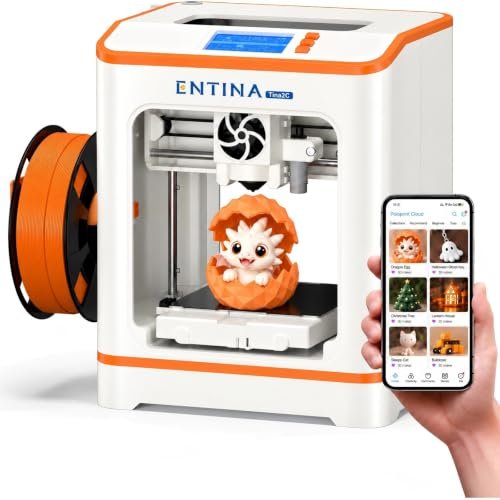
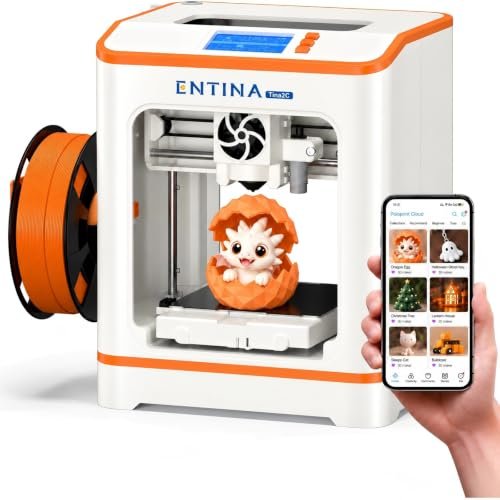
The Entina Tina2C is a compact desktop machine that removes all the intimidation factor for absolute newcomers. With factory-calibrated auto-leveling and a guided setup through the Poloprint app, you can honestly start your first print within five minutes of opening the box. Its flexible magnetic build plate lets you pop small models off effortlessly without scraper tools, while the quick-swap nozzle system makes basic upkeep straightforward. It is a quiet, space-friendly unit built specifically for low-stress learning and family projects.
Key features that stand out:
– Plug-and-play assembly with complete out-of-the-box readiness
– Built-in auto-leveling and power-loss recovery
– Wireless 2.4GHz Wi-Fi control via the Poloprint Cloud mobile app
– Access to over 3,500 ready-to-print 3D models and AI design tools
– Flexible magnetic build surface for clean print removal
Pros:
– Setup is straightforward enough for children and first-time hobbyists.
– The machine operates quietly on standard desks and study tables.
– Wireless app printing eliminates the need for manual file transfers.
Cons:
– The 3.9 x 3.9 x 3.9-inch build volume is too small for larger functional prints.
– It is limited primarily to printing basic PLA filaments.
Best for: Young students, STEM classrooms, and absolute beginners wanting a small, safe desktop companion.
Expert Opinion: The Tina2C is one of the least intimidating machines you can buy. While the tiny build volume limits what you can build, its reliable auto-leveling and app library make it a dependable starter tool for learning basic 3D concepts.
FLASHFORGE Adventurer 5M 3D Printer
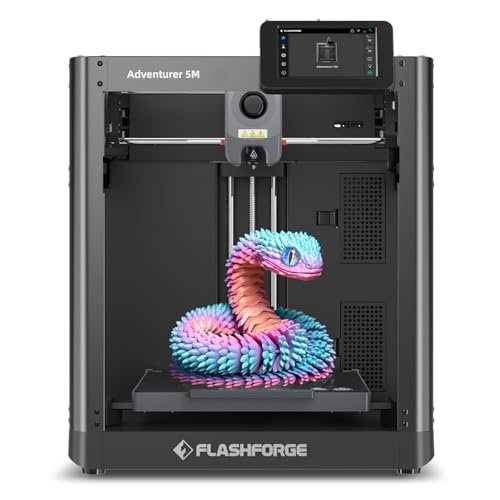
The Flashforge Adventurer 5M brings industrial-grade speed to an approachable entry-level platform. It features a rigid all-metal CoreXY motion system capable of reaching travel speeds up to 600mm/s with 20,000mm/s² acceleration. You get one-click fully automatic bed leveling that eliminates paper-test calibration entirely, alongside a quick-change nozzle mechanism that swaps out in seconds without tools. The dual-sided PEI spring plate ensures solid layer adhesion, helping newcomers avoid the messy first-layer failures common on older machines.
Key features that stand out:
– CoreXY motion structure supporting high-speed printing up to 600mm/s
– Full one-click automated bed leveling and Z-offset calibration
– Direct drive extruder reaching 280°C with dual cooling fans
– Rapid-heating hotend reaching 200°C in just 35 seconds
– Remote monitoring and slicing via the Flash Studio mobile application
Pros:
– Prints standard items up to five times faster than traditional bedslingers.
– Automatic calibration works consistently without manual fine-tuning.
– The swappable nozzle design makes clearing clogs simple.
Cons:
– The open-frame design makes printing ABS or ASA filaments impractical without an added enclosure.
– High-speed cooling fans create noticeable background noise during rapid printing.
Best for: Beginners who want fast turnaround times, modern CoreXY performance, and room to grow into functional DIY parts.
Expert Opinion: The Adventurer 5M delivers remarkable speed and build quality for its price. If you want a full-sized beginner platform that won’t feel outdated after six months of learning, this CoreXY workhorse is an outstanding starting point.
Bambu Lab P1S 3D Printer
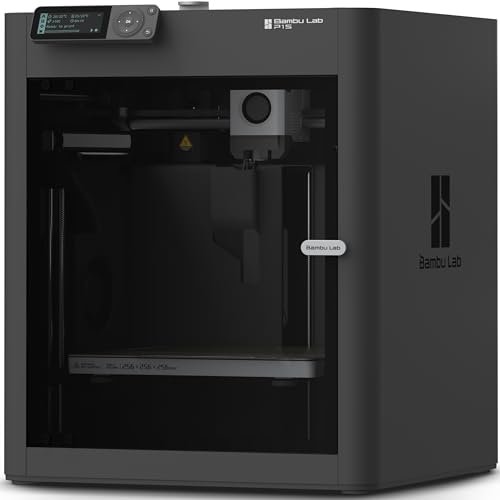
The Bambu Lab P1S is an enclosed, ready-to-use desktop printer that sets the benchmark for hands-off reliability. Thanks to its fully enclosed chassis, you can reliably print everything from simple PLA to temperature-sensitive materials like PETG, ABS, and ASA without warping. It features automated bed leveling and vibration compensation, which work together to produce clean, ring-free surfaces at speeds up to 500mm/s. Setup takes roughly fifteen minutes, letting you bypass complicated assembly steps entirely.
Key features that stand out:
– Factory-assembled enclosed body engineered for high-temp filament printing
– CoreXY architecture reaching 500mm/s printing speeds with 20,000 mm/s² acceleration
– Automated sensor-driven bed leveling and Z-height calibration
– Built-in cooling fan suite and active carbon air filtration
– Out-of-the-box compatibility with the Bambu Lab ecosystem and mobile app
Pros:
– Enclosure allows you to print advanced engineering materials reliably.
– Print quality is clean and consistent across a wide variety of files.
– The Bambu Handy companion app makes monitoring prints effortless.
Cons:
– The basic onboard screen interface feels dated compared to full touchscreens.
– Upgrading to multi-color printing requires purchasing an external AMS unit later.
Best for: Beginners who want a heavy-duty, enclosed printer capable of making tough, functional mechanical parts without tinkering.
Expert Opinion: The P1S is the machine I recommend to people who want 3D printing as an appliance rather than a tinkering hobby. It just works, and the enclosure protects your prints from drafts while opening the door to durable filaments.
Entina Tina2 Plus 3D Printer
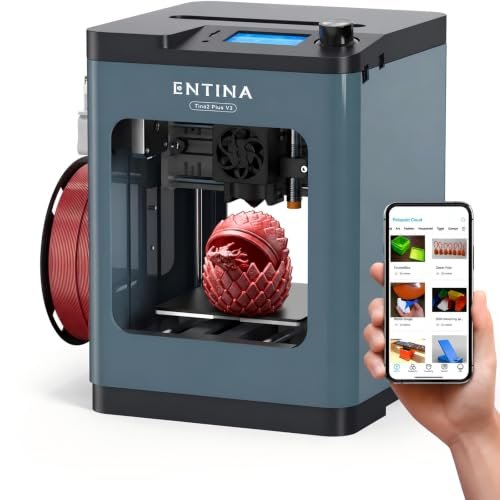
The Entina Tina2 Plus upgrades the beginner mini-printer concept by delivering faster speeds and structural enhancements. It packs a fast-heating ceramic hotend that hits working temperatures in 40 seconds, pushing print speeds up to a respectable 250mm/s. Stability is upgraded via a dual Z-axis leadscrew design paired with a textured PEI spring steel build plate, which prevents layer shifting on taller models. A partially enclosed safety frame keeps curious fingers away from the hottest components, making it ideal for home learning environments.
Key features that stand out:
– Upgraded 250mm/s printing speeds with optimized cooling
– Fast-heating ceramic hotend reaching target temps in 40 seconds
– Dual Z-axis motion system for improved vertical stability
– Partially enclosed frame engineered for safe household and classroom use
– Built-in Wi-Fi, USB, and TF card connectivity supported across all major operating systems
Pros:
– Dual Z-axis leadscrews significantly improve vertical print consistency.
– Heats up fast so kids don’t have to wait around to start projects.
– Semi-enclosed build offers genuine physical protection for young creators.
Cons:
– The build envelope remains relatively compact compared to full-sized printers.
– Slicing custom models requires switching to third-party software like Cura for advanced settings.
Best for: Families and educators seeking an affordable, safe, and surprisingly fast starter unit for young learners.
Expert Opinion: Adding a dual Z-axis and a ceramic hotend makes the Tina2 Plus much more capable than standard toy-grade printers. It bridges the gap between child-safe educational tools and real maker hardware.
Bambu Lab P1S Combo (with AMS)
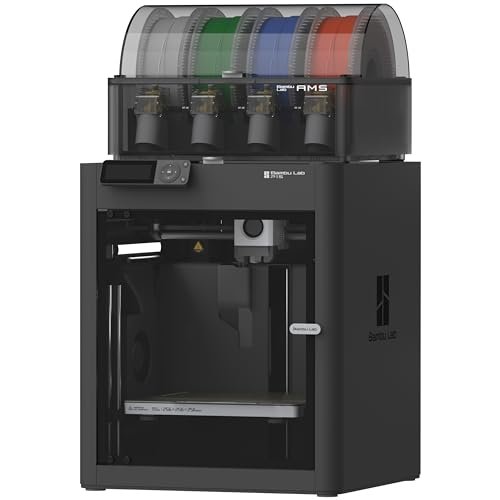
The Bambu Lab P1S Combo takes the proven reliability of the P1S platform and adds the Automatic Material System (AMS) for seamless multi-color printing. This system allows you to load up to four different spools simultaneously, switching colors and support interfaces automatically during a single build. With its fully enclosed design and 500mm/s CoreXY system, it prints complex, multi-shade models without manual intervention. Automated bed leveling and resonance testing run before each print, guaranteeing sharp details across all colors.
Key features that stand out:
– Included 4-spool AMS unit supporting multi-color and multi-material printing
– CoreXY motion system with 20,000mm/s² acceleration rates
– Temperature-retaining enclosure suitable for PLA, PETG, ABS, and ASA
– Automatic pre-print bed leveling and active vibration compensation
– Seamless integration with MakerWorld model downloads via the Bambu Handy app
Pros:
– Effortless multi-color printing without manual filament changes mid-print.
– The AMS serves as a sealed dry-box to protect filament from ambient moisture.
– Outstanding reliability across multi-hour, multi-color decorative prints.
Cons:
– Multi-color filament purging creates extra scrap material and extends print times.
– It requires a larger desk footprint to accommodate the top-mounted AMS unit.
Best for: Beginners who want to dive straight into colorful figurines, cosplay accents, and multi-material functional builds.
Expert Opinion: If you have the budget, buying the P1S bundled with the AMS right away saves money compared to buying them separately. It completely transforms how you design and print objects by making color an everyday feature.
Bambu Lab A1 3D Printer
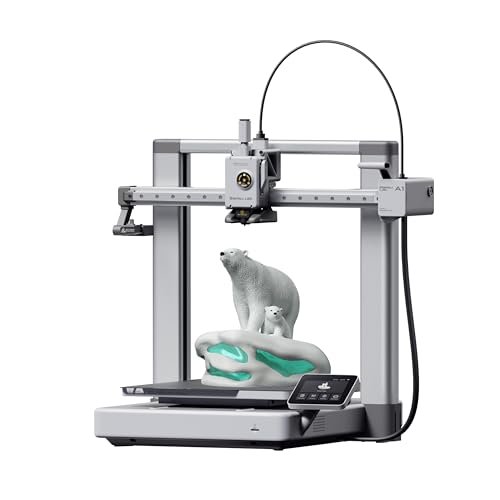
The Bambu Lab A1 brings high-end automation to the open-frame bedslinger market at an accessible price point. It features active flow rate compensation, which actively measures nozzle pressure to lay down smooth corners and prevent under-extrusion. The printer features full-auto calibration, meaning it sets its own Z-offset, levels the bed, and cancels out motor resonance before every job. Maintenance is equally simple thanks to a one-clip quick-swap nozzle, allowing you to change hotend sizes in seconds without dealing with wires.
Key features that stand out:
– Active flow rate compensation using high-frequency nozzle eddy-current sensors
– Full-auto bed leveling, Z-offset setting, and motor noise cancellation
– One-clip quick-swap nozzle system for toolless maintenance
– 500mm/s print speeds backed by 10,000mm/s² acceleration
– Full-color responsive touchscreen with an intuitive visual menu
Pros:
– Active noise cancellation makes this one of the quietest printers on the market.
– First-layer adhesion is virtually foolproof right out of the box.
– The color touchscreen makes manual adjustments easy to understand.
Cons:
– The open bed slinger frame requires clear space behind the machine for bed movement.
– It cannot reliably print high-temperature materials like ABS due to draft sensitivity.
Best for: Hobbyists looking for a full-sized, ultra-quiet, and dependable open-frame printer for PLA and PETG projects.
Expert Opinion: The A1 is arguably the easiest full-sized 3D printer for any beginner to operate. Its automated sensor suite handles the tricky calibration steps that usually frustrate newcomers, delivering clean prints with minimal fuss.
Entina Tina2C Mini 3D Printer Starter Bundle
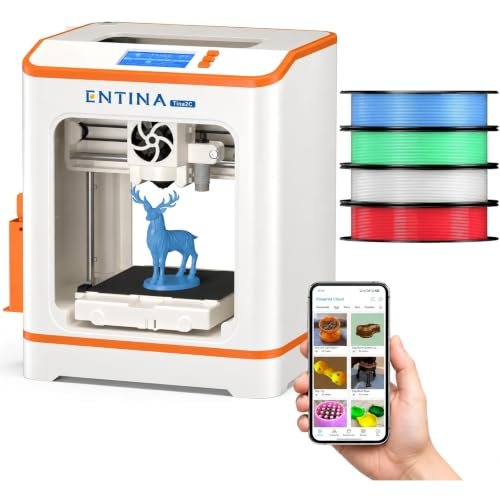
The Entina Tina2C Starter Bundle is designed to get beginners printing immediately without having to hunt down separate accessories. This kit includes the fully assembled Tina2C mini printer alongside four 250g spools of PLA filament in different colors. The machine features integrated automatic bed leveling and an easy-flex magnetic build surface that keeps setup simple. Through the Poloprint Cloud mobile application, new makers can browse a vast library of STEM activities and toy designs to start printing over Wi-Fi within minutes of unboxing.
Key features that stand out:
– Complete starter kit including 1kg of multi-colored PLA filament
– Pre-assembled mini chassis ready to print in roughly five minutes
– Sensor-driven automatic bed leveling with power-loss resume functions
– Flexible magnetic build plate for quick model detachment
– Poloprint Cloud integration featuring thousands of downloadable models
Pros:
– Comes with everything needed to start creating multi-colored models right away.
– Extremely low power consumption and quiet desktop operation.
– Guided mobile setup prevents beginner confusion during the initial startup.
Cons:
– Small filament spool holders require buying mini spools or printing an external stand.
– The non-heated build surface restricts you strictly to PLA filaments.
Best for: Gift givers, parents, and teachers looking for a ready-to-run package with materials included.
Expert Opinion: Starter bundles make life easy for first-timers because there is no guesswork about buying the right filament. While it remains an entry-level mini printer, the included filament assortment lets you start making practical things on day one.
Bambu Lab P2S Combo (with AMS 2)
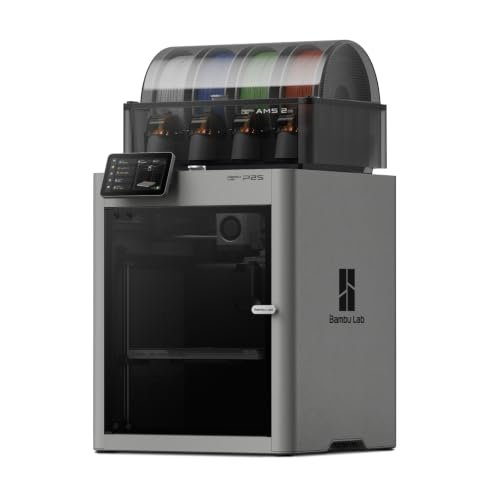
The Bambu Lab P2S Combo introduces advanced features into the enclosed CoreXY lineup, catering to ambitious beginners. It hits blistering print speeds up to 600mm/s powered by a PMSM servo extruder that ensures smooth plastic flow even through sharp turns. Paired with the AMS 2 Pro system, it supports multi-color printing while actively drying filament at temperatures up to 65°C during storage. An adaptive airflow chamber maintains steady internal temperatures for tricky engineering filaments, supported by built-in AI failure detection that watches for printing errors.
Key features that stand out:
– High-efficiency PMSM servo extruder paired with active flow rate compensation
– AMS 2 Pro system featuring integrated active filament drying up to 65°C
– Intelligent adaptive airflow chamber with active carbon filtration
– Onboard AI camera monitoring for real-time print error detection
– High-speed CoreXY mechanics delivering up to 600mm/s speeds
Pros:
– Active spool drying in the AMS prevents moisture-related print defects.
– AI error detection catches print failures early, saving time and filament.
– Advanced chamber temperature controls allow for clean engineering-grade prints.
Cons:
– The advanced feature set comes with a significantly higher price tag.
– It offers more technical capability than someone printing simple PLA trinkets might need.
Best for: Beginners with an appetite for serious engineering materials, rapid prototyping, and high-end multi-color printing.
Expert Opinion: The P2S Combo represents the cutting edge of consumer FDM printing. The built-in filament drying inside the AMS 2 Pro eliminates one of the biggest hidden headaches in 3D printing: wet, stringy filament.
Bambu Lab A1 mini 3D Printer + LED Lamp Kit
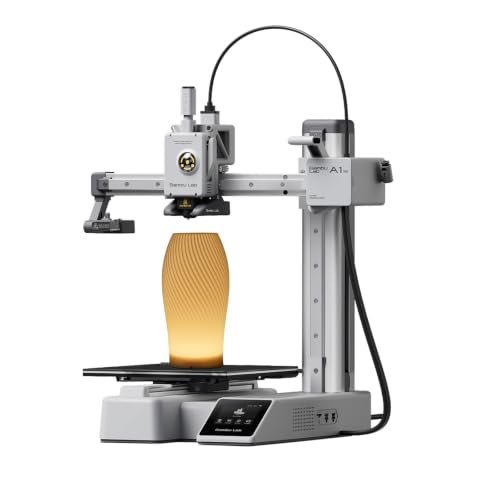
The Bambu Lab A1 mini bundle pairs a compact, high-precision printer with a hands-on project kit to spark immediate creativity. The package comes with an LED Lamp Hardware Kit, allowing newcomers to immediately print practical decorative lamps from MakerWorld designs. It features fully automated sensor calibration, toolless quick-swap nozzles, and active motor noise canceling that keeps operation whisper-quiet. Its compact footprint makes it a natural fit for small desks, dorms, and apartment living spaces.
Key features that stand out:
– Included LED Lamp Hardware Kit for building functional DIY lighting projects
– Full-auto bed leveling, Z-offset calibration, and dynamic vibration suppression
– Whisper-quiet stepper motor drivers with active noise cancellation
– Compact build platform offering high-precision detail on smaller models
– Direct access to MakerWorld’s one-click mobile printing repository
Pros:
– Small footprint fits neatly on small office desks and bedside tables.
– Extremely quiet operation lets you print in bedrooms without disruption.
– The included DIY lamp hardware gives beginners an immediate, satisfying goal.
Cons:
– The 180 x 180 x 180mm build plate is too small for large masks or helmets.
– An open frame means you should avoid placing it in cold or drafty hallways.
Best for: Students, apartment dwellers, and hobbyists who want high print quality in a quiet, space-saving format.
Expert Opinion: The A1 mini is an incredible value for beginners. Including a hardware project kit gives new owners immediate purpose, showing them right away that 3D printing is about making functional household items, not just test cubes.
ELEGOO Centauri 2 Combo 3D Printer
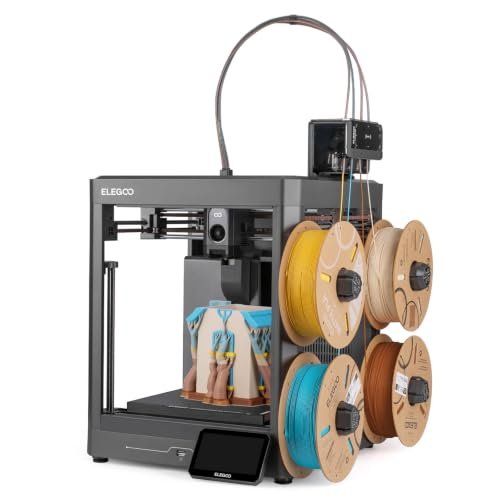
The ELEGOO Centauri 2 Combo makes multi-color CoreXY printing accessible through its integrated CANVAS 4-color management system. Equipped with RFID filament recognition and automatic spool backup switching, it takes the frustration out of setting up multi-material jobs. The machine relies on 22 smart diagnostic sensors that monitor everything from first-layer height to internal belt tension in real time. Backed by a rigid aluminum frame with linear guide rails, it prints accurately at speeds up to 500mm/s without sacrificing surface quality.
Key features that stand out:
– CANVAS 4-color filament system with RFID detection and auto-refill capabilities
– 22 intelligent monitoring sensors handling pre-print validation and layer checks
– High-speed CoreXY layout built with precision linear rails and aluminum frame
– Responsive 5-inch full-color touchscreen paired with the ELEGOO Matrix app
– User-friendly maintenance features including semi-automatic belt tensioners
Pros:
– RFID spool reading automatically configures temperature and speed settings.
– The large 5-inch display is easy to navigate for first-time users.
– Linear rails provide exceptional layer stacking and surface smoothness.
Cons:
– Slicing software options are somewhat tailored to the proprietary ELEGOO ecosystem.
– The combined printer and CANVAS footprint requires a sturdy, wide workspace.
Best for: Tech-savvy beginners who want an automated, multi-color CoreXY system with plenty of room to build larger designs.
Expert Opinion: Elegoo has done an impressive job packing advanced features into the Centauri 2 Combo. The inclusion of RFID material sensing and semi-automatic belt tensioning eliminates two common setup errors that trip up novice printers.
Beginner 3D Printer Comparison Insights
Navigating through different specifications can feel overwhelming when you are just starting. Here are the practical takeaways to keep in mind when choosing between these options:
- Enclosed vs. Open-Frame Designs: Printers like the Bambu Lab P1S and P2S feature fully enclosed chambers, which retain internal heat. This makes them ideal for warp-prone materials like ABS or ASA. Meanwhile, open-frame options like the Bambu Lab A1 or Flashforge Adventurer 5M excel at printing standard PLA and PETG while offering better accessibility and lower price tags.
- Bed Slinger vs. CoreXY Motion: Traditional bed slingers (like the A1 and A1 mini) move the build plate back and forth on the Y-axis. CoreXY machines (such as the Flashforge 5M, Elegoo Centauri 2, and Bambu P-series) move only the print head along the X and Y axes while lowering the bed. A CoreXY system provides higher printing speeds and better dimensional stability on taller prints.
- Single vs. Multi-Color Capabilities: Systems like the Bambu AMS and Elegoo CANVAS let you print multi-colored models without pausing the machine to manually swap filaments. If you plan to make decorative models, toys, or need dedicated soluble support materials, multi-color setups save massive amounts of time.
- Compact Desktop Minis vs. Full-Sized Printers: Small machines like the Entina Tina2C and Bambu Lab A1 mini require virtually no desk space and operate quietly. However, if you plan to print wearable armor, large storage bins, or full-sized tools, a standard 220mm to 256mm build plate prevents you from having to split models into multiple parts.
Final Verdict on Beginner 3D Printers
Rather than declaring a single machine as the only answer, the best choice really depends on how you plan to use your printer:
- The Best All-Around Choice for Beginners: The Bambu Lab A1 delivers the smoothest balance of ease of use, full-scale build volume, ultra-quiet printing, and sensor automation. It simply takes the stress out of getting started.
- The Best Budget Starter for Kids & Schools: The Entina Tina2C (or Starter Bundle) provides a safe, low-cost on-ramp for young learners. Its tiny footprint, protected parts, and ready-to-print model app let children build confidence quickly.
- The Best Enclosed Workhorse: The Bambu Lab P1S Combo remains the gold standard for beginners who want both multi-color printing and the freedom to tackle high-strength functional filaments without worrying about drafts.
- The Best Speed-to-Value CoreXY: The FLASHFORGE Adventurer 5M brings blazing CoreXY acceleration and one-click leveling down to a price point that makes high-speed printing accessible to everyone.
Frequently Asked Questions About 3D Printers Best for Beginners
What filament is easiest for beginners to print with?
PLA (Polylactic Acid) is by far the most beginner-friendly filament. It prints at relatively low temperatures (typically 190°C to 220°C), emits virtually no unpleasant odor, and does not require an enclosed heated chamber to prevent warping. Once you are comfortable with PLA, PETG is the next best option for stronger, heat-resistant household items.
Do I need to know 3D modeling software to use a 3D printer?
No, you do not need 3D design skills to get started. Modern printer ecosystems connect directly to free model repositories like MakerWorld, Printables, and Thingiverse, where you can download millions of pre-made designs for free. You only need to learn CAD software like Tinkercad or Fusion 360 when you want to design custom parts from scratch.
How does automatic bed leveling work on beginner printers?
Automatic bed leveling uses electronic strain gauges, inductive probes, or physical touch sensors to measure microscopic height differences across the print plate. The printer’s software then dynamically adjusts the Z-axis height while printing to ensure the nozzle stays at an even distance from the plate. This prevents adhesion failures without forcing you to turn manual leveling screws beneath the bed.
What is slicing software, and why is it necessary?
A slicer is a computer program (such as Bambu Studio, Cura, or PrusaSlicer) that converts a digital 3D model (usually an STL or STEP file) into machine-readable G-code instructions. The slicer cuts the model into hundreds of flat, horizontal layers and tells the printer exactly where to move, how fast to travel, and how much plastic to extrude for each layer.
How much maintenance do beginner 3D printers require?
Modern beginner printers require very little routine upkeep compared to older models. Basic maintenance usually involves wiping dust and debris off linear rails every few months, applying a dab of lubricating grease to the Z-axis lead screws, and periodically cleaning the flexible build plate with warm water and dish soap to remove finger oils.
What causes prints to detach or curl at the corners?
Prints curl or detach primarily due to poor first-layer adhesion, often caused by oils from your hands on the build plate or an unlevel surface. Ensuring the print bed is washed with basic dish soap, using auto-calibration routines, and eliminating cold room drafts around the machine will resolve almost all print detachment issues.
Affiliate Disclosure: As an Amazon Associate, I earn from qualifying purchases made through links on this site.