After spending hundreds of hours calibrating slicer settings, adjusting exposure times, and cleaning out vats in my workshop, I’ve seen how quickly photopolymer technology has advanced. In this hands-on 3d resin printer comparison, I’ll walk you through tested desktop hardware and essential resins that deliver crisp details without constant leveling headaches. Whether you’re producing highly detailed tabletop figures or functional mechanical prototypes, this guide breaks down what actually performs reliably on your workbench.
1. ANYCUBIC Photon Mono 4 Resin 3D Printer
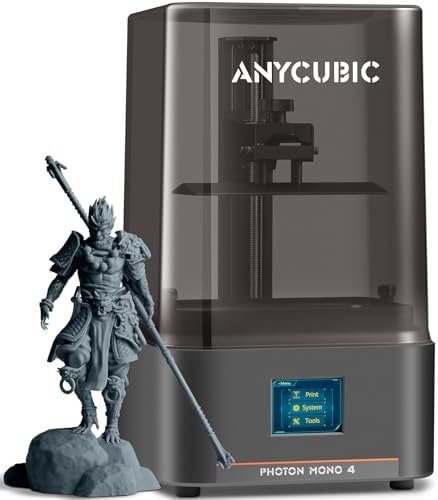
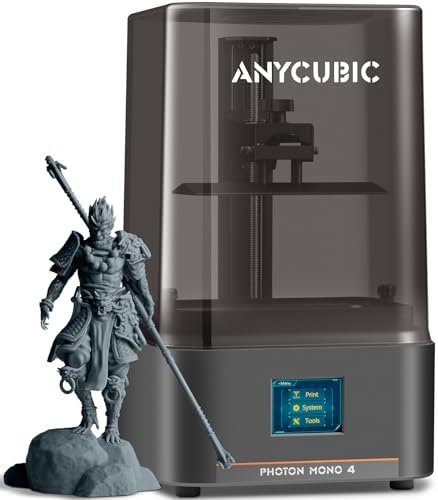
The ANYCUBIC Photon Mono 4 sets a solid benchmark for desktop miniature printing by packing a 7-inch 10K mono LCD into a compact footprint. Thanks to its 17×17μm XY resolution and reliable LighTurbo matrix light source, subtle skin textures and microscopic cloth folds render without visible stepping. The redesigned laser-engraved build platform 2.0 provides reliable first-layer grip while remaining easy to scrape clean. It’s a straightforward, workhorse machine built to keep print failures to a minimum right out of the box.
Key features that stand out:
– 7-inch 10K monochrome screen with ultra-fine 9024×5120 resolution
– LighTurbo matrix lighting system that cuts layer lines and improves cure consistency
– Laser-engraved print platform 2.0 designed for firm adhesion and quick print release
– Simple 4-point manual leveling system with power-loss resume functionality
– Practical 153.4 x 87 x 165 mm build envelope for standard tabletop figures
Pros:
– Incredible detail reproduction on miniature sculpts
– Sturdy print bed plate prevents mid-print warping
– Power outage recovery saves long print jobs
Cons:
– It lacks support for the Anycubic mobile app.
– You still have to level the build plate manually during initial setup.
Best for: Tabletop hobbyists and tabletop wargamers who need crisp 10K detail on small to medium-sized figurines without breaking the bank.
Expert Opinion: The Mono 4 focuses strictly on what matters most: raw detail and reliability. While it skips automated bed leveling and Wi-Fi connectivity, the 17-micron pixel size produces surface finishes that rival machines twice its price.
2. ELEGOO Mars 5 Ultra Resin 3D Printer
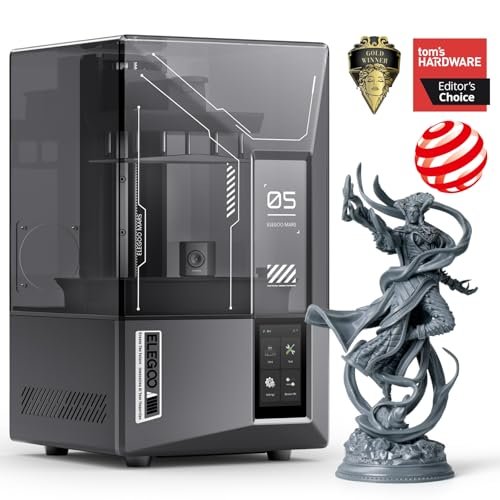
The ELEGOO Mars 5 Ultra brings high-speed mechanics to the desktop with its fast tilt release technology, reaching print speeds up to 150 mm/h. Its 7-inch 9K screen delivers sharp 18-micron accuracy, matching intricate resin designs stroke for stroke. What makes this machine truly convenient is the integrated AI camera, which constantly scans the vat for empty plates or detached supports so you don’t burn through resin on failed jobs.
Key features that stand out:
– Tilt release peeling mechanism that dramatically cuts print cycle durations
– Built-in AI camera for real-time failure alerts, warp detection, and empty plate warnings
– 7-inch 9K mono LCD delivering 18μm XY resolution
– Smart mechanical sensors for resin residue detection and shortage alarms
– Wi-Fi cluster management allowing control of multiple units from a single workstation
Pros:
– Tilt vat mechanism speeds up layer cycles noticeably
– Built-in camera catches print errors early to save messy cleanups
– Integrated Wi-Fi makes file transfers painless
Cons:
– The AI failure detection can occasionally throw false alarms on clear resins.
– High-speed printing requires well-tuned, fast-curing resins to avoid layer separation.
Best for: Tech-focused makers and small print farms that want rapid turnarounds and remote monitoring capabilities.
Expert Opinion: The tilt release mechanism on the Mars 5 Ultra genuinely speeds up production runs. Combined with the residue sensor that protects the screen from stray cured chunks, it’s one of the most forgiving compact printers you can run.
3. ELEGOO Saturn 4 Ultra 16K Resin 3D Printer
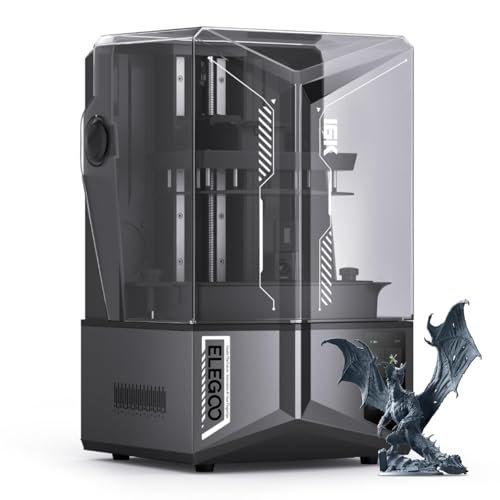
The ELEGOO Saturn 4 Ultra raises the bar for medium-format machines by pairing a 10-inch 16K monochrome screen with an intelligent tank heating system that keeps resin at a steady 30 °C. Cold workshops are notorious for causing delamination and print failures, but this built-in heater keeps viscosity consistent through every season. Combined with true one-click auto-leveling and tilt release technology, this printer feels as close to an appliance as resin printing gets.
Key features that stand out:
– 10-inch 16K ultra-high resolution screen for large-scale, razor-sharp parts
– Integrated smart tank heating that maintains resin at a steady 30 °C
– Advanced tilt release mechanism reaching print speeds up to 150 mm/h
– Hands-off automatic bed leveling straight out of the box
– Chamber-lit AI monitoring camera with real-time error detection and time-lapse capture
Pros:
– Built-in vat heater prevents cold-weather printing failures
– True automatic bed leveling eliminates manual paper tests
– Large 10-inch screen accommodates bigger statues and batch prints
Cons:
– The flip-up lid requires extra vertical clearance on your workbench.
– It consumes resin quickly due to the larger vat size.
Best for: Serious creators, prop makers, and digital sculptors needing large build volume, heated resin consistency, and top-tier resolution.
Expert Opinion: If you work in a garage, basement, or cold room, the heated vat on the Saturn 4 Ultra is a massive asset. Maintaining resin temperature at 30 °C eliminates the layer splitting and under-curing issues that plague larger prints.
4. ELEGOO Mars 5 Resin 3D Printer
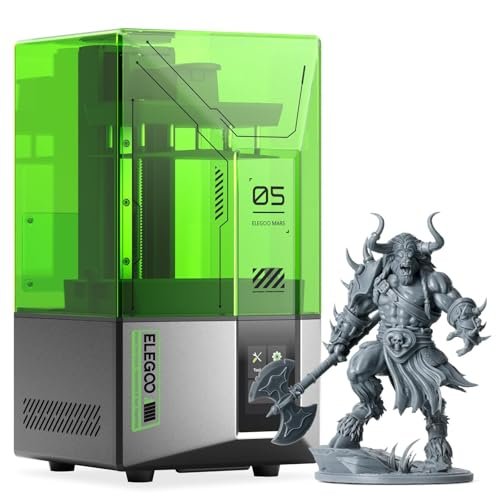
The ELEGOO Mars 5 is an entry-friendly machine that strips away unnecessary complexity by offering one-click automatic leveling at an accessible price point. Powered by a dependable 4K mono LCD and a balanced COB light source, it captures intricate textures while keeping routine maintenance simple. It also features a smart mechanical residue sensor and internal self-checks, helping avoid punctured release films and broken screens.
Key features that stand out:
– One-click automatic leveling for zero-fuss initial setup
– 4K mono LCD display backed by an efficient COB light source
– Smart mechanical sensor that checks for resin shortages and debris in the vat
– Automated component self-test routine before each print job
– Advanced overheat safety system that shuts off the unit if temperatures exceed 80 °C
Pros:
– Very easy setup process for complete beginners
– Residue sensor prevents accidental screen cracks
– Quiet cooling system and compact desktop footprint
Cons:
– The 4K resolution shows slight pixel lines on ultra-fine curves compared to 9K models.
– Print speeds are noticeably slower than tilt-release models.
Best for: Beginners wanting an affordable, low-stress entry point into resin printing without fiddling with manual leveling sheets.
Expert Opinion: The Mars 5 proves you don’t need to spend top dollar to get reliable automatic leveling. The built-in mechanical self-checks give beginners a helpful safety net against ruined LCD panels.
5. SUNLU Fast Curing Standard 3D Resin (1kg)
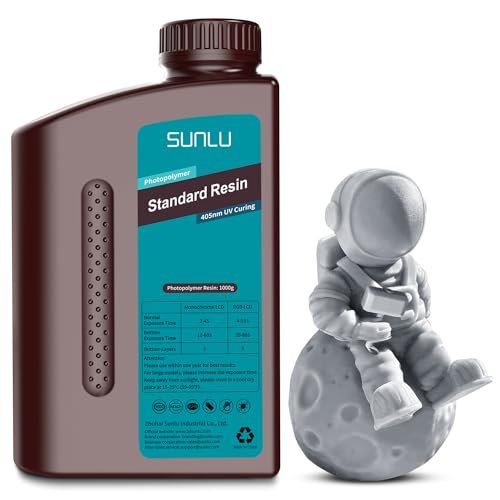
A dependable printer needs reliable resin, and SUNLU Standard Resin has earned its spot as a workshop staple thanks to its strong fluidity and low shrinkage rate. It flows quickly back over the build plate between layers, ensuring even exposure across wide surfaces. It produces smooth, rigid parts that take acrylic primer and paint easily, all while keeping harsh chemical odors to a manageable level.
Key features that stand out:
– Fast-curing formulation compatible with 365–405nm light wavelengths
– Low shrinkage rate that maintains dimensional accuracy on mechanical joints
– High fluidity that reduces vat suction forces and speeds up layer resets
– Low-odor recipe suited for home workshops and ventilated hobby spaces
– Patented leak-proof bottle design to avoid shipping spills
Pros:
– Broad exposure latitude works across almost every resin brand
– Cleans up quickly in standard isopropyl alcohol baths
– Crisp detail retention on sharp miniature edges
Cons:
– Standard formulations can be brittle when dropped on hard floors.
– Clear color options can yellow slightly if post-cured for too long.
Best for: General model making, display miniatures, and daily test printing where low cost and reliable curing matter most.
Expert Opinion: SUNLU standard resin is one of the most consistent everyday materials available. Its thin viscosity speeds up flow back across the FEP film, cutting down on dry spots and curing artifacts.
6. ANYCUBIC Photon Mono 4 (Tested Production Version)
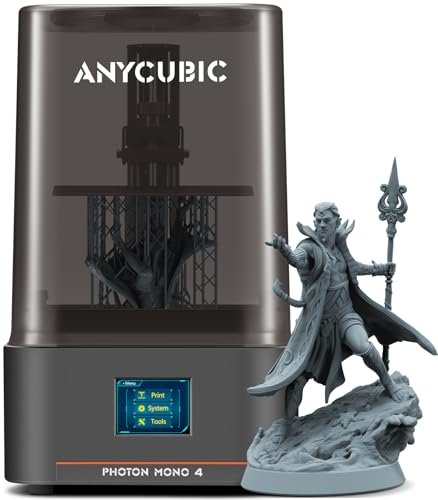
This production-tuned configuration of the ANYCUBIC Photon Mono 4 features factory-calibrated optics alongside its 7-inch 10K display. With single-layer exposure times dropping as low as 1.5 seconds per layer, you can turn out complete miniature batches in record time. The LighTurbo matrix light engine disperses UV light with exceptional uniformity, preventing overexposure on perimeter walls while locking in crisp deep-recess details.
Key features that stand out:
– 7-inch 10K screen producing 9024×5120 resolution with 17-micron precision
– Fast curing speeds reaching down to 1.5 seconds per layer on standard resins
– LighTurbo matrix light array ensuring balanced optical distribution across the vat
– Pre-calibrated factory assembly ready to run after one quick manual leveling step
– Covered by Anycubic’s extended LCD screen and hardware warranty support
Pros:
– Fast layer cure times speed up overall print duration
– High dimensional accuracy on thin weapons and delicate antennas
– Generous z-axis height allows for vertical batch layouts
Cons:
– Lacks onboard Wi-Fi, requiring standard USB flash drive transfers.
– The vat thumbscrews can feel slightly tight in cramped spaces.
Best for: Makers who prefer simple offline USB printing with ultra-high resolution and rapid layer cure times.
Expert Opinion: If you prefer avoiding mobile apps and cloud connectivity, this machine is a practical choice. The fast 1.5-second exposure cycles keep print turnarounds prompt without sacrificing surface smoothness.
7. ELEGOO ABS-Like 3.0+ Resin (Clear Red, 1kg)
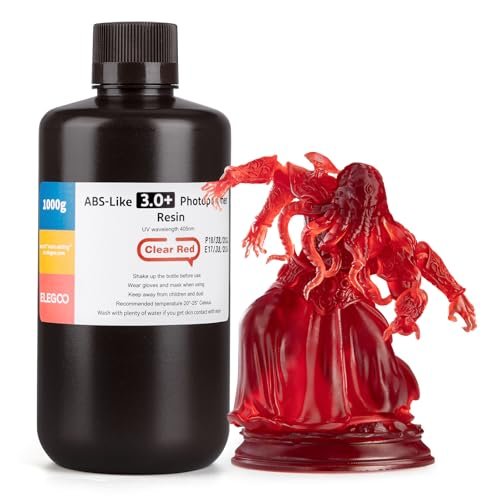
If you’re tired of brittle parts snapping during support removal, ELEGOO ABS-Like 3.0+ offers an effective solution by combining high impact resistance with high structural toughness. It can withstand temperatures up to 55 °C without deforming, making it suitable for functional brackets, mechanical enclosures, and tabletop pieces that see actual handling. The cured resin can even be drilled, tapped, and threaded without splintering.
Key features that stand out:
– Enhanced mechanical toughness capable of bending under stress without snapping
– Heat deflection resistance rated up to 55 °C for functional parts
– High fluidity formulation that speeds up release film separation
– Low shrinkage percentage ensures tight fits on multi-part assemblies
– High machinability allows for post-print tapping, sanding, and drilling
Pros:
– Stands up to accidental workbench drops far better than standard resin
– Delivers clean translucent visual finishes in Clear Red
– Retains fine dimensional tolerances for snap-fit assemblies
Cons:
– Requires slightly longer exposure times per layer than standard resins.
– Costs slightly more per bottle than basic entry-level resins.
Best for: Functional prototypes, mechanical components, and gaming miniatures that need to survive rough transport and handling.
Expert Opinion: Standard resins are notoriously brittle, but ABS-Like 3.0+ adds meaningful flexibility. Being able to drill mounting holes and tap threads into cured parts opens up genuine engineering possibilities on desktop printers.
Helpful Comparison Insights
When sizing up these options side by side, a few key mechanical differences dictate which machine fits your daily routine best:
- Resolution differences are nuanced: While jumping from 4K to 9K or 10K brings a noticeable improvement in removing visible layer stepping on miniature faces, moving from 10K to 16K shows its real benefit mostly on larger build plates. On 10-inch screens like the Saturn 4 Ultra, that high pixel count keeps the XY resolution down to microscopic levels, preventing pixel stretching over large surface areas.
- Peeling mechanisms dictate your print speed: Traditional lift-and-lower printers have to cycle slowly to peel cured layers from the release film safely. Machines equipped with tilt release technology, like the Mars 5 Ultra and Saturn 4 Ultra, rock the vat to peel models sideways. This reduces mechanical peel force, preserves delicate supports, and cuts total print times nearly in half.
- Temperature control is often overlooked: Resin cures through an exothermic chemical reaction that works best above 20–25 °C. If your printer sits in a cold garage, standard resins thicken, causing failed bottom layers and delamination. A machine with built-in vat heating, or running low-viscosity resins with warm ambient air, dramatically boosts your print success rates.
- Material choice matters as much as hardware: Pairing a 10K printer with brittle, low-grade resin can leave you with broken fingers and snapped weapons when clipping supports. Switching to an ABS-like resin blend provides the elasticity needed to remove supports cleanly while leaving smooth surface finishes behind.
Final Verdict
Choosing the right setup comes down to your personal workflow, workspace environment, and budget:
- The Value Workhorse: If you want jaw-dropping detail on small display figures and don’t care about wireless features, the ANYCUBIC Photon Mono 4 offers the sharpest 10K output for the price.
- The Speed and Tech Pick: If you print frequently, need quick iteration cycles, and appreciate AI error detection that prevents costly spills, the ELEGOO Mars 5 Ultra delivers standout performance in a compact footprint.
- The Large-Format Powerhouse: If you build larger statues, helmets, or batch production runs—especially in fluctuating shop temperatures—the ELEGOO Saturn 4 Ultra 16K with its heated vat and hands-off auto-leveling is well worth the extra investment.
- The Zero-Fuss Beginner Setup: If you want to unbox and print with automatic leveling at an entry-level price, the standard ELEGOO Mars 5 paired with a bottle of forgiving SUNLU Standard Resin is the easiest place to start.
- For Functional Parts: Keep a bottle of ELEGOO ABS-Like 3.0+ ready whenever you print parts that need to survive drops, snaps, or mechanical drilling.
FAQ: 3d Resin Printer Comparison and Buying Guide
How much difference does 4K, 10K, and 16K make in everyday printing?
The screen resolution must be evaluated alongside the screen size. On smaller 7-inch displays, a 4K screen yields roughly 35-micron pixels, which looks very good, but a 10K screen drops pixel dimensions down to 17 microns, virtually eliminating layer lines on tiny faces. On large 10-inch printers, 16K resolution is necessary to maintain that same fine 18-micron pixel density across a broader printing surface.
Do I really need automatic bed leveling on a resin printer?
While manual 4-point leveling is relatively simple once you get the hang of it, automatic bed leveling removes the guesswork for beginners. Auto-leveling systems eliminate uneven first layers caused by user error or loose locking screws, ensuring proper print plate adhesion right from the first print job.
Why is vat heating important on modern resin 3D printers?
Resin viscosity changes significantly with ambient room temperature. When temperatures drop below 20 °C (68 °F), resin thickens, which slows down flow rates and often leads to support failures or poor layer bonding. Built-in tank heating keeps the resin fluid at an optimal 30 °C, ensuring consistent prints even in unheated garages and basements.
How does tilt release technology increase printing speeds?
Traditional resin printers raise the entire build plate straight up on the Z-axis to pull the cured layer off the FEP film, which creates strong suction forces and requires slow movement. Tilt release swings one side of the vat down to peel the layer away gradually, reducing suction stress and allowing the printer to reset for the next layer much faster.
Can standard 3D printer resin be mixed with ABS-like resin?
Yes, many experienced makers mix standard resin with ABS-like resin (often in an 80/20 or 70/30 ratio). This blend adds impact toughness and flexibility to everyday prints without noticeably increasing your material costs, making thin parts less brittle during support removal.
What extra equipment do I need alongside a resin 3D printer?
A resin printer requires post-processing tools to clean and cure your finished models. You will need 99% isopropyl alcohol (or an ultrasonic cleaner compatible with resin solvents), a dedicated wash and cure station (or UV curing lamp), flush cutters for support removal, nitrile gloves, and a well-ventilated workspace with appropriate air filtration.
How long does an LCD screen last on a monochrome resin printer?
Monochrome LCD screens are much more durable than older color LCDs. Most modern mono screens last between 1,500 and 2,000 printing hours before pixel degradation or dead zones appear. Keeping UV exposure times calibrated and preventing cured debris from getting pressed into the screen helps maximize its lifespan.
Affiliate Disclosure: As an Amazon Associate, I earn from qualifying purchases made through links on this site.